How to Hire Machine Learning Developers: Skills, Vetting Process and 2026 Rates

The right way to hire machine learning developers is to define the ML problem, production ownership, product environment, and engagement model before reviewing candidates. A forecasting platform, a mobile vision feature, and an LLM-powered support tool need different people, even when every job description says “machine learning engineer.”

AI and big data are among the top skills that are projected to grow quickly over the next four years (through 2030), as cited in the World Economic Forum’s Future of Jobs Report 2025, and the AI Index 2026 underscores the rise in the disparity between AI capabilities and the systems that can measure, monitor, control, and apply AI responsibly.

A recurring scoping issue BrainX sees during discovery is companies hiring a model-focused profile for what is actually an application engineering problem. The model may work in a notebook, but the product still lacks APIs, latency controls, monitoring, fallbacks, and clear ownership after launch. This guide shows how to avoid that mismatch.

Key Takeaways

  • Define the ML use case before selecting a job title.
  • Match the developer profile to the product and deployment environment.
  • Prioritize production evidence over certificates and framework lists.
  • Use a paid, role-relevant work sample and a structured scorecard.
  • Depending on scope and capacity of internal management, select a person or a team of dedicated individuals.
  • Take into account total hiring costs, rather than salary or hourly rate.
  • Establish data, infrastructure, access and success metrics prior to hiring.
Why Companies Need Production-Ready ML Talent in 2026

AI adoption is moving beyond isolated demonstrations. Companies are placing recommendations, forecasting, document intelligence, copilots, fraud controls, and automated decisions inside products and operational workflows.

Stanford’s 2025 AI Index reported that 78% of surveyed organizations used AI in 2024, compared with 55% the previous year. As adoption grows, the central challenge is no longer gaining access to a model. It is turning that capability into a system that performs reliably, integrates with existing technology, and creates measurable value.

AI Features Are Becoming Part of Core Products and Workflows

An experimental model can be evaluated with a static dataset and a limited group of users. A production feature must work with live data, application releases, permissions, traffic, operational processes, and changing customer behavior.

This shift creates demand for developers who can connect model behavior with software architecture and business requirements. The role may involve building an inference service, integrating a third-party model, creating an evaluation pipeline, or supporting a decision workflow used every day.

Integration Matters as Much as Model Quality

A technically capable model can still fail as a product. It may respond too slowly, cost too much to operate, expose sensitive information, provide no usable fallback, or depend on data that is unavailable during live inference.

Production-ready ML developers account for these constraints during design rather than after launch. They consider APIs, user experience, observability, security, cost, release strategy, and ownership alongside model performance.

This is why hiring solely for algorithm knowledge or framework familiarity is increasingly risky. The business needs someone who can make the capability work within the wider system.

Stable ML Capability Reduces Long-Term Dependency

A successful ML initiative creates more than a model. It also produces data definitions, evaluation methods, integration patterns, monitoring rules, operating knowledge, and a record of important technical decisions.

Companies need a clear way to retain that knowledge, whether through an internal engineer, a dedicated team, or a long-term development partner. Without continuity, future teams may struggle to explain why the system behaves as it does or how it should be changed safely.

Weak Implementation Introduces New Business Risks

Growing adoption does not guarantee responsible or effective deployment. The Stanford AI Index notes that AI-related incidents are increasing while standardized responsible-AI evaluation remains inconsistent.

An unprepared team may release a system without reliable evaluation, cost limits, data controls, monitoring, or human escalation. These gaps can lead to incorrect outputs, degraded performance, unexpected expenses, security incidents, and unclear accountability.

The objective in 2026 is therefore not simply to hire someone who can build an ML model. It is to secure the engineering and operational capability needed to turn AI into a reliable part of the business.

Types of AI/ML Roles: What Does Your Project Need?

“AI developer” is often used as a broad label for professionals who build AI-powered applications, integrate existing models, or develop and deploy custom machine learning systems. Because the title is not standardized, companies should define the expected responsibilities instead of relying on the label alone.

You need to choose the role according to what the person must own in production. Before you hire machine learning developers, determine if the uncertainty is with the data and model, the application integration, or reliability of system operations post release.

Machine Learning Engineer

A machine learning engineer builds, deploys, and improves ML systems that must work reliably outside a notebook. This role combines model knowledge with software engineering, data pipelines, APIs, performance optimization, and production monitoring.

Hire this profile when you already understand the business problem and need someone to turn data and models into a scalable service. Typical projects include recommendation systems, fraud detection, demand forecasting, ranking, personalization, and automated decision support.

The role should usually be about more than model training. Google Cloud describes ML engineers as professionals who build, evaluate, productionize, optimize, monitor, and improve both traditional and generative AI solutions.

Best fit: A production ML feature that requires custom modeling, reliable inference, and ongoing improvement.

Data Scientist

A data scientist investigates data, tests hypotheses, develops predictive models, and translates findings into business recommendations. The work usually emphasizes experimentation, statistical reasoning, model evaluation, and communication rather than application infrastructure.

Hire a data scientist when the main question is still analytical. You may need to understand customer behavior, identify risk factors, forecast an outcome, test a business assumption, or determine whether the available data can support an ML solution.

O*NET defines the role around transforming raw data into meaningful information, comparing models, identifying business problems, and recommending data-driven solutions to stakeholders.

Best fit: Exploratory analysis, experimentation, forecasting research, segmentation, and decision support where the production path is not yet the main challenge.

AI Engineer

An AI engineer builds complete applications using AI models and services. In 2026, this title commonly covers generative AI systems, RAG applications, AI agents, copilots, document intelligence, natural language interfaces, and multimodal features.

Unlike a research-oriented role, an AI engineer often works with existing foundation models rather than training a model from scratch. The focus is on orchestration, retrieval, tool use, evaluation, guardrails, APIs, and integration with the wider product.

Microsoft describes AI engineering as an end-to-end role that includes requirements, design, development, deployment, integration, maintenance, performance tuning, and monitoring.

Best fit: LLM-powered products, enterprise knowledge assistants, AI agents, document workflows, and applications built on commercial or open-source foundation models.

MLOps Engineer

An MLOps engineer builds the systems and processes that make machine learning repeatable, observable, and safe to operate. The role focuses on deployment automation, model registries, pipeline orchestration, infrastructure, versioning, monitoring, retraining, and rollback.

Hire an MLOps engineer when models already exist but releases are manual, environments are inconsistent, monitoring is weak, or several teams need a shared ML platform. This role becomes especially important when the organization operates multiple models or works under strict reliability and governance requirements.

Google defines MLOps as the practice of unifying ML development and operations through automation and monitoring across integration, testing, release, deployment, and infrastructure management.

Best fit: Scaling an existing ML program, automating the model lifecycle, improving reliability, or standardizing deployment across teams.

Machine Learning Research Engineer or Applied Scientist

A research engineer or applied scientist investigates approaches that are not yet well established. The role may involve designing new model architectures, adapting recent research, running extensive experiments, or improving the state of the art for a narrow problem.

Most product teams do not need this profile for standard prediction, recommendation, computer vision, or generative AI integration. Hire one when model novelty creates a genuine competitive advantage and existing models or services cannot meet the requirement.

The distinction is important because a strong researcher may produce an advanced prototype without owning the application, infrastructure, or operational work required to release it.

Best fit: Novel algorithms, proprietary model research, highly specialized scientific problems, or products whose value depends on original ML intellectual property.

Data Engineer for Machine Learning Systems

A data engineer creates the reliable data foundation that model development depends on. The role typically owns ingestion, transformation, orchestration, storage, schemas, data quality checks, lineage, and access patterns.

Hire this profile when the main blocker is not the model but fragmented, delayed, poorly documented, or unreliable data. Without this foundation, data scientists spend too much time repairing datasets, while ML engineers inherit pipelines that are difficult to reproduce or monitor.

A data engineer supports ML delivery but should not automatically be treated as the model owner. The role is most valuable when operational data must move consistently from source systems into training and inference pipelines.

Best fit: Projects involving multiple data sources, streaming events, large-scale transformations, unreliable schemas, or recurring training datasets.

Machine Learning Developer vs. Data Scientist vs. Data Engineer
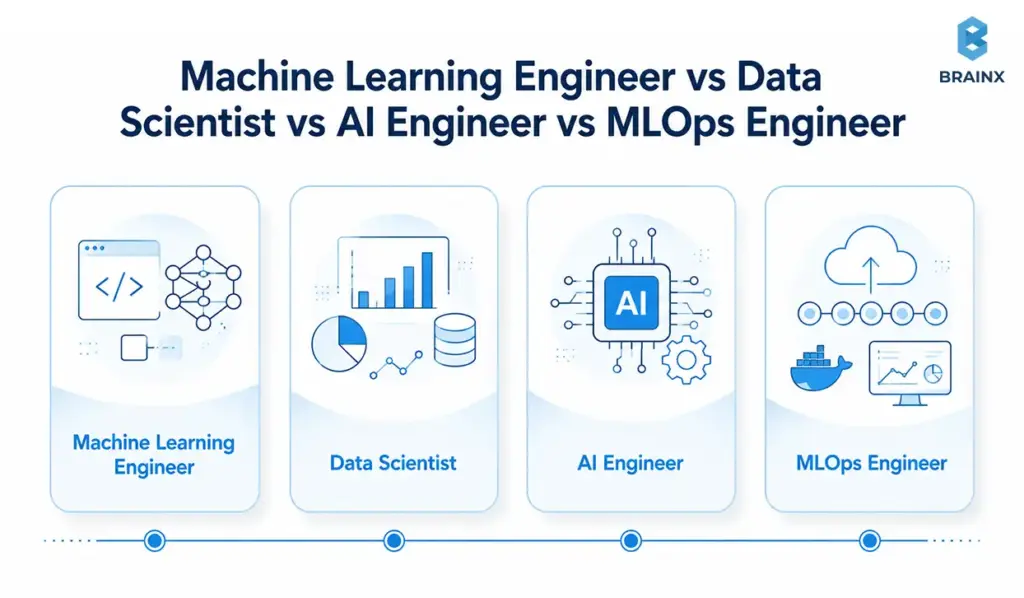
Four illustrated cards compare machine learning engineer, data scientist, AI engineer, and MLOps engineer roles.

These three roles may work on the same ML initiative, but they own different stages of delivery. A data engineer creates the data foundation, a data scientist explores the data and validates the model, and a machine learning developer turns that model into a reliable product feature or service.

Area Machine Learning Developer Data Scientist Data Engineer
Primary focus Building and operating production ML systems Analyzing data and validating predictive approaches Creating reliable data pipelines and infrastructure
Typical output A deployed ML feature, API, or service An analysis, experiment, or validated model Trusted datasets and reusable data pipelines
Core strengths ML, software engineering, APIs, deployment, and monitoring Statistics, experimentation, modeling, and business interpretation Data ingestion, transformation, storage, orchestration, and quality
Best time to hire When an ML capability must be integrated into a live product When the business problem or model feasibility is still uncertain When fragmented or unreliable data is blocking ML development

Many production projects need all three roles, although not always at the same time. The hiring decision should therefore reflect the project’s current bottleneck: data readiness, model discovery, or production delivery.

When Should You Hire Machine Learning App Developers for a Product-Focused Project?

Hire this profile when AI or ML is one part of a customer-facing web or mobile product. The challenge is not only generating a prediction. It is making that prediction work inside a reliable user journey.

A machine learning app developer connects models with backend services, APIs, mobile or web clients, authentication, analytics, feature flags, and fallback behavior. The role should understand how latency, device limits, traffic, release cycles, and user-facing errors affect the feature.

For example, a computer vision model may perform well during testing, but a mobile product still needs camera handling, device compatibility, offline behavior, model updates, and clear responses when confidence is low. A recommendation model also needs event tracking, caching, API integration, experimentation, and graceful handling of new users.

Software development responsibilities such as understanding user needs, defining interfaces, testing systems, improving performance, and monitoring operation are central to this profile.

Best fit: Recommendations, visual search, intelligent forms, mobile vision, embedded forecasting, fraud alerts, and AI copilots delivered through a web or mobile interface.

The titles may overlap, especially in smaller companies. A senior ML engineer may handle deployment, and an AI engineer may also build application APIs. The hiring brief should therefore describe the expected outputs and ownership boundaries instead of relying on the title alone.

Which Responsibilities Belong to the Developer and Which Belong to the Wider Product Team?

The developer can own model implementation, inference code, evaluation, deployment support, and monitoring setup. The wider team must still own the user problem, commercial KPI, data approvals, UX, rollout decisions, and legal or compliance review.

For example, an eCommerce recommendation engineer can build the ranking service, but product and analytics must define events and experiments. A mobile vision developer can optimize inference, but QA must test device, lighting, and camera edge cases.

Explore BrainX AI development services for the wider engineering capabilities that often surround an ML specialist.

What Does a Machine Learning Developer Do?

A machine learning developer turns business requirements and data into a working ML capability that can be tested, integrated, deployed, and improved over time. The exact responsibilities vary by project, but the role usually extends beyond training a model.

In a product environment, the developer may work with data scientists, backend engineers, product managers, QA teams, and cloud specialists. Their responsibility is to make sure the model does not remain an isolated experiment but becomes part of a reliable application or workflow.

Core Responsibilities of a Machine Learning Developer

A machine learning developer may be responsible for:

  • Defining the ML problem: Translating a business objective into a prediction, ranking, classification, recommendation, or automation task with measurable success criteria.
  • Preparing and validating data: Cleaning datasets, creating features, checking labels, identifying leakage, and making the data pipeline reproducible.
  • Building and evaluating models: Establishing a baseline, selecting suitable approaches, training models, comparing metrics, and analyzing where the system fails.
  • Integrating models into applications: Creating inference APIs, connecting models with backend services, and supporting web, mobile, or internal product workflows.
  • Optimizing production performance: Managing latency, throughput, compute cost, model size, caching, batching, and fallback behavior.
  • Deploying and monitoring ML systems: Supporting release pipelines, tracking model quality and system health, identifying drift, and defining retraining or rollback triggers.
  • Documenting decisions and limitations: Recording assumptions, data constraints, evaluation results, architecture choices, and operational requirements for the wider team.
  • Collaborating with product and engineering teams: Explaining trade-offs, aligning model behavior with user needs, and helping stakeholders decide whether the system is ready to launch.

Not every machine learning developer will own all of these responsibilities. In larger teams, data engineers may manage pipelines, data scientists may lead experimentation, and MLOps engineers may handle deployment infrastructure. The hiring brief should identify which responsibilities belong to the role and which will be supported by the wider team.

Industries That Hire Machine Learning Developers Most Actively

Machine learning developers are most valuable in industries that generate large volumes of data and make frequent decisions that can be improved through prediction, ranking, detection, or automation.

The required profile still varies by sector. A retail company may prioritize experimentation and low-latency recommendations, while a healthcare organization may give more weight to validation, privacy, explainability, and human oversight.

Financial Services and Insurance

Banks, insurers, fintech platforms, and payment companies hire machine learning developers for fraud detection, credit and risk analysis, claims automation, customer segmentation, document processing, and personalized financial services.

These environments usually require strong data governance, security, explainability, and monitoring. Candidates should understand that an accurate model is not enough when its decisions affect customers, financial exposure, or regulated processes.

Healthcare and Life Sciences

Healthcare and life sciences organizations use ML in medical imaging, clinical workflow support, patient-risk prediction, trial matching, operational forecasting, and drug or scientific research.

Projects in this sector often require carefully validated datasets, privacy controls, auditability, and appropriate human review. Domain expertise may be especially important because technical metrics must be interpreted alongside clinical or scientific consequences.

Retail and eCommerce

Retailers and eCommerce businesses hire ML developers to build recommendation engines, search and ranking systems, demand forecasts, inventory models, pricing tools, churn prediction, fraud controls, and personalized customer experiences.

Product-facing experience is important in this sector. The developer may need to work with event data, experimentation platforms, customer profiles, low-latency APIs, fallback rules, and web or mobile applications.

Manufacturing and Supply Chain

Manufacturers, logistics companies, and supply-chain operators use machine learning for predictive maintenance, visual quality inspection, demand planning, route optimization, process control, and anomaly detection.

These projects may combine time-series data, sensors, computer vision, edge devices, and operational systems. Reliability matters because an incorrect or unavailable prediction can interrupt a physical process rather than only affect a digital interface.

SaaS and Technology Companies

SaaS providers and technology companies hire ML developers to add copilots, intelligent search, document processing, recommendations, anomaly detection, forecasting, and workflow automation to their products.

These roles commonly require strong software engineering and application-integration skills. Candidates may need to work with multi-tenant systems, APIs, permissions, evaluation pipelines, usage analytics, model costs, and frequent product releases.

Media, Advertising, and Telecommunications

Media, advertising, and telecommunications companies use ML for content recommendations, ad ranking, audience segmentation, churn prediction, moderation, network optimization, and customer-support automation.

Developers in these environments may work with high-volume event streams, real-time inference, changing user behavior, and feedback loops. Privacy, bias, latency, and the unintended effects of automated ranking should be considered from the beginning.

Industry experience can shorten the learning curve, but it should not replace production evidence. A candidate from another sector may still be a strong fit when the data type, delivery environment, risk level, and system requirements are similar.

Why Hiring Top Machine Learning Engineers Is a Whole Different Challenge
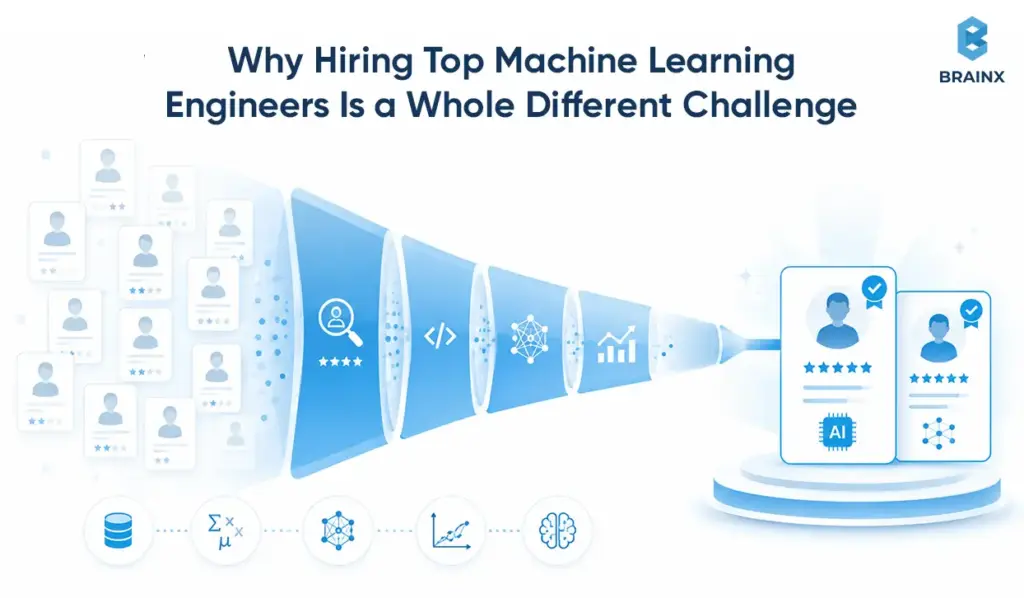
Candidate funnel narrowing a large talent pool through technical screening to two qualified machine learning engineers.

Hiring a strong machine learning engineer is not simply a harder version of hiring a software developer. The role sits across data, modeling, software architecture, product delivery, and operations. A candidate may be excellent in one area and still struggle with the part your project depends on most.

The difficulty is not limited to talent scarcity. Companies must also define an inconsistent role, assess experience that is often hidden behind proprietary systems, and judge whether their own data and infrastructure are ready for the person they want to hire.

The Role Combines Several Technical Disciplines

Machine learning engineering draws from software engineering, data science, statistics, cloud infrastructure, and product development. Few candidates are equally strong across every area.

Someone with deep modeling knowledge may have limited experience building reliable APIs. A capable backend engineer may understand deployment but lack the statistical judgment needed to detect leakage or select the right evaluation metric. An experienced data scientist may create a valuable prototype but depend on another engineer to make it production-ready.

This makes broad job descriptions risky. A long list of tools can attract candidates with very different strengths while giving the hiring team little indication of who can own the actual outcome.

Job Titles Do Not Reveal the Candidate’s Real Scope

The title “machine learning engineer” can describe very different jobs. At one company, the role may focus on experimentation and model training. At another, it may involve backend services, deployment pipelines, monitoring, and incident response.

Seniority labels can be equally misleading. A senior engineer from a research environment may not have owned a customer-facing service. Meanwhile, a mid-level engineer from a smaller product company may have handled the entire lifecycle from data preparation to production monitoring.

This is why role selection must be based on responsibilities and expected outputs, not the title printed on a resume.

Production Experience Is Hard to Verify From a Portfolio

A traditional software engineer can often share applications, libraries, interfaces, or open-source contributions. Machine learning work is harder to inspect because the most meaningful evidence may involve proprietary data, internal pipelines, confidential models, or regulated systems.

Public portfolios tend to show clean datasets and controlled experiments. They rarely reveal how the candidate handled missing data, model drift, traffic spikes, security reviews, changing requirements, or a failed deployment.

Even measurable claims need context. “Improved accuracy by 20%” means little without the original baseline, evaluation method, affected users, production constraints, and business outcome. The hiring team must work harder to distinguish genuine ownership from participation in a larger project.

The Technology Changes Faster Than Most Hiring Cycles

ML tools and delivery patterns continue to change quickly. The rise of foundation models, retrieval systems, AI agents, multimodal applications, and new evaluation methods has altered what many applied AI roles require.

The 2026 AI Index notes that AI capabilities are advancing faster than many evaluation, governance, and supporting systems can keep pace with. That gap affects hiring because a checklist built around last year’s tools may already be too narrow.

Hiring only for familiarity with a specific framework can therefore create a short-lived match. Strong candidates need stable fundamentals, sound engineering judgment, and evidence that they can learn when the stack changes.

Experienced Candidates Have More Leverage

Production-ready ML engineers remain difficult to find because companies are competing for the same combination of specialized skills. Robert Half’s 2026 technology research says professionals with the AI expertise companies need remain hard to find. It also reports that 87% of technology leaders typically offer higher salaries to candidates with specialized skills than to candidates without them in the same role.

Strong candidates may already be employed and evaluating several opportunities. They are likely to compare more than compensation. The quality of the problem, access to data, engineering standards, decision-making authority, technical leadership, and realistic expectations all affect whether they accept an offer.

A vague job post or a slow interview process does more than delay hiring. It can remove the strongest candidates from the pipeline first.

The Hiring Team May Lack the Expertise to Assess the Role

A company making its first ML hire may not have an internal specialist who can distinguish polished explanations from sound technical judgment. Conventional coding interviews do not fully test data quality, model evaluation, monitoring, or production trade-offs.

This creates an uncomfortable dependency: the company needs ML expertise to evaluate the person it hopes will provide that expertise.

In such cases, a senior software architect can assess code and systems, while a data or ML adviser reviews modeling and evaluation decisions. Without credible evaluators, teams may overvalue academic language, recognizable employers, or framework knowledge because those signals are easier to judge.

Company Readiness Can Make a Good Hire Look Like a Bad One

An experienced engineer cannot compensate indefinitely for inaccessible data, unclear ownership, missing environments, or stakeholders who have not agreed on success.

When these foundations are weak, the new hire spends the first months resolving organizational issues rather than building the ML system. Progress appears slow even though the real blockers are outside the role.

This is one reason ML hiring must include an internal readiness check. The company should know who owns the data, who approves infrastructure, how the feature will reach users, and which metric will determine whether the investment is working.

The Cost of a Hiring Mismatch Often Appears Late

A weak software hire may produce visible problems quickly through broken builds or poor code. An ML mismatch can remain hidden behind a convincing prototype.

The model may perform well offline while relying on unavailable data, leaking future information, exceeding the latency budget, or lacking a realistic integration path. These problems may not become obvious until the business has spent months on development.

That delayed feedback makes the wrong hire particularly expensive. The company may need to redesign the architecture, rebuild pipelines, change the role, or add several specialists to finish work that was initially assigned to one person.

The answer is not a longer interview process. It is a more precise one. Define the ownership boundary, use evidence that reflects the production environment, and make sure the organization is ready to support the person it hires.

How Do You Hire Machine Learning Developers Without Hiring the Wrong Role?

You prevent the wrong hire by translating the business need into a one-page engineering brief before sourcing begins. When teams hire machine learning developers from a vague request such as “add AI,” candidates cannot judge the data, integration effort, delivery boundary, or production risk.

Understanding the Role of a Machine Learning Engineer

A machine learning engineer is responsible for turning data and models into a system that can operate reliably in a real product environment. When hiring for this role, the important question is not whether the candidate knows a particular framework. It is which parts of the ML lifecycle they will be expected to own.

In one company, the engineer may receive a validated model from a data scientist and focus on deployment, APIs, and monitoring. In another, the same title may include data preparation, feature engineering, model training, integration, release, and ongoing maintenance. These are materially different jobs and should not use the same hiring brief.

Define the role across four ownership areas:

  • Data ownership: Will the engineer clean data, build pipelines, create features, and manage training datasets, or will a data engineering team handle that work?
  • Model ownership: Will they select, train, evaluate, and tune models, or mainly productionize models created by others?
  • Product ownership: Will they build inference APIs, connect the model to web or mobile applications, manage latency, and support user-facing fallbacks?
  • Operational ownership: Will they monitor drift, investigate incidents, trigger retraining, manage releases, and maintain rollback procedures?

The balance between these responsibilities determines the profile you need. A model-heavy role calls for deeper statistics and experimentation experience. A product-facing role requires stronger backend, API, and application-integration skills. A full-lifecycle role needs both, along with cloud deployment and MLOps experience.

Before sourcing candidates, document what the engineer will receive, what they must deliver, which systems they will access, and who will maintain the work after launch. That definition will shape the job description, interview questions, practical assessment, seniority level, and hiring model.

What Should Your Brief Include Before You Hire Machine Learning Developers?

  • Use case and users: Who uses the system and which decision or workflow changes?
  • Data reality: What sources, volumes, labels, ownership rules, and known gaps exist?
  • Deployment target: Will the system run in the cloud, at the edge, on mobile devices, on-premises, or in a hybrid environment?
  • Integration surface: Which APIs, applications, data platforms, queues, and third-party systems are involved?
  • Service expectations: What are the requirements for latency, availability, traffic, security, and support?
  • Success and ownership: Which business KPI and technical acceptance criteria define success, and who owns the system after launch?

Translate the Business Goal Into Data, Model, Product, and Integration Requirements

Replace “build a recommendation engine” with a deliverable such as: recommend related products on web and iOS using clickstream and order history; respond within 150 ms at p95; support new users through fallback rules; integrate with the Node.js backend; and run behind an A/B testing flag.

That description attracts candidates who can discuss data freshness, cold start, service design, experimentation, and monitoring, not only algorithms.

Define Whether the Role Owns Experimentation, Deployment, or the Full ML Lifecycle

State where responsibility begins and ends. An experimentation role validates feasibility and hands off. A deployment role packages and integrates the model. A full-lifecycle owner manages data, training, release, monitoring, retraining, and rollback.

Google Cloud’s MLOps guidance treats CI, continuous delivery, continuous training, and production monitoring as distinct parts of operating ML systems at scale.

Identify Data, Infrastructure, Security, and Compliance Constraints

Share constraints before interviews. Candidates should be familiar with the labeling of data, its location, how access is permitted, which cloud is allowed, and whether or not the system comes in contact with personal, health, financial or regulated data.

The NIST AI Risk Management Framework suggests making trustworthiness an integral part of design, development, use and evaluation of AI systems. For regulated projects, legal and security teams should confirm the applicable obligations.

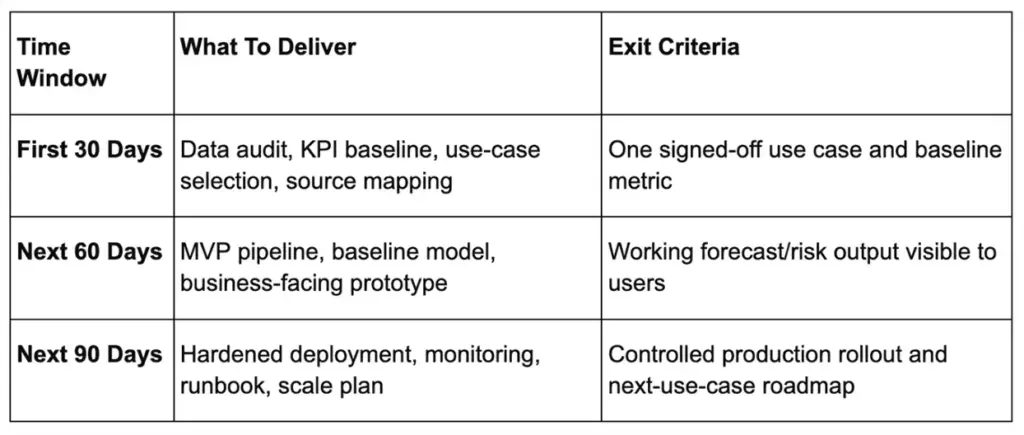
Establish First 30, 60 and 90-Day Deliverables

  • Days 1-30: data audit, reproducible baseline, architecture review, and risk register.
  • Days 31-60: evaluated prototype or integrated service in staging, plus monitoring design.
  • Days 61-90: pilot release, validated rollback path, operating runbook, and next-phase recommendation.

Where Can You Find Machine Learning Developers?

The best sourcing channel depends on the type of work, required seniority, hiring timeline, and level of technical oversight available internally. A public job post may generate a large applicant pool, but specialist communities, referrals, and development partners can produce candidates with more relevant experience.

Use more than one channel when the role is difficult to fill. Sourcing broadly improves reach, while a consistent vetting process ensures that candidates are assessed against the same production requirements.

Professional Networks and Employee Referrals

LinkedIn, former colleagues, technical leaders, investors, founders, and employee networks are practical starting points for experienced ML talent. Referrals can provide useful context about a candidate’s reliability, communication, and past ownership.

However, a recommendation should not replace structured evaluation. Referred candidates should complete the same portfolio review, technical interviews, practical assessment, and reference checks as everyone else.

When publishing the role, describe the use case, available data, deployment environment, ownership boundaries, and expected first milestone. A specific job post is more likely to attract relevant candidates than a broad request for someone who “knows AI.”

GitHub and Open-Source Communities

GitHub can help identify developers who contribute to ML libraries, deployment tools, evaluation frameworks, data infrastructure, or domain-specific projects. The platform describes itself as a developer environment for building, scaling, and delivering software, with public repositories and community activity that can provide evidence beyond a conventional resume.

Look beyond contribution counts. Review whether the candidate writes maintainable code, responds to issues, documents decisions, tests changes, and collaborates with other contributors. A large number of small commits is less meaningful than sustained ownership of a relevant project.

Public code is still incomplete evidence. Open-source work may demonstrate engineering ability, but it does not automatically prove experience with proprietary data, production traffic, security controls, or business stakeholders.

Hugging Face and Applied AI Communities

Hugging Face is particularly useful for sourcing candidates with experience in natural language processing, computer vision, generative AI, datasets, model evaluation, and open-source AI applications. The platform allows practitioners to publish and collaborate on models, datasets, and interactive applications, which can make their technical interests and practical work easier to inspect.

Review model cards, datasets, Spaces, technical discussions, and contribution history. Look for clear evaluation methods, stated limitations, reproducible code, and responsible handling of data rather than focusing only on downloads or popularity.

Technical forums, specialist Slack or Discord groups, research communities, and local ML meetups can also surface experienced candidates who are not actively applying through conventional job boards.

Freelance and Specialist Talent Platforms

Freelance platforms can work well for bounded tasks such as a data audit, model evaluation, prototype, performance review, API integration, or short-term specialist gap. Major platforms maintain dedicated categories for machine learning engineers, AI developers, data scientists, and data engineers.

This route is less suitable when one individual would become responsible for an unclear, multi-quarter product roadmap without internal technical leadership. Before engaging a freelancer, define:

  • the exact deliverable and acceptance criteria
  • the permitted data and system access
  • documentation and handover requirements
  • ownership of code, models, and related artifacts
  • the support period after delivery

Use a paid discovery phase when the scope cannot yet be defined clearly enough for a fixed assignment.

Universities, Research Labs, and Industry Events

Universities and research communities can be useful for graduate roles, internships, applied-science positions, and projects requiring specialized knowledge. Relevant candidates may be found through faculty referrals, research labs, technical conferences, poster sessions, hackathons, and university career programs.

Academic work can demonstrate mathematical depth, experimentation, and familiarity with recent methods. It does not automatically show that the candidate can build APIs, operate cloud infrastructure, manage latency, or maintain a customer-facing system.

Match the sourcing channel to the role. A research partnership may be appropriate when the company needs a novel model, while a production ML feature usually requires stronger evidence of software engineering and deployment ownership.

Dedicated Teams and AI Development Partners

A dedicated team or development partner is useful when the project requires several capabilities rather than one isolated specialist. The engagement may include machine learning, data engineering, backend development, application integration, QA, cloud infrastructure, security, and MLOps.

This option is especially relevant when:

  • delivery must begin before a full internal team can be recruited
  • the company lacks senior ML leadership
  • the scope includes discovery as well as implementation
  • several technical workstreams must progress in parallel
  • the system will require continued support after launch

Evaluate a partner using the same discipline applied to individual candidates. Review relevant project evidence, technical leadership, delivery processes, security practices, documentation standards, team composition, and the proposed ownership model.

How Should You Compare Different Talent Sources?

Compare sourcing channels against the project rather than selecting one by habit.

Choose based on:

  • Urgency: How quickly must qualified talent begin?
  • Scope: Is the work narrow and defined or still uncertain?
  • Duration: Is this a short assignment or a continuing product capability?
  • Seniority: Does the project need execution support or technical leadership?
  • Internal capacity: Who will review architecture, quality, and priorities?
  • Confidentiality: What data, code, and business information will be shared?
  • Continuity: Who will maintain the system and retain knowledge after delivery?
  • Replacement risk: What happens if the individual becomes unavailable?

The sourcing channel affects reach, speed, and engagement structure. It does not remove the need for a clear role definition, production evidence, and a consistent assessment process.

Key Skills to Look for When You Hire a Machine Learning Developer

A strong machine learning developer needs more than experience with Python and a familiar list of frameworks. The role often sits between data, modeling, software engineering, product delivery, and operations. The skills you prioritize should therefore reflect what the developer must deliver after joining.

When you hire a machine learning developer, look for evidence that the candidate has applied these skills under real constraints. A polished demonstration does not show how they handled unreliable data, performance limits, changing requirements, or a model that began to degrade after release.

Must-Have Skills for a Machine Learning Developer in 2026

The exact technical stack will vary, but most production-facing roles require competence across the following areas:

  • Python, SQL, and software engineering: Candidates should write maintainable Python, work confidently with SQL, use version control, create tests, and structure code that other engineers can review and extend.
  • Statistics and machine learning fundamentals: They should understand validation design, data leakage, class imbalance, calibration, feature selection, uncertainty, and why a particular metric reflects the business problem.
  • Data preparation and pipeline development: Strong developers can clean and validate data, create reproducible features, handle schema changes, and identify missing, delayed, or unreliable inputs before they affect the model.
  • Model development and evaluation: Candidates should be able to establish a baseline, compare appropriate approaches, analyze errors across user or data segments, and explain when a simpler model is the better choice.
  • Backend and API integration: Product-facing developers need experience exposing predictions through reliable services, validating requests, managing versions, handling timeouts, and connecting models with existing applications.
  • Performance and cost optimization: They should understand latency, throughput, batching, caching, model size, compute requirements, and the trade-offs between model quality and operating cost.
  • Security and responsible AI awareness: Depending on the use case, this may include access controls, privacy-aware logging, sensitive-data handling, explainability, fairness testing, output validation, and human review.
  • Product judgment and communication: A capable developer should connect model behavior with user needs and business outcomes. They must also explain limitations, risks, and trade-offs without relying on unnecessary technical language.

Framework familiarity is useful, but it should not become the main hiring criterion. Libraries and platforms change. Sound engineering judgment, statistical reasoning, and the ability to learn a new stack are more durable indicators of performance.

Skill Priority by Use Case

Not every project needs the same depth in every area. Use the product environment and main source of risk to decide which skills should carry the most weight.

Use case Skills to prioritize Evidence to request
Forecasting Time-aware validation, seasonality, leakage prevention, uncertainty, and operational interpretation Backtesting approach, baseline comparison, forecast-error analysis, and examples of changing data patterns
Recommendations and ranking Event data, cold-start handling, ranking metrics, online experiments, feedback loops, and low-latency serving A/B test results, ranking-service architecture, fallback strategy, and evidence of business impact
Computer vision Label quality, augmentation, device variation, throughput, model compression, and edge deployment Error analysis by image condition, device tests, inference benchmarks, and labeling documentation
NLP and document intelligence Annotation quality, extraction, search relevance, evaluation datasets, domain shift, and privacy Domain-specific evaluation results, failure examples, retrieval metrics, and sensitive-data controls
Generative AI, RAG, and agents Retrieval design, grounding, evaluation, prompt-injection controls, tool permissions, output validation, and token-cost management Evaluation datasets, source-attribution tests, red-team findings, cost analysis, and fallback behavior
Web and mobile ML features APIs, authentication, caching, telemetry, client integration, latency, offline behavior, and graceful degradation API documentation, load tests, device coverage, feature-flag strategy, and user-facing error handling
ML platforms and shared infrastructure Pipeline orchestration, registries, CI/CD, observability, infrastructure as code, governance, and access controls Deployment workflows, monitoring dashboards, rollback procedures, and platform architecture

The table should guide interview weighting rather than become another general checklist. A computer vision developer working on mobile inference may need stronger device optimization than cloud pipeline experience. A forecasting engineer may need deeper statistical judgment than frontend integration skills.

For hybrid projects, identify which requirement creates the greatest delivery risk. That area should receive the most attention in portfolio reviews, interviews, and the paid practical assessment.

Deployment and MLOps Skills

Deployment skills determine whether a promising model can become a reliable system. A developer does not need to be a dedicated MLOps engineer in every project, but a production-facing candidate should understand how models are released, observed, updated, and recovered.

Look for experience in the following areas:

  • Reproducible development: Versioned code, data references, configurations, dependencies, experiments, and model artifacts.
  • Deployment pipelines: Automated testing, containerization, CI/CD, environment management, and controlled promotion from development to production.
  • Model and feature versioning: Registries, metadata, lineage, compatibility checks, and clear links between models, data, and application releases.
  • Production monitoring: Model quality, drift, training-serving skew, latency, errors, resource use, cost, and feature adoption.
  • Retraining and release decisions: Defined triggers, approval steps, validation gates, shadow testing, canary releases, and scheduled or event-driven retraining.
  • Rollback and failure handling: Previous model versions, fallback rules, incident ownership, alert thresholds, and tested recovery procedures.
  • Infrastructure and security: Cloud services, managed secrets, role-based access, audit logs, environment separation, and infrastructure-as-code practices.
  • Operational documentation: Runbooks, architecture diagrams, alert explanations, deployment instructions, and ownership after handover.

Ask candidates to describe a model that failed, became stale, exceeded its latency target, or produced unexpected results after deployment. The strongest answers explain how the issue was detected, how users or business operations were protected, and what changed afterward.

For roles with limited operational ownership, the developer should still understand how their work will be handed to the platform or MLOps team. For full-lifecycle roles, deployment, monitoring, retraining, and rollback should be assessed as core requirements rather than optional experience.

Freelance, In-House, or Development Partner: Which ML Hiring Model Is Right?

The right hiring model depends on more than budget. Consider how clearly the project is defined, how quickly delivery must begin, which skills already exist internally, and who will own the system after launch.

An in-house hire may be the right choice for long-term platform ownership, while a freelancer can handle a focused and well-defined task. A dedicated team or development partner is often more practical when the project involves several disciplines, such as data engineering, model development, backend integration, QA, cloud deployment, and MLOps.

The lowest hourly rate is not always the lowest-cost option. A less expensive engagement can become costly when internal teams must provide extensive management, repair integration gaps, or rebuild knowledge after the work ends.

How to Choose the Right ML Developer Hiring Model

Use the following questions to narrow the choice before comparing individual candidates or vendors:

  • How defined is the scope? A freelancer can work well when the task, inputs, outputs, and acceptance criteria are already clear. Uncertain data or feasibility may require a discovery-led partner.
  • How long will the work continue? A permanent employee is better suited to an ongoing internal capability, while contract or partner models can support a defined phase or changing roadmap.
  • How many disciplines are involved? One specialist may be enough for a narrow modeling task. A customer-facing ML product may also need data, backend, application, QA, cloud, and MLOps expertise.
  • Who will provide technical direction? Freelancers and staff-augmentation hires are easier to manage when an internal leader can review architecture, priorities, and quality. A development partner is safer when that leadership must be included.
  • What happens after deployment? Clarify who will monitor the model, investigate incidents, manage retraining, update integrations, and maintain documentation after release.
  • How sensitive is the data or system? Confidential data, regulated workflows, or high-impact decisions may require stronger security processes, governance, and contractual controls.
  • How quickly must delivery begin? Freelancers and established teams may start sooner than a full-time employee, but speed should not come at the expense of role fit or production ownership.

Choose an in-house employee when the company needs long-term ownership and can support the role internally. Use a freelancer for a bounded task with clear oversight. Select a dedicated team when the roadmap requires several specialists over multiple phases. Choose a development partner when the project also needs discovery, architecture, technical leadership, integration, and delivery governance.

Full-Time Employee vs Freelancer vs Dedicated Team vs Development Partner

Model Best Fit Main Limitation
Full-time employee Long-term platform ownership and internal capability Longer recruitment cycle and ongoing employment cost
Freelancer Narrow, well-defined specialist task Single-person dependency and limited continuity
Dedicated team Multi-quarter roadmap with several workstreams Needs clear governance and product ownership
Development partner Discovery plus cross-functional delivery Higher all-in rate than basic staff augmentation

When Should You Hire Dedicated Machine Learning Developers Instead of a Freelancer?

Use a dedicated setup in cases where there are parallel data, model, application, QA, and MLOps workstreams within the project, or there is a need to continue providing support after the system’s release. One freelancer can work well on a bounded task, but becomes a critical dependency when architecture and operations expand.

What Roles Should a Dedicated ML Team Include?

A lean product team typically consists of an applied ML engineer, backend engineer, data engineer, and shared MLOps or platform support. Depending on the user journey and risk level, you can add QA, product management, UX, security, or compliance. All roles don’t necessarily have to be full-time during the entire engagement.

Which Model Works Best for a Proof of Concept, MVP, or Long-Term Platform?

  • Proof of concept: one senior specialist or a short discovery team focused on feasibility and data risk.
  • MVP: a small cross-functional team that can integrate, test, release, and measure the feature.
  • Long-term platform: an internal core team, often supported by specialist or partner capacity during growth phases.

When Does an ML Application Require a Cross-Functional Product Team?

Bring in a cross-functional team when the feature affects a live workflow, multiple systems, sensitive data, or user trust. Beyond model development, there are product, design, analytics, QA and governance decisions that need to be made in a variety of products, systems, and tools, such as recommendation engines, fraud systems, support copilots, and clinical workflow tools.

How Do Control, Time Zones, Management Capacity, and Knowledge Retention Affect the Decision?

Full-time hires offer control and continuity. Freelancers offer speed but concentrate knowledge. Nearshore teams can improve working-hour overlap, while offshore teams require stronger asynchronous processes. If there is no internal leader to review architecture and priorities, select an engagement that includes technical leadership.

When Is a Fractional AI Lead or CTO the Right Choice?

A fractional AI lead or CTO can help when the company needs senior technical direction but is not ready to hire a full-time executive or build a complete internal ML leadership function.

This model is most useful during early discovery, architecture planning, vendor selection, team formation, or a transition between technical leaders. The fractional leader may help define the AI roadmap, assess feasibility, establish engineering standards, review architecture, and guide internal developers or external partners.

It is not a replacement for sustained delivery capacity. Fractional leaders typically work limited hours and may not be available for daily implementation, production incidents, or continuous team management. Define the expected availability, decision authority, deliverables, and handover plan before the engagement begins.

Choose this model when the main gap is technical leadership. If the company also needs data pipelines, model development, application integration, testing, and deployment, pair the fractional lead with an internal team, dedicated engineers, or a development partner.

When Is a Paid Discovery Sprint or Contract-to-Hire Arrangement Safer?

If data quality is not known, or the feasibility or amount of effort for integration cannot be determined, use a paid discovery sprint. Its outputs should include a data audit, baseline, architecture, risks, delivery plan, and staffing recommendation. Contract-to-hire is useful when you have strong internal leadership and want evidence of delivery before making a permanent commitment.

Compare an AI development partner with an in-house team and review BrainX’s IT staff augmentation guide for deeper engagement-model considerations.

What Is the Best Step-by-Step Vetting Process for ML Talent?
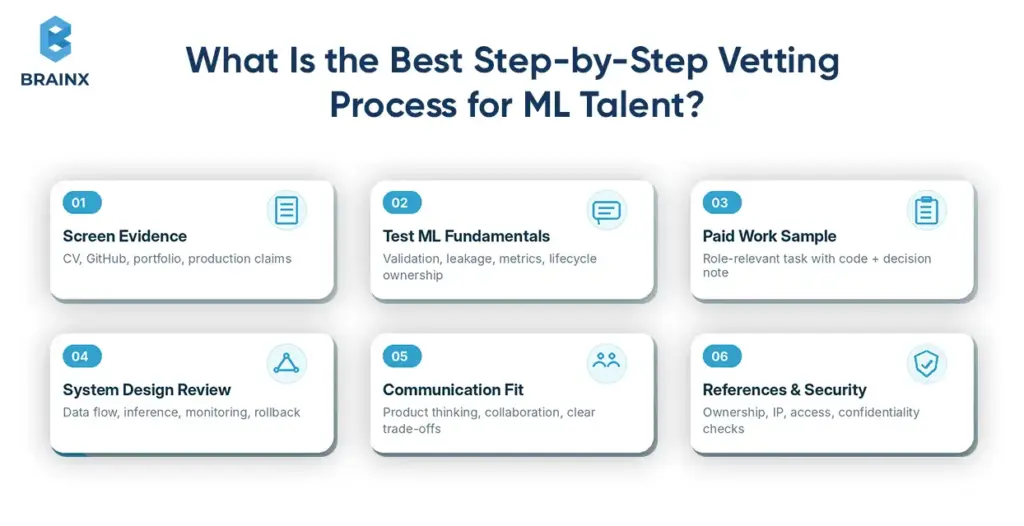
Six-step ML candidate vetting workflow with screening, fundamentals, paid task, system design, communication, and checks.

Employ a brief, focused, evidence-based process. The intent is not to introduce additional rounds of interviews but to assess skills that will be applied in the role upon hire. According to the US Office of Personnel Management, work samples are highly valid when they closely simulate the tasks performed on the actual job.

Stage 1 — Screen the CV, GitHub Profile, Portfolio, and Production Claims

Check whether examples match your data type, product environment, and ownership level. Look for scale, deployment context, monitoring, failure handling, and measurable outcomes. Reject vague claims such as “improved accuracy” without a baseline, dataset, metric, or production result.

Stage 2 — Confirm Role Fit and Machine Learning Fundamentals

Run a structured 45-minute interview covering validation, leakage, metrics, data limitations, and lifecycle ownership. Use the same core questions and scoring anchors for every candidate. Add role-specific probes only after the shared foundation.

Stage 3 — Assign a Paid, Role-Relevant Practical Assessment

Give a two-to-four-hour paid task using anonymized or synthetic data. Ask for code, a short decision note, limitations, and a production next step. The OPM work-sample guidance recommends tasks that are identical or highly similar to the work performed on the job.

Stage 4 — Conduct an ML System Design and Application Integration Review

Ask the candidate to design the data flow, training process, inference service, monitoring, and rollback approach. Introduce realistic constraints such as a latency target, traffic spike, sensitive dataset, or changing schema. Strong candidates make trade-offs visible.

Stage 5 — Evaluate Communication, Product Thinking, and Collaboration

Use behavioral questions about difficult stakeholders, uncertain results, failed releases, and changing requirements. The candidate should explain how they converted technical evidence into a product decision and how they documented the outcome for others.

Stage 6 — Complete References, Security Checks, and Contract Review

References should confirm ownership, reliability, communication, and handover behavior. Contracts should define confidentiality, IP ownership, permitted data use, subcontractors, security requirements, documentation, access revocation, and exit support. Use legal counsel for jurisdiction-specific terms.

Use a Weighted Scorecard to Compare Candidates Consistently

Criterion Recommended Weight
Role fit and production evidence 25%
Problem framing and data judgment 20%
Practical assessment quality 20%
System design and integration 15%
MLOps and operational thinking 10%
Communication and collaboration 10%

Adjust the weighting to the role. A research position can give more weight to modeling depth; a product role should not allow a brilliant model answer to outweigh weak deployment or communication skills.

What Information Should You Collect During Candidate Evaluation?

Keep a consistent evidence record for every candidate rather than relying on general interview impressions. The evaluation should document:

  • role fit and the parts of the ML lifecycle previously owned
  • relevant data types, products, scale, and deployment environments
  • verified contribution to each portfolio example
  • practical-assessment scores, assumptions, and limitations
  • system-design decisions and production trade-offs
  • communication, collaboration, and product judgment
  • reference feedback and any security or eligibility checks
  • final weighted score and the reason for the hiring decision

Separate observed evidence from interviewer opinion. For example, record that the candidate designed a rollback strategy and identified a leakage risk rather than writing that they “seemed senior.”

Use the same core criteria for every candidate, while allowing role-specific evidence to affect the weighting. The final record should make it clear why one candidate is better suited to the defined role, not simply who performed most confidently during the interview.

What Should Practical Tests and Technical Interviews Measure?

Assessments should measure judgment under your real constraints. When you hire machine learning developers, avoid algorithm trivia that has little relationship to data quality, integration, or operating the system after launch.

Choose a Task That Reflects the Actual Product and Data Environment

Match the modality, delivery mode, and constraints. A fraud role should see imbalanced transaction data. A vision role should address device or throughput issues. An app role should expose predictions through an endpoint. A platform role should design deployment and monitoring.

Test Problem Framing Before Model Complexity

The candidate should define the target, baseline, metric, validation design, and business cost of errors before choosing an algorithm. Google’s Rules of Machine Learning recommends robust infrastructure, simple models, and measurable product goals before unnecessary complexity.

Score Data Handling, Model Evaluation, Code Quality, and Deployment Thinking

Reward reproducible data processing, leakage checks, sensible baselines, segmented evaluation, readable code, tests, and an honest deployment plan. A strong submission states assumptions and limitations instead of hiding uncertainty behind an impressive metric.

Include Leakage, Imbalance, Drift, Latency, Cost, and Failure Modes

Ask candidates to identify future-data leakage, choose metrics for imbalance, define drift signals, estimate inference cost, and describe fallback behavior. These questions expose production judgment quickly because each choice depends on business impact, not a memorized formula.

Adapt the Test for ML Application Development and API Integration

Provide a model or stub and require an inference endpoint with validation, error handling, logging, and a latency target. Ask how the client should version requests, handle timeouts, and fall back when the service is unavailable.

Adapt the Test for NLP, Computer Vision, Tabular ML, MLOps, or LLM Work

  • NLP: label quality, privacy, domain shift, and evaluation sets.
  • Vision: augmentation, device variance, throughput, and edge deployment.
  • Tabular ML: leakage, explainability, calibration, and feature pipelines.
  • MLOps: CI/CD, registry, monitoring, retraining, and infrastructure as code.
  • LLM: retrieval quality, groundedness, prompt injection, safety, and token cost.

Ask About a Model That Failed After Deployment

This question reveals operational maturity. A credible answer names the failure signal, detection method, customer or business effect, immediate mitigation, root cause, and process change. Candidates with no failure story may not have owned a live system.

Ask How the Candidate Balances Accuracy, Latency, Cost, and Explainability

Strong candidates treat this as a business trade-off. They may propose a simpler model, different service tiers, human review for high-risk cases, or a fast default with a slower fallback. The answer should include measurable thresholds rather than personal preference.

Keep the Assignment Paid, Time-Bounded, and Separate From Client Work

Pay for the assessment, limit it to a few hours, use synthetic or anonymized data, and state whether AI coding tools are allowed. Do not disguise billable work as a test. Clarify that evaluation artifacts are for hiring and that candidate-owned generic code remains theirs.

Machine Learning Developer Cost and Salary Benchmarks for 2026

Compare like with like. Salary, total compensation, freelance rates, dedicated-team pricing, and project budgets represent different commitments. If you hire machine learning developers on price alone, you may exclude management, benefits, cloud costs, QA, security, or post-launch support.

Machine Learning Developer Salary Ranges in the US

Robert Half’s 2026 Technology Salary Guide lists national starting compensation for AI/ML engineers at $134,000 on the low end, $170,750 at the midpoint, and $193,250 at the high end. The guide defines these bands by experience and advanced skills, not strictly by years in the profession.

Planning Level 2026 US Base-Salary Reference
Early-career or limited role experience $134,000
Moderate experience and most role requirements $170,750
Advanced skills and extensive role experience $193,250

Freelance Hourly Rates by Seniority and Specialization

Upwork’s current machine learning engineer rate guide places typical marketplace rates at $50-$80 per hour for beginners, $80-$120 for intermediate talent, and $120-$200+ for advanced specialists. Treat marketplace data as a sourcing reference, not a guarantee of quality or availability.

Dedicated ML Team Rates by Region and Team Composition

Dedicated-team pricing is less standardized because quotes may include recruiting, employment, project management, QA, and bench risk. Revelo’s June 2026 LATAM benchmark estimates mid-level nearshore ML engineers at about $46,000-$96,000 annually and senior talent at roughly $56,000-$130,000, depending on country and specialization.

Use those figures only as directional vendor data. Request role-level rates and confirm whether technical leadership, data engineering, MLOps, QA, security, paid leave, equipment, and replacement support are included.

ML Application Development Rates by Product Complexity

Project pricing depends more on data and integration complexity than the job title. BrainX’s AI app development cost guide estimates the pricing of simple AI applications to cost around $30,000, and advanced enterprise solutions costing $500,000 or more, depending on scope, data readiness, model complexity, integration, and compliance.

Why MLOps, Computer Vision, and Generative AI Specialists Cost More

These specialists carry additional delivery risk. MLOps engineers own reliability and lifecycle automation. Vision engineers may manage labeling, GPUs, edge constraints, and device testing. Generative AI engineers must handle retrieval, evaluation, safety, model changes, and unpredictable usage cost. Production evidence commands the premium.

Base Salary vs Total Compensation vs Vendor Billing Rate

Base salary excludes bonuses, equity, benefits, payroll costs, equipment, recruitment, and management. A freelance rate usually covers the individual’s time. A vendor rate may include employment administration, delivery management, replacements, and overhead. Compare annualized total cost and responsibilities addressed or included.

What Hidden Costs Should Be Included in the Hiring Budget?

  • Recruiting, interviews, notice periods, and onboarding time.
  • Data cleaning, labeling, licenses, and evaluation datasets.
  • Cloud compute, GPUs, APIs, logging, and monitoring.
  • Security, privacy, compliance, and legal review.
  • Maintenance, retraining, incident response, and documentation.

How to Onboard Machine Learning Developers for Success

A signed offer or contract does not make a machine learning developer immediately productive. The company still needs to provide technical context, secure access, clear ownership boundaries, and a realistic path into the system.

ML onboarding can be more involved than conventional software onboarding because the developer must understand the data, model assumptions, application architecture, deployment process, business objective, and production risks. Preparing these elements before the start date reduces avoidable delays and helps the new hire contribute safely.

Expected Hiring Timelines for Full-Time, Freelance, and Dedicated Models

As a planning range, allow roughly four to eight or more weeks to hire a full-time specialist, several days to two weeks to engage a vetted freelancer, and two to six weeks to form a dedicated team.

These are editorial planning ranges rather than guaranteed market averages. Seniority, notice periods, interview speed, security checks, specialist availability, and contract reviews can shorten or extend the process.

A faster start does not always mean faster delivery. A freelancer or external team may become available quickly, but progress will still stall if repositories, data, environments, or decision-makers are unavailable.

Prepare Data, Systems, and Secure Access Before the Start Date

Prepare the resources the developer or team will need before onboarding begins:

  • Code repositories and branch conventions
  • Approved datasets and a data dictionary
  • Architecture and data-flow diagrams
  • API specifications and integration documentation
  • Development and staging environments
  • Baseline metrics and previous evaluation results
  • Deployment instructions and monitoring dashboards
  • Security policies and access-request procedures
  • Known technical debt, current risks, and open decisions

Use role-based access, least privilege, managed secrets, audit logs, and separate development and production environments. Provide sanitized or anonymized datasets for local development where possible.

Access should be sufficient for the developer to begin useful work without exposing production systems or sensitive information unnecessarily. Expand permissions as responsibilities become clearer, and remove access promptly during role changes or offboarding.

Assign an Onboarding Owner and Explain the Business Context

One person should be accountable for the onboarding plan, even when several teams are involved. This may be an engineering manager, technical lead, product owner, or senior developer.

The onboarding owner should help the new hire understand:

  • Who uses the ML capability
  • Which decision or workflow it affects
  • What the current process or baseline looks like
  • How success will be measured
  • Which errors create the greatest business risk
  • Who owns the data, application, infrastructure, and final product decisions

Assign a technical contact who can explain the codebase, data sources, deployment process, and important decisions that may not be fully documented.

Business context should come before detailed model work. Without it, the developer may optimize an offline metric that does not improve the real product or operational outcome.

Start With a Small, Production-Relevant Task

The first assignment should help the developer learn the actual system without introducing unnecessary risk.

Suitable starting tasks may include:

  • Reproducing the current model baseline
  • Tracing one prediction from source data to the application
  • Documenting an existing pipeline or service
  • Adding a data-validation check
  • Investigating a known latency or quality issue
  • Improving a monitoring signal
  • Updating a test, API response, or fallback rule

Avoid making the first task a complete model redesign. A smaller, production-relevant contribution helps the developer understand how the system works while confirming that access, environments, reviews, and collaboration processes are functioning correctly.

It also gives the wider team an early view of the developer’s technical judgment, communication, and documentation habits.

Define the First 30-, 60-, and 90-Day Outcomes

Use milestone ranges to provide direction rather than treating them as fixed promises. The exact pace will depend on data readiness, integration complexity, and regulatory risk.

Days 1–30: The developer should understand the business problem, users, data sources, architecture, baseline, and main risks. Expected outputs may include a data audit, reproduced baseline, architecture review, or prioritized technical findings.

Days 31–60: The developer should contribute an evaluated improvement, integrated service, or production-relevant feature in staging. The team should also have a clearer view of testing, monitoring, rollout, and infrastructure requirements.

Days 61–90: Expect a validated pilot, production path, or measurable system improvement, supported by documentation, monitoring, rollback planning, and agreed ownership for the next phase.

The first 90 days should demonstrate more than technical activity. They should show that the developer can access, evaluate, change, and explain the system safely.

Establish Communication, Knowledge Transfer, and Operational Handover

Define how the developer will communicate progress, risks, and technical decisions. The process may include short technical check-ins, weekly stakeholder reviews, code reviews, architecture discussions, written experiment summaries, and documented decision records.

The goal is not to add unnecessary meetings. It is to prevent changing requirements, unresolved dependencies, and technical assumptions from remaining hidden.

For remote or distributed teams, record important decisions asynchronously so knowledge does not depend on attendance in one call or time zone.

Build knowledge transfer into daily delivery rather than leaving it until the final week. Require useful artifacts as the work progresses, including:

  • Architecture diagrams
  • Data and API contracts
  • Evaluation summaries
  • Deployment instructions
  • Experiment and decision records
  • Dashboard and alert explanations
  • Model limitations
  • Operating runbooks

Use shared code reviews, technical walkthroughs, and pairing sessions so knowledge moves between the new hire and the existing team.

Before onboarding is considered complete, the developer should be able to explain the system, identify the correct technical owners, reproduce the baseline, follow the release process, and connect their work with the intended business outcome.

A slow start does not always indicate a poor hire. It may expose missing documentation, inaccessible data, unclear ownership, or weak internal processes. Treat onboarding as a test of company readiness as well as individual performance.

How Should You Measure the Business Value of the Hire?
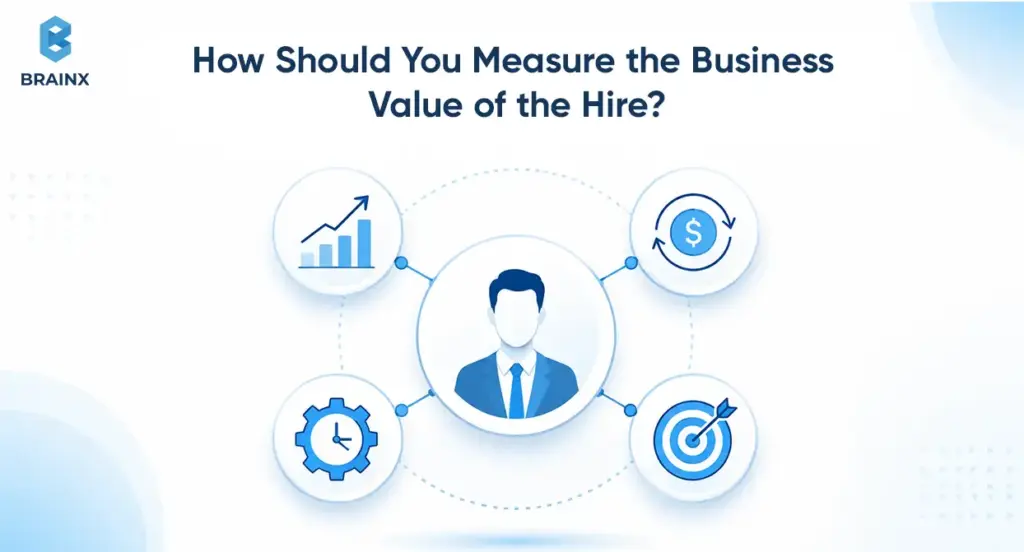
Business professional linked to revenue, performance, operations, and target icons for evaluating an ML hire.

Define value before development begins. The best candidates help connect model performance to revenue, cost, risk, user experience, and operating quality, instead of optimizing an isolated technical metric.

Connect Model Metrics to Revenue, Cost, Risk, or Customer Experience

Map recommendation quality to conversion or revenue per session, forecasting to stockouts or planning accuracy, fraud detection to losses and review burden, and support automation to resolution time and customer satisfaction.

Set Product and Model Baselines Before Development Begins

Record the current process, heuristic, cost, latency, error rate, and user behavior. Without a starting point, neither the team nor the business can demonstrate improvement or decide whether further investment is justified.

Track Accuracy Alongside Latency, Reliability, Cost, and Adoption

A production scorecard should cover model quality, p95 latency, service errors, cost per inference, monthly budget, feature adoption, drift, and alert frequency. Azure recommends monitoring multiple production signals and setting thresholds that trigger investigation or retraining.

Define the First Production Milestone and Acceptance Criteria

Define “done” as an integrated, monitored, reversible release that meets agreed performance and risk thresholds. Include a measurable business result or validated learning, not only deployment.

Measure Team Productivity Without Rewarding Model Complexity

Reward safe cycle time, valid experiments, documentation, stability, and reduced incidents. Do not reward larger models or more architecture unless they create measurable value. A simpler system that users trust and the team can operate is often the better outcome.

Distinguish a Successful Experiment From a Successful Product

An experiment proves feasibility or exposes a limitation. A product performs repeatedly for real users, has an owner, stays within cost and risk limits, and improves a business outcome. Your hiring criteria should reflect the bar the role must reach.

Red Flags When Hiring a Machine Learning Developer
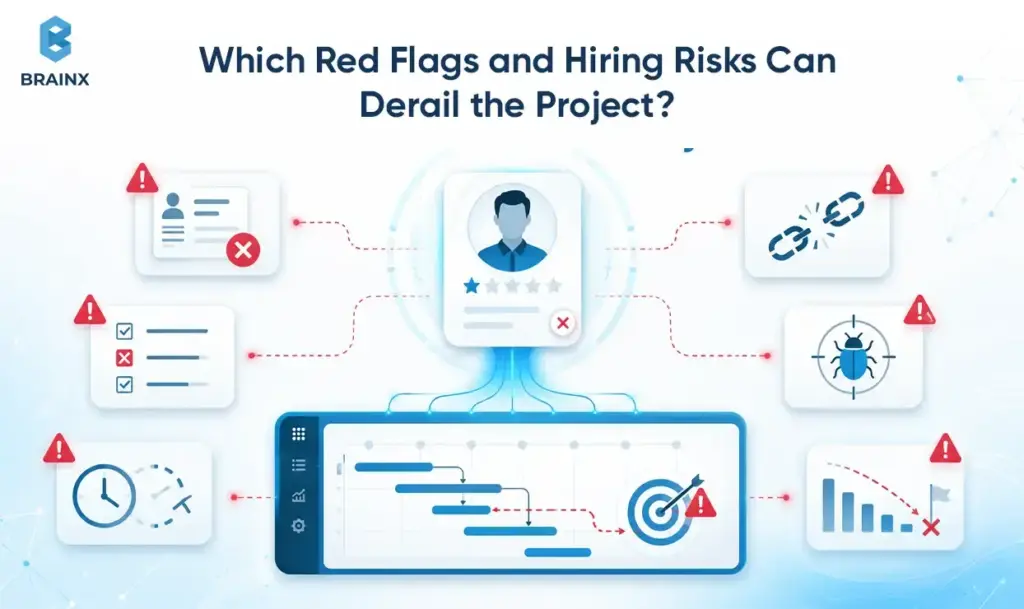
Dashboard highlights machine learning hiring risks across candidates, timelines, quality, and performance.

The warning signs in ML hiring are not limited to the candidate. A capable developer can still struggle when the project has poor data, unclear success criteria, weak technical leadership, or no plan for operating the model after release.

Review candidate evidence, application requirements, organizational readiness, and contractual protections together. Claims about model accuracy or framework expertise should be supported by context: the baseline, dataset, production environment, business outcome, and the candidate’s actual level of ownership.

Some risks appear quickly during interviews. Others remain hidden until the model must integrate with a live product, handle changing data, or recover from a production failure. Identifying these issues before hiring is less expensive than correcting the role, architecture, and operating model halfway through delivery.

Candidate Red Flags: Notebook-Only Work, Vague Claims, and Metric Fixation

Be cautious when candidates cannot describe deployment, monitoring, failure cases, or stakeholder decisions. Claims such as “30% better accuracy” are weak without the baseline, metric, dataset, cohort analysis, and business result.

Application Red Flags: Weak Integration Skills and No Performance Testing

A customer-facing feature needs latency testing, load behavior, fallbacks, versioning, and observable errors. If no one owns these concerns, the model may become a product reliability problem.

Project Red Flags: Poor Data, No Baseline, and Undefined Success

Pause hiring when there is no data owner, labels are unreliable, definitions change across teams, or success is simply “the model works.” A short discovery phase may be more valuable than immediately adding headcount.

Operational Red Flags: No Monitoring, Retraining, Rollback, or Incident Ownership

Every live model needs defined signals, thresholds, investigation steps, and an owner. Google Cloud notes that models can degrade as data profiles evolve, so teams must monitor online performance and be able to notify, retrain, or roll back.

Team Red Flags: Missing Leadership and Single-Person Dependency

One expert cannot replace product ownership, data access, security review, platform support, and QA. Require shared documentation, code review, and backup ownership so the initiative does not stop when one person leaves or takes time off.

Contract Red Flags: Unclear IP, Data Rights, Confidentiality, and Exit Terms

Clarify ownership of code, models, prompts, fine-tuned weights, datasets, and derived artifacts. Define permitted data use, retention, subcontractors, confidentiality, handover, and access revocation. Review these terms before any proprietary data is shared.

Responsible AI Red Flags: Bias, Privacy, Security, and Human Oversight

Higher-impact systems need fairness testing, privacy controls, auditability, appropriate explanations, security testing, and a clear human review path. Apply the relevant governance framework and seek qualified legal advice for sector or regional requirements.

A Final Checklist for Hiring Machine Learning Developers

Before making an offer or signing an engagement, confirm that you have:

  1. Defined one business use case and measurable outcome.
  2. Matched the role to the main data, modeling, integration, or operational gap.
  3. Documented the available data, systems, constraints, and ownership boundaries.
  4. Selected a hiring model that fits the timeline and internal management capacity.
  5. Reviewed evidence of production work rather than relying on framework lists.
  6. Used a paid, role-relevant assessment and a consistent scorecard.
  7. Compared total cost, including management, infrastructure, and ongoing support.
  8. Agreed on the first 30-, 60-, and 90-day deliverables.
  9. Confirmed security, IP ownership, documentation, and access requirements.
  10. Assigned responsibility for monitoring, retraining, incidents, and post-launch improvement.

A strong hiring decision should connect the candidate or team to a defined production outcome. If those conditions are still unclear, resolve them through discovery before committing to a long-term hire.

Conclusion: Hire for Production Ownership, Not Framework Familiarity

The strongest hiring decisions start with role clarity and end with evidence of safe, measurable delivery. Match the profile to the product environment, test the work the person will actually perform, and compare engagement models using total cost and operational responsibility.

In 2026, the best way to hire machine learning developers is to prioritize people who can explain what happens before training, during integration, and after deployment. Framework familiarity matters, but production ownership is what protects the business value.

How BrainX Helps You Hire and Scale Machine Learning Development

BrainX Technologies helps companies define the right machine learning role, close technical capability gaps, and build AI systems that are ready for production. Support can range from adding a focused specialist to an existing team to providing cross-functional delivery across data, models, applications, cloud infrastructure, and ongoing operations.

Why companies work with BrainX for machine learning development:

  • Cross-functional AI and engineering expertise: BrainX brings together AI engineers, data scientists, web and mobile developers, cloud specialists, QA engineers, and DevOps support. Its AI capabilities include machine learning, computer vision, natural language processing, predictive analytics, RAG chatbots, and AI/ML strategy consulting.
  • Experience delivering complete digital products: BrainX reports more than nine years of delivery experience, a team of over 120 engineers, more than 250 completed projects, and over 130 satisfied clients. This wider product-engineering background matters when an ML feature must connect with existing applications, APIs, data platforms, and user workflows.
  • A production-focused AI development process: BrainX’s delivery process covers problem definition, data preparation, proof of concept development, model refinement, testing, integration, deployment, and monitoring. This helps companies move beyond an isolated prototype toward a system that can be maintained and improved after launch.
  • Proven AI integration experience: For T-ShirtDeal, BrainX developed a multilingual AI chatbot that connected with the company’s website and customer communication channels. The solution included order and product assistance, human escalation, internal agent support, and a centralized administration dashboard. The case study reports 24/7 multilingual service, shorter response times, and more streamlined support workflows.
  • Established quality and security practices: BrainX is ISO 9001:2015 and ISO 27001 certified, providing a more structured foundation for quality management, information security, and delivery governance. The company works with startups, growing businesses, and enterprises across multiple industries.

The engagement should match the problem. BrainX can help clarify whether the project needs one application-focused ML engineer, several dedicated specialists, or a wider AI product team covering data engineering, model development, backend integration, testing, deployment, and monitoring.

BrainX’s T-ShirtDeal GPT case study shows this broader delivery model in practice. The project combined multilingual AI support, website and messaging-channel integration, order and product assistance, human escalation, internal agent support, and a central administration layer.

A short discovery phase can define the ownership boundaries, technical risks, required roles, and first production milestone before the company commits to a longer hiring or development cycle. 

FAQs About Hiring Machine Learning Developers

How do I hire machine learning developers for a startup?

Start with one use case, one product surface, and one measurable outcome. Then hire machine learning developers who can cover the riskiest gap, usually data readiness, integration, or production ownership. If the scope is uncertain or the startup lacks an ML lead, begin with a paid discovery sprint or a small senior-led team rather than a permanent junior hire.

How do I hire a machine learning developer if I’m not technical?

Start with a clear business problem, the data you already have, and one measurable outcome. Ask a trusted technical adviser or development partner to help define the role, review production experience, and assess a paid practical task. If you lack internal ML leadership, choose a senior-led team or partner rather than relying on one unsupported developer.

When should I hire dedicated machine learning developers instead of a freelancer?

Choose a dedicated team when delivery spans several months, multiple systems, or more than one discipline. It is usually safer for customer-facing products, regulated data, ongoing model operations, or roadmaps that need data engineering, backend integration, MLOps, QA, and documentation. A freelancer remains suitable for narrow, well-bounded work.

What should I evaluate before I hire machine learning app developers?

Evaluate the target platform, data flow, API boundaries, latency, expected traffic, fallback behavior, security, analytics, and post-launch owner. Test the candidate with a realistic integration task rather than a model-only exercise. For mobile products, also assess on-device constraints, offline behavior, release cycles, and model updates.

How much does a machine learning developer cost in 2026?

Robert Half lists US AI/ML engineer starting compensation at $134,000 to $193,250, depending on experience and advanced skills. Upwork lists marketplace rates of about $50 to $200+ per hour. Dedicated-team and project costs vary further because they may include management, QA, data engineering, infrastructure, and continuing support.

How can I test whether an ML developer has production experience?

Ask for deployed examples, architecture diagrams, monitoring dashboards, incident stories, and rollback decisions. Then use a paid work sample that includes data checks, evaluation, clean code, and a production next step. Candidates with real ownership can explain drift, latency, fallbacks, operational cost, and what happened when a live model failed.

Should I choose a full-time employee, freelancer, dedicated team, or AI development partner?

Choose a full-time employee for long-term internal ownership, a freelancer for a narrow task, a dedicated team for multi-quarter delivery with several workstreams, and a development partner when you also need discovery, technical leadership, product engineering, and operating processes. The best choice depends on roadmap duration and internal management capacity

Product teams should begin narrow to create AI in Edtech products that personalize learning at scale. Instrument learner events, define how mastery will be measured, and ship one high-value feedback loop before expanding the platform.

The strongest products can never be generic chatbots wrapped in school branding. They connect curriculum, learner data, recommendation logic, assessment, and safe AI assistance inside a measurable learning workflow.

That distinction matters as adoption accelerates. The global size of AI in EdTech is projected to reach USD 92.09 billion by 2033, at a 38.1% compound annual growth rate, as per Market.us research. According to Gallup, 6 out of 10 public K–12 teachers leveraged AI tools in the last school year (2024–2025), with 32% doing so at least once a week. Users who used the system regularly estimated a savings of 5.9 hours per week.

Buyers now demand adaptive paths, quick feedback, multiple languages, and early-warning interventions and more without hiring any extra people. The difficult part is no longer demonstrating that artificial intelligence can generate an explanation. It is building the data, model, evaluation, and governance foundations that make personalization reliable at scale.

Key Takeaways

  • Start with one personalization loop. Strong MVPs address one measurable problem, like recommending the next activity, providing curriculum-founded hints, or identifying learners that need intervention.
  • Treat data design as a product foundation. Event capture, content metadata, identity resolution, and an evolving learner profile matter more than choosing the most powerful model.
  • Leverage AI to support instructional economics. High value modules include adaptive sequencing, tutoring, rubric aligned feedback, risk prediction and content generation with human review.
  • Add guardrails to the first release. Retrieval grounding, safety filters, confidence thresholds, audit logs, and teacher escalation should not be postponed until enterprise rollout.
  • Don’t just measure clicks, measure learning. Track mastery gains, transfer performance, hint dependency, completion, intervention lift, and teacher time saved.
  • Plan from the get-go for compliance. Architecture and procurement are impacted by FERPA, COPPA, GDPR, accessibility, security and institution-specific policies.
  • Scale only after proving the loop. Test the feature offline and with a pilot group and controlled experiments before rolling it out to other subjects and institutions.

What “AI in Edtech” Means (and What It Doesn’t)

AI in Edtech refers to the integration of AI technologies like machine learning, natural language processing, predictive models, knowledge graphs, and generative AI within the educational workflows. These technologies can improve pacing, feedback, recommendations, assessment, and intervention decisions.

A production learning platform may combine several approaches:

  • Machine learning predicts mastery, risk, or the most suitable next activity.
  • Natural language processing classifies responses, extracts skills, and evaluates structured text.
  • Generative AI provides explanations, hints, practice questions, translations, or a draft feedback.
  • Knowledge graphs link concepts, prerequisites, standards and learning resources.
  • Adaptive logic decides how learner signals should change progression.

The product value comes from how these elements are made to work together. A large language model may generate a fluent answer, but it cannot independently determine whether that answer fits the curriculum, supports productive struggle, or meets the learner’s current skill level.

Artificial intelligence should therefore extend teacher capacity rather than remove teachers from the process. The U.S. Department of Education recommends keeping humans involved in important instructional and assessment decisions.

“Crucially, this does not replace teacher expertise. It extends it.” — Edward Howard, Educational Software Leader, HMH

AI in Edtech vs. Traditional Rules-Based Personalization

The traditional approach to personalization is based on a logic that is predetermined. If a learner performs less than 70%, for instance, a remedial lesson is assigned by the platform. These rules remain helpful due to their predictability, explainability, and low cost of testing.

The platform adds value when it needs to assess more intricate patterns, where AI-driven personalization takes the stage. A model might consider concept dependencies, repeated errors, time between attempts, hint usage, pace, language, and recent improvement before recommending the next activity.

The two approaches should not be treated as opposites. Early products often benefit from a hybrid model.

Area Rules-Based Personalization AI-Driven Personalization
Decision logic Fixed if-and-then rules Probabilistic predictions and rankings
Data requirements Low to moderate Moderate to high
Explainability Usually straightforward Requires additional explanation tools
Adaptation Limited to predefined scenarios Can adjust across many interacting signals
Best early use Clear curriculum policies Pattern recognition and ranking
Main risk Oversimplification Bias, drift, or opaque recommendations

A new platform with limited behavioural data should usually begin with explicit curriculum rules and lightweight models. More advanced recommendation techniques can follow once the event taxonomy, content structure, and learner profiles are stable.

The educational objective should still control the model. A system should not accelerate a learner merely because rapid progression increases completion metrics. It should move the learner when evidence shows that the relevant skill has been understood.

Why Personalization at Scale Is the New Baseline in Learning Products

Personalization is becoming a baseline because commercial and instructional pressures now point in the same direction. Buyers want stronger completion, retention, and teacher productivity. Learners expect timely support that responds to their level and progress.

Research shows that carefully structured adaptive systems can improve learning. A 2025 randomized controlled crossover study with 194 Harvard undergraduate physics students revealed that students who interacted with a purpose-built AI tutor had gains greater than two times the median gains of students who participated in in-class active learning, compared to their pre-test baseline. Instead of giving their students a free pass for the use of a chatbot, the tutor integrated content, scaffolding, sequencing, and feedback that were accurate. (Kestin et al., Scientific Reports, 2025).

The evidence still requires caution. A 2025 systematic review covering 28 studies and 4,597 K-12 learners found generally positive results for AI-supported learning. However, the advantage was smaller when AI systems were compared with other established tutoring tools rather than traditional instruction. The researchers also called for longer and more diverse studies.

That nuance should shape the product brief. The objective isn’t to increase the amount of AI involvement. The goal is to offer adequate support at the appropriate time, while avoiding dependency and undermining independent performance.

What “Scale” Really Means: Cohorts, Content Volume, and Real-Time Feedback Loops

Scale is not just monthly active users. It is the combination of learner volume, curriculum complexity, real-time decisions, institutional policies, and operational reliability.

A platform may need to support:

  • Thousands of concurrent learners
  • Several subjects, grade levels, or professional pathways
  • Large libraries of videos, exercises, assessments, and documents
  • Multiple languages and accessibility requirements
  • Separate configurations for institutions or enterprise tenants
  • Immediate hints or recommendations during learning sessions
  • Batch analytics for teachers, administrators, and intervention teams

Scale also means completing a reliable feedback loop:

  1. Capture the learner’s action.
  2. Update the learner profile or mastery estimate.
  3. Select a recommendation, hint, or intervention.
  4. Deliver it with acceptable latency.
  5. Record what the learner does next.
  6. Measure whether the decision improved the intended outcome.

A system serving 2,000 learners across five subjects and three languages may be more complex than one serving 20,000 learners through a single standardized course. Content structure and governance often create more difficulty than user volume.

Operational trust is another part of scale. A university or school district may require role-based access, institutional policy controls, audit history, accessibility validation, and formal model documentation. Scaling AI in Edtech therefore means scaling governance alongside infrastructure.

The Personalization Engine: Core AI Use Cases That Actually Ship

The most effective personalization roadmaps focus on modules that fit existing learning workflows. Each use case should have clear inputs, a defined output, and a metric that proves whether the feature improves learning or operations.

Use Case Primary Inputs Product Output Core Success Metric
Adaptive learning Attempts, mastery, content graph Next-best activity Mastery velocity
AI tutoring Learner query, lesson context, curriculum Hint or explanation Learning gain and reduced dependency
Automated assessment Submission, rubric, exemplars Score and feedback Agreement with human reviewers
Risk prediction Engagement, performance, activity trends Intervention alert Retention or intervention lift
Content generation Curriculum, templates, learning level Draft learning assets Reviewer acceptance and authoring time

Adaptive Learning Paths and Mastery-Based Progression

Adaptive learning systems select the next activity based on what the learner appears to understand. The aim is not simply to show easier or harder content. It is to move each learner through a structured skills model at an appropriate pace.

Typical inputs include:

  • Quiz and assessment performance
  • Repeated error patterns
  • Time spent on activities
  • Hint usage
  • Previous mastery estimates
  • Content prerequisites
  • Learner goals and accommodations

The output may be a recommended lesson, a revised difficulty level, a remediation activity, or a mastery-gate decision. A learner who repeatedly misses fraction conversion questions might receive a visual explanation and focused practice before advancing to algebraic fractions.

The most useful metrics are mastery velocity, time to proficiency, repeat-error reduction, transfer performance, and course completion. Click-through rate may indicate interest, but it does not prove that the recommendation improved understanding.

Early systems should begin with an explicit skills map and transparent decision rules. As data volume grows, probabilistic models such as Bayesian Knowledge Tracing, Item Response Theory, or sequence models can improve the mastery estimate.

AI Tutoring, Hints, and Conversational Practice (LLMs + Guardrails)

An AI tutor should guide reasoning rather than function as an unrestricted answer generator. Its most useful outputs are hints, scaffolded explanations, Socratic questions, worked examples, and conversational practice.

The tutor typically receives:

  • The current lesson or activity
  • The learner’s recent attempts
  • The relevant skill or objective
  • Approved curriculum materials
  • The learner’s language and level
  • A tutoring policy defining allowable responses

A reliable implementation combines an LLM with retrieval over approved course content. The model retrieves relevant materials first, then generates an explanation grounded in those sources. Guardrails determine whether it can provide a hint, a partial worked example, or an escalation message.

Research suggests that structure matters. The positive results reported in the 2025 Scientific Reports tutoring trial depended on sequencing, accurate content, guided practice, and feedback. Those results should not be interpreted as evidence that any generic chatbot will improve outcomes.

Product teams should monitor answer accuracy, unsupported-claim rate, learner satisfaction, hint dependency, and transfer performance after the AI support is removed. A tutor that helps learners finish tasks but reduces independent performance is not succeeding.

Automated Assessment, Feedback, and Rubric-Aligned Grading

Automated assessment works best when the scope is constrained and the evaluation criteria are explicit. Strong early use cases include objective scoring, short-answer classification, code evaluation against deterministic tests, and writing feedback tied to clear rubric dimensions.

Inputs may include:

  • Student submissions
  • Rubrics and marking criteria
  • Approved answer keys
  • Human-scored examples
  • Subject-specific terminology
  • Confidence thresholds

The output can include a preliminary score, comments, identified misconceptions, and suggested revisions. For higher-stakes work, the platform should route low-confidence cases to a teacher rather than force an automated decision.

A practical workflow follows the principle “AI drafts, educator decides.” The system handles the first pass, highlights areas requiring attention, and reduces repetitive review. Teachers retain override authority and can correct the model.

Success should be measured through agreement with human graders, feedback usefulness, turnaround time, override frequency, and consistency across learner groups. The U.S. Department of Education advises that AI can support formative assessment, but important assessment decisions should remain human-led.

Predictive Analytics for At-Risk Learners and Intervention Triggers

Predictive analytics can help institutions identify learners who need support before failure becomes visible in final grades. The model combines weak signals that may not appear significant when reviewed separately.

Potential inputs include:

  • Login frequency
  • Missed or late assignments
  • Assessment decline
  • Reduced participation
  • Time since the last activity
  • Repeated help requests
  • Responses to previous interventions
  • Cohort-level performance patterns

The output should not be a vague risk score displayed without context. It should include an actionable reason, a confidence level, and a recommended next step. For example: “The learner has missed two assignments, stopped opening practice activities, and showed a 20% decline across the last three assessments.”

Model accuracy alone is not enough. Teams should measure precision, recall, false-positive rates, intervention acceptance, time to intervention, and retention lift. A technically accurate risk model provides little value when teachers or advisors cannot act on its alerts.

Protected attributes require careful handling. Excluding a demographic feature does not automatically remove bias because other variables can act as proxies. Teams should audit outcomes by subgroup and let educators review or override recommendations.

Content Generation and Localization Workflows (Human-in-the-Loop)

Generative AI can expand content production without removing editorial control. Common applications include quiz drafts, flashcards, worked examples, lesson summaries, hint banks, captioning, translation, vocabulary support, and level-adjusted rewrites.

Leobit identifies tailored learning content, real-time hints, captions, summaries, and multilingual support as common shippable AI features in education products. 

The safest workflow is structured:

  1. A subject expert provides source material and objectives.
  2. The model generates content within a template.
  3. Automated checks validate format, duplication, and prohibited content.
  4. A qualified reviewer checks accuracy and pedagogy.
  5. A localization or accessibility reviewer validates the final version.
  6. Approved content enters the production library with version history.

Metrics should include authoring time, reviewer acceptance rate, correction rate, curriculum coverage, localization quality, and post-publication learner performance.

Human review is especially important for mathematics, science, legal training, medical education, and regulated professional learning. A grammatically correct question can still be factually wrong or instructionally misleading.

Architecture Blueprint for Personalized EdTech Solutions

A production-grade personalization platform usually contains five connected layers: data, learner modelling, delivery, generative AI, and MLOps. Teams that skip one layer often have to rebuild it later under procurement or scaling pressure.

The architecture should separate real-time learner interactions from heavier batch workloads. Recommendations and tutoring responses require low latency. Model retraining, cohort reporting, and large-scale content processing can run asynchronously.

An API-first design also makes components easier to replace. Teams can change an LLM provider, recommendation model, or analytics service without rebuilding the entire learner application.

Data Layer: Events, LRS/xAPI, LMS Integrations, and Identity

The data layer should capture more than completions and final grades. Useful learner events include attempts, revisions, hint requests, dwell time, skipped content, confidence responses, searches, teacher actions, and intervention outcomes.

xAPI provides a standard way to record learning activities across systems. A Learning Record Store receives and stores those activity statements. LTI supports secure integration between tools and institutional learning environments, including course, role, and enrollment context. 

Identity design is equally important. The platform needs a stable learner identifier, tenant-aware permissions, consent-aware data joins, and a clear separation between personally identifying information and model-serving data.

Data quality controls should validate:

  • Missing or duplicated events
  • Incorrect timestamps
  • Inconsistent learner identifiers
  • Invalid content tags
  • Delayed integrations
  • Tenant leakage
  • Changes in LMS event definitions

Without stable inputs, model performance cannot be interpreted reliably.

Learner Model: Skills Graph, Embeddings, and Profile Signals

The learner model represents what the platform currently believes about each learner. It should answer a practical question: What does this learner likely need next, and why?

A useful learner profile may contain:

  • Mastery estimates for defined skills
  • Current learning goals
  • Recent misconceptions
  • Pace and engagement patterns
  • Preferred language
  • Accessibility accommodations
  • Course and cohort context
  • Intervention history
  • Model confidence

A skills graph connects concepts, prerequisites, learning objectives, and available resources. Embeddings can help match learner questions or activity patterns with relevant content, but they should not replace explicit curriculum structure.

The model should update as new evidence arrives. A single incorrect answer should not always reduce a mastery estimate sharply. Repeated errors across varied contexts provide stronger evidence than one isolated event.

Delivery Layer: Recommendations, Next-Best-Activity, and Personalization APIs

The delivery layer turns learner predictions into product behaviour. It exposes services for next-best activity, sequencing, intervention recommendations, teacher dashboards, messaging triggers, and content ranking.

A useful design separates prediction from policy. A model can rank likely next activities, but pedagogy and institutional rules decide what is allowed. A school might require learners to complete a mandatory assessment before the model can recommend acceleration.

The platform may expose endpoints such as:

  • getNextActivity
  • generateHint
  • updateMastery
  • createInterventionAlert
  • explainRecommendation
  • recordTeacherOverride

Caching, fallback logic, and timeouts are important. When a model service is unavailable, the learner should still receive a safe default experience rather than a broken screen.

GenAI Layer: RAG Over Curriculum + Safety Filters + Prompt/Version Control

The generative AI layer should retrieve from approved curriculum, policy, and support content before producing learner-facing responses. This retrieval-augmented generation approach reduces unsupported answers and keeps explanations aligned with the actual programme.

Different features need different prompts and policies. A hint generator, writing-feedback assistant, teacher-planning tool, and parent-facing explainer should not share one universal system prompt.

Each feature should have:

  • An approved source collection
  • A structured prompt template
  • Age and course restrictions
  • Response-length rules
  • Refusal conditions
  • Confidence or grounding checks
  • Model and prompt version history
  • Test cases for expected and prohibited behaviour

Prompts should be treated like code. Teams should version them, evaluate them, compare changes, and roll them back when behaviour declines.

For existing products, BrainX’s AI development services support model integration, retrieval, evaluation, and production deployment.

MLOps & Observability: Evaluation, Drift, Audit Logs, and Model Monitoring

MLOps keeps a successful prototype reliable after launch. It includes model deployment, evaluation, monitoring, retraining, versioning, rollback, and cost control.

NIST’s AI Risk Management Framework recommends ongoing documentation, measurement, monitoring, and review of risks across the AI lifecycle. The framework also emphasizes context, trustworthiness, and human oversight.

A mature observability layer should monitor:

  • Recommendation accuracy
  • Retrieval relevance
  • Hallucination and refusal rates
  • Teacher overrides
  • Subgroup performance
  • Data and concept drift
  • Response latency
  • Token and infrastructure cost
  • Safety-filter triggers
  • Model or prompt versions

High-impact actions should be traceable. An audit record should show which data, policy, prompt, and model version produced a recommendation, score, or intervention.

Data, Privacy, and Trust: The Hard Part of AI in Education

Shield and lock icons protecting student records in an AI-powered education platform.

Data governance often determines whether an education AI product reaches production. Institutional buyers are not only assessing model quality. They are deciding whether the vendor can be trusted with learner records, minors, accessibility, and decisions that may affect academic progress.

Trust cannot be added through a privacy page after development. It must appear in identity design, data retention, vendor contracts, model evaluation, interfaces, and teacher controls.

A strong procurement response should explain what the system collects, why it collects it, where the data is stored, who can access it, how long it is retained, and whether a third-party model provider can reuse it.

Safety and Privacy in Student Data (FERPA, COPPA, GDPR Considerations)

Shield with lock icon linked to student data and compliance symbols for FERPA, COPPA, and GDPR.

FERPA protects the privacy of student education records in the United States. It generally restricts disclosure of personally identifiable information without consent unless a permitted exception applies, and it places limits on redisclosure. 

COPPA applies to online services directed to children under 13, and to services that knowingly collect personal information from children in that age group. Covered operators generally need verifiable parental consent before collecting, using, or disclosing that information. 

GDPR applies to processing activities that fall within its territorial scope. It requires a lawful basis, transparency, data minimization, appropriate safeguards, and mechanisms for exercising data rights. Requirements for children’s consent to information society services vary by EU member state within the limits set by GDPR. 

Product requirements should include:

  • Data minimization by default
  • Encryption in transit and at rest
  • Tenant isolation
  • Role-based access control
  • Retention and deletion workflows
  • Subprocessor documentation
  • Consent and parental-control mechanisms
  • Exportable audit records
  • Institution-level AI controls
  • Procedures for incident response

Accessibility belongs in the same product scope. WCAG 2.2 is the current W3C Recommendation for digital accessibility. AI-generated hints, navigation, teacher dashboards, captioning, and time-sensitive interactions should all be tested against accessibility requirements.

Bias, Fairness, and Explainability for Learner-Facing Recommendations

Bias can appear through lower-quality recommendations, inaccurate risk flags, inaccessible interfaces, or language that disadvantages certain learners.

Removing protected attributes does not automatically solve the problem. Attendance, location, device type, language, or course history may still act as proxies. The correct approach is to test outcomes, investigate disparities, and adjust the model or workflow.

Teams should ask:

  • Are false-positive risk alerts concentrated in one learner group?
  • Does recommendation quality differ by language or accessibility need?
  • Are some learners consistently routed to easier material?
  • Can teachers understand why an action was recommended?
  • Can users challenge or override important decisions?
  • Does performance change after a model or content update?

Explanations should be useful rather than technical. A teacher needs to know that a learner was flagged because of missed work and declining scores. They do not need a page of model coefficients.

For important decisions, the interface should present evidence, confidence, and an override path. NIST recommends evaluating fairness within the actual deployment context rather than treating bias as a one-time laboratory test.

Academic Integrity: Plagiarism, Hallucinations, and Assessment Validity

The academic-integrity problem is broader than plagiarism. The deeper risk is false mastery, where a learner appears successful because the system completes intellectual work on their behalf.

Product teams should design for productive struggle. In tutoring workflows, hints should usually come before final answers. In writing support, the system can identify weak reasoning or suggest a structure without producing the entire assignment.

Recommended controls include:

  • Curriculum-grounded responses
  • Source references
  • Hint-first tutoring policies
  • Rubric-constrained feedback
  • Logging of high-risk interactions
  • Confidence-based human review
  • Separate policies for formative and summative work
  • Assessment of independent transfer after assistance is removed

Hallucinations are particularly dangerous when the response sounds authoritative. Retrieval grounding reduces risk but does not eliminate it. The platform still needs evaluation sets, citation checks, refusal logic, and escalation.

Assessment validity also matters. A model may score consistently while measuring the wrong skill. Learning scientists and teachers should validate whether automated feedback aligns with the intended construct, not only whether it resembles historical grades.

Practical Implementation Roadmap (From MVP to Scaled Rollout)

A strong roadmap follows the way product teams actually learn: discovery, one-loop MVP, controlled pilot, then scaled rollout. Trying to launch tutoring, recommendations, risk prediction, and content generation together usually produces several weak features instead of one trusted feature.

The implementation sequence should reduce uncertainty in stages. First prove that the product captures meaningful signals. Then prove that the model makes useful decisions. Finally prove that the workflow improves outcomes in a real cohort.

BrainX’s AI development process covers data preparation, proof of concept, testing, integration, deployment, and monitoring.

Define Learning Goals and Success Metrics (Beyond “Engagement”)

Start by describing the learner problem in a sentence an educator would recognize.

Examples include:

  • Reduce repeated misconceptions in algebra word problems.
  • Improve speaking confidence for intermediate English learners.
  • Identify disengaged learners two weeks earlier.
  • Reduce teacher time spent reviewing first-draft essays.
  • Improve transfer from guided practice to independent assessment.

Then define four types of measurement:

  1. Learning metrics: mastery gain, transfer score, completion, assessment improvement
  2. Behaviour metrics: hint dependency, repeat errors, pace stability, voluntary practice
  3. Operational metrics: teacher review time, support load, intervention response time
  4. Risk metrics: hallucination rate, override frequency, subgroup disparity, accessibility defects

Avoid making engagement the only north-star metric. Longer sessions may reflect interest, but they may also indicate confusion.

MVP Scoping: Pick One High-Impact Personalization Loop

The best MVP usually focuses on one of three loops:

  • Recommendation loop: learner signal → next-best activity
  • Tutor loop: learner attempt → hint or scaffold
  • Intervention loop: risk signal → teacher or coach action

A focused MVP still needs a complete path. For an adaptive-practice feature, that might include event tracking, a small skills graph, a learner-state model, recommendation logic, an educator dashboard, and outcome measurement.

The scope should be narrow enough to evaluate within one subject, course, or cohort. A middle-school mathematics platform might begin with fractions rather than attempting to personalize the entire curriculum.

This is where edtech app development decisions have long-term consequences. Event schemas, logging, experimentation controls, and content metadata should be designed before the interface is presented as fully intelligent.

Evaluation Plan: Offline Tests + Pilot Cohorts + A/B Experiments

Evaluation should occur at three levels.

Offline evaluation tests model behaviour before learners see it. Teams can measure retrieval relevance, grading consistency, recommendation logic, safety-filter performance, and prompt adherence.

Pilot cohorts reveal issues that test datasets cannot. Teachers may reject a technically correct recommendation because it arrives at the wrong point in the lesson. Learners may misinterpret a hint or rely on it too quickly.

Controlled experiments determine whether the feature changes outcomes. Depending on the institution, this may involve A/B tests, stepped-wedge rollouts, matched cohorts, or pre-test and post-test comparisons.

The evaluation plan should include subgroup analysis, teacher feedback, and independent performance after assistance is removed. Strong published results in adaptive learning and AI tutoring come from structured evaluation, not feature adoption alone.

Scaling Plan: Latency, Cost Controls, and Multi-Tenant Deployment

The primary engineering considerations when you’re going to scale are latency, cost, tenant isolation, and operational visibility.

Use lower-cost models for classification, tagging, and simple routing when advanced reasoning is unnecessary. Cache stable explanations and frequently retrieved curriculum content. Separate synchronous learner-facing requests from asynchronous analytics and reporting jobs.

Multi-tenant systems need:

  • Tenant-specific content and policy controls
  • Separate permissions and data boundaries
  • Configurable model features
  • Institution-level reporting
  • Region-aware storage where required
  • Controlled rollout and rollback
  • Per-tenant cost monitoring

Quality edtech app development services will account for these requirements in the MVP architecture. They should not appear for the first time when an enterprise buyer submits a security questionnaire.

Build vs. Buy (and When to Partner)

Most teams should not build every component themselves. The practical question is which layers create a durable advantage and which are better sourced from proven providers.

Infrastructure, base models, authentication, and standard LMS connectors can often be purchased. The learner model, pedagogy, recommendation logic, tutor experience, and institutional workflow may require custom development.

Layer Usually Buy Usually Build Common Hybrid Approach
LMS and SSO integration Yes Rarely Buy connectors, build workflow logic
Event storage or LRS Often Sometimes Buy infrastructure, define custom schemas
Tutor model access Yes Rarely Buy model access, build tutor experience
Tutor pedagogy Rarely Often Custom prompts, retrieval, and policy
Recommendation engine Sometimes Often Start with rules, add custom ML
Content generation Sometimes Sometimes Vendor model with custom review workflow
Monitoring tools Often Rarely Buy tooling, define custom evaluation sets

The hidden costs of buying include usage fees, vendor lock-in, limited observability, data restrictions, and integration work. The hidden costs of building include specialist hiring, model operations, security, and ongoing evaluation.

When EdTech App Development Should Be Custom (vs. Off-the-Shelf)

Custom edtech app development is appropriate when the product’s value depends on:

  • A unique instructional method
  • Proprietary content or skill mappings
  • Complex learner, educator, and administrator workflows
  • Institution-specific policy controls
  • Deep integration with existing systems
  • A differentiated adaptive or assessment experience
  • Strict data residency or deployment requirements

Off-the-shelf tools are often enough for standard course delivery, basic reporting, simple branching, or early concept validation.

The strongest strategy is frequently hybrid. A team may use a commercial LMS, managed LRS, cloud model provider, and observability platform while owning the learner model, recommendation policy, and user experience.

Custom development is most justified when ownership of that layer affects retention, outcomes, institutional fit, or long-term product differentiation.

Where Vendors Fit: LMS, LRS, Proctoring, Content Tooling, and LLM Providers

Vendors can accelerate delivery across several layers:

  • LMS platforms provide course delivery, enrolment, assignments, and reporting.
  • LRS providers store xAPI learning records.
  • Proctoring providers support exam identity and monitoring workflows.
  • Content tools handle authoring, media, translation, or digital assets.
  • Speech services provide transcription, text-to-speech, and pronunciation analysis.
  • LLM providers supply foundation models through APIs or managed environments.
  • Evaluation platforms support prompt testing, tracing, and monitoring.

Vendor selection should consider more than feature coverage. Analyze data retention, subprocessor application, deployment regions, service limits, ability for data export, and data re-use for model training.

Interoperability standards help minimize lock-in, but do not eliminate integration tasks. Teams still need custom schemas, permissions, content mappings, and product logic.

Team Roles You Actually Need: PM, Learning Science, Data, ML, QA, Security

A good delivery team typically contains:

  • Product manager: Identifies the problem, stakeholders, priorities, and success metrics.
  • Learning science or curriculum lead: Validates pedagogy, progression, and assessment.
  • Full-stack engineer: Builds learner, educator, and administration workflows.
  • Data engineer: Creates event pipelines, integrations, and analytical datasets.
  • ML or AI engineer: Develops models, retrieval, recommendations, and evaluations.
  • QA engineer: Tests software behaviour and model outputs.
  • DevOps or MLOps engineer: Manages deployment, monitoring, and infrastructure.
  • Security and privacy lead: Analyzes data flows, access, compliance, and data threats.
  • Product designer: Designs experiences that are usable by learners and educators.

Some roles can be fractional during discovery, but learning science, security, and model evaluation should not be omitted.

A specialist partner is important when the capabilities needed to bring the product to market internally would take time and leave a gap in the long term.

Cost, Timeline, and Key Factors That Change the Budget

There is no honest flat price for AI in Edtech since it is influenced by data readiness, curriculum structure, integrations, evaluation, user roles, and compliance requirements.

The following ranges are representative planning bands and do not constitute a fixed quotation. They should be treated as early scoping estimates and confirmed against the final product scope.

Delivery Stage Typical Scope Indicative Timeline Illustrative Investment
Discovery and technical validation Data audit, architecture, prototype, evaluation plan 4–8 weeks USD 20,000–50,000
Focused personalization MVP One loop, limited content domain, pilot dashboard, core integrations 3–5 months USD 60,000–180,000
Integrated AI learning product Multiple roles, tutor or recommendations, analytics, production controls 5–9 months USD 150,000–400,000
Enterprise rollout Multi-tenancy, broad integrations, governance, scale, formal procurement 9–15+ months USD 400,000+

Planning note: These figures are illustrative scoping ranges, not fixed market benchmarks or a BrainX quotation. Final cost and timeline depends on the scope of the product, data readiness, integrations and delivery model.

MVP Cost Drivers: Data Readiness, Content Structure, Integrations, and Evaluation

The largest MVP cost drivers are usually:

  • Data readiness: Are learner events already accessible and reliable?
  • Content structure: Is the curriculum tagged to skills, levels, and prerequisites?
  • Integrations: Does the product require LMS, SIS, SSO, messaging, or reporting integration?
  • Evaluation: Are rubrics, test sets, pilot cohorts, and baseline outcomes available?
  • User experience: How many learner, teacher, parent and administrator workflows are needed?
  • Compliance: Do consent, audit, residency, or age specific controls need to be implemented?

A product that has a structured curriculum and usable events already can get to a pilot quicker than one that needs a new content taxonomy and data pipeline first.

The cheapest prototype is not always the lowest-cost path. A demonstration without the consideration of logging, permissions, evaluation, and teacher workflows might need to be re-created for institutional use.

Ongoing Costs: Inference, Monitoring, Human Review, and Compliance Operations

Recurring costs usually include:

  • Model inference
  • Embedding generation
  • Vector and event storage
  • Monitoring and evaluation runs
  • Human content review
  • Teacher or assessor escalation
  • Security and privacy operations
  • Accessibility regression testing
  • Model and prompt updates
  • Support and incident response

Usage volume is only one driver. A low-volume assessment tool may require more human review and governance than a high-volume content recommender.

Teams should track cost per learner, cost per AI interaction, cost per completed course, and cost per measurable outcome. These metrics are more useful than a monthly API bill viewed in isolation.

Procurement Realities for Enterprises and Institutions (Security Reviews, Pilots)

Institutional procurement may add several months to delivery even when the software is technically ready.

Typical requirements include:

  • Security questionnaires
  • Data-processing agreements
  • Subprocessor reviews
  • Accessibility evidence
  • Penetration testing
  • Insurance documentation
  • Architecture and data-flow diagrams
  • Pilot approval
  • Legal review
  • Institution-specific retention terms

Product teams should not wait until launch to discover these constraints. Procurement requirements should shape architecture, hosting, audit logs, consent, and vendor selection during discovery.

A controlled pilot can help buyers evaluate learning value without committing to a full rollout. The pilot should still have defined success criteria, security boundaries, support responsibilities, and a decision point for expansion.

Choosing the Right Partner for Delivery

A delivery partner should understand that an education AI product is more than a model integration. It combines learning science, data engineering, product design, software development, evaluation, compliance, and ongoing operations.

The strongest partner will ask about learner outcomes and institutional workflows before proposing features. It should also challenge requests that cannot be measured or safely deployed.

Commercial due diligence should focus on evidence, process, and production readiness rather than polished AI demonstrations.

What to Expect from EdTech App Development Services

Strong edtech app development services should cover the full path from problem definition to scaled operations:

  • Product and learning-goal discovery
  • Data and content-readiness assessment
  • Architecture and security planning
  • UX design for learners, teachers, and administrators
  • AI prototyping and model evaluation
  • LMS, LRS, SIS, SSO, and reporting integrations
  • Pilot design and controlled rollout
  • MLOps, observability, and support
  • Accessibility and compliance planning
  • Documentation and internal-team handover

The partner should define what will be bought, what will be built, and why. It should also explain the operational cost of each major technology choice.

A credible team will not promise platform-wide personalization before reviewing learner events, curriculum structure, and evaluation options.

How to Evaluate an EdTech App Development Company (Checklist + Red Flags)

A capable edtech app development company should be able to answer these questions clearly:

  • How will you connect AI outputs to defined learning outcomes?
  • How will you evaluate hallucinations, bias, grading consistency, and rubric drift?
  • How will teachers review or override important decisions?
  • How will the platform isolate institution and learner data?
  • How will model behaviour be monitored after launch?
  • How will accessibility be tested?
  • How will you measure the pilot against a baseline?
  • What will our internal team receive at handover?

Common red flags include:

  • “We can add AI everywhere.”
  • “A pilot is unnecessary.”
  • “The base model handles safety.”
  • “Compliance can be completed after launch.”
  • “Personalization is mainly a chatbot.”
  • “Model accuracy is the only metric that matters.”
  • “Your data does not need preparation.”

The right partner should be comfortable limiting scope when the evidence, data, or controls are not ready.

Proof to Ask For: Model Eval Approach, Security Posture, and Measurable Outcomes

Ask prospective partners for artifacts rather than broad claims.

Useful evidence includes:

  • Sample evaluation scorecards
  • Retrieval-quality benchmarks
  • Model or prompt test plans
  • Monitoring and audit-log designs
  • Security and privacy documentation
  • Accessibility test evidence
  • Architecture diagrams
  • Pilot reports
  • Case studies with measurable outcomes
  • Handover and operational-support plans

BrainX’s Work Ready Mobile project provides relevant education-platform experience. The solution supports adult basic education through web and mobile applications, multi-tenant delivery, multilingual workflows, reporting, and communication across in-app notifications, push, SMS, and email.

How BrainX Helps With AI in Edtech

BrainX approaches AI in Edtech as a product and engineering problem, not simply a model-selection exercise. The engagement begins by identifying the learning objective, auditing data and content, and defining one personalization loop that can be measured.

The delivery process typically follows five stages:

  1. Discovery and feasibility: Map learner workflows, data sources, curriculum structure, risks, and success metrics.
  2. Focused MVP: Build one recommendation, tutor, assessment, or intervention loop.
  3. Pilot and evaluation: Test with real users, compare outcomes, and collect educator feedback.
  4. Integration and governance: Add LMS connections, identity, tenant controls, auditability, and compliance requirements.
  5. Scaled rollout: Improve latency, cost controls, monitoring, content operations, and multi-tenant delivery.

BrainX supports custom AI development, machine learning, NLP, retrieval-augmented generation, product engineering, cloud integration, and model deployment. We have more than nine years of delivery experience, over 120 engineers, more than 250 projects, and over 130 clients..

Our team also brings adjacent education-platform experience through products such as Work Ready Mobile and MathaMentor. That matters because AI features must fit existing learner, educator, communication, and reporting workflows.

Conclusion

The most reliable way to build AI in Edtech is to start with one learning loop, prove it with a real cohort, and expand only after the data and evaluation support the decision.

Personalization at scale does not come from adding more model calls. It comes from structured curriculum, reliable learner signals, safe AI behaviour, teacher involvement, and disciplined product operations.

For teams planning a new platform or modernizing an existing product, the practical next step is to choose one measurable use case, assess data readiness, and design a pilot that can withstand pedagogy review, procurement, and production reality.

BrainX Technologies can support that journey from discovery and MVP development through integration, evaluation, and scaled delivery.

FAQs on the Role of Artificial Intelligence in Edtech

AI in EdTech FAQ graphic with a digital brain, question cards, and learning icons.

What Is AI in Edtech and How Is It Used for Personalized Learning?

AI in Edtech refers to using machine learning, NLP, predictive models, and generative AI within education products. These systems analyse learner performance, activity, revision history, and content interactions to decide what support should come next.

Personalized applications include recommending lessons, adjusting difficulty, generating hints, providing rubric-aligned feedback, and identifying learners who may need intervention.

The best implementations extend teacher capacity while keeping educators involved in important instructional and assessment decisions. 

What Data Do You Need to Personalize Learning at Scale in an EdTech App?

A learning platform needs more than final grades. Useful data includes attempts, time-on-task, hint use, revision patterns, content progress, assessment results, teacher actions, and intervention outcomes.

The platform also needs structured content metadata. Lessons, exercises, and assessments should be connected to skills, prerequisites, learning levels, and curriculum objectives.

Standards such as xAPI and LTI can support event collection and interoperability across learning systems. The quality and consistency of these signals affect the reliability of every downstream recommendation. 

How Do You Prevent Hallucinations and Unsafe Content in AI Tutoring Features?

Use retrieval-augmented generation over approved curriculum, constrained prompts, safety filters, confidence checks, and human escalation.

The tutor should prefer hints and guided reasoning before direct answers. It should cite or reference approved learning material and clearly refuse questions outside its scope.

Teams should maintain evaluation sets, log high-risk outputs, monitor unsupported claims, and let educators review important interactions. The available evidence supports structured tutor designs with grounding and safeguards rather than unrestricted chatbot access. 

How Much Does It Cost to Build AI-Powered Personalization in an EdTech Platform?

Cost depends on data readiness, curriculum structure, integrations, model complexity, evaluation, user roles, and compliance requirements.

An early discovery or technical-validation phase may require approximately USD 20,000 to USD 50,000. A focused personalization MVP may fall between USD 60,000 and USD 180,000, while integrated or enterprise products can exceed USD 400,000.

These are planning bands rather than fixed quotations. A reliable estimate requires a review of the intended use case, content, learner data, deployment environment, and institutional requirements. Final pricing should be confirmed through project discovery.

What Privacy and Compliance Requirements Apply to AI in Education (FERPA/COPPA/GDPR)?

FERPA governs the privacy and disclosure of education records in the United States. COPPA applies to covered online services that collect personal information from children under 13. GDPR applies to personal-data processing within its territorial scope and requires a lawful basis, transparency, minimization, and appropriate safeguards.

Products may also need to meet WCAG 2.2 accessibility requirements and institution-specific security, retention, and procurement policies.

Compliance should shape data collection, identity, access control, retention, vendor selection, auditability, and human oversight from the beginning.

How Do You Measure Whether AI Personalization Actually Improves Learning Outcomes?

Measure learning directly rather than relying only on engagement. Useful metrics include mastery gains, transfer performance, completion, time to proficiency, intervention lift, teacher time saved, and subgroup outcomes.

Begin with offline tests, then run a pilot with real learners. Where appropriate, compare the AI-supported experience with a control group, matched cohort, or baseline period.

Also test performance after AI support is removed. A feature that improves task completion while increasing learner dependency may not improve durable understanding. Recent adaptive-learning and AI-tutoring research shows why controlled evaluation is essential. 

Shoppers do not think in channels. They are looking for consistent pricing, availability, personalized recommendations and seamless service whether they browse online, visit a store, or contact support. This is where custom retail software development can help retailers connect customer data, inventory, commerce platforms, and AI-powered experiences across every touchpoint.

The goal is not simply to “add AI.” It’s about making the shopping experience measurably easier with faster product discovery, less out-of-stocks, more confident purchase decisions and better post-purchase support.

Adobe Analytics data from May 2026 found that shoppers referred to US retail websites by large language models generated 53% more revenue per visit than visitors from other sources. However, a 2026 consumer survey found that while 69% of respondents used AI chatbots at least occasionally, only 24% trusted their fashion and beauty recommendations, while 55% actively distrusted them.

The bottom line is that AI can create more valuable shopping journeys, but personalization must remain transparent, grounded in reliable data, and supported by meaningful customer control and human oversight.

Key Takeaways

  • Custom retail software development delivers better results when focused on a single measurable customer journey or one goal at a time.
  • High-impact AI use cases that impact the bottom line are personalized recommendations, shopping assistants, targeted promotions, demand forecasting, and inventory optimization.
  • Clean product data, accurate inventory, consented customer profiles, and consistent event tracking matter more than model selection.
  • RAG-based shopping assistants enhance the reliability of the product, policy, inventory, and service responses by referencing trusted business data.
  • AI-driven pricing and promotions require clear margin rules, fairness checks, approval workflows, and measurable guardrails.
  • Secure retail AI relies on privacy by design, transparency about the use of data, ongoing monitoring, human oversight, and limited access to the system.
  • Begin with one channel, set KPI baselines, prove measurable lift, strengthen integrations, and then scale across additional journeys.

What Is Custom Retail Software Development and Why AI Changes the Equation

Custom retail software development simply refers to designing and developing retail systems that align with your business model rather than trying to forcefully fit your storefront, operations and service teams into a generic workflow. In practice, that can include ecommerce, POS extensions, OMS orchestration, WMS workflows, CRM or CDP connections, loyalty logic, clienteling tools, and internal dashboards that share one view of product, customer, and order data. When AI is layered into that stack, software stops being just a transaction engine and becomes a decision engine. 

Definition and Scope

A modern retail tech stack usually spans storefronts, payments, product information, order routing, fulfillment, returns, customer data, and service tooling. The reason custom work matters is that shoppers experience all of those systems as one brand promise, even when the backend is fragmented. 

The core systems involved include:

  • POS for store sales, returns, promotions, and associate workflows
  • Ecommerce platforms for catalogs, search, product pages, checkout, and accounts
  • OMS for routing, fulfillment, cancellations, pickup, and returns
  • WMS for inventory movement, picking, packing, and replenishment
  • CRM or CDP for identity, consent, segmentation, and preferences
  • Loyalty and clienteling tools to reward, recommend, set appointments, and personalize outreach

AI only becomes useful when these systems stop operating as silos. Recommendations depend on accurate pricing and inventory, while service automation depends on live order, shipping, and returns data.

Custom Retail Software Development vs Off-the-Shelf Platforms: When Building Wins

When the objective is speed, a standard checkout flow and a traditional approach to merchandising, off-the-shelf platforms are the most ideal option. Building starts to win when your edge depends on unique bundles, complex fulfillment rules, store-associate workflows, proprietary loyalty mechanics, or AI models that need access to first-party data and business rules across channels. 

Deloitte found that 44% of retail executives say legacy systems are slowing innovation, and 67% expect AI-driven personalization capabilities within the next year. These are the two signals that indicate composability and extensibility now matter more than feature checklists alone. 

How AI Is Reshaping the Shopping Experience Across the Customer Journey

Shopper using a mobile app as AI connects product discovery, chat, payments and delivery across the retail journey.

The most significant difference is that AI is not just used for marketing purposes anymore. It’s transforming the way customers find products, what merchants display, the way fraud is evaluated, and how relevant teams provide after-sales service. IBM found that 59% of consumers would like to use AI applications as they shop. 

AI-Powered Product Discovery

The focus of search is moving from keywords to intent. That is, rather than having to choose from a limited range of pre-defined categories, customers can now specify outcomes, constraints, or use cases, like “a couch for a small apartment for less than 900 dollars” and “gift bundle for toddler birthday party”, instead of navigating static categories. Adobe’s traffic data point to a world where AI-driven discovery becomes a more important entry point to retail sites and product consideration. 

Here are some short examples:

  • Semantic search that understands attributes, synonyms, and shopping intent
  • Personalized ranking based on availability, brand preferences, size, price sensitivity, and delivery requirements
  • Natural-language discovery that helps shoppers refine broad requirements into suitable products

Discovery models should also consider real-time inventory and fulfillment promises. A useful suggestion is of little value if the right product can’t be shipped or delivered to the customer at the right time.

Personalization, Recommendations, Bundles, and Next-Best Actions

Today, good personalisation is no longer “Customers who bought this also bought that.” It increasingly includes ranking, dynamic bundles, timing, channel selection, and next-best actions based on context. McKinsey reports that personalization can cut acquisition costs by up to 50%, boost revenues by 5-15% and increase the return on investment by 10-30%

Checkout Optimization, Dynamic Offers, and Fraud Signals

When it comes time to check out, AI can determine which payment options are emphasized, if the shopper deserves a “save-the-cart” offer, and if the transaction should be double-checked. Stripe and Visa both outline real-time machine learning models that rely on behavioral, transactional, and device signals to achieve better fraud detection than traditional rules, enhancing both customers’ trust and approval rates.

Post-Purchase Automation for Returns, Retention, Loyalty, and Support

After purchase, AI is most valuable when it lowers operational drag without making support feel robotic. That includes automated return triage, loyalty nudges, replenishment reminders, proactive delay notices, and assistants that can answer policy questions with a live-agent fallback. According to Salesforce, customers are looking for clarity around guardrails and the need for human involvement, with 72% stating that transparency around communicating with an AI agent is important.

Highest-Impact AI Use Cases to Build With Custom Retail Software Development Solutions

The best custom retail software development solutions usually combine one revenue use case, one operations use case, and one measurement layer. That avoids the common failure mode of shipping a shiny AI surface with no reliable data, no integration depth, and no proof of business lift. 

Use Case Minimum Data Needed Systems Touched
Personalization engine Product attributes, browsing history, cart events, purchase history Ecommerce, CRM/CDP, loyalty, analytics
Shopping assistant Product catalog, FAQs, policy content, inventory availability Search, CMS, PIM, support, order systems
Visual AI Product images or video, planograms, shelf or camera feeds PIM, store ops, loss prevention, analytics
Forecasting Sales history, seasonality, promotions, stock and lead times ERP, OMS, WMS, replenishment
Pricing optimization Margin rules, elasticity signals, promo history, inventory state Pricing engine, ecommerce, POS, promo tools

Personalization Engines in Custom Retail Software Development Solutions

A strong personalization engine should rank products, tailor bundles, suppress irrelevant offers, and trigger actions based on known intent—not simply recommend what is popular. McKinsey and BCG both point to meaningful upside here: retailer personalization leaders improve conversion and growth by making customer interactions faster, easier, and more relevant, while personalized offers can outperform mass promotions materially. 

A production-ready personalization engine requires:

  • Identity resolution: Connect guest, logged-in, loyalty, and device-level activity within consent boundaries.
  • Reusable behavioral features: Capture affinity, recency, frequency, price sensitivity, and category interest.
  • Decision policies: Prevent irrelevant, unavailable, low-margin, or out-of-season recommendations.
  • Experimentation hooks: Support A/B tests and holdouts to prove incremental lift.

Start with one surface, such as product-page recommendations, and instrument it properly before expanding personalization across every channel.

Conversational Commerce: AI Shopping Assistants + Human Handoff

A retail assistant should not try to replace every human interaction. It should qualify intent, surface curated options, answer policy and product questions, and route complex or high-value moments to a person with context intact. RAG is useful here because it grounds model output in proprietary content, and Salesforce’s customer research reinforces the need for clear disclosure and human-in-the-loop design. 

Here are the four production requirements:

  • RAG connected to product information, policies, sizing details, delivery information, and store availability
  • Tool calling for inventory checks, order tracking, returns, and appointment booking
  • Human escalation with the conversation and customer context preserved
  • Safety controls for policy hallucinations, inaccurate pricing, unsupported recommendations, and unsafe outputs

A useful assistant should be able to handle requests such as “Find a gift under $80 that is available for pickup today,” rather than simply producing generic product descriptions.

Visual AI: Product Tagging, Shelf Analytics, Loss Prevention

Visual AI is most valuable where manual review is slow or inconsistent. Retail teams use it for image tagging, visual search, shelf audits, exception detection, and, in the right context, shrink or loss-prevention workflows. At BrainX, we apply computer vision, object detection, visual search, forecasting, and analytics to help retailers automate image-based and store-level workflows.

Demand Forecasting and Inventory Optimization

Forecasting models become meaningful only when they are tied to store-level and DC-level decision points such as reorder thresholds, substitutions, transfers, allocation, and promotion planning. Deloitte reported that six in 10 retail buyers said AI-enabled tools improved demand forecasting and inventory management in 2024, and its 2026 outlook says 59% of executives expect positive ROI from AI-driven supply chain initiatives within the next year. 

Pricing and Promotion Optimization

Pricing AI should operate inside policy boundaries, margin rules, and brand safeguards. The goal is not to let an opaque model chase short-term response rates at the expense of trust. BCG finds that personalized offers can outperform mass promotions, but the FTC’s recent work on surveillance pricing shows why retailers need governance, explainability, and legal review when individualized prices or offers depend on personal and behavioral data. 

Practical guardrails include:

  • Minimum and maximum price thresholds
  • Margin and markdown rules
  • Promotion eligibility criteria
  • Brand and merchandising restrictions
  • Fairness checks
  • Approval requirements for high-impact changes
  • Holdout groups for measuring incremental lift

If merchandising teams cannot understand why the system recommended a price or offer, adoption and governance will remain difficult.

Reference Architecture: What a Modern AI Retail Stack Looks Like

If you are building for scale, custom retail software development needs a layered architecture that separates systems of record from decisioning, retrieval, experimentation, and experience delivery. That is how you keep models swappable, data reusable, and customer experiences consistent across web, mobile, stores, and service channels. 

Layer What Lives Here Why It Matters
Core Systems POS, ecommerce, OMS, WMS, ERP, CRM/CDP, loyalty, payments Source of truth for transactions, inventory, customers, and fulfillment
Data Layer ETL/ELT, streaming events, catalog pipelines, feature stores, identity resolution Makes AI usable across channels and teams
AI Layer Recommenders, forecasting, fraud models, LLMs, RAG, experimentation Powers personalization, prediction, and assisted workflows
Experience Layer Web, mobile, kiosks, in-store tools, service consoles Delivers AI outputs where staff and shoppers actually act
Governance Layer Monitoring, evaluation, security, approvals, audit logs Reduces operational, legal, and trust risk

Core Systems

Core retail systems should stay authoritative for orders, inventory, product records, customer profiles, and payment state. AI should consume from them and write back decisions where appropriate, but not become the system of record itself. This architectural separation, rather than model choice alone, determines whether an AI pilot can scale safely into production.

Data Layer

The data layer should unify batch and real-time signals: catalog updates, browsing events, cart state, store interactions, support tickets, inventory snapshots, and returns history. Without that, your recommender ranks on stale attributes, your assistant answers from outdated content, and your forecast ignores current demand shifts.

Deloitte’s 2026 outlook explicitly points to accurate, accessible product and pricing data as AI hygiene factors. 

The data layer should support both real-time pipelines for time-sensitive signals, such as inventory and customer activity, and batch pipelines for historical analysis and model training. Consistent SKU, store, customer, and order identifiers help connect information across systems, while stable behavioral event definitions ensure actions such as searches, product views, cart additions, and purchases are measured consistently.

When data remains fragmented, build a minimum viable data layer around the first selected use case rather than attempting an enterprise-wide data transformation before proving value.

AI Layer for Model Hosting, Experimentation, and RAG-Based Product Knowledge

This layer includes model serving, feature access, evaluation pipelines, prompt orchestration, and retrieval. Microsoft’s guidance describes RAG as a pattern that grounds responses in proprietary content, while NIST’s generative AI profile recommends benchmarking model performance, documenting adaptations, and reviewing sources and citations during risk measurement and ongoing monitoring. 

Treat prompts, retrieval configurations, evaluation datasets, and model versions as production code. Version them, test them, monitor failures, and maintain rollback options.

Experience Layer Across Web, Mobile, In-Store Tools, Kiosks, and Customer Service

Retail AI should be channel-aware but decision-consistent. A customer who asks for help in chat, checks stock on mobile, and then visits a store should not start over every time. BCG’s 2026 retail analysis says digital will increasingly shape the shortlist before store visits, while stores themselves move toward confidence, consultative support, and fulfillment. 

Set latency budgets so recommendations and AI calls do not slow product and category pages. In-store associate and kiosk applications may also require offline-tolerant behavior where connectivity is unreliable.

Observability and Governance for Secure Custom Retail Software Development

Secure AI in retail requires more than uptime monitoring. NIST says trustworthy AI should be valid and reliable, safe, secure and resilient, accountable and transparent, explainable and interpretable, privacy-enhanced, and fair with harmful bias managed. OWASP’s LLM guidance highlights prompt injection and insecure output handling as core risks, while PCI and ISO guidance reinforce the need to isolate payment environments and operate inside a formal security management system. 

Data Readiness Checklist

Most retail AI initiatives do not fail because the model is weak. They fail because the underlying data is inconsistent, the event stream is incomplete, or the organization cannot safely operationalize the output. 

Deloitte’s research shows many retailers are prioritizing AI recommendations while still lacking confidence in enterprise-wide AI execution. 

Score individual product categories for AI readiness and prioritize data cleanup where it can influence revenue fastest.

Data Quality: Product Catalog Hygiene, Inventory Accuracy, Pricing Integrity

If attributes are incomplete, images are mislabeled, or stock is wrong, every downstream AI feature gets worse. Search quality drops, recommendations get noisy, and store-associate tools lose credibility fast. Make catalog completeness, inventory latency, and pricing reconciliation visible before you scale any customer-facing model. 

You need to add checks for:

  • Required product attributes
  • Consistent categories and filters
  • Reliable product imagery
  • Inventory update latency
  • Pricing and promotion reconciliation

Customer Data: Consent, Identity Matching, Loyalty, Preference Capture

Retailers need a lawful basis for processing, clear privacy notices, preference capture, and a reliable identity graph across channels. GDPR stresses lawfulness, fairness, transparency, and privacy by design, while CCPA gives consumers rights to know, delete, correct, limit, and opt out of sales or sharing of personal information. 

Customer data readiness starts with a clear view of each customer’s current consent state and how their information may be used. Deterministic identifiers, such as account logins or loyalty IDs, can connect activity across channels, while explicitly captured preferences provide more reliable personalization signals than inferred behavior alone. 

Retailers should also maintain clear workflows for data access, correction, and deletion requests. Where identity matching is limited, session-based personalization can still tailor the experience using current browsing intent without relying on a persistent customer profile.

Instrumentation: Event Taxonomy for Browsing, Cart, Checkout, and Store Interactions

Teams should define one event taxonomy for product views, add-to-cart, save-for-later, checkout steps, support contacts, returns, and store-side actions. That gives analysts and models the same behavioral language, which is essential for ranking, experimentation, and attribution. Without it, AI becomes impossible to evaluate cleanly across channels. 

Instrumentation should capture meaningful events across the full shopping journey. These may include: 

  • Search queries, applied filters, result clicks, and zero-result searches
  • Product views, image interactions, wish-list additions, and size selections
  • Cart updates, coupon attempts, payment errors, and checkout completion
  • Return reasons and relevant store-associate actions 

Using consistent event names and properties helps teams analyze customer behavior, identify friction, and train AI systems on reliable signals.

Governance: Policies for Model Use, Bias, Approvals, and Vendor Access

Create approval paths for high-risk use cases, document model purpose and limits, define escalation rules, and restrict third-party access to only what is needed. NIST’s AI RMF and generative AI profile both emphasize lifecycle governance, evaluation, documentation, and the role of human decision-makers in deployment approval and monitoring. 

Build vs Buy: Choosing the Right Approach for AI-Powered Retail

The strategic question is not “Should we build everything?” It is “Which parts of the stack are actually differentiating?” For many retailers, custom retail software development belongs in orchestration, decisioning, customer experience, and integration—not necessarily in commodity commerce plumbing. 

Approach Best Fit Main Risk
SaaS-first Standard workflows, urgent launch timelines, limited engineering capacity Limited differentiation, roadmap dependency
Custom-first Unique CX, complex operations, proprietary data or logic Higher upfront cost and delivery complexity
Hybrid Composable commerce, AI overlays, legacy coexistence Integration debt if ownership is unclear

When SaaS Is Enough

Use SaaS when speed matters more than uniqueness: basic checkout, standard merchandising, common promo mechanics, and predictable workflows. If the business is still validating category-market fit, buying proven building blocks is often the right move. 

When Custom Wins

Build when your differentiation lives in how products are discovered, how orders are routed, how store teams sell, or how loyalty and service work together. This is especially true when your data has strategic value and generic vendor logic would flatten your edge. 

Hybrid Approach

Hybrid is the common sweet spot: SaaS for core commerce primitives, custom services for orchestration and AI, and internal platforms for shared data and experimentation. At BrainX, we use APIs, middleware, event streams, secure data pipelines, and clear data contracts to connect AI capabilities with both modern and legacy retail systems.

Vendor Evaluation Scorecard

Evaluate vendors on data access, API quality, extensibility, TCO, lock-in risk, evaluation support, and operational transparency. If a vendor cannot expose the data or controls needed to measure and improve AI behavior, it is not really AI-ready for production retail. 

Implementation Roadmap: Zero to Ninety Days to Production, Then Scale

The safest path is staged delivery: discovery, one measurable MVP, integration hardening, then rollout. Our AI delivery emphasizes discovery, readiness, architecture, build, deployment, and ongoing support rather than isolated model experimentation, which is the right shape for retail execution. 

Phase One: Discovery + KPI Baseline + Data Audit

Pick one journey, define the KPI baseline, audit data quality, and identify integration constraints. You should leave this phase with a business case, a solution scope, and a no-go criterion if data quality is not yet good enough. 

Expected outputs include:

  • Selected journey and use case
  • KPI baseline
  • Data-readiness findings
  • Integration map
  • MVP scope
  • A clear no-go condition if the required data is not reliable enough

Phase Two: MVP With One Journey, One Channel, Measurable Lift

Build one end-to-end, production-adjacent journey, such as ecommerce product recommendations or a service assistant for returns and policy questions. Include analytics, experiment assignment, fallback behavior, and clear operational ownership so the team can measure business lift rather than engagement alone.

Phase Three: Integration Hardening + MLOps

Once lift is proven, harden the data contracts and operational controls around OMS, POS, ERP, inventory, and customer systems. Before expanding the rollout, establish:

  • Monitoring
  • Rollback logic
  • Retraining or re-evaluation triggers
  • Approval workflows
  • Integration error handling

These controls help teams detect failures early, recover safely, and maintain clear ownership when models, data, or connected systems change.

Phase Four: Rollout + Experimentation + Continuous Optimization

Scale by customer segment, store group, geography, or channel rather than releasing the capability everywhere simultaneously. Expand only what is measurable, and keep a backlog of new experiments rather than a vague “AI transformation” roadmap. 

Cost, Timeline, and Team: What Drives AI Retail Software Budgets

Retail AI budgets are usually driven less by model-fee line items than by data cleanup, integration depth, compliance requirements, workflow design, and post-launch monitoring. BrainX’s 2026 cost content also points to scope, data readiness, model complexity, security, and ongoing maintenance as the largest drivers of total spend. 

Scope Typical Timeline Directional Budget
Narrow PoC 4–6 weeks $25k–$75k
MVP with real users 8–14 weeks $75k–$200k
Production rollout with integrations and governance 4–9 months $200k+

Cost Drivers

The biggest cost drivers are data engineering, system integration, workflow complexity, model evaluation, security boundaries, and change management. If the product touches payment environments, regulated data, or store operations, cost rises quickly because testing, governance, and deployment controls expand with it. 

Typical Timelines by Scope

A narrow PoC can move in weeks if it avoids brittle integrations. An MVP that affects live users takes longer because content quality, analytics, experimentation, and fallback behavior must all be production-ready. Multi-store or multi-channel deployments take quarters, not sprints, because operational hardening matters as much as feature completeness. 

Team Composition

A practical team usually includes a product owner or PM, UX designer, backend engineer, frontend engineer, data engineer, ML or applied AI engineer, QA, and DevOps or platform support. Add domain experts from merchandising, store ops, and customer service early; retail AI fails when technical teams build without business rule owners in the room. 

Risks, Compliance, and Trust: Retail AI That Customers Accept

Customers are more open to personalization than they were a few years ago, but they are also more protective of their data and more skeptical about how AI is used. Salesforce’s research captures that tension clearly: customers want relevant experiences, but they also want transparency, control, and fair value in return for their information. 

Privacy and Consent Management

GDPR requires lawfulness, fairness, transparency, and data minimization, and it reinforces privacy by design and documented consent where consent is the basis for processing. CCPA gives Californians rights around disclosure, deletion, correction, opt-out, and non-discrimination, while California also treats Global Privacy Control as a valid opt-out signal that covered businesses must honor. 

Hallucinations and Unsafe Outputs in GenAI

Retail assistants should never improvise on returns rules, pricing terms, or product claims. Use RAG to ground outputs, add evaluation metrics such as groundedness and relevancy, review citations, and test for prompt injection and insecure output handling before deployment. NIST also recommends real-world evaluation, adversarial testing, and documented overrides after launch. 

Bias and Fairness in Offers and Pricing

Promotions and price decisions can unintentionally favor or exclude groups if the data is skewed, the optimization target is too narrow, or proxies leak into the model. NIST explicitly treats fairness with harmful bias managed as a trustworthiness characteristic, and the FTC’s surveillance pricing work shows why retailers should treat differentiated pricing and targeting as a board-level policy issue, not just a growth lever. 

Security

Keep payment boundaries separate, minimize PII exposure, and align controls with recognized frameworks. PCI DSS exists to protect payment account data environments, segmentation can reduce scope and risk, ISO/IEC 27001 defines requirements for an information security management system, and the AICPA Trust Services Criteria cover security, availability, processing integrity, confidentiality, and privacy. 

KPIs to Prove ROI: Shopping Experience + Operations

AI should earn the right to expand. That means every launch needs a baseline, a target metric, and a measurement design credible enough to survive executive scrutiny. NIST’s generative AI profile repeatedly stresses documented performance measures and validated claims. 

CX KPIs

Track conversion rate, average order value, assisted conversion, repeat purchase rate, loyalty participation, customer satisfaction, and time to resolution. For assistants, add containment rate, escalation rate, grounded answer rate, and shopper satisfaction after human handoff. 

Ops KPIs

Operational KPIs should show whether AI improves inventory, fulfillment, service, and workforce efficiency. 

Track stockout rate, on-shelf availability, forecast accuracy at SKU-store and category levels, fulfillment SLA adherence, order cancellation rate, markdown rate, picks per hour, time per return, support handling time, and cost to serve. 

Connect these measures to margin, shipping costs, labor efficiency, and customer service costs to determine whether operational improvements are producing financial value.

Experimentation Design

Use A/B tests when traffic volume supports it, holdouts when workflows cut across channels, and incrementality logic when media, promotion, and loyalty effects overlap. Most important, document the test design before launch so teams do not retroactively claim success from directional movement alone. 

The measurement plan should include:

  • A/B tests for digital recommendations, search, and offers
  • Holdouts for long-term personalization incrementality
  • Store-level or geographical tests for operational AI
  • Guardrail metrics covering margin, returns, latency, complaints, and error rates

Every experiment should document its hypothesis, primary metric, guardrails, target duration, and decision rule before launch.

How BrainX Helps With Its Custom Retail Software Development Services

BrainX intelligent automation in insurance illustration with AI, documents, workflow dashboard and security icons.

Retail AI initiatives succeed when product strategy, data engineering, software development, and operations move together. At BrainX Technologies, we help retailers modernize their technology stacks, integrate AI responsibly, and deliver measurable improvements across customer and operational journeys.

Our focus is on practical delivery through defining secure architecture, reliable integrations, production-ready AI capabilities, and clear KPIs from the beginning.

Custom Retail Software Development Services for Discovery, MVP Build, and Team Augmentation

We support retailers through three common engagement models:

  • Discovery and architecture: Use-case prioritisation, KPI baselines, data audits, integration planning, and solution architecture.
  • MVP development and productionization: Building one measurable retail journey with experimentation, monitoring, and operational controls.
  • Team augmentation: Adding backend, data engineering, AI/ML, QA, cloud, or DevOps expertise to existing product teams.

We also help align merchandising, operations, customer service, and IT stakeholders so the selected solution is both commercially valuable and technically achievable.

What We Build

Our retail software capabilities include:

  • personalization and recommendation systems with inventory awareness, business guardrails, and experimentation support
  • AI shopping assistants with RAG-based knowledge, tool calling, and human handoff
  • POS, OMS, ERP, PIM, CRM, and inventory integrations
  • Demand forecasting and operational analytics
  • Customer, merchandising, and experimentation dashboards
  • Event tracking, model monitoring, and AI governance workflows

Delivery Principles

We design retail AI systems for production rather than isolated demonstrations.

  • Security by design: Clear PII boundaries, least-privilege access, audit logs, encryption, and controlled vendor access
  • MLOps from the beginning: Versioning, monitoring, evaluations, deployment controls, and rollback planning
  • Measurable ROI: KPI baselines, experiments, holdouts, and reporting connected to business outcomes
  • Composable architecture: Modular services and integrations that reduce vendor lock-in and support future expansion

Using this approach, BrainX helps retailers move from one successful use case to a scalable portfolio of AI-enabled customer and operational capabilities.

Conclusion: What to Build First If You Want Results This Quarter

Custom retail software delivers the greatest value when retailers begin with one clearly defined problem rather than attempting to transform every customer and operational journey at once. The best starting point is a use case with reliable data, measurable business impact, and a realistic path to production.

Depending on the retailer’s priorities, that first use case could be inventory-aware recommendations, personalized search ranking, or post-purchase automation connected to live order management data. Each can improve the shopping experience while creating reusable data, integration, and governance foundations for future AI initiatives.

A practical implementation sequence is:

  1. Establish instrumentation and baseline the customer, operational, and financial KPIs the solution should improve.
  2. Launch one production-ready MVP with experimentation, monitoring, fallback behavior, and clear ownership.
  3. Strengthen the required POS, OMS, ERP, inventory, ecommerce, or customer-data integrations.
  4. Reuse the same architecture, data standards, and governance controls to expand into additional journeys.

The objective is not to add AI for its own sake. It is to build connected retail experiences that help customers find the right products, reduce operational friction, and support better commercial decisions.

FAQs About Customized Retail Software Development

What Is Custom Retail Software Development, and How Is It Different From Ecommerce Development?

Custom retail software development is broader than ecommerce development. Ecommerce work usually focuses on the storefront and checkout experience, while retail software spans order orchestration, inventory, store tools, loyalty, customer data, returns, and service workflows across channels. In other words, ecommerce is one surface; retail software is the full operating layer behind the customer experience. 

Which AI Features Deliver the Fastest ROI in Custom Retail Software Development Solutions?

The fastest ROI usually comes from recommendations, personalized offers, AI shopping assistants grounded in product and policy content, and demand forecasting linked to replenishment decisions. Those use cases improve either conversion or operating efficiency quickly and are easier to test in controlled rollouts than more ambitious, enterprise-wide AI programs. 

How Do You Integrate AI With POS, ERP, OMS, and Inventory Systems?

Treat core systems as systems of record and place AI in a separate decisioning layer that consumes trusted data and writes back approved actions or recommendations. Use APIs, middleware, event streams, and clear data contracts; then add monitoring, evaluation, and rollback logic before expanding. BrainX’s public AI integration pages emphasize legacy connectivity, secure pipelines, and end-to-end workflow unification, which is the right pattern here. 

How Much Does Custom Retail Software Development Cost When AI Is Included?

Costs vary widely, but a practical planning range is roughly $25k–$75k for a narrow PoC, $75k–$200k for an MVP used by real customers or teams, and $200k+ for production systems with integrations, governance, and monitoring. The biggest drivers are data readiness, integration complexity, security and compliance scope, model evaluation, and post-launch operations. 

What Data Do Retailers Need for AI Personalization and Recommendations?

At minimum, retailers need clean product attributes, pricing, availability, browsing events, cart and checkout events, purchase history, and consented customer profile data. If identity resolution is weak or catalog quality is poor, recommendation quality drops quickly because the model cannot reliably match shopper intent to valid products. 

What Are the Biggest Risks When Using AI in Retail Apps?

The most important risks are privacy violations, biased offers or pricing, hallucinated answers, insecure model behavior, and weak payment-data boundaries. GDPR and CCPA require lawful and transparent data practices, NIST and OWASP emphasize evaluation and security guardrails for AI systems, and PCI guidance reinforces tight scope control around payment environments. 

Claims leaders do not need another vague promise that AI will transform insurance. They need a credible path to lower operating expenses, reduce leakage, shorten cycle times, and improve customer outcomes without creating governance problems or disrupting core systems. That is why intelligent automation in insurance has become a priority in 2026. 

Insurers face rising repair costs, claims inflation, fraud, catastrophe exposure, and growing expectations for digital service. Yet many carriers remain caught between successful experiments and enterprise-wide adoption.

The savings potential is real, but no single percentage applies to every carrier or workflow. Results depend on the line of business, process maturity, data quality, integration complexity, and the share of claims that can safely move through touchless or touch-light handling.

McKinsey’s Claims 2030 analysis cites lower claims-processing costs and reduced adjustment expenses as key benefits of AI-enabled claims management. Capgemini’s World Property and Casualty Insurance Report 2026 cautions that 40% of P&C leaders say AI meets expectations, yet 42% have not measured AI outcomes, and many report only marginal gains.

The insurers seeing the strongest results treat automation as a claims operating model upgrade, not simply a technology rollout.

Key Takeaways

  • Savings come from connected levers: Fewer manual touchpoints, shorter cycle times, lower leakage, more precise fraud detection, and reduced escalation costs.
  • Intelligent automation goes beyond RPA: The stack includes workflow orchestration, intelligent document processing, machine learning, computer vision, LLMs, integrations, and human-review controls.
  • The best starting points are narrow and measurable: FNOL intake, low-complexity triage, document extraction, fraud scoring, and proactive customer communication.
  • Governance must be built into the workflow: Confidence thresholds, audit trails, source-linked outputs, human approvals, and continuous monitoring are essential.
  • Finance-grade measurement starts before deployment: Baseline cycle time, touchless rate, reopen rate, leakage, contact volume, and SIU referral precision.
  • Build versus buy requires a hybrid approach: Buy proven commodity capabilities, but customize policy-aware decisioning, orchestration, integrations, and governance.

What “Intelligent Automation” Means in Insurance Claims (Beyond RPA)

RPA still plays a useful role in insurance, but it is no longer sufficient for the most expensive claims activities. Claims work involves unstructured documents, incomplete narratives, images, policy interpretation, fraud signals, customer communication, and judgment calls that must remain defensible.

Modern intelligent automation insurance programs combine workflow, rules, data, AI services, and human controls. Instead of assigning every claim to an adjuster by default, insurers create a triage layer that evaluates complexity, severity, confidence, and risk before deciding how the claim should proceed.

The result is not automation for its own sake. It is a more controlled operating model in which routine work moves quickly and human expertise is reserved for claims where it can materially improve the outcome.

Intelligent Automation Insurance (Definition, Scope, and What It Replaces)

Insurance professional reviewing an AI-powered claims workflow connecting documents, policy checks, and automated decisions.

Intelligent automation in insurance refers to combining workflow orchestration, APIs, RPA, intelligent document processing, machine learning, LLMs, and computer vision to complete claims activities with measurable controls.

It extends traditional automation in two important ways. First, it can interpret unstructured information such as emails, PDFs, images, notes, invoices, and call transcripts. Second, it can support routing and decision-making based on confidence, severity, policy rules, and risk signals.

Its scope can cover the entire claims lifecycle:

  • Front office: FNOL capture, identity verification, coverage checks, initial triage, and reserve recommendations
  • Middle office: Document ingestion, billing review support, subrogation signals, vendor coordination, and investigation
  • Back office: Payments, recoveries, compliance documentation, reporting, and audit support

In practice, it replaces swivel-chair work such as copying information between systems, manually sorting attachments, eliminating duplicate notices, looking up policy details, and preparing routine claim summaries.

What it does not replace is the adjuster. AI supports interpretation, prioritization, and routing, while policy logic, workflow rules, and human approvals enforce the final controls.

What’s Driving Adoption Now: Cost Pressure, Customer Expectations, and Data Readiness

The commercial pressure is straightforward. Claims organizations are absorbing higher repair costs, inflation, supply-chain disruption, catastrophe exposure, and more complex losses. Operational inefficiency can no longer be offset through pricing alone.

Customer expectations are also changing. Policyholders increasingly compare their claims experience with real-time e-commerce tracking and digital banking. When information is unclear, customers call more often, satisfaction declines, and a manageable claim can become a complaint or retention problem.

Capgemini’s 2026 P&C report shows how wide the execution gap remains. Many insurers report only marginal gains, 42% have not measured AI outcomes, and most initiatives remain at the proof-of-concept stage. The same research found that 72% of AI spending goes to technology and only 28% to change management.

The third driver is data readiness. Claims teams can now combine structured policy records with telemetry, photos, video, invoices, correspondence, connected-device signals, and historical outcomes. Insurers can also use mature OCR, document extraction, vision, and language capabilities without training every component from scratch.

Together, these pressures have made intelligent automation insurance a practical operating priority rather than a long-term experiment.

Where Claims Cost Reduction Really Comes From

Stop treating “AI savings” as one cost bucket. The business case becomes clearer when the claims P&L is broken into the areas automation can actually change.

A useful business case separates claims costs into four categories:

  1. Operating expense: Adjuster time, call handling, document review, administrative work, and vendor coordination
  2. Leakage: Overpayments, missed policy conditions, inconsistent reserves, weak recoveries, and processing errors
  3. Fraud waste: Claims or claim elements that should have been investigated, reduced, or declined
  4. Escalation cost: Complaints, litigation, supplements, reopenings, and long-tail handling overhead

McKinsey’s Claims 2030 analysis points to lower claims-processing costs and reduced adjustment expenses as important benefits of AI-enabled claims operations. The same analysis emphasizes that value comes from combining digital tools, automation, analytics, and human expertise rather than relying on one model or isolated workflow.

The savings potential is real, but no single percentage applies to every carrier or workflow. The strongest results come from combining lower handling expense, fewer manual touches, reduced leakage, better fraud prioritization, and fewer avoidable escalations. Each insurer should establish its own target through baseline measurement and a controlled pilot.

Claims Operating Cost Model: Cycle Time, Touchpoints, Leakage, and Severity

A useful cost model starts with five operational variables:

  • Cycle time: Time from FNOL to settlement, including waiting time between activities
  • Touches per claim: Human actions required to move the file forward
  • Leakage rate: Avoidable overpayment and missed recovery opportunities
  • Severity drivers: Supplements, delayed mitigation, poor estimates, and vendor rework
  • Reopen rate: A measure of closure quality and claim completeness

Cycle time compounds. A slow claim generates more customer contacts, more administrative work, longer reserve periods, and a greater risk of disputes.

Touchpoints create similar problems. Every handoff is another opportunity for delay, error, and lost context. Removing two unnecessary handoffs often produces more value than making one existing handoff slightly faster.

Leakage and severity require different controls. Automation can validate policy limits, identify duplicate payments, surface missed recoveries, detect unusual billing, and flag inconsistencies before they affect the final payout.

By connecting each automation to a specific cost variable, insurers can explain the business case to finance without relying on a vague promise of “AI efficiency.”

Straight-Through Processing (STP) and Triage: Automating Low-Complexity Claims Safely

Straight-through processing allows an eligible claim to move from intake to settlement with little or no manual intervention.

It usually offers one of the fastest routes to ROI because low-severity, high-frequency claims often follow predictable rules. However, a successful STP strategy does not attempt to automate every claim. It identifies the claims that can safely follow a pre-approved pathway and routes everything else to the appropriate human team.

Four controls are particularly important:

  • Eligibility rules covering active policies, applicable deductibles, satisfied conditions, and acceptable loss types
  • Risk scoring for severity, fraud, litigation propensity, and anomalies
  • Exception handling when a rule, threshold, or confidence requirement is breached
  • Quality sampling to detect error, drift, unfair impact, or changing claim patterns

McKinsey notes that the technology for full straight-through processing of simple claims already exists and that AI-enabled systems can handle each step while allowing insurers to decide when human engagement is needed. Complex claims, however, still require human judgment, empathy, and expert review.

The practical rule is simple: automate triage first. Adjudication should only become touchless when coverage, severity, fraud risk, data quality, and confidence all support it.

Fraud and Anomaly Detection: Reducing Unnecessary Payouts Without Spiking False Positives

Insurance fraud creates direct financial loss, but poorly designed detection creates another problem: legitimate customers become trapped in unnecessary investigations.

The goal should not be to flag as many claims as possible. It should be to rank risk more accurately and help Special Investigation Unit teams focus on files with the strongest evidence.

Useful detection layers include attribute anomalies, network relationships, document forensics, and dynamic referral thresholds. A system may look for shared devices, repeated addresses, unusual repair-shop patterns, manipulated metadata, duplicated images, or claim combinations that rarely occur together.

Dynamic thresholds are especially important. Referral rules should reflect claim value, SIU capacity, and the insurer’s required balance between precision and recall. Sending every weak signal to investigators creates noise rather than value.

Fraud automation should place claims into appropriate handling tracks instead of reducing every case to a binary fraud-or-not-fraud label. Better ranking reduces unnecessary payouts while allowing low-risk claims to proceed faster.

High-Impact Use Cases Across the Claims Lifecycle (From FNOL to Settlement)

Claims automation works best when it follows the full lifecycle rather than isolated departmental boundaries. Poor intake affects triage. Weak document extraction affects fraud models. Incomplete estimates create supplements. Unclear status information generates calls.

A connected intelligent automation insurance strategy therefore begins at FNOL and expands gradually through document processing, triage, assessment, communication, and settlement.

FNOL and Intake Automation: Omnichannel Capture, Pre-Fill, and Eligibility Checks

The quality of FNOL data influences every step that follows. Missing or inconsistent information creates rework, delays, duplicate contact, and weak triage.

A strong intake workflow can capture information across web, mobile, email, voice, chat, and partner channels. It can pre-fill customer, asset, and policy information, verify coverage and deductibles, request missing evidence, and route the claim into an STP, fast-track, complex, or SIU pathway.

It can also trigger operational actions such as towing, glass repair, mitigation, or inspection scheduling.

When a claim is sent for manual review, the system should preserve the reason. These reason codes create the feedback loop required to improve triage rules, policy logic, and model performance over time.

Document Understanding (IDP): OCR + LLM Extraction for Emails, PDFs, and Images

Claims organizations process police reports, medical bills, invoices, proof-of-loss forms, repair estimates, receipts, emails, photos, and correspondence in inconsistent formats.

Intelligent Document Processing combines OCR, classification, extraction, validation, and confidence scoring to convert that material into usable structured data.

A governed IDP workflow should classify each document, extract relevant fields, retain the source location, validate values against the claim context, and route low-confidence results for human correction. Approved corrections should then feed evaluation and model improvement.

Microsoft Azure Document Intelligence combines deterministic extraction for structured documents with LLM-powered analysis for complex, unstructured, and multimodal content. 

AWS describes IDP as a workflow that classifies, extracts, validates, integrates, and continuously improves document processing, including insurance claim verification. UiPath similarly positions IDP as a way for insurers to triage claims, improve service, and streamline billing and payment workflows.

The important lesson is that extraction accuracy alone is not enough. IDP creates value when validation, human correction, auditability, and downstream workflow are designed together.

Damage Assessment With Computer Vision (P&C): Faster Estimates, Fewer Supplements

Computer vision can shorten the path from customer-submitted photos to an initial damage assessment, particularly in auto and property claims.

A typical workflow includes guided photo capture, image-quality validation, damage identification, severity estimation, estimate assistance, and adjuster review.

The technology can check whether required views are present, identify visible damage, estimate likely complexity, suggest parts or labor, and detect patterns that commonly lead to supplements. Image-forensics checks can also help identify duplication or manipulation.

Guided photo capture is often as important as the vision model itself. Better inputs reduce inspection delays and improve estimate consistency.

The strongest deployment pattern is usually an AI-assisted estimate with adjuster oversight. This produces speed and consistency without placing an opaque model in control of a consequential settlement decision.

Customer Communication: AI Virtual Agents for Status Updates and Missing-Info Nudges

A large share of claims contacts involve routine questions: Where is my claim? What information is missing? When is my inspection? What happens next?

Virtual agents can reduce that volume when they are securely connected to the system of record and can complete small actions rather than merely answer FAQs.

Useful capabilities include authenticated status updates, reminders for missing information, appointment scheduling, and clear explanations of the next step. Sensitive conversations, negative sentiment, adverse decisions, and unusual cases should move quickly to a human.

LLMs should remain assistive in this use case. They can draft or simplify messages, but the underlying status, deadlines, and decisions should come from authoritative claim data and governed workflow rules.

Implementation Blueprint: How to Deploy Insurance Intelligent Automation Without Breaking Ops

Claims operations are production systems. An automation that introduces inconsistent outcomes, downtime, audit gaps, or new support burdens will quickly lose operational support.

The safest implementation begins with workflow economics, integration realities, risk tiers, and measurement. Model selection comes later.

Capgemini’s 2026 research, which was mentioned earlier, highlights a common problem: many insurers are capturing only marginal AI benefits, while 72% of spending goes to technology and only 28% to change management. Technology investment alone does not improve claims performance when operating models, KPIs, and adoption remain weak.

Insurance Intelligent Automation Rollout Plan

Roadmap illustration showing staged insurance AI automation with document intake, security, workflow, and analytics.

A dependable insurance intelligent automation rollout follows three phases.

Discover

Map the current journey and its exception paths. Quantify touches, queue time, rework, leakage, and contact volume. Assess data availability, permissions, lineage, and integration constraints. The main output should be a prioritized backlog showing expected value, feasibility, risk, controls, and measurement requirements.

Pilot

Select one to three high-volume, manageable use cases. Use a controlled production lane, shadow mode, or limited claim segment. Establish confidence thresholds, human fallback, monitoring, and comparison groups before launch.

A pilot around FNOL completeness, document extraction, or claims-status communication may fit into a 30-to-90-day window when the required data and integration paths are accessible.

Scale

Extend reusable components to adjacent claim types. Standardize logging, testing, approvals, and integration patterns. Introduce MLOps and LLMOps monitoring, assign operational ownership, and expand only after quality and financial gates have been met.

The goal is not the fastest possible deployment. It is a capability that can expand without creating new operational or technical debt.

Reference Architecture: Claims System + BPM/Workflow + RPA + AI Services + Data Layer

A durable architecture keeps the core claims system as the source of truth while adding a modular automation layer around it.

The main layers include:

  1. Systems of record: Claims, policy administration, billing, customer, and payment platforms
  2. Workflow/BPM: Tasks, queues, SLAs, approvals, timers, and exception handling
  3. Integration layer: APIs, events, connectors, middleware, and ETL where necessary
  4. AI services: IDP, triage scoring, fraud detection, computer vision, retrieval, and summarization
  5. Selective RPA: Stable legacy tasks where reliable APIs are unavailable
  6. Data layer: Analytics warehouse, feature store, document repository, and vector database
  7. Observability: Accuracy, drift, latency, cost, overrides, failures, and business outcomes

The most important design principle is separation of concerns. Business-critical rules should not be buried inside opaque prompts. Coverage logic, adverse-decision criteria, thresholds, and approvals should remain explicit, versioned, and testable.

RPA should bridge stable legacy gaps. It should not become the backbone of the claims architecture.

Human-in-the-Loop and Audit Trails: Designing Controls for Regulated Decisions

NAIC guidance states that insurers remain responsible for legal compliance, fairness, accuracy, and avoiding unfair discrimination when AI supports insurance decisions. It also emphasizes the continuing importance of human oversight.

NIST’s AI Risk Management Framework is intended to help organizations incorporate trustworthiness considerations into the design, development, use, and evaluation of AI systems.

Claims workflows should therefore include confidence-based routing, human approval for high-impact outcomes, and decision logs containing source data, model versions, evidence, reason codes, and overrides.

High-severity settlements, denials, suspicious claims, or ambiguous policy interpretations may require a four-eyes review. LLM-supported recommendations should link back to the relevant policy or procedure, and samples of touchless claims should be reviewed regularly for drift or systematic error.

Human review is not a sign that the automation failed. It is a deliberate control that allows the insurer to automate routine work without losing accountability.

Integration Realities: Legacy Cores, Vendor APIs, Data Quality, and Change Management

Most programs struggle more with integration and adoption than with the AI model itself.

Claims cores may be heavily customized. Vendor APIs may behave differently across products. Documents may lack consistent labels. Historical outcomes may contain incomplete reason codes. Frontline teams may distrust outputs they cannot inspect.

To reduce these risks, insurers should favor event-driven triggers, build a stable internal API layer around core-system quirks, and treat data quality as an owned operational product.

Shadow-mode testing can show how the automation would behave before it affects live outcomes. SOPs, approval rules, exception procedures, and team responsibilities should also be updated before launch.

Change management begins during discovery, not after deployment. When supervisors see fewer reopenings, shorter queues, and fewer status calls, adoption becomes easier.

Build vs Buy (and What to Outsource): Making the Right Product & Platform Choices

The right decision is not simply whether to build or buy AI. It is which capabilities are commodity, which are differentiating, and which will become expensive or brittle if the insurer owns them directly.

A practical rule is to buy the undifferentiated plumbing, customize the decision flow, and keep claims metrics and governance under internal control.

Choosing the Automation Approach: Point Tools vs Platforms vs Custom AI Workflows

Approach Best Fit Main Limitation
Point tools Narrow requirements such as OCR, e-signature, transcription, or image-quality checks Integration sprawl when too many tools are deployed
Platforms Reusable workflow, orchestration, governance, monitoring, and multiple claims use cases Vendor lock-in and slower customization
Custom AI workflows Proprietary rules, unusual integrations, complex exceptions, and differentiated decision logic Higher initial engineering and ownership requirements

Most insurers will benefit from a hybrid model: use a platform for workflow and observability, proven specialist tools for IDP or vision, and custom logic for triage, policy-aware decisioning, integration, and governance.

This provides speed without surrendering control over claims economics, customer experience, or regulatory accountability.

Vendor Evaluation Checklist: Security, SOC2, Data Residency, Model Transparency, TCO

A polished demo does not prove that a solution can operate safely inside a claims environment.

A serious evaluation should cover:

  • Security certifications, encryption, access control, and tenant isolation
  • Data residency, subprocessors, retention, and deletion policies
  • Confidence scores, model versions, explainability, and change logs
  • Audit trails for extracted fields, recommendations, overrides, and LLM outputs
  • API maturity, event support, connectors, sandboxes, and rate limits
  • Per-document, per-claim, per-token, implementation, and support costs
  • SLAs, incident response, rollback, retraining, and disaster recovery

Total cost of ownership extends beyond licensing. Models require evaluation, connectors require maintenance, workflows change, and core-system upgrades can break poorly designed integrations.

KPI Dashboard: How to Measure Success in Claims Automation

If finance cannot see the economic difference, the program will remain an interesting experiment.

Every intelligent automation insurance initiative should have a dashboard before it has a production launch date. Establish a baseline for 60 to 90 days, then compare controlled cohorts by line of business, complexity tier, region, and handling route.

Claims automation KPI dashboard showing cycle time, touchless rate, reopen rate, leakage, and customer metrics.

Illustrative sample data. Actual baselines and targets should be segmented by claim type, region, complexity, and handling path.

Core KPIs: Cycle Time, Touchless Rate, Reopen Rate, Leakage, SIU Referral Precision

A balanced KPI set should include:

  • Median and p90 time to contact, decision, and settlement
  • Touchless or touch-light rate
  • Reopen and supplement rates
  • Leakage and indemnity variance
  • Adjuster caseload, handling time, and queue aging
  • Customer contacts, complaints, NPS, and CSAT
  • SIU referral precision
  • Human override rate and override reasons

Segmentation is essential. If the touchless rate improves while reopenings, supplements, or complaints also rise, the program is probably automating the wrong claim segment.

Proving Savings to Finance: Attribution, A/B Testing, and Cohort-Based ROI

Do not compare the entire claims book before and after implementation. Changes in catastrophe mix, geography, severity, and claim type can make that comparison misleading.

Instead, connect each automation to a specific cost bucket and compare similar claims handled through automated and manual routes. Where appropriate, use controlled routing or holdout groups.

Measure unit economics such as cost per claim, contact, document, and successful automated action. Quality gates should prevent expansion if reopenings, complaints, false positives, or indemnity variance exceed agreed limits.

The final test is benefit persistence. A saving that disappears after the initial implementation period is not a durable operating improvement.

Risks, Pitfalls, and What Breaks Most Claims Automation Programs

Claims automation usually fails because of workflow, data, governance, or adoption problems, not because AI is universally incapable.

The most dangerous assumption is that an intelligent automation insurance platform can fix a process the organization has not clearly defined.

Common Mistakes: Automating Broken Processes, Ignoring Exceptions, and Weak Governance

Common failure modes include:

  • Automating an inefficient or inconsistent process
  • Forcing exceptions through touchless pathways
  • Leaving data quality without a clear owner
  • Deploying without a feedback loop from adjuster corrections
  • Failing to separate recommendations from regulated final decisions
  • Measuring activity instead of financial and customer outcomes
  • Treating governance as documentation rather than monitoring
  • Scaling before frontline teams trust the workflow

A useful test is simple: if a regulator, auditor, customer, or plaintiff’s attorney questioned a decision, could the insurer retrieve the source data, model version, evidence, reason codes, and human approvals within minutes?

GenAI Guardrails in Claims: Prompt Patterns, Retrieval, Evaluation, and Escalation Rules

LLMs can help with claim summaries, correspondence drafts, document questions, knowledge retrieval, and missing-information detection. Claims operations, however, are not an appropriate environment for unrestricted generation.

Practical guardrails include retrieval over approved policies and procedures, structured outputs, instructions not to guess, and escalation when information is missing or confidence is low.

Teams should also maintain an evaluation set covering normal, edge, and adversarial claims. Red teaming should test prompt injection, data leakage, unsafe recommendations, and manipulated source material.

NIST’s Generative AI Profile identifies confabulation, privacy, harmful bias, automation bias, and information-integrity risks. It also recommends documented oversight, regular risk measurement, evaluation, red teaming, and continuous monitoring across the AI lifecycle.

The safest pattern is to let LLMs assist with interpretation and drafting while deterministic systems remain responsible for policy rules, workflow state, approvals, and payment execution.

How BrainX Helps With Intelligent Automation in Insurance

Insurers rarely need “more AI” in isolation. They need a governed claims automation program that integrates with existing systems, produces measurable outcomes, and can scale without weakening control.

BrainX Technologies supports intelligent automation insurance initiatives through five connected stages:

  1. Discovery and workflow mapping: Identify high-volume bottlenecks, exception paths, data dependencies, and realistic automation candidates.
  2. Pilot implementation: Build a controlled use case around FNOL, IDP, fraud scoring, computer vision, customer communication, or another measurable claims workflow.
  3. Integration and production controls: Connect the solution to legacy or cloud claims systems and implement APIs, audit trails, monitoring, human approval, and exception routing.
  4. MLOps and LLMOps: Support models and LLM workflows with versioning, evaluation, drift monitoring, and controlled updates.
  5. Scaling and governance: Extend reusable architecture and control patterns to additional claim types, products, regions, and teams.

BrainX’s Copyright Clinic case study also demonstrates its ability to automate intake and workflow activities in a regulated service environment. The solution combined AI-assisted pre-screening, scheduling, payments, dashboards, and notifications, reportedly reducing intake time significantly.

Talk to the BrainX AI team about identifying your highest-value claims workflow and building a governed pilot around measurable KPIs.

Conclusion

Meaningful claims savings do not come from a single platform purchase. They come from a staged operating model upgrade.

Start with intake and triage. Add document understanding, fraud and anomaly signals, and proactive customer communication. Expand touchless adjudication only where data quality, confidence, policy rules, and controls justify it.

When intelligent automation insurance is supported by human oversight, strong integration, and finance-grade measurement, it can reduce costs while improving consistency and customer experience.

Measure early, govern tightly, and scale thoughtfully. Treat claims automation as a capability that improves each quarter, not a one-time implementation.

FAQs About Intelligent Automation in the Insurance Industry

What Is Intelligent Automation for Insurance and How Is It Different From RPA?

RPA automates deterministic tasks such as copying data between systems or triggering standard actions. Intelligent automation insurance adds document understanding, machine learning, computer vision, LLM-assisted retrieval, and workflow orchestration.

It can interpret unstructured inputs, support routing, and recommend next steps based on confidence and risk. RPA remains useful as a tactical bridge when reliable APIs are unavailable, but it should not control the complete claims journey.

Can Intelligent Automation in Insurance Significantly Reduce Claims Costs?

Yes. Intelligent automation can materially reduce claims costs, but there is no universal percentage.

It can reduce handling expenses, rework, leakage, customer-contact volume, and unnecessary investigations. The size of the savings depends on the line of business, existing process maturity, data quality, integration complexity, and the share of claims that can safely move through touchless or touch-light workflows.

A controlled pilot with clear baselines and quality gates is the safest way to establish a realistic target.

Which Claims Processes Should Be Automated First for Fastest ROI?

The best starting points are usually FNOL completeness, coverage checks, low-complexity triage, document extraction, and proactive status communication.

These processes affect high claim volumes, create significant downstream rework, and are relatively easy to measure. Fraud scoring can also provide early value when the insurer has labeled outcomes and sufficient SIU capacity.

Complex adjudication and negotiation should come later, once controls and monitoring have been proven.

What Data Do Insurers Need to Implement AI for Claims Automation?

Insurers typically need historical claims and outcomes, policy limits and exclusions, FNOL information, workflow timestamps, exception codes, documents, communications, and stable identifiers connecting customers, policies, claims, and evidence.

Repair, provider, fraud, image, and third-party data may also be needed for more advanced use cases.

The data does not have to be perfect, but it must be accessible, permissioned, traceable, and governed.

How Do You Keep Humans in the Loop and Stay Compliant With AI-Driven Claims Decisions?

Use confidence thresholds and decision-risk tiers to determine which claims require human review.

Record model versions, source data, prompts, reason codes, overrides, and approvals. Require source-linked outputs for policy interpretations and stronger review for high-severity, adverse, or suspicious outcomes.

Ongoing sampling, drift monitoring, bias evaluation, and documented change approvals help ensure the system remains accurate and defensible after deployment.

How Long Does It Take to Implement Insurance Intelligent Automation in a Claims Department?

A focused pilot can often be delivered in 6 to 12 weeks when the workflow is well-defined and the required data and integrations are accessible.

Scaling across lines of business usually takes several quarters because production deployment also requires security reviews, exception design, monitoring, training, governance, and change management.

The most reliable approach is phased: prove value in one claim lane, harden the controls, and expand using reusable architecture and workflow patterns.

Your AI app is not “just another web service.” It supports spiky inference traffic, has strict latency SLOs, and has background pipelines that can become the biggest cost center without you noticing. That is why the serverless vs containers decision shows up earlier than most teams expect, often right after the first demo goes viral or the first enterprise customer asks about compliance, uptime, and data residency.

Pick the wrong runtime and you will feel it in week two: p95 latency creeping up, surprise bills, throttling during bursts, or a DevOps workload your team cannot sustain. Choose the right one, and you have predictable performance, keep costs controllable, and get a path from MVP to production without rebuilding everything.

Here’s some good news. In most cases for AI workloads, these decisions can be made with a few tangible indicators such as time to request, concurrency, GPU requirements, model size, and maturity of your team’s operations.

Key Takeaways

  • Consider serverless if your AI use case is event-driven, has traffic in bursts, has short requests and needs lots of iterations with fewer ops.
  • Select containers if you have a consistent workload, require custom runtimes, long-running processes, predictable warm performance, and/or access to GPUs.
  • Choose a hybrid when you want serverless for “glue” (webhooks, queues, schedulers) and containers for heavy inference or model serving.
  • In most teams, the fastest path is: serverless MVP for product learning, then selectively moving hot paths to containers once unit economics and latency are understood.

Mini decision snapshot

  • If your p95 latency target is tight and you cannot tolerate cold starts, lean container-first.
  • When you can’t predict demand and want pay-for-what-you-use, lean serverless first.
  • For portability and managed operations, sometimes the pragmatic middle way is serverless containers.
Choose Best When
Serverless Traffic is unpredictable, workloads are event-driven, and you want minimal infrastructure management
Containers Traffic is steady, latency requirements are strict, or you need custom runtimes, GPUs, and long-running services
Hybrid Your AI platform combines APIs, pipelines, model serving, and background processing

You will see containers vs serverless tradeoffs come down to utilization, latency budgets, and operational ownership more than “which is modern.”

What “Serverless” and “Containers” Mean in 2026 (and Why People Confuse Them)

Diagram comparing serverless and containers across management, scaling, and common AI workloads.

People still talk past each other because “serverless” can mean FaaS, managed app platforms, or simply “I do not want to run servers.” Containers can mean Docker on a VM or a full Kubernetes platform with service mesh, autoscaling, and policy enforcement. Defining terms first will save you from flawed comparisons later on.

In practice, 2026 architecture conversations are more about where the operational boundary is than about ideology: what you manage, and what the cloud provider manages.

A useful way to frame the 2026 market is this: containers are still the backbone of production cloud-native infrastructure, even though serverless is widely useful and applicable.

The CNCF Annual Cloud Native Survey, published in 2026, found that 82% of container users run Kubernetes in production, with CNCF describing Kubernetes as a common operating layer for modern production-grade systems and AI workloads.

For AI teams, the stronger decision is not “which runtime is better?” It is “which runtime fits this specific AI workload?” That matters because the same AI product may include real-time inference, background ingestion, embedding pipelines, retraining jobs, queues, vector search, and GPU-backed services.

Serverless Computing vs Containers: The Core Difference

Side-by-side comparison of serverless computing vs containers across deployment, scaling, billing, and runtime control.

The fundamental distinction is on the level of deployment and scaling:

  • In the case of serverless, the functions or small services are normally deployed to scale according to the number of requests or events raised, and you are charged per invoke or per compute time.
  • For containers, you deploy a container image (which has your runtime and dependencies), and you run it with allocated CPU/memory (and at times GPU) for which you pay for reserved or active capacity based on the platform.
To put it simply: Serverless optimizes for “don’t think about servers”, while containers are about “package exactly what I need and run it consistently”. It’s important to distinguish between the two when your AI application contains large model artifacts, native dependencies, or even long-running processes.

Serverless computing (FaaS) vs “serverless platforms” (managed services)

FaaS (Function-as-a-Service) is the classic serverless model: short-lived compute triggered by HTTP requests, queue events, cron schedules, or file uploads.

There is one important distinction though: packaging a function as a container image doesn’t necessarily make it a general purpose container platform. The function still exists in the serverless execution model, and has its lifecycle, limits, scaling properties, and cold-start profile. That is why teams should compare the operating model, not just the packaging format.

But many teams now say “serverless” when they really mean a serverless platform: managed services that remove ops toil while still running containers or services underneath. Examples include managed databases, managed vector stores, managed queues, managed API gateways, and managed model endpoints.

This matters because a “serverless-first” AI architecture often includes plenty of non-FaaS components, and your real bottleneck may be the database, vector retrieval, or network path rather than the function runtime.

Containers (Docker) vs orchestrated containers (Kubernetes/ECS)

A container image is just a packaging format. Running containers reliably at scale requires an orchestration layer or a managed runtime:

  • Docker on a VM: simple, but you own scaling, rollouts, and node patching.
  • ECS / managed orchestrators: you get scheduling and autoscaling with less platform complexity than full Kubernetes.
  • Kubernetes: maximum flexibility and ecosystem support, but more moving parts.

Kubernetes remains a common choice for teams that need custom networking, sophisticated deployment strategies, and standardized operations across environments.

The middle ground: serverless containers (Cloud Run, Fargate, Azure Container Apps)

Serverless containers are often the “why not both?” answer. You ship a container image, but the platform handles scaling, patching, and much of the operational surface area.

Deployment Model What It Really Means In 2026 Best Fit
Serverless FaaS Per-invocation functions with strong lifecycle constraints Event handlers, glue code, lightweight APIs
Serverless Containers Containers on managed autoscaling infrastructure Teams that want container flexibility without full cluster ops
Orchestrated Containers Containers on ECS, Kubernetes, or similar platforms Steady load, deep control, custom networking, and GPU-heavy services

For AI apps, this is attractive when you want:

  • Container portability and dependency control
  • Autoscaling without running your own cluster
  • Simpler security boundaries than a full multi-tenant cluster setup

This middle ground frequently reduces the anxiety in serverless computing vs containers debates because it preserves developer control without forcing a Kubernetes commitment.

Why Serverless vs Containers Matters Specifically for AI Apps

Infographic comparing serverless vs containers for AI apps across latency, concurrency, cost, and hidden AI pipelines.

The runtime decision is not just infrastructure preference. It changes model latency, concurrency behavior, and cost per request. AI workloads also include “hidden” pipelines: embedding jobs, evaluation runs, retraining, and monitoring for drift.

This is where serverless vs containers becomes an AI product decision as much as a cloud decision: your users feel it as response time and reliability, and finance feels it as unit economics.

Why Runtime Choice Affects AI Performance, Cost, and Scale

AI services are sensitive to:

  • Warm vs cold performance: loading models, tokenizers, and native libs takes time.
  • Concurrency behavior: whether each request gets its own isolated environment or shares a process.
  • State and caching: keeping embedding caches, model weights, or connection pools warm.
  • Cost per inference: driven by utilization, memory footprint, and compute time.

If your model is large or your dependency tree is heavy, runtime overhead becomes a first-order concern, not an implementation detail.

Real-time inference APIs (latency + concurrency)

Real-time inference has two failure modes: slow responses and inconsistent responses. Latency is not just average latency, it is p95 and p99 during spikes.

Key implications:

  • Serverless can scale quickly, but cold starts and platform concurrency limits can introduce tail latency.
  • Containers can keep workers warm and tuned, but you must size and autoscale correctly to avoid queueing under burst loads.

If your AI endpoint fronts an LLM, even a small increase in overhead can be noticeable. Many teams solve this by keeping “hot” inference in containers while using serverless for request validation, routing, or lightweight enrichment.

Background jobs (queues, schedulers) and batch inference

AI apps almost always have background work:

  • generating embeddings for new documents
  • running nightly evaluations
  • batch labeling and data cleanup
  • asynchronous summarization or enrichment jobs

Serverless is often excellent here because it pairs naturally with queues and event triggers. Batch workloads also benefit from parallelism, where paying per execution can be efficient.

That said, long-running jobs or memory-heavy pipelines often fit better in container jobs (or managed batch systems) where you can control runtime limits, retries, and resource sizing.

Data + model lifecycle (retraining, versioning, rollbacks)

Your runtime is part of your MLOps story. You need a repeatable path for:

  • model version promotion (dev → staging → prod)
  • safe rollbacks when quality regresses
  • canarying a new model or prompt template
  • tracking data and evaluation artifacts

Containers typically make environment parity easier because “what you test is what you run.” Serverless can still be robust, but you must be more deliberate with packaging, dependency pinning, and deployment orchestration.

GPU realities (and when serverless isn’t enough)

GPU is the most common reason AI teams abandon pure serverless approaches. While GPU options are expanding in managed platforms, availability, pricing, and limitations vary widely by cloud and region. 

The important nuance is that GPU support is no longer a simple yes/no question. Some serverless container platforms now offer GPU-backed options, but availability, limits, pricing, startup behavior, and regional support vary by provider. For AWS-heavy teams, GPU-backed inference often still points toward ECS or EKS on GPU-capable infrastructure rather than Fargate-style serverless containers.

Practical guidance:

  • If you need consistent GPU access and predictable warm performance, container-based model serving (managed Kubernetes or managed container services) is usually safer.
  • If you only need GPU occasionally, you can decouple: run CPU serverless for control-plane logic, and dispatch heavy inference to GPU-backed container jobs or managed endpoints.

Serverless vs Containers: The Comparison That Actually Decides the Outcome

Most comparisons focus on “simplicity vs control.” For AI apps, the decision is more specific: latency tails, utilization thresholds, and operational ownership. If you map those three to your workload, the right answer becomes clearer.

This section is the practical heart of serverless vs containers. Use it to pressure-test your assumptions before you commit to an architecture that is expensive to unwind.

Serverless vs Containers at a Glance: Cost, Latency, Scaling, and Ops

Dimension Serverless (FaaS) Serverless Containers Orchestrated Containers (ECS/Kubernetes)
Cost Best for spiky usage Good balance Best for high utilization
Latency Cold starts possible Fewer cold starts, still possible Best warm stability
Scaling Fast, but quotas apply Fast, configurable Powerful, but you manage it
Ops Lowest Low to medium Medium to high
Portability Lower Medium Highest

Use this table as a starting point, then validate with your actual model size, request patterns, and concurrency targets.

Cost model: pay-per-invocation vs pay-for-capacity (and utilization thresholds)
Cost is where containers vs serverless gets real. Serverless shines when:

  • traffic is unpredictable
  • you have many idle hours
  • requests are short and lightweight

Containers often win when:

  • you have consistent throughput
  • you can keep utilization high
  • you can right-size resources and keep workers warm

A practical rule of thumb: once an endpoint is busy enough that you are paying for near-continuous execution time, container capacity pricing often becomes more favorable. The only honest way to confirm is to model your monthly request volume, average duration, memory footprint, and concurrency.
Performance: cold starts, warm pools, and p95 latency

For AI, p95 latency matters more than the mean. Cold starts can include:

  • spinning up an execution environment
  • downloading dependencies
  • loading model weights into memory
  • establishing network connections

For AI workloads, cold starts are not just a platform inconvenience. They can become a product experience issue. A traditional API may tolerate occasional startup delay, but an LLM or RAG endpoint may also need to initialize dependencies, load model assets, warm retrieval connections, or prepare inference libraries before it can respond. That is why p95 and p99 latency matter more than average latency when comparing runtime options.

Mitigations exist:

  • provisioned concurrency / warm pools (platform-dependent)
  • smaller artifacts and aggressive dependency trimming
  • splitting “router” and “inference worker” responsibilities
  • using serverless containers with min instances for always-warm behavior

Still, if your product has hard real-time expectations, you should benchmark on your target cloud and region rather than relying on generic guidance. 

Scaling: burst traffic, throttles/quotas, and concurrency controls

Serverless can scale rapidly, but it is not infinite. You will hit:

  • account-level concurrency limits
  • per-function or per-service throttles
  • downstream bottlenecks (DB connections, vector store QPS, third-party APIs)

Containers scale via:

  • horizontal pod/task autoscaling
  • queue-based scaling (workers pull jobs)
  • pre-warmed pools for surge traffic

In AI apps, downstream systems often dictate scaling more than compute does. A RAG system can be limited by vector retrieval throughput long before inference saturates.

In AI systems, the runtime is rarely the only scaling constraint. The first bottleneck may be GPU availability, vector database throughput, database connections, model server queue depth, third-party model APIs, or tenant-level rate limits. That is why load testing should include the full request path, not only the compute layer.

Operational overhead: who patches, who on-calls, who debugs

Serverless reduces “undifferentiated heavy lifting,” but it does not eliminate operations. You still own:

  • deployment safety
  • incident response
  • observability
  • cost guardrails
  • data governance

Containers increase operational surface area: base image patching, node security (if self-managed), cluster upgrades, autoscaling policies, and more. The upside is deeper control when you need it.
A good decision question is: “Do we have the people and process to operate this 24/7?” If not, lean toward managed runtimes until you do.

Observability: logs, traces, request context, and model monitoring

Traditional APM is not enough for AI. You need:

  • request traces across API, retrieval, and inference
  • token counts and latency by model and prompt template
  • quality metrics (helpfulness, hallucination rate proxies)
  • drift signals for embeddings and retrieval performance

Serverless observability can be excellent if you standardize structured logging and distributed tracing early. Containers give you more freedom in agents and sidecars, but also more ways to misconfigure telemetry.

If you expect enterprise customers, build model monitoring as a first-class concern, not an afterthought.

Security & compliance: isolation, IAM, secrets, supply chain

Security posture differs by runtime and platform:

  • Serverless often integrates tightly with cloud IAM and reduces exposed surface area, but can complicate network controls and egress policies depending on setup.
  • Containers let you standardize hardening (base images, scanners, policies), but you must enforce it continuously.

For regulated environments, you will care about:

  • workload isolation and tenancy boundaries
  • secrets management and rotation
  • audit logs and immutable deployment histories
  • data residency and VPC/network segmentation

Supply chain security matters in both models: SBOMs, signed images, and dependency pinning are now table stakes. 

Portability & vendor lock-in: what’s easy to move and what isn’t

Containers usually win on portability: build once, run on many. Serverless can be more coupled to provider-specific triggers, IAM patterns, and event schemas.

That said, “portable” is not the same as “easy to migrate.” AI systems often lock in through:

  • managed vector databases
  • proprietary model endpoints
  • eventing and workflow services
  • observability stacks

If strategic flexibility matters, keep your domain logic separate from platform glue, and use interfaces so you can swap implementations later.

Best-Fit Scenarios (AI Workload Mapping)

A runtime decision should map directly to the shape of your AI workload. If you are still debating in abstract terms, pick a few representative flows (login, chat, document ingestion, evaluation job) and classify them.

This is also where serverless vs containers stops being a binary choice. Many successful AI products mix approaches intentionally, using each runtime where it is strongest.

Containers vs Serverless: Which Fits Your AI Workload?

Use workload mapping to make the conversation concrete:

  • User-facing inference: chat responses, classification, extraction
  • Ingestion: file upload, parsing, chunking, embedding generation
  • Retrieval: vector search + reranking + caching
  • Orchestration: workflows, retries, idempotency, queue handling
  • Model lifecycle: evaluation, retraining, rollout control

Once you have these flows, you can assign runtime choices based on latency, duration, and resource needs rather than preference.

Choose serverless when… (event-driven, spiky, low ops, fast iteration)

Serverless is a strong fit when:

  • traffic is bursty or unpredictable (launches, integrations, webhooks)
  • requests complete quickly and can tolerate occasional cold start mitigation
  • you want to minimize ops while iterating on product and prompts
  • you are building event-driven pipelines (ingestion, enrichment, notifications)

So choose serverless when demand is unpredictable, work is event-triggered, and your team wants to move fast without managing infrastructure.

AI-specific examples:

  • webhook-triggered document processing that queues embedding jobs
  • lightweight routing service that chooses a model based on tenant policy
  • scheduled evaluation jobs that run small batches on demand

Choose containers when… (steady load, custom runtime, long-running, GPUs)

Containers are usually the safer bet when:

  • inference traffic is steady and you can keep workers warm
  • you need native dependencies or specialized libraries
  • requests are long-running or streaming
  • you require GPU acceleration and predictable availability

In practical terms, choose containers when the workload runs continuously, latency must stay predictable, GPU support matters, or runtime customization is non-negotiable.

AI-specific examples:

  • self-hosted model serving (vLLM, TensorRT-LLM, or custom inference servers)
  • a multi-tenant inference gateway with fine-grained rate limiting
  • RAG reranking services that hold models in memory for low latency

Choose serverless containers when… (container portability + managed ops)

Serverless containers are best when you want:

  • container packaging for consistency and dependency control
  • autoscaling without managing nodes or clusters
  • simpler deployment workflows than Kubernetes
  • a smoother path from MVP to production without a big platform team

Simply put, choose serverless containers when you want Docker-style packaging without taking on full Kubernetes operations.

AI-specific examples:

  • a containerized inference microservice with min instances set to keep it warm
  • a set of ingestion workers that autoscale from zero based on queue depth
  • an internal tools API that needs consistent libraries across environments

Red flags / anti-patterns (when each option will hurt you)

Watch for these traps:

Serverless red flags

  • very large model files that must load on every cold start
  • strict p95 latency SLOs without warm pool options
  • heavy concurrency to downstream databases, causing connection storms
  • runtime limits that conflict with your request duration or memory needs

Container red flags

  • tiny team with no on-call capacity or platform ownership
  • frequent releases without robust CI/CD and rollback discipline
  • overbuilding Kubernetes for a simple product, slowing delivery
  • poor autoscaling policies that create either waste or outages

Decision Framework: Pick Your Runtime in 10 Minutes

You can make a defensible choice quickly if you answer five questions: SLOs, load shape, runtime constraints, team constraints, and then score options. The key is to decide based on measurable inputs rather than vendor marketing.

If you are debating serverless vs containers in a planning meeting, run this framework with real numbers, even if they are estimates. Then validate with a small pilot.

Step 1 — Define SLOs: p95 latency, uptime, cost ceiling

Write down:

  • p95 latency target for your main user interaction (not just average)
  • uptime target (for example 99.9% vs 99.99%)
  • monthly cost ceiling for the MVP and for production
  • acceptable degradation behavior (fallback model, cached answer, “try again”)

If you cannot state these, you will not be able to judge tradeoffs, and any choice will feel arbitrary.

Step 2 — Characterize load: bursty vs steady, concurrency, request duration

Estimate:

  • peak requests per second during launches or customer spikes
  • average and peak concurrency
  • average request duration (including retrieval and inference)
  • streaming vs non-streaming response patterns

Many teams discover their “AI app” is actually multiple workloads with different shapes. That is a strong signal for hybrid architecture.

Step 3 — Runtime constraints: dependencies, model size, startup time

List:

  • model artifact sizes (weights, tokenizer files, embeddings caches)
  • native dependencies (FFmpeg, OCR libs, GPU drivers)
  • startup time tolerance (how much warm-up is acceptable)
  • memory footprint per worker at steady state

This is where serverless computing vs containers comparisons become concrete. If your model takes 20 seconds to load, the platform limits and warm pool features matter more than theoretical autoscaling.

Step 4 — Team constraints: DevOps maturity, compliance, release cadence

Be honest about:

  • who will carry pager duty
  • how quickly you need to ship changes
  • whether you have security/compliance requirements (SOC 2, HIPAA, GDPR)
  • whether your org can support Kubernetes operations or prefers managed services

A smaller team often benefits from managed runtimes first, then adds complexity when the business case is proven.

Step 5 — Make the call (simple scoring matrix)

Score each option 1 to 5 (5 is best). If your top two are close, choose the one that gets you to a pilot faster.

Criteria you can score:

  1. Meets latency SLOs with mitigations
  2. Fits cost model at expected utilization
  3. Supports required dependencies and model sizes
  4. Scales to peak demand without fragile workarounds
  5. Matches team operational capacity
  6. Satisfies security and compliance needs
  7. Minimizes lock-in risk for your roadmap

This gives you a rational paper trail for stakeholders, and it makes later migrations less political.

Serverless vs Containers Scoring Matrix for AI Teams

Criteria Serverless (FaaS) Serverless Containers Containers (ECS/Kubernetes)
P95 latency predictability 2–4 3–4 4–5
Bursty traffic economics 4–5 4–5 2–4
Steady-state economics 2–4 3–4 4–5
Custom dependencies 2–3 4–5 4–5
GPU readiness 1–3 2–4 4–5
Operational overhead 4–5 3–4 2–4
Portability 2–3 3–4 4–5

Scoring note: 1 = weak fit, 5 = strong fit.

Reference Architectures for AI Apps (Serverless, Containers, Hybrid)

Teams move faster when they start from a known-good pattern. Below are practical reference architectures you can adapt, with clear “what goes where” guidance for inference, ingestion, and RAG.

These are not vendor-specific blueprints, but you can map them to AWS, GCP, or Azure equivalents.

Serverless-first AI API (API Gateway + Functions + managed DB/vector store)

Best when your product is early, traffic is unpredictable, and you want minimal ops.

Typical components:

  • API Gateway (auth, rate limiting, request shaping)
  • Functions for routing, policy checks, and lightweight transformations
  • Managed database for app state and tenant metadata
  • Managed vector store for retrieval
  • Queue + functions/workflows for ingestion and embedding generation
  • Managed secrets and IAM for least-privilege access

Design tip: keep inference logic modular. If you later move heavy inference into a container service, your API contract and authorization layer can stay the same.

Container-first AI service (Kubernetes/ECS + autoscaling + model serving)

Best when you need consistent warm performance, specialized dependencies, or GPUs.

Typical components:

  • Containerized inference service (model server + app logic)
  • Autoscaling based on CPU/GPU utilization and request queue depth
  • Separate retrieval service or sidecar caching layer (if RAG)
  • Observability stack with distributed tracing and model metrics
  • CI/CD with canary releases and rollback automation

This approach works well for enterprise workloads where you need fine-grained control over networking, isolation, and deployment strategies.

Hybrid that works for most teams (serverless for glue, containers for inference)

This is often the fastest route to production stability.

Pattern:

  • Serverless endpoints for request validation, auth, tenant routing, and event handling
  • Queues/workflows for ingestion, retries, idempotency
  • Container service for hot-path inference and heavy transforms
  • Managed data services for state, vector search, caching

The hybrid approach gives you the operational simplicity of managed triggers plus the performance consistency of always-warm inference workers.

Where RAG fits (retrieval, embeddings, caching layers)

RAG introduces additional hotspots:

  • embedding generation pipelines
  • vector retrieval latency and throughput
  • reranking compute
  • caching strategy (query, chunk, and answer caches)

Common placement:

  • Embedding generation: event-driven jobs (serverless or container workers)
  • Retrieval API: often a small always-warm service, because it is on the critical path
  • Reranker: containerized if it is model-based and needs warm performance
  • Caching: managed cache service, with careful TTL policies per tenant

If RAG quality is a differentiator, invest early in evaluation harnesses and observability that correlates retrieval results with response quality.

Implementation Considerations (What Will Slow You Down in Week 2)

Most architecture decisions fail not on day one, but in the second week when the team tries to ship safely, debug production issues, and control costs.

Whether you choose functions or containers, these implementation details determine speed and reliability. They also determine whether your initial serverless vs containers choice remains viable as usage grows.

CI/CD and deployments (blue/green, canary, rollbacks)

Minimum bar for AI apps:

  • automated builds with pinned dependencies
  • environment-based config (dev/staging/prod)
  • blue/green or canary releases for model or prompt changes
  • automated rollback triggers when error rate or latency spikes

AI twist: you may need to roll back not only code, but also model versions, prompt templates, retrieval configs, and feature flags.

Secrets, config, and environment parity

Avoid “it worked in staging” failures by standardizing:

  • secrets management (no secrets in env files in repos)
  • runtime config injection (per-tenant keys, model routing rules)
  • consistent network paths (VPC/VNet settings, private endpoints)
  • reproducible builds (lockfiles, image digests, artifact versioning)

Environment parity is easier with container images, but serverless can be just as disciplined if you adopt strong deployment automation.

Monitoring: cost, latency, errors, and model drift

You need two monitoring layers:

1. Platform monitoring

  • request volume, error rate, p95/p99 latency
  • throttling events and retry rates
  • database and vector store saturation
  • per-tenant usage and rate limit enforcement

2. Model and RAG monitoring

  • token usage and cost per request
  • retrieval hit rate and top-k overlap
  • “quality” indicators from eval sets
  • drift signals (embedding distribution changes, topic shifts)

Without this, teams end up arguing about architecture based on feelings rather than data.

Testing strategy: local emulation vs containerized integration tests

Serverless teams often rely on local emulators, but they can diverge from real cloud behavior (IAM, networking, throttles). Container teams often do integration tests in Docker Compose or ephemeral environments.

A pragmatic testing stack:

  • unit tests for pure logic
  • contract tests for API boundaries
  • integration tests that exercise retrieval + inference end-to-end
  • load tests that model realistic concurrency and payload sizes

For AI endpoints, include “performance tests” that capture p95 latency under burst load, not just correctness.

Cost & Timeline Expectations (Budgeting for an AI MVP vs Production)

Cost and timeline depend on scope, but you can still budget intelligently by understanding the levers: utilization, latency requirements, model choice, and operational expectations.

This is where teams frequently revisit serverless vs containers after an MVP proves demand. The goal is not to “avoid change,” it is to design so that change is incremental, not a rewrite.

MVP phase: optimize for speed and learning

In an MVP, your priorities are:

  • shipping a reliable demo
  • instrumenting usage and quality
  • iterating on prompts, UX, and retrieval configs

Serverless or serverless containers often reduce time-to-first-release because you can avoid building a platform. A typical MVP timeline is driven more by product integration and data readiness than by compute runtime.

Budget levers:

  • choose smaller models where acceptable
  • cache aggressively
  • avoid premature GPU spend
  • limit ingestion frequency until value is proven

Production phase: optimize for reliability and unit economics

In production, you are optimizing:

  • predictable p95 latency
  • controlled cost per request
  • incident response and change management
  • compliance and auditability

This is where container-first inference frequently appears, especially if you have steady usage and need consistent warm performance. It is also where hybrid architectures become standard: serverless for orchestration, containers for heavy lifting.

Hidden Costs in Containers vs Serverless Projects

Hidden costs are rarely line items at the start, but they show up fast:

Serverless hidden costs

  • provisioned concurrency or always-warm settings to hit latency SLOs
  • data transfer and managed service costs (vector DB, gateways, observability)
  • debugging time when distributed tracing is missing

Container hidden costs

  • cluster management (if Kubernetes), upgrades, and security patch cycles
  • building a reliable autoscaling strategy
  • on-call load and incident tooling
  • platform engineering time that competes with product work

The cheapest architecture is the one your team can operate confidently while meeting SLOs.

Common Mistakes When Choosing Between Serverless Computing vs Containers

Most mistakes come from deciding too early, without measuring, or from assuming your AI workload behaves like a standard CRUD app. Avoiding these pitfalls will save months of churn.

This section is intentionally pragmatic. The point is not to pick a side, it is to make the serverless vs containers decision based on evidence and operational reality.

Choosing Serverless Computing vs Containers Without Testing Real Workloads

The most expensive assumption is that your workload “should be fine.” AI payload sizes, retrieval latency, and model initialization time can break that assumption quickly.

What to do instead:

  • create a representative load test with realistic prompts, context sizes, and retrieval calls
  • measure p95 latency, not just average
  • include cold-start scenarios and burst traffic
  • track cost per successful request

If you only test happy paths, you will optimize for the wrong thing.

Picking based on ideology (“Kubernetes everywhere” / “serverless everywhere”)

Platform ideology is seductive because it feels consistent. But consistency is not the same as fitness.

“Kubernetes everywhere” can slow small teams with unnecessary operational complexity. “Serverless everywhere” can fail when you need GPUs, long-running processes, or strict latency predictability.

Pick what fits your top workloads now, then design interfaces so you can evolve later.

Ignoring cold starts and payload/model size

Cold starts are not just “a few hundred milliseconds” in AI contexts. Model load time, dependency downloads, and initialization can dominate.

Also watch payload and artifact size limits. Even if you can technically deploy, the operational experience can be brittle if every scale-out event triggers heavy initialization.

Mitigate by splitting services, preloading models where possible, and keeping artifacts lean.

Underestimating on-call and debugging costs

If you cannot explain a latency spike, you cannot reliably improve it. AI systems add more layers to debug: retrieval, third-party model calls, caching, and prompt variability.

Invest early in:

  • request IDs across services
  • distributed traces with key attributes (tenant, model, prompt version)
  • dashboards that correlate cost and latency with model choices

This reduces both downtime and team burnout.

Overlooking compliance boundaries and data residency

Enterprise buyers will ask:

  • where data is stored and processed
  • how secrets are managed
  • what audit logs exist
  • how you isolate tenants
  • how you handle deletion requests and retention policies

Some platforms make these easier, others require careful design. Decide early whether your AI app must run in specific regions or within private networking boundaries.

How BrainX Helps With Architecture Decisions for AI Apps

BrainX Technologies supports organizations in making architecture decisions based on workload realities, not infrastructure trends. Teams rarely need more opinions. They need a quick, evidence-based way to choose, validate, and ship.

We help product and IT leaders make runtime decisions through a structured process that reduces risk and avoids overbuilding.

  • Architecture workshop (1 to 2 sessions): clarify user journeys, AI workload mapping, SLOs, and compliance constraints.
  • Workload assessment: measure model sizes, dependency constraints, concurrency targets, and data flows.
  • Reference architecture selection: serverless-first, container-first, or hybrid, with explicit tradeoffs documented.
  • Pilot implementation: a thin slice that includes observability, cost tracking, and load testing.
  • Cost and performance validation: verify p95 latency and cost per request under realistic load.
  • Production hardening: CI/CD, rollbacks, security controls, and monitoring for model quality and drift.

Next Steps (Choose, Pilot, Measure, Then Scale)

The fastest way to reduce uncertainty is to pilot the top two options against the same workload and measure outcomes. Most teams can do this in two weeks without derailing product delivery, especially if they keep the pilot narrow and metrics-driven.

If you are still unsure about serverless vs containers, treat the first decision as a reversible bet. Build clean boundaries, measure production-like behavior, and plan a migration path from day one.

A 2-Week Serverless vs Containers Pilot Plan

Days 1 to 3: Define and instrument

  • pick one critical endpoint (for example, “chat response with RAG”)
  • define p95 latency, error rate, and cost metrics
  • set up logging, tracing, and dashboards

Days 4 to 8: Build two thin slices

  • implement the same API contract in two runtimes (for example, serverless container vs orchestrated container)
  • connect to the same vector store and data sources
  • keep model choice constant to avoid confounding variables

Days 9 to 12: Load test and cost test

  • run burst tests and steady-load tests
  • include cold-start scenarios
  • record p95 latency, throttle events, and cost per successful request

Days 13 to 14: Decide and document

  • choose the baseline architecture
  • document constraints, quotas, and operational runbooks
  • identify what can remain “glue” logic vs what must be always-warm inference

Want a second set of eyes on your pilot plan? Talk to BrainX Technologies for a practical architecture review focused on AI workloads.

Migration path if you choose wrong initially

Choosing imperfectly is normal. What matters is whether you designed for change. Common migration paths include:

Starting Point Possible Next Step
Serverless FaaS Serverless containers
Serverless FaaS Kubernetes or ECS for hot-path inference
Containers Managed container platforms
Single runtime Hybrid architecture

A safe migration path typically looks like:

  1. Keep API contracts stable behind an API gateway or routing layer.
  2. Separate orchestration (queues, workflows, auth) from inference workers.
  3. Move only the hot path first (the endpoint that drives most latency and cost).
  4. Run parallel deployments with canary traffic splits.
  5. Validate quality metrics, not just latency and cost.

This is why hybrid designs are so common: they reduce the blast radius of change and let you evolve each workload independently.

FAQs about Serverless and Containers Comparison

Serverless vs containers: which is better for real-time AI inference?

Containers are usually better for strict real-time AI inference because they keep models warm and latency more predictable. Serverless can still work for short, spiky APIs with warm-pool or minimum-instance settings.

For many AI products, the best setup is hybrid: serverless handles routing, auth, and lightweight logic, while containers run inference services that need stable p95 latency or models kept in memory.

What are the biggest cost differences between containers vs serverless for AI workloads?

Serverless costs follow usage, while containers usually cost based on allocated or running capacity. Serverless often wins for idle or spiky workloads; containers often win when traffic is steady and utilization is high.

For AI workloads, the real cost difference depends on request duration, memory use, model size, GPU needs, and concurrency. A small load test with cost tracking is the safest way to compare both options.

Do serverless platforms support GPUs for AI models?

Some serverless platforms support GPUs, but availability varies by cloud provider, region, and service type. For predictable GPU-backed inference, containers or managed model-serving endpoints are still usually safer.

A common pattern is to keep control-plane logic serverless and send heavy inference jobs to GPU-backed container services. Always confirm regional GPU availability, quotas, startup behavior, and pricing before committing.

How do cold starts affect LLM or RAG applications on serverless?

Cold starts can increase tail latency because the runtime may need to initialize dependencies, connect to services, or load model assets before responding. This can be especially noticeable in LLM and RAG applications.

For RAG, cold starts may combine with retrieval latency, cold caches, and vector database calls. Mitigations include provisioned concurrency, minimum instances, smaller artifacts, and separating lightweight routing from heavier inference work.

Is Kubernetes required to run containers for an AI product?

No. You can run containers on managed services like ECS, Cloud Run, Azure Container Apps, or similar platforms without directly operating Kubernetes.

Kubernetes becomes useful when you need advanced scheduling, custom networking, complex deployments, service mesh, or standardized operations across multiple teams. For early-stage AI products, managed containers are often faster and safer.

Can I use a hybrid approach (serverless + containers) in one AI architecture?

Yes. A hybrid approach is often the most practical architecture for AI apps because different workloads have different latency, scaling, and runtime needs.

Use serverless for event-driven glue such as ingestion triggers, queues, schedulers, and lightweight APIs. Use containers for always-warm inference, custom dependencies, GPU-backed services, and workloads that need predictable performance.

TL;DR / Key Takeaways

  • AI in education is aiding schools, edtech platforms and training providers to personalize learning at scale.
  • Digital Instructors and AI Avatars are capable of enhancing online learning experience by making it highly interactive, human-like, and accessible.
  • Automation in the education sector decreases repetitive teaching and admin tasks without taking the human element out of the picture.
  • The greatest success is achieved through the synergy of learner data, curriculum design, AI models, avatar layers and strong governance.
  • Before extending the impact of AI throughout learning, education teams must pilot it with one high value use case.

Why AI in Education Is Becoming More Practical in 2026

Most “AI for learning” a few years ago was a chat widget that responded to frequently asked questions and sometimes got things wrong. AI in education today, in 2026, is more of a learning layer than a standalone app, with situations where AI adjusts pacing, provides practice, clarifies errors, and integrates with human teachers and content teams.

What changed is not just model capability. The ecosystem evolved into greater identity and role security, safer access to curriculum resources, more affordable multimodal interfaces, and better integration with the LMS, SIS and enterprise training stacks. This makes it possible to use AI avatars and digital instructors that are on-brand, instructional, and not just there for show.

This article breaks down what is actually working in production: how personalization is implemented, where automation helps (and where it hurts), what it costs, and how to roll out responsibly without turning learning into a black box.

What AI in Education Means in 2026

AI in education interface with virtual tutor, learning tools, and student support icons.

In 2026, AI is not “one feature” inside a product. It usually consists of a combination of elements: information retrieval, teaching method, assessment design, safety norms, analytics, and interfaces (text, voice, video, avatars). The real purpose is to achieve measurable learning outcomes and not novelty.

The three most successful deployments combine instructional design (what is needed to be taught and how), data (what the learner knows and needs), and delivery (how feedback/practice is presented). When any layer is missing, AI outputs may sound fluent but won’t be pedagogically useful.

A helpful way to frame the space is to separate “assistant behaviors” from “teaching behaviors.” Assistants handle navigation, reminders, and documentation. Teaching behaviors diagnose misconceptions, choose practice, and explain reasoning. Confusion for the learner and compliance risk can arise if these are not clearly bounded within the systems.

How AI in Education Has Moved Beyond Basic Chatbots

Most chatbots were simple in the past, waiting for a question, and giving a general answer. Current tutoring systems, on the other hand, can be proactive to an extent, prompting learners to step up when they get stuck, suggesting further exercises and even calling for human intervention if the confidence is low.

Technically, this change is the result of integrating retrieval-augmented generation (RAG) with structured tutoring flows. The AI does not provide a free-form conversation, instead it sticks to the instructional policies. It references approved content, provides steps, asks for understanding checks and records mastery signals.

Multimodal interfaces also matter. Learners now engage with each other regularly via voice, diagrams and brief video explanations. This leads to a smoother learning experience and reduces the friction for younger students, language learners, and hands-busy training environments such as manufacturing or field service.

Why AI Supports Teachers Instead of Replacing Them

The point is not to replace but to complement teachers; it’s not something that works in the real world. Judgement calls when teaching are dependent on context: motivation, emotional safety, classroom dynamics, accommodations, and curriculum standards. Even the best models cannot own accountability for these.

Where AI fits best is amplification. It can draft feedback, propose differentiation options, generate practice variants, and summarize progress. Teachers make the final decisions about what to accept, what needs editing, and what should be ignored.

In practice, adoption improves when the “human control points” are explicit: approval workflows, editable rubrics, and the ability to disable behaviors. When teams consider AI as a tool to assist them within limits, there is greater trust and improved results.

Where Automation in Education Fits Into Modern Learning

Automation is effective in repetitive and high-volume tasks with clear rules or at least clear review criteria. Such tasks can be found all over in learning organizations such as generation of quizzes, formatting rubrics, reporting on progress, ticket triage, content tagging, translation, and accessibility packaging.

The key is to avoid automating instructional judgment. “Automate the paperwork, not the pedagogy” is a useful principle. As an example, the system can automatically provide formative feedback, but grading should be done in accordance with policy and should include a review stage.

When done right, the automation also has a positive impact on consistency: the same standard phrasing, the same accommodations checklist, the same escalation routes, etc. It is something that is hard to maintain across large teaching teams.

Why AI Avatars and Digital Instructors Are Gaining Momentum

AI avatar tutor guiding an online learner through a digital lesson.

Demand is not driven only by “cool” interfaces. Avatars and digital instructors are taking off because they address practical gaps in online learning: engagement drop-off, inconsistent support coverage, and accessibility barriers.

They also help education brands deliver a consistent voice. Many institutions have strong pedagogy but struggle to communicate it in a uniform way across instructors, campuses, and time zones. A digital instructor can encode parts of that teaching style, then teachers adapt it locally.

In 2026, real momentum comes from pairing a human-like interface with strict content grounding. When the instructor persona is backed by approved curriculum sources and bounded tutoring policies, it becomes useful, not distracting.

How AI Avatars Make Online Learning More Human

If learning feels like reading documentation, it often becomes a disconnect between learners and their education. AI Avatars can bring back some of the cues that humans use, such as tone, pacing, and conversational turn-taking. Even when the avatar is stylized, it helps minimize the sense of isolation in self-paced courses.

The human aspect is important because of how the learning environment can be a little flat when online. Explanations can be rendered less “static” using a well-designed avatar, which can change tone, expression, pace and incorporate simple gestures. Even simple interactions such as eye contact, synchronized speech and a relaxed delivery of the response makes the experience feel more like a guided tutoring session than a normal chatbot.

The best designs avoid pretending to be a human teacher. Instead, the avatar is presented as a “digital tutor” with clear limitations, and it provides transparency when it is unsure. This improves trust and reduces over-reliance.

From a product standpoint, avatars can also simplify UX. Instead of burying help inside menus, learners can ask questions in context, then get answers that reference the exact lesson segment they are working on.

How AI Avatars and Digital Instructors Deliver Always-On Support

Learners do not get stuck on a schedule. They get stuck at 11 pm, during commutes, or mid-shift. AI Avatars and Digital Instructors ensure support coverage without needing instructors to be online 24/7.

For instance, when a student is revising late at night, they may request clarification on a math concept, clarification on a term used in the current lesson, or a recommendation for what concept to review next. The value is not just availability. It is contextual support at the exact moment the learner would normally pause, guess, or abandon the session.

Always on support is best when it is scoped. Common boundaries include: offering answers within the course content, giving hints and not complete solutions, and escalating incidents involving questions of safety, harassment, and/or policy.

Operationally, this also reduces support tickets. Many “support” questions are really learning questions: “What does this term mean?” “Why is my answer wrong?” “Which unit should I revisit?” A digital instructor can handle these quickly and consistently.

Why Digital Instructors Are Useful for Scalable Education Programs

Scale poses three issues: inconsistent instruction, limited instructors’ time, and varying feedback quality. Digital teachers assist in the process by making baseline explanations consistent and feedback loops quicker, particularly in large classes.

In corporate training, they also support role-specific learning. Different teams need different examples and scenarios, even when the core content is the same. A digital instructor can select examples based on job role, region, or tooling, while still staying aligned with approved materials.

For institutions, this can be the difference between “offering a course” and “running a program.” Programs require operations: onboarding, reminders, progress nudges, and consistent learner support.

How AI Personalizes the Learning Experience

AI-powered learning dashboard personalizing lessons, feedback, and progress for a student.

Personalization is not just “show different content.” In production systems, it is usually a loop: collect signals, infer mastery, choose the next activity, and provide feedback in the right modality. If done responsibly, the student does not feel like they are being monitored.

Typical technical implementation consists of three parts: a learner model (profile and mastery state), a content graph (skills, prerequisites and resources), and decision logic (policies for what to do next). Generative models then create explanations, practice items, and feedback within those constraints.

Personalization should also be inspectable. Teachers and admins need to see why a learner got a recommendation, and what signals contributed to it. Without this, it becomes hard to correct errors and nearly impossible to meet governance requirements.

Learner Profiling and Skill Gap Detection

Learner profiling begins with the fundamentals: grade level, preferred language(s), accommodations, and learning objectives. More advanced profiles incorporate performance history, pace, and error patterns, such as consistently missing questions involving fractions or conditional probability.

Skill gap detection works best when assessments are mapped to a skill taxonomy. Instead of “Unit 3 score: 62%,” the system identifies which sub-skills are weak and which prerequisites might be missing. That mapping can be created by instructional designers and refined over time.

Signal quality matters. A wrong answer does not always mean lack of understanding. It can mean fatigue, misreading, or accessibility issues. Production systems treat signals probabilistically and avoid drastic content jumps from a small amount of data.

Adaptive Lessons, Quizzes, and Practice Paths

Adaptive learning typically is accomplished through constrained choice, rather than open-ended generation. The system selects from approved lesson variants, question banks, and practice templates, then adapts difficulty, pacing, and spacing.

A practical approach is “micro-adaptation”: adjust the next 3 to 5 activities based on the last 10 to 20 interactions. This prevents overfitting and helps learners steer away from paths that are unhelpful.

The most secure approach for quizzes is to create questions based on templates tied to learning objectives, and then run automatic validation checks. However, it is still necessary to have a human review or sampling in higher stakes contexts to ensure alignment and fairness.

Real-Time Feedback Through AI Avatars and Digital Instructors

Feedback quality is where many AI systems succeed or fail. The learners must not simply be able to get the correct response. They require explanations on the “why” and the “what’s next,” and they need to have the confidence to try again.

For example, correcting pronunciation in a language class, pointing to an incorrect step in a problem during a math lesson, or asking the learner to try one more example before moving forward. Immediate, specific feedback which relates to the learner’s error during the lesson is more useful than feedback provided after the lesson.

AI Avatars and Digital Instructors can provide feedback in a conversation-like manner: ask a clarifying question, offer a hint, and then confirm understanding with a quick question. This replicates good tutoring but without the risk of inconsistencies between large cohorts.

The most reliable implementations also attach feedback to evidence: citing the relevant lesson segment, showing worked examples, or referencing a rubric. That reduces hallucinations and helps learners build mental models, not just memorize responses.

Personalized Learning Through Text, Voice, Video, and Interactive Content

There are different modalities to solve different problems. Text is searchable and fast. Voice is low-friction and supports learners with reading difficulties. Video helps with demonstrations and “show me” explanations. Interactive content is best suited for practice and retention.

Personalization, in 2026, is frequently about picking the most appropriate modality for the time. For instance: a brief auditory cue for a “stuck” learner, then a step-by-step visual explanation, and finally an interactive or hands-on activity to reinforce learning.

It is here that ‘accessibility’ and ‘localization’ are real differentiators. Personalization is inclusive and not exclusive due to supporting captions, screen readers, multilingual voice and simplified language modes.

Where Automation in Education Creates the Most Value

Automation in education infographic showing learning tasks, support, analytics, and content workflows.

This is the section where automation in education moves from concept to workflow. The highest ROI typically appears in tasks that already have defined standards: rubrics, curriculum maps, ticket categories, and compliance checklists.

A practical warning: automating “everything” usually increases risk and reduces trust. Rather, focus the workflows in which the AI can create, triage or prefill, followed by human approval. That keeps accountability clear and prevents quiet failure modes.

If teams make a smart use of the automation, they reap a higher reward in the form of accelerated content cycles, quicker feedback loops, and enhanced learner progress tracking. These benefits are not hypothetical and very real.

Automation in Education for Repetitive Teacher Tasks

Teachers spend significant time on tasks adjacent to teaching: formatting quizzes, drafting feedback, writing lesson variants, creating examples, and producing parent or manager updates. These are ideal candidates for structured automation.

This is where the time-saving impact becomes easier to justify. A 2025 Walton Family Foundation-Gallup study found that teachers who use AI tools weekly save an average of 5.9 hours per week, equal to about six weeks per school year. 

The real value is not replacing teacher judgment. It is reducing repetitive planning, content preparation, and admin work so teachers can spend more time supporting students directly.

Common, safe patterns include:

  • Drafting feedback comments from a rubric, with teacher edits before release
  • Generating practice variations for the same learning objective (different numbers, contexts, or story problems)
  • Producing lesson summaries and “next steps” plans from classroom notes

Quality controls should be built in. For example, require the AI to reference the rubric criteria it used, and log every generated output for later auditing.

Automation in Education for Student Support and Progress Tracking

Education and training organizations’ support desks may often see any combination of login problems, scheduling queries, content confusion and policy requests. Automating triage and first responses minimizes responding time and boosts consistency.

Learning-wise, the progress tracking can be done automatically as a reporting pipeline: calculate mastery indicators, identify stagnation, and inform instructors with actionable suggestions. The most helpful alerts contain context: What the learner tried, where the learner was stuck, and what is typically their next step.

A key design choice is escalation. When the system detects low confidence, repeated failure, or sensitive topics, it should route to a human, not keep generating.

Automation in Education for Content Localization and Accessibility

Localization is more than translation. It contains cultural context, reading level adjustments, terminology match-up and region-specific standards. If it is supported by glossaries and style guides, automation can speed up this process.

Accessibility packaging can also be automated: captions, transcripts, alt text drafts, simplified language versions, and screen-reader-friendly formatting. Accessibility outputs, however, need to be validated as a small mistake may render the content unusable.

For instance, the same lesson can be translated into multiple languages (voiceover), translated into captions, simplified reading versions, audio descriptions of visual content, etc. This can be particularly helpful for global education platforms, multi-lingual classrooms, and learners who require accessible content formats. The final review still counts, but AI can minimize the manual work needed to prepare those versions.

Teams that apply this intelligently will use it like CI/CD: changes to the content trigger automatically executed checks, and then reviewers confirm so the content can go live.

Why Human Oversight Still Matters in Automated Learning Workflows

Human oversight is not a philosophical preference, but a control system. Small errors, if not checked and corrected, multiply within thousands of learners and are costly to fix. 

If the oversight is designed properly, it can be lightweight:

  • Sampling-based review for low-stakes content
  • Mandatory approval for high-stakes assessments
  • Audit logs and versioning for curriculum changes
  • Clear “stop” controls when anomalies appear

The goal is not to slow teams down. It is to keep the system trustworthy while still benefiting from faster production cycles.

Top Use Cases of AI Avatars and Digital Instructors in Education

Use cases matter because they determine architecture. A conversational tutor has different requirements than an assessment proctor or a scenario simulator. Choosing the right use case early prevents scope creep and helps teams measure impact.

The successful use cases have three common characteristics: the content is bounded, there are clearly defined metrics for success, and there is a clear human escalation pathway. Without being able to assess a use case, it will be difficult to make improvements in it.

Here are the top patterns we see across enterprise learning teams, edtech products, and schools in 2026.

AI Avatars as Personalized Tutors for Students

The most direct application is 1:1 tutoring support. The avatar diagnoses mistakes, offers hints, and adapts practice. Voice interaction helps eliminate typing friction and keep younger learners from getting bored.

High-performing tutor systems are built around mastery objectives. They do not provide complete answers right away and help learners reason through. They also track the learner’s confidence and engagement signals to adjust pacing.

For implementation, the critical pieces are: objective mapping, safe content grounding, and a tutoring policy that defines when to hint, when to explain, and when to escalate.

AI Avatars and Digital Instructors for Online Courses

Online courses often fail at the same point: learners hit a confusing concept and leave. Adding a digital instructor that can answer “in-lesson” questions reduces drop-off and helps learners finish.

When used in conjunction with course structure, AI Avatars and Digital Instructors can be particularly effective. For instance, the instructor may say, “Before we continue, let’s go over the prerequisite concept from Lesson 2,” and then open the relevant segment.

From a product analytics standpoint, these interactions also generate insight. You can see where learners ask for help and which misconceptions are most common, then improve the course itself.

Digital Instructors for Corporate Training and Employee Onboarding

Consistency and time-to-productivity are the main challenges in enterprise environments. New hires need answers that match internal tools, policies, and workflows. A digital instructor can provide role-based guidance without overwhelming human trainers.

For instance, a digital teacher can guide a fresh employee through the company’s policies, explain internal tools, address questions that are frequently asked during onboarding, or even carry out a mock conversation with a customer before the employee is put in a similar real life situation. It facilitates training to be repeated without change, yet enables managers and trainers to monitor progress, intervening where necessary, and modify training when policies change.

The most important requirement is integration with internal knowledge sources and permissions. The instructor should not expose restricted information, and it should tailor responses to the learner’s role.

Common usage scenarios include: onboarding Q&A, guided practice in sandbox environments, scenario-based compliance training and explanations of “why” behind policies.

AI Avatars for Language Learning and Speaking Practice

Scaling speaking practice is difficult since it needs to be done in real time with immediate correction. AI Avatars can act as a conversation partner, adapt to skill level, and offer pronunciation feedback in a patient and consistent manner.

Structured progression, such as target vocabulary, grammar patterns and conversation topics, is a key component of effective language systems. They also deliver corrective feedback in a way that is learner-friendly, e.g., one problem at a time, and not too overwhelming.

Teams should include controls on recording, consent, and content filtering, particularly for minors, to ensure privacy and safety.

AI Avatars and Digital Instructors for Scenario-Based Learning

Scenario-based learning is where AI becomes “practice,” not just explanation. Learners respond to realistic prompts: a customer escalation, a clinical triage decision, a security incident report. The system then evaluates decisions against a rubric.

This can be adapted to multiple learning contexts. Medical students can practice patient interviews, business learners can rehearse negotiation conversations, and employees can work through customer escalation or compliance scenarios. 

It’s a simulated environment, which means that the learner can make mistakes, get feedback and repeat the exercise without any real-world consequences.

AI Avatars and Digital Instructors can serve as valuable additions, acting as customers, patients, managers, and teammates. This makes training more immersive and better aligned with real-world performance.

The safest pattern is rubric-first design. Define the scoring criteria and failure modes first, then implement the scenario engine and generation logic within those constraints.

Teacher Assistants for Lesson Support, Feedback, and Review

Not every implementation needs an avatar. Many teams start with teacher-facing assistants that draft lesson plans, generate differentiated activities, and summarize learner progress.

Teacher assistants also improve feedback turnaround. They can propose rubric-aligned comments and suggest targeted interventions, such as which prerequisite skill to review.

A strong product design here includes: edit-first workflows, transparency into sources, and quick controls to adjust tone, reading level, and accommodation options.

Business Value of AI in Education for EdTech Companies and Institutions

For commercial decision-makers, the question is not “Can we add AI?” It is whether the investment improves outcomes, reduces operational load, and supports sustainable unit economics.

Value shows up in both learning metrics (completion, retention, mastery) and business metrics (support cost, content throughput, time-to-launch). The best teams instrument both from day one.

Importantly, value depends on scope. A broad, vague AI initiative often underperforms. A narrow use case with strong measurement and iteration tends to deliver.

Better Learner Engagement and Course Completion

Engagement improves when learners get help at the moment of confusion. When a system can explain, reframe, and provide practice quickly, learners progress instead of churn.

Completion is especially sensitive to early-week experience. If a digital instructor can reduce first-module frustration, it can improve downstream completion rates materially. Measure this using cohort analysis, not anecdotal feedback.

This is why engagement should be measured beyond logins or session time. Stronger signals include course completion, knowledge retention, assessment improvement, and repeat participation. 

By providing assistance to a learner when they are confused, there is a greater chance that they will persevere through the course rather than abandon it after a particularly hard module.

“Productive struggle” indicators, such as time spent on a task, retrial rates, and transfer to new question types, should also be monitored.

Faster Content Production With Automation in Education

Course teams often bottleneck on content updates: new regulations, product changes, localization, accessibility, and versioning. With automation in education, teams can draft updates faster and standardize formatting across modules.

A practical model is “human-authored core, AI-assisted variants.” The core lesson stays controlled, while practice, examples, and explanations are generated within approved templates.

For edtech businesses, faster content cycles can also enable new revenue: faster course launches, more verticalized versions, and better enterprise customization.

Scalable One-to-One Support Through AI Avatars

Scaling human tutoring is expensive. Scaling support tickets is also expensive. Avatars can provide a middle path: guided help for common issues, plus escalation for complex cases.

This changes staffing models. Rather than hiring support staff in proportion to the number of learners, teams allocate resources to curate knowledge, analyze learner data, and have a smaller subset of experts who deal with escalations.

To keep this scalable, you need strong content governance: approved sources, version control, and monitoring for drift as curricula evolve.

Better Learning Insights Through AI Analytics

Raw data from interactions can be turned into useful insights that can help detect student misconceptions, trouble spots, ways to improve their explanations, and assessments that fail to discriminate skill levels.

It is important that these insights are linked to curriculum development. If 40% of your learners are asking the same question in Module 3, your course team needs to fix Module 3.

For institutions, analytics also support early intervention. Identify learners at risk based on stagnation patterns, then trigger human outreach or targeted practice.

Lower Operational Load for Education Teams

Operations often hide in the background: scheduling, reminders, certificates, policy acknowledgments, and reporting. Automating these reduces manual work and error rates.

Lower operational load also improves educator experience. Teachers can invest more time in teaching, supporting, and building community when they spend less time on repetitive tasks.

The best implementations treat operations as a product surface with clear workflows, audit logs, and easy exceptions handling.

How to Build an AI Education Platform With Avatars and Digital Instructors

Building a platform is different from adding an AI feature. A platform needs governance, observability, safe integrations, and iteration loops. It should also support multiple content types and use cases without becoming fragile.

A good strategy is to implement a single workflow and work up to a reusable backbone (identity, logging, content retrieval, policy enforcement), and then grow. This will keep you from creating non-scalable features.

Below is an implementation path we use to keep projects predictable and measurable.

Step 1: Define the AI in Education Use Case

Start with one high-value job to be done: “provide in-lesson help,” “generate practice,” “summarize progress,” or “simulate scenarios.” Write the scope as constraints and not the aspirations you have for them.

Define:

  • Target learners and contexts (K-12, higher ed, corporate)
  • Success metrics (completion, mastery, reduced tickets)
  • Boundaries (what the AI must not do)
  • Escalation path to humans

It is also here that you will be determining if you use an avatar interface or a simpler conversational panel.

Step 2: Prepare Curriculum, Content, and Knowledge Sources

AI quality depends on content quality. Know what resources you have: lesson text, PDFs, slide presentations, rubrics, standards, policy documents, and videos. Determine authoritative content among them.

Then structure it:

  • Break content into retrievable chunks with metadata (module, objective, reading level)
  • Create skill taxonomy and align assessments to objectives
  • Develop style guides and glossaries to maintain language consistency

Without this, the AI will sound confident even though it won’t always be true to your curriculum.

Step 3: Choose the AI Model, Tutor Logic, and AI Avatar Layer

Model choice is not only about raw capability. You need to consider latency, cost, deployment options, and safety tooling. Many teams use a multi-model strategy: a stronger model for complex tutoring and a cheaper model for classification and routing.

Tutor logic is the policy layer. It defines how the system behaves: hinting strategy, refusal behavior, citation requirements, and tone constraints. This is where you encode pedagogy.

If you add an avatar, treat it as a presentation layer on top of the same policy-controlled tutor. The avatar should not bypass safety rules or content grounding.

Step 4: Connect LMS, SIS, CRM, or Internal Systems

Integrations make the experience feel “real.” Without them, the AI cannot personalize beyond the chat window.

Typical connections include:

  • LMS: course structure, assignments, grades, completion events
  • SIS: enrollment, class rosters, accommodations flags (with strict controls)
  • CRM (for edtech): customer context, plan tier, support history
  • Enterprise systems: HRIS, role definitions, internal knowledge bases

Implement role-based access and least-privilege policies. Do not allow the AI to have wide access by default.

Step 5: Add Guardrails for AI Avatars and Digital Instructors

Guardrails are a combination of technical controls and product constraints. They reduce hallucinations, prevent policy violations, and protect learners.

Common guardrails:

  • RAG with approved sources and citation display
  • Prompt and policy constraints (what to do when unsure)
  • Content filters and sensitive-topic handling
  • Rate limits and abuse detection
  • Role-aware permissions and redaction of private data

If you are using AI avatars and digital instructors, add a disclosure UI. Learners should be aware of when they are interacting with AI, what it can do, and how to get in touch with a human.

Step 6: Test Learning Quality, Accuracy, Accessibility, and Safety

Testing is not just QA, it is also an assessment. Create a test suite that reflects real learner questions and known misconceptions.

Include:

  • Accuracy checks against curriculum sources
  • Pedagogy checks (does it hint appropriately?)
  • Bias and fairness checks across learner groups
  • Accessibility tests (captions, screen reader, keyboard navigation)
  • Red-team prompts for jailbreaks and unsafe content

Log outputs and measure changes across model updates. Without regression testing, quality can degrade silently.

Step 7: Launch a Pilot and Improve With Real Usage Data

Pilots should be scoped and instrumented. Choose a cohort, define success criteria, and plan weekly iteration cycles.

Track:

  • Help request volume and resolution rate
  • Learner satisfaction, but also mastery outcomes
  • Escalation frequency and reasons
  • Hallucination reports and content gaps
  • Instructor time saved vs added

Use pilot data to improve curriculum sources, refine tutoring policies, and decide whether to expand to new workflows or new modalities like voice and avatars.

Cost and Timeline Factors for AI Education Solutions

Cost depends less on “AI” and more on scope, integrations, content readiness, and evaluation requirements. A lightweight tutor for a single course is a very different project than a multi-tenant platform with avatars, analytics, and enterprise compliance.

Timelines also differ depending on the procurement requirements and review cycles, particularly in schools and regulated industries. Plan for each iteration and not just one-time release.

Below are the main drivers that change budget and schedule.

MVP vs Full AI in Education Platform

An MVP typically focuses on one workflow and one interface. It may use a limited content set and minimal integrations. Multiple courses, roles, analytics dashboards, and solid governance are supported by a full platform.

Cost will also vary depending on whether the first release leverages existing AI APIs and straightforward interfaces or custom avatars, multi-lingual support, adaptive learning paths, and integration with LMS/SIS. 

A pilot is often an easy-to-scope solution for one course or workflow, whereas a full platform typically requires a longer roadmap, robust governance and further optimization post-launch.

A practical MVP scope might include:

  • Course-grounded Q&A with citations
  • Basic learner context (module and objective)
  • Admin panel for content updates
  • Logging and feedback capture

A full platform adds: skill graphs, adaptive practice, multimodal delivery, deep LMS/SIS integration, and automated evaluation pipelines.

AI Avatar Production and Interaction Complexity

The cost of the avatar is based on realism, animation, voice and interaction style. Sometimes a simple 2D or stylized 3D avatar with text-to-speech will suffice, and it will be more affordable.

Cost increases with:

  • High-fidelity video avatars
  • Lip-sync and expressive gestures
  • Real-time voice interaction with low latency
  • Multiple languages and voices
  • Brand-specific persona design and approvals

Also consider ongoing costs: re-recording, persona updates, and moderation for voice interactions.

Digital Instructor Features, Data, and Integration Requirements

A digital instructor that only answers lesson questions is simpler than one that:

  • Pulls learner progress and recommends next steps
  • Creates and grades practice items
  • Writes progress notes to the LMS
  • Supports enterprise SSO, SCIM, and audit logging

Integration complexity is a major schedule driver. Every system has different APIs, data models, and permission constraints. Allocate time and budget for data mapping, testing and security review.

Compliance, Security, and Accessibility Requirements

Accessibility requirements, minors, and sensitive data are key aspects of education. Compliance can include FERPA, COPPA, GDPR, and regional requirements, plus institutional policies.

Security requirements that affect cost:

  • Tenant isolation and data retention controls
  • Encryption, key management, and secure logging
  • Vendor risk assessments and model hosting choices
  • Content moderation and incident response plans

Accessibility requirements include WCAG compliance, caption accuracy, keyboard navigation, and compatibility with assistive technologies. These are not optional if you want broad adoption.

Ongoing Optimization, Maintenance, and AI Model Improvements

AI systems need ongoing work: content updates, prompt and policy tuning, evaluation improvements, and monitoring.

Plan for:

  • Monthly model and safety updates with regression testing
  • Monitoring dashboards for quality and abuse signals
  • Content lifecycle management (versioning, deprecation, replacements)
  • Costs for inference, embedding, storage, and observability

The most cost-efficient teams treat this like product operations, not a one-time build.

Risks, Challenges, and Responsible AI Considerations

Trust is the constraint that matters. If learners, teachers, or admins do not trust outputs, adoption stalls. If regulators or institutional review boards do not approve the approach, you cannot deploy.

Responsible AI in learning is not only about safety filters. It is about instructional quality, transparency, privacy, fairness, and governance.

A good risk posture combines prevention (guardrails), detection (monitoring), and correction (review workflows and rollback options).

Accuracy, Hallucinations, and Learning Quality

Hallucinations are especially harmful in learning because they can teach misconceptions. Mitigations start with content grounding: retrieve from approved materials, cite sources, and refuse when content is unavailable.

Learning quality also depends on pedagogy. A model can be factually correct but instructionally poor, for example giving answers without guiding reasoning. Define tutoring policies and evaluate against them.

Practical controls include confidence thresholds, “I don’t know” behavior, and routing to humans when questions go beyond scope.

Student Data Privacy and Security

Privacy risks rise when systems store conversation logs, performance data, or voice recordings. Collect only what you need, and be explicit about retention and access.

Key practices:

  • Role-based access control for staff and administrators
  • Data minimization and redaction of sensitive fields
  • Clear consent flows, especially for minors
  • Vendor and subprocessor reviews, including model providers

Where possible, separate identity from learning interaction logs, and use pseudonymous identifiers for analytics.

Bias, Fairness, and Accessibility in AI in Education

Fairness issues can show up in subtle ways: different feedback tone by name or dialect, unequal difficulty selection, or accessibility gaps in voice interfaces.

Mitigation requires evaluation across groups and contexts. Test with multilingual learners, learners with accommodations, and varied reading levels. Also audit the training data influences indirectly by observing outputs.

For accessibility, do not treat it as a post-launch patch. Build it into requirements: captions, transcripts, keyboard-first navigation, and screen-reader support.

Consent, Disclosure, and AI Avatar Likeness Ownership

Avatars introduce new consent concerns. If an avatar resembles a real instructor or uses a real voice, you need clear rights and licensing terms. This should be documented and revisitable when staff changes.

Disclosure matters for trust. Learners should know when an interaction is AI-mediated and what data is being used to personalize responses.

Also consider cultural and institutional expectations. Some contexts will require explicit opt-in for voice recording or for avatar-based instruction.

Academic Integrity and Assessment Design

If learners can ask an AI tutor for answers, assessment design must adapt. The solution is not banning tools across the board. It is designing assessments that evaluate reasoning, process, and application.

Effective patterns include:

  • Open-book style prompts with justification requirements
  • Oral or scenario-based assessments
  • Personalized problem sets tied to learner context
  • Process capture, such as showing steps or reflections

For high-stakes exams, restrict AI assistance technically and procedurally, and communicate rules clearly.

Keeping Teachers in Control of AI Avatars and Digital Instructors

Teacher trust increases when teachers can see, edit, and override. Control mechanisms include:

  • Configurable tutoring policies and tone settings
  • Ability to disable features per class or learner group
  • Review queues for generated feedback and assessments
  • Transparent logs of what the system did and why

Even when learners interact directly with a digital instructor, teachers should have dashboards that show patterns, flags, and suggested interventions.

This is the difference between “AI running learning” and AI supporting a learning program with human accountability.

Best Practices for Getting Started With AI in Education

A strong rollout is more operational than technical. The teams that succeed treat this as a change-management and governance project, supported by engineering.

Start small, measure outcomes, and iterate. Do not bet on a single big launch. Education environments are too diverse, and stakeholder trust is too important.

Below are practical steps that reduce risk while still delivering value.

Start With One High-Value Learning Workflow

Choose one workflow where value is obvious and risk is manageable. Examples: course Q&A grounded in a single curriculum, drafting rubric-based feedback, or generating practice variants for formative quizzes.

Define what “done” means using measurable metrics. Avoid success criteria like “teachers like it.” Instead, track outcomes like reduced ticket volume, faster feedback cycles, or improved mastery on a specific objective.

A focused scope also makes evaluation easier. You can build a realistic test suite and improve faster.

Use Human-in-the-Loop Review From Day One

Human review is not only for safety. It is how you teach the system what “good” looks like in your context. Capture edits, accept/reject decisions, and escalation reasons.

Implement review in the workflow, not as a separate process that people forget to do. For example: AI drafts feedback, teacher edits inline, the system learns preferred phrasing and common corrections.

Over time, you can reduce review intensity for low-risk outputs, but keep strict review for high-stakes assessments and sensitive topics.

Design AI Avatars for Accessibility and Multilingual Learners

If you use avatars, design for the broadest set of learners. Provide captions, transcripts, adjustable speech rate, and an option to switch to text-only.

Multilingual support should include UI language, content language, and voice. Also include glossary controls so key terms are translated consistently.

Test with real users who rely on assistive technologies. Accessibility issues are often discovered only through hands-on testing.

Measure Learning Outcomes, Not Just AI Usage

Usage metrics can be misleading. A learner asking the tutor many questions might indicate confusion, not success.

Tie measurement to outcomes:

  • Mastery improvement on targeted skills
  • Reduced time-to-competency for onboarding
  • Improved course completion and reduced dropout
  • Faster, higher-quality feedback cycles

Also track unintended outcomes: over-reliance, reduced independent problem-solving, or increased integrity violations.

Scale Automation in Education With Governance

As you expand automation, governance becomes the backbone: policies, approvals, monitoring, and incident response.

Governance components to implement early:

  • Content ownership and update workflows
  • Model update and regression testing policies
  • Audit logs and data retention rules
  • Clear escalation routes and human accountability

This is how you scale without losing control, especially when multiple departments and courses are involved.

How BrainX Helps With AI in Education Solutions

BrainX Technologies builds custom AI products for organizations that need production-grade reliability, integrations, and governance. For education and training teams, that typically means aligning instructional goals with robust engineering and responsible AI practices.

We focus on systems that are measurable and maintainable, not prototypes that only work in demos. That includes strong content grounding, evaluation pipelines, and integration patterns that fit existing learning stacks.

If you are exploring personalization, tutoring, or avatar-based instruction, the sections below outline how BrainX typically engages.

Custom AI Tutors and Digital Instructor Platforms

BrainX designs and implements tutor systems that are grounded in your curriculum sources, mapped to learning objectives, and constrained by tutoring policies. The goal is to improve mastery and reduce learner drop-off, not to generate generic explanations.

Typical platform elements include content ingestion, RAG pipelines, skill taxonomies, mastery tracking, and admin tools for content updates. We also implement audit logging and observability so teams can monitor quality over time.

AI Avatars and Conversational Learning Experiences

When an avatar is the right UI, BrainX helps teams design the avatar layer as an interface on top of a policy-controlled tutor. That means consistent personal behavior, safe responses, and clear disclosure.

We build conversational flows that support tutoring strategies like hinting, checks for understanding, and guided practice. For voice interactions, we focus on latency, accessibility, and moderation.

This approach supports both stylized avatars and more realistic digital presenters, depending on brand and learner needs.

LMS, CRM, and Learner Data Integration

Personalization requires context. BrainX integrates AI systems with LMS and enterprise tools so the experience can reflect course structure, learner progress, and role permissions.

We implement role-based access control, secure data handling, and practical integration patterns that reduce operational overhead. For edtech SaaS, we also support multi-tenant architectures and usage-based analytics.

Responsible AI, Testing, and Ongoing Optimization

BrainX treats responsible AI as an engineering discipline: evaluation suites, red-team testing, monitoring, and iterative improvement. We help teams define guardrails, implement human review workflows, and create governance processes that scale.

We also plan for ongoing optimization: content updates, model changes, and regression testing so quality does not drift. This is essential for learning products where accuracy and pedagogy directly affect outcomes.

If you want to discuss a pilot or platform roadmap, BrainX can help you scope a first use case and build a measurable rollout plan.

Conclusion: The Future of Learning Is Personalized, But Still Human

The most effective AI in education deployments in 2026 are not trying to replace teachers. They are building support systems that make learning more adaptive, feedback more immediate, and operations more sustainable.

AI avatars and digital instructors can improve engagement and access, especially when they are grounded in approved curriculum sources and governed by clear policies. Automation can remove repetitive workload, but only when human oversight remains explicit and enforceable.

If you start with one high-value workflow, measure outcomes, and iterate with strong governance, you can scale personalization responsibly. The future of learning is more individualized, but it still depends on human judgment, care, and accountability.

FAQs on How AI Avatars and Digital Instructors Are Personalizing Learning

What is AI in education and how is it used in 2026?

In 2026, AI in education is used to deliver adaptive tutoring, generate targeted practice, summarize learner progress, and provide in-context support inside courses. 

Many systems combine curriculum-grounded retrieval with tutoring policies so responses align with approved materials. Schools and training teams also use AI to accelerate content updates, translation, and accessibility packaging with review workflows. The most mature implementations integrate with LMS and learner data systems to personalize pacing and recommendations safely.

How do AI avatars personalize learning for students?

AI avatars personalize learning by adapting explanations, hints, and practice based on a learner’s performance signals and preferences, such as language, pace, and skill gaps. 

They can present guidance conversationally, ask checks-for-understanding questions, and shift modality between text and voice when needed. 

The best systems ground responses in course materials and show evidence like cited lesson segments. When confidence is low or a topic is sensitive, they escalate learners to a human teacher or support team.

What is the difference between AI avatars and digital instructors?

AI avatars are primarily an interface layer, a visual and often voice-driven character that delivers learning support. Digital instructors are broader: they include the tutoring logic, curriculum grounding, and workflow orchestration that determine what the system teaches and how it responds. 

In practice, a digital instructor can exist without an avatar (for example, as a chat panel), while an avatar without strong instructor logic may be engaging but instructionally weak. The most effective products pair the two so the interface stays aligned with pedagogy and governance.

Can automation in education reduce teacher workload?

Yes, automation in education can reduce workload by drafting rubric-based feedback, generating practice variants, formatting quizzes, summarizing progress, and triaging support requests. 

The key is to automate tasks with clear standards and include teacher review for high-stakes outputs. This keeps accountability clear while still saving time. 

Teams typically see the best results when they start with one workflow and expand based on measured outcomes.

What are the risks of using AI avatars in classrooms and online learning?

Risks include inaccurate explanations (hallucinations), uneven quality across learner groups, privacy concerns around conversation logs or voice data, and over-reliance that weakens independent problem-solving. 

Avatars can also raise consent and ownership issues if they use a real person’s likeness or voice. Mitigations include curriculum grounding with citations, confidence-based refusals, robust monitoring, and clear disclosure. Institutions should also design assessments and policies that account for AI assistance appropriately.

How can schools or edtech companies start building an AI education platform?

Start by selecting one measurable use case, such as in-lesson Q&A grounded in a single course, and define strict boundaries and escalation paths. Prepare curriculum sources so the system retrieves from approved materials, then implement tutoring policies and evaluation tests before expanding. 

Integrate with the LMS for context, add guardrails for privacy and safety, and run a pilot with instrumented metrics like mastery improvement and reduced support tickets. Once the pilot is stable, scale to additional courses, modalities (voice or avatars), and automation workflows with governance in place.

Key Takeaways

  • Legal document automation supports law firms to keep lawyers in control and accelerate document review.
  • AI can support contract review, due diligence, compliance checks, litigation discovery, and client intake.
  • Security, audit trail features, system integrations and human review are a must have for the right legal document automation software.
  • Law firms should use one high-volume workflow first, and then expand AI adoption to other practice areas.
  • When off-the-shelf tools don’t provide firm-specific review rules, custom AI workflows might be better.

The problems where legal issues stall include inbox-based intake, inconsistent clause checking, manual redlines and the last minute partnership review you perform on deals. In 2026, leading firms are standardizing how work moves through the practice using legal document automation that supports lawyers with structured workflows, source-linked analysis, and governed approvals. It isn’t about “automating judgment,” it’s about minimizing unnecessary work and risk to create more uniform review results between teams.

Firms using AI-powered review tools have reported quicker turnaround times without compromising on the quality of their work. The difference comes down to workflow design: what gets extracted, what gets flagged, how outputs are verified, and how humans stay accountable at every step.

What Is Legal Document Automation in 2026?

AI workflow converting legal files into structured digital documents for legal document automation.

Legal automation used to mean “fill a template and generate a PDF.” In 2026, it is closer to an end-to-end review system: documents are ingested, normalized, classified, compared against playbooks, and routed through approvals with an auditable trail. The best implementations are designed around repeatable legal decisions (for example, which clause variants are acceptable) rather than around generic AI output.

This matters because law firms rarely struggle with drafting in isolation. They struggle with variability: different reviewers interpret the same risk differently, institutional knowledge sits in emails, and teams re-review the same concepts matter after matter.

Modern automation also has a different risk posture. Outputs are expected to be traceable, meaning a lawyer can click from a flagged risk to the exact text span, related precedent, and the configured rule that triggered the flag.

From Template Automation to AI-Powered Legal Document Review

Template automation is still useful, especially for standardized documents like NDAs, engagement letters, and basic policies. It accelerates the generation of the first drafts by filling in variables and predefining the options for clauses.

AI-powered review takes this one step further by being able to scan unstructured documents, identify clauses, flag missing clauses, and compare clause language to a firm’s playbook. Instead of only generating text, it helps reviewers understand what is already in the document and what that implies for risk.

In practice, firms combine both approaches. On the front end, templates ensure consistency, and on the back end, AI helps review and deal with exceptions when edits are returned by counterparties.

Traditional Document Review vs AI-Powered Legal Document Review

Traditional review is limited to the individual’s expertise and manual search. It works, but it is difficult to scale, and it can be challenging to get two reviewers to come to the same conclusion when they are pressed for time.

An AI-assisted review fundamentally changes the paradigm from “look for” to “make a decision. Rather than having to search every limitation of liability clause or scan for change-of-control language, the system could highlight likely places for such language, and ask a reviewer to validate.

One simple way to compare the two approaches:

Review Area Traditional Review AI-Assisted Review (Governed)
Finding Key Clauses Lawyers manually search documents using memory, keywords, and checklists. AI detects clause types and highlights likely matches with confidence scores.
Risk Identification Risk depends on each reviewer’s judgment, experience, and available time. The system flags deviations based on firm playbooks and links them to supporting evidence.
Consistency Review quality can vary across attorneys, teams, and deadlines. Repeatable rules create more consistent reviews while lawyers confirm final decisions.
Auditability Decisions may be stored in emails, tracked changes, or informal notes. Review actions are logged with version history, approvals, and audit trails.

AI does not remove the need for legal expertise. It reduces the “where is it?” work so expertise is spent on “is it acceptable?”

For larger review projects, AI can also categorize documents into groups, identify potentially privileged or confidential information and provide summaries of lengthy files so that reviewers can prioritize the most relevant documents first. This is particularly helpful in litigation discovery, diligence, and investigation processes where teams have to navigate through large document sets without losing the context.

The key difference is not that AI “does the legal work.” It organizes the review environment so lawyers can make decisions faster, with better visibility into what has already been checked.

Where Legal Document Automation Software Fits in a Law Firm’s Tech Stack

Most firms already have a document management system (DMS), email and calendaring, practice management, and in some cases, a contract lifecycle management (CLM) system in place on the corporate level. Legal document automation software is best suited when it integrates with such existing applications, versus adding an extra layer of parallel storage and shadow workflows.

In a practical stack, automation tools typically sit between the DMS and the lawyer:

  • Pull documents from the DMS or matter workspace
  • Normalize formats (DOCX, PDF, scans)
  • Run review tasks (extraction, comparison, summarization)
  • Push results back into Word as redlines, comments, or a structured report
  • Store review artifacts and decisions in the matter record

This matters because adoption often fails when lawyers have to leave their normal workflow. If a review tool requires constant exporting, uploading, downloading, and reformatting, it quickly becomes another admin burden.

The stronger approach is embedded automation. Lawyers should be able to review redlines in Word, receive matter updates through familiar channels, and store review artifacts back inside the firm’s document or matter system. The less the tool disrupts daily work, the more likely it is to become part of the firm’s real review process.

The best-fit tools behave like an extension of the firm’s workflow, not a separate destination that attorneys must remember to use.

What AI Can and Cannot Do Without Human Legal Review

AI is strong at pattern recognition, drafting suggestions, and summarizing long text. It is less adept at applying sophisticated legal standards, balancing business interests, and drawing inferences from inconclusive facts.

When properly configured, here’s what AI can reliably do:

  • Identify likely clause types and key fields (dates, parties, amounts)
  • Compare language to preferred clause libraries
  • Summarize documents with citations to the underlying text
  • Flag missing sections based on a checklist or playbook

What AI should not do unattended:

  • Provide final legal conclusions or advice without oversight
  • Invent citations or “fill in” missing authority
  • Decide whether a risk is acceptable for a specific client context
  • Override firm approval rules or escalation paths

A safe model in 2026 is AI as a structured assistant, which is complemented by a lawyer who remains accountable for the final review, sign-off and client-facing duties.

Why Law Firms Are Prioritizing AI Document Review Now

The pressure is not theoretical. Firms are seeing more documents per matter, more collaboration across offices, and tighter client timelines. At the same time, clients are increasingly sensitive to paying for purely mechanical review.

That’s why legal teams are looking to do more than hire more people, they are looking for operational improvements. Automation can help reduce cycle times and contribute to defensibility and consistency with proper governance.

The shift is also backed by measurable adoption. Wolters Kluwer’s 2026 Future Ready Lawyer Report found that 92% of legal professionals now use at least one AI tool, while 62% of respondents save 6% to 20% of their weekly time because of AI. In addition, the report mentions that AI is frequently leveraged for legal research, legal analysis, contract writing, and document review.

This transforms AI-assisted review from a distant possibility into a viable solution for law firms grappling with a growing document volume, quickening client deadlines, and the constant need to provide high-quality work without necessarily adding more staff. That’s where legal document automation comes in handy as it streamlines the disconnected review process into a measurable workflow.

Rising Document Volumes and Faster Client Expectations

M&A, commercial contracting, privacy work, and regulatory responses all produce large document sets. There can be several versions of an email, various attachments, exhibits, and many email threads in the record, even for the smallest of issues.

Clients are also expecting earlier visibility. They want a risk view in hours, not days, plus quick turnaround on redlines and counterparty negotiations. That compresses review windows and increases the cost of inconsistency.

Pressure to Reduce Manual and Non-Billable Review Work

Many firms still spend expensive attorney time on tasks that are necessary but not differentiating: formatting, locating definitions, compiling diligence trackers, and assembling summaries from repeated patterns.

AI-assisted workflows do not eliminate billable work. They shift effort toward analysis, negotiation strategy, and client counseling. For firms, that can improve utilization while reducing write-downs tied to repetitive tasks.

Why Legal Document Automation Software Is Becoming a Strategic Investment

Infographic showing legal document automation software benefits, controls, integrations, and review gates.

In 2026, firms are evaluating automation as part of service delivery, not as a side experiment. Legal document automation software becomes strategic when it supports:

  • Standardized playbooks across practice groups
  • Measurable quality controls (error rates, escalation frequency, rework)
  • Faster matter onboarding and cross-office collaboration
  • Knowledge capture that survives staffing changes

When a firm can show consistent review quality and faster turnaround, it becomes a differentiator in pitches and panel reviews.

The Shift Toward Safer, More Governed AI Adoption

Early AI pilots often failed because they treated tools like standalone chat interfaces. Firms learned that value comes from governed workflows: controlled inputs, defined outputs, traceability, and review gates.

Governance in practice includes access controls, retention policies, logging, and clear rules for what can be used as client-facing work products. This shift is making adoption easier for risk committees and client security audits.

Where Legal Document Automation Fits in the Legal Document Lifecycle

Legal document automation workflow showing intake, drafting, AI review, approval, signing, and archiving.

Document work is a lifecycle, not a moment. Automation is most effective when it supports multiple stages, so effort invested in structuring data and decisions pays off later through reuse and reporting.

A useful mental model is: intake → drafting → review → execution → storage → reuse. The opportunity is not only speed, but fewer errors, fewer missed escalations, and better institutional memory.

Intake and Triage Before Document Creation

Intake is where matters get defined, scoped, and routed. Automation can turn unstructured intake emails or forms into structured matter data, including parties, jurisdiction, deadlines, and document types needed.

It also helps triage: for example, routing an NDA to a standard workflow, escalating a data processing agreement to privacy counsel, or tagging a contract for industry-specific provisions. This reduces back-and-forth and ensures the right reviewer sees the right work early.

Template Population, Clause Selection, and First Draft Generation

Template-driven drafting remains one of the most immediate wins. When templates are paired with clause libraries, firms can enforce preferred language and fallback positions without relying on memory.

AI can assist by recommending clause variants based on context (industry, governing law, risk tier), but the clause library and firm playbook should remain the source of truth. Draft generation is most valuable when it produces a document that is already aligned with firm standards.

Review, Redlining, Approval, and Version Control

This is where automation has expanded the most. Instead of a single reviewer scanning line-by-line, AI can generate a structured review report: key deviations, missing clauses, non-standard definitions, and risk hotspots.

Version control also improves when review is tied to systems. Each approval, comment, and exception decision can be captured, so teams know why language was accepted. That history becomes training data for future matters and new team members.

Execution, Storage, and Knowledge Reuse

After signing, firms often lose value by storing documents as static files with minimal metadata. Automation can extract key terms for indexing, renewal tracking, or future diligence.

Knowledge reuse is where long-term ROI emerges: clause performance, negotiation patterns, and common deviations by counterparty can be analyzed across matters. Over time, this helps refine playbooks and improve predictability.

How AI-Powered Legal Document Automation Works

Legal document automation workflow with AI analysis, clause checks, and approved review.

Under the hood, successful workflows combine multiple components: ingestion, extraction, classification, playbook rules, and human validation. The most important design choice is not the model, it is the workflow boundary: what inputs are allowed, what outputs are permitted, and how lawyers verify the result.

In 2026, many legal teams also prefer architectures that support private deployments, data residency controls, and model routing (using different models for different tasks).

Document Intake, OCR, and Data Extraction

The workflow starts by accepting documents from email, a matter workspace, or a DMS. For scanned PDFs and images, OCR converts content into machine-readable text.

Extraction then identifies entities and fields such as:

  • Parties, addresses, dates, and signatures
  • Defined terms and cross-references
  • Monetary amounts, caps, and thresholds
  • Governing law, venue, and notice provisions

For best results, extraction should store both the value and its exact location in the document, so reviewers can verify quickly.

Classification, Clause Detection, and Risk Flagging

Classification answers “what kind of document is this?” Clause detection answers “where are the important parts?” Risk flagging adds “what is non-standard or missing?”

These steps usually combine:

  • Pattern-based rules (good for strict formats)
  • ML models trained on legal text
  • Playbook thresholds (for example, indemnity caps)
  • Similarity checks against approved clause libraries

The most defensible systems provide confidence indicators and cite the source text span for every flag.

Summarization, Matter Timeline Creation, and Key Issue Extraction

Summaries are valuable when they are structured and verifiable. Instead of a generic paragraph, better outputs include:

  • A one-page issue list with citations to sections
  • Obligations and deadlines extracted into a checklist
  • A timeline of key events (effective date, renewal, termination windows)
  • Open questions for the reviewer, based on missing or ambiguous data

For litigation and investigations, timeline creation can be especially useful when it links each event to a document and page reference.

Drafting, Redlining, and Template Population

Drafting support can range from suggesting alternative clause language to generating a redline against a preferred position. In Word-centric workflows, outputs should be delivered as:

  • Track Changes edits
  • Comments with rationale and playbook references
  • Insertable clause blocks with fallback options

This is where controls matter: drafting suggestions should be constrained to approved language, and anything novel should be clearly labeled as a suggestion requiring review.

Feedback Loops and Reviewer Learning

High-performing systems improve over time by learning from reviewer actions. When a lawyer dismisses a false positive or accepts a suggested clause replacement, the system can capture that outcome.

This “learning” should be governed. Firms typically want:

  • Practice-group-specific playbooks
  • Senior review requirements for changing rules
  • Versioned playbook updates with approvals
  • Reporting on changes and their impact on flags

That ensures the workflow evolves without drifting away from firm standards.

Human Validation, Audit Trails, and Final Approval

The last mile is what makes automation usable in real matters. Lawyers need to be able to confirm:

  • What the system found
  • Where it found it
  • Why it flagged it
  • Who approved the final language

Audit trails should record document versions, reviewer actions, timestamps, and rule versions used in the analysis. That is essential for quality control, defensibility, and client audits.

Core Use Cases of Legal Document Automation for Law Firms

AI workflow diagram showing legal document automation for drafting, review, intake, templates, compliance, and e-signature.

Firms get the best outcomes when they start with a repeatable, high-volume use case, then expand. The goal is to build trust through predictable performance, not to automate everything at once.

Across practice areas, the common pattern is: ingest documents, extract key items, compare against standards, and route exceptions for human decision-making.

Contract Review and Clause Comparison

Contract review is a natural fit because the same clause families appear across many agreements. Automation can:

  • Compare clauses to a firm’s preferred language and fallback tiers
  • Highlight deviations and missing provisions
  • Extract key terms into a standardized review memo
  • Recommend edits aligned to the playbook

This becomes especially valuable for high-volume agreements such as NDAs, MSAs, DPAs, vendor contracts, and renewal-heavy commercial agreements. Instead of reviewing every clause from scratch, teams can start with a structured risk report that shows what changed, what is missing, and what needs approval.

For firms that handle repeat contract types, even small time savings per document can compound into major capacity gains across a month or quarter.

Teams that do high-volume commercial work often see the fastest cycle time improvements here, especially when the workflow is embedded directly in Word and the DMS.

Due Diligence and M&A Document Review

Diligence involves scale: hundreds or thousands of documents, many of them inconsistent and scanned. Automation helps by classifying documents, extracting key fields, and generating diligence trackers.

It can also identify common issues such as change-of-control provisions, assignment restrictions, unusual termination rights, or missing consents. Reviewers still make the judgment call, but they start from a prioritized list rather than a blank page.

Litigation Discovery and Evidence Review

Discovery and investigations rely on organizing large document sets and extracting relevant facts quickly. AI-assisted workflows can:

  • Summarize long documents and email threads with citations
  • Extract entities, dates, and relationships
  • Create matter timelines and issue maps
  • Identify likely privileged content for additional review

In discovery-heavy matters, AI can also reduce the review burden by grouping similar documents, highlighting likely privileged material, and surfacing files that match specific issue patterns. This does not remove attorney review, but it helps teams avoid spending the same amount of time on every document, regardless of relevance.

The result is a more focused review process where lawyers spend more time on strategy, evidence, and case theory, and less time sorting through repetitive material.

For litigation teams, the key is tight governance and defensible logging, especially when outputs influence strategy.

Legal Intake, Triage, and Matter Document Generation

Intake workflows are often overlooked, but they create downstream efficiency. Automation can capture structured information from client requests and route them to the correct team, with the right templates and checklists attached.

It can also generate first-pass documents like engagement letters, standard notices, or information requests, based on the matter type and jurisdiction. This reduces delays that start before “real legal work” begins.

Compliance Documentation, Policy Updates, and Regulatory Monitoring

Compliance teams manage recurring updates, evidence collection, and policy versioning. Automation supports:

  • Policy clause checks against internal standards
  • Controlled update workflows with approvals
  • Monitoring summaries of regulatory changes with source links
  • Generation of compliance evidence packages for audits

Because compliance is process-heavy, it benefits from strong audit trails and standardized reporting dashboards.

Medical Record and Personal Injury File Summarization

For personal injury and medical-related matters, files can be lengthy and hard to parse. Automation can extract diagnoses, treatments, dates of service, and provider details, then build a narrative summary with referenced source pages.

This helps attorneys and paralegals focus on case strategy rather than manually assembling timelines from stacks of records. As always, final verification remains essential due to OCR errors and ambiguous clinical notes.

Business Benefits of Legal Document Automation Software

AI legal document automation software showing workflow, accuracy, cost, compliance, and scalability benefits.

The business case is rarely just “time saved.” In mature firms, the real value is consistency, reduced rework, faster throughput, and better ability to scale quality across offices and teams.

When implemented well, legal document automation becomes a delivery capability, not just a tool. It standardizes how work happens, which is what clients notice.

Faster Review Cycles Without Losing Lawyer Control

Automation shortens review cycles by reducing the time spent locating relevant provisions and preparing first-pass summaries. Reviewers can start with a structured report, then jump directly to the exact sections that require attention.

Control is maintained through workflow gates: only a human can approve final redlines, finalize a memo, or send client-facing guidance. The system supports the decision, but does not replace the decision-maker.

How Legal Document Automation Software Improves Review Consistency

Consistency is often the hidden pain point. Two associates may flag different risks, use different fallback language, or miss different issues, especially under deadline pressure.

A well-configured playbook improves consistency by applying the same rules across matters, while still allowing escalation when context changes. This is one of the clearest ways legal document automation software helps firms defend quality at scale.

Lower Operational Cost and Better Matter Throughput

When review is faster and more repeatable, firms can handle more matters with the same team. This can reduce the need for last-minute staffing, weekend crunch, and repetitive rework caused by missed issues.

Lower operational cost is not only about headcount. It includes fewer write-downs, fewer rounds of revision, and fewer delays waiting for senior review because issues are surfaced earlier and more clearly.

Better Knowledge Retention Across the Firm

Firms lose knowledge when experienced attorneys leave or when best practices are stored in personal checklists. Automation captures decisions in a structured way: which clause deviations were accepted, which were escalated, and why.

Over time, this becomes a living knowledge base tied to real outcomes. It also makes onboarding easier because new team members can learn the “why” behind firm standards, not just the “what.”

Improved Client Experience and Faster Turnaround

Clients care about speed, clarity, and predictability. Automation helps firms deliver:

  • Faster first responses with clear issue lists
  • More consistent advice aligned to agreed playbooks
  • Better status visibility (what is reviewed, what is pending approval)
  • Cleaner handoffs between teams and time zones

This can be especially important for repeat clients who expect the firm to operate like a modern service provider.

ROI Beyond Time Savings

Time savings are measurable, but ROI often shows up in less obvious places:

  • Reduced risk of missed clauses and inconsistent advice
  • Improved ability to price fixed-fee work profitably
  • Better audit readiness through traceable review artifacts
  • Faster diligence reporting, improving deal momentum
  • Stronger client retention due to predictable delivery

This is why ROI should be measured across the full workflow, not only by minutes saved per document. A firm may also see value through fewer missed issues, better pricing confidence on fixed-fee work, stronger quality control, and faster onboarding for junior reviewers.

In many cases, the biggest return is not just speed. It is the ability to deliver the same level of review quality more consistently across matters, reviewers, and offices.

For many firms, the real win is confidence. Confidence that review is thorough, repeatable, and defensible.

What to Look for in Legal Document Automation Software

Evaluation should start with workflows, not features. The question is: can this tool support your firm’s review standards with defensible outputs, secure data handling, and integration into how attorneys actually work?

A long feature list is not enough. The real test is whether the system can support the firm’s review standards in daily work. That means secure document handling, explainable outputs, source-linked answers, role-based permissions, and smooth movement between Word, DMS, CLM, and matter systems.

In 2026, most firms also require evidence of governance maturity: audit logs, permissioning, retention controls, and a clear security posture that can withstand client questionnaires.

[IMAGE: Evaluation checklist for legal document automation software — alt text suggestion: “Checklist for evaluating legal automation tools: traceability, security, integrations, permissions, audit logs, and jurisdiction fit.”]

Citation Traceability and Source Verification

If a tool flags a risk or produces a summary, attorneys should be able to verify it quickly. Citation traceability means the output links directly to:

  • The exact clause text
  • Page and section references
  • The extracted field value and its location
  • The playbook rule or checklist item that triggered the flag

Without traceability, review becomes slower because lawyers must re-find everything manually to trust it.

Explainable AI Outputs, Linked Sources, and Reasoning Visibility

“Explainable” does not mean the model’s math is visible. It means the system’s output is reviewable: what evidence supports the conclusion, what rule was applied, and how confident the system is.

Look for interfaces that show:

  • Highlighted evidence spans
  • Confidence scoring and ambiguity flags
  • Clear separation between facts and suggestions
  • Reasoning summaries that reference the playbook

This reduces overreliance and improves adoption because reviewers can validate quickly.

Jurisdiction Awareness and Practice-Area Fit

A strong solution supports the realities of legal work: governing law matters, clause acceptability varies by jurisdiction, and practice groups have different review priorities.

Ask whether the tool can maintain separate playbooks by:

  • Jurisdiction
  • Client risk profile
  • Practice group (commercial, employment, privacy, real estate)
  • Document type and deal stage

This is where generic tools often fall short, especially when they assume one universal standard.

Secure Data Handling and Client Confidentiality

Security is not a checkbox. Firms should confirm:

  • Encryption in transit and at rest
  • Tenant isolation and strong authentication
  • Data residency options where required
  • Clear data retention and deletion policies
  • Ability to restrict model training on client data by default

For many clients, security posture determines whether a tool can be used at all.

Native Word, Outlook, DMS, and CLM Workflow Fit

Adoption rises dramatically when tools meet lawyers where they work. If attorneys must export documents, upload them, and re-import redlines, usage drops.

Prioritize tools that support:

  • Word add-ins for redlines and clause suggestions
  • Outlook or intake integrations for routing
  • DMS connectors for versioning and storage
  • CLM interoperability where corporate legal ops is involved

Workflow fit often matters more than model quality in day-to-day practice.

Integration With DMS, CLM, CRM, and Practice Management Tools

Automation delivers compounding value when it is connected. Integrations allow structured outputs (like extracted key terms) to flow into systems that drive reporting and follow-up.

Common integration targets include:

  • iManage, NetDocuments, SharePoint-based DMS setups
  • CLM platforms used by corporate clients
  • CRM and intake tools (for conflict checks and client data)
  • Practice management for matter tracking and billing narratives

If integrations are weak, firms end up with duplicate data entry and fragmented audit trails.

Custom Workflows, Permissions, and Approval Paths

Firms need to reflect real authority structures: who can approve deviations, who can update playbooks, and what requires partner sign-off.

Look for:

  • Role-based access control and matter-based permissions
  • Configurable review stages (associate → senior → partner)
  • Exception workflows with escalation and justification notes
  • Ability to lock outputs until approvals are completed

This is how automation stays governed rather than turning into unmanaged “AI output.”

Reporting, Audit Logs, and Quality Review Dashboards

To improve quality, firms need visibility. Dashboards should answer:

  • How many documents were processed and by whom
  • What issues were most frequently flagged
  • Where false positives occur
  • How long reviews take by matter type
  • Which playbook rules generate the most escalations

Audit logs should be exportable for client audits and internal reviews. Over time, reporting becomes a strategic asset for pricing, staffing, and process improvement.

Legal and Compliance Risks Law Firms Must Control

AI can reduce some risks (like missed clauses due to fatigue), but it introduces others. The most successful programs treat risk as a design input, not an afterthought.

A practical approach is “trust through controls”: constrain inputs, verify outputs, log actions, and require human approval for anything client-facing.

Hallucinated Citations and Unsupported Legal Reasoning

Even strong models can produce plausible-sounding statements that are not supported by the document or by valid authority. This is especially dangerous when summaries are mistaken for conclusions.

Controls to reduce this risk include:

  • Mandatory source links to the underlying document text
  • Citation validation workflows for any external authority
  • Clear labeling of suggestions vs verified facts
  • Blocking “final advice” outputs unless routed through attorney approval

AI-generated outputs can sound confident even when they are incomplete, unsupported, or wrong. This is risky in legal work because a summary, citation, or clause explanation may appear reliable at first glance.

To reduce this risk, firms should require source-linked outputs, citation checks, and clear separation between verified document facts and AI-generated suggestions. If the system cannot show where an answer came from, the output should be treated as unverified.

Privileged Client Data and Confidentiality Risk

Uploading documents into unmanaged systems can create confidentiality exposure. Firms must ensure that client data is handled according to engagement terms, professional rules, and client security requirements.

Key safeguards include private processing environments, strict retention controls, and contractual commitments that prevent vendors from using client content for training unless explicitly permitted.

Bias, Missing Context, and Overreliance on AI Outputs

AI can miss context that lawyers intuitively apply: negotiation history, client risk tolerance, or industry norms. It can also reinforce past patterns that are not appropriate for a new client.

Training and policy matter here. Firms should establish:

  • Clear rules for when AI may be used
  • Required reviewer accountability statements for certain outputs
  • Spot-check programs for quality and bias monitoring
  • Escalation triggers when confidence is low or ambiguity is high

The goal is to prevent “automation complacency,” where reviewers stop critically evaluating.

Vendor Data Retention, Access Control, and Logging Risks

Many AI risks are operational. Who can access matter data? How long is it stored? Is access logged? Can the vendor’s staff view content for support?

Firms should require:

  • Detailed access logging and auditability
  • Strong admin controls and SSO support
  • Defined retention and deletion SLAs
  • Clear incident response processes and breach notification terms

This is often the deciding factor in whether a tool passes client security review.

Why Human-in-the-Loop Review Is Non-Negotiable

Legal responsibility does not transfer to a tool. Human review ensures the final work product reflects client objectives, jurisdictional nuance, and professional judgment.

Human-in-the-loop also makes automation safer and more useful: the system can surface issues, but attorneys confirm the relevance, decide the response, and document the rationale. That combination is what makes AI adoption defensible in real practice.

Implementation Roadmap: How Law Firms Can Start With AI Document Review

Most firms succeed when they start small, measure rigorously, and scale what works. The implementation should be treated like a workflow program, not a one-time tool rollout.

Below is an adoption path that balances speed with governance. It is designed to produce measurable outcomes within one practice group, then expand.

Step 1. Identify the Highest-Volume Document Workflow

Choose a workflow with high repetition and clear standards, such as NDAs, MSAs, DPAs, lease reviews, or a common diligence checklist.

Selection criteria that typically work well:

  • High document volume per month
  • Clear playbook rules and fallback positions
  • Measurable turnaround-time pain
  • A practice group willing to pilot

Starting with a messy, low-volume workflow often slows adoption and makes results hard to measure.

Step 2. Audit Data Sources, Templates, and Existing Tools

Before adding AI, map where documents live and how they move:

  • DMS structure and matter workspaces
  • Current templates and clause libraries
  • Intake forms, email routing, and handoffs
  • How redlines and memos are stored

This audit usually uncovers duplicate steps and inconsistent naming conventions, which are worth fixing early because they affect extraction and reporting quality.

Step 3. Define Accuracy, Risk, and Review Benchmarks

Define what “good” looks like in measurable terms. Examples:

  • Extraction accuracy for key fields (for example, 95%+)
  • Acceptable false-positive rates for clause flags
  • Maximum time to produce a first-pass review memo
  • Required escalation thresholds (for example, non-standard indemnity)

Benchmarks should be set by the lawyers who will use the workflow, not only by IT.

Step 4. Test Legal Document Automation Software Through a Controlled Pilot

A pilot should use real documents (with appropriate permissions) and compare AI-assisted outputs to a known-good baseline review.

To keep it controlled:

  • Use a defined document set (for example, 200 NDAs)
  • Track where the tool is correct, wrong, or ambiguous
  • Require reviewers to record “accept/reject” for flags
  • Measure time-to-review and consistency across reviewers

This is also where firms should validate whether legal document automation software meets security and audit requirements in practice, not just on paper.

Step 5. Integrate the Workflow With Existing Legal Systems

Integrations determine whether the pilot turns into daily use. Prioritize:

  • DMS sync (pull and push documents reliably)
  • Word-based review experience for redlines and comments
  • Matter metadata connection for reporting
  • Single sign-on and role-based permissions

If users must manually upload and download, adoption will stall.

Step 6. Train Users and Set Human Review Rules

Training should include more than “which buttons to click.” It should cover:

  • What the system is allowed to do
  • What must be verified every time
  • How to handle low-confidence outputs
  • When to escalate to senior review
  • How to write client-facing memos using AI-assisted inputs

Many firms also publish a short internal policy on acceptable use to prevent inconsistent practices across teams.

Step 7. Monitor, Improve, and Scale Across Practice Areas

After the pilot, analyze results and refine:

  • Update clause libraries and playbook rules
  • Reduce false positives by improving thresholds
  • Add document-type variants and jurisdiction layers
  • Expand to adjacent workflows (for example, from NDAs to MSAs)

Scaling should be deliberate. Each practice area needs its own playbook and approval structure.

Step 8. Measure ROI, Adoption, Error Rates, and Turnaround Time

To justify broader rollout, measure outcomes consistently:

  • Adoption: active users per week, documents processed
  • Efficiency: time-to-first-pass, time-to-final approval
  • Quality: error rates, missed-issue audits, escalation frequency
  • Financials: write-down reductions, throughput per attorney
  • Client impact: turnaround-time improvements, satisfaction feedback

These metrics should not be reviewed only once at the end of a pilot. They should become part of an ongoing improvement loop. 

If reviewers are overriding the same AI suggestion repeatedly, the playbook may need tuning. If adoption is low, the workflow may be creating too much friction. If false positives are high, thresholds may need adjustment.

Good measurement turns the pilot into a learning system, not just a technology test. The said measurement discipline also helps refine pricing models for fixed-fee work.

Build vs Buy vs Custom Legal Document Automation: Which Path Fits Your Firm?

Most firms choose between buying an off-the-shelf tool, building internally, or commissioning a custom workflow. The right answer depends on how standardized your review rules are, how complex your integrations and governance requirements are, and how much differentiation you want in service delivery.

A useful lens: if your competitive advantage depends on how you review and deliver work, a more tailored approach may be justified.

When Off-the-Shelf Legal Document Automation Software Is Enough

Off-the-shelf is often sufficient when:

  • Your workflow is common (standard contract types, basic clause checks)
  • You can adapt your process to the product’s way of working
  • Integrations to your DMS and Word are supported out of the box
  • You do not need deep customization of playbooks beyond configuration

This approach is typically fastest to launch, and it can be a strong starting point for proving value.

When Custom AI Workflow Development Makes More Sense

Custom development fits when your firm has:

  • Unique review standards, client-specific playbooks, or niche document types
  • Complex approval paths and escalation logic
  • Strict data residency, private deployment, or security constraints
  • Requirements to integrate across multiple internal systems and client systems

Custom workflows also help when you need deeper traceability, structured outputs aligned to your internal memos, or jurisdiction-specific reasoning constraints.

When a Hybrid Legal Document Automation Model Is the Best Option

Hybrid is increasingly common in 2026. Firms use a commercial product for standard tasks (OCR, basic extraction, Word add-ins), then add custom layers for:

  • Firm-specific playbooks and risk scoring
  • Specialized document types
  • Integrations into matter systems
  • Custom dashboards and audit exports

This approach balances speed with differentiation, and it reduces the burden of maintaining commodity components.

Questions to Ask Before Choosing a Software Vendor or AI Development Partner

Use these questions to structure due diligence:

  1. Traceability: Can every output be linked to exact source text and rule version?
  2. Governance: What logging, retention, and permission controls exist by default?
  3. Security: Can you meet client security requirements and data residency needs?
  4. Workflow fit: Will attorneys work inside Word and the DMS, or in a separate portal?
  5. Customization: Can playbooks vary by jurisdiction, client, and practice group?
  6. Integration: What connectors exist, and what is the realistic integration effort?
  7. Evaluation: How do we measure accuracy, false positives, and reviewer agreement?
  8. Support model: Who helps tune playbooks and maintain performance over time?

Well-run evaluations prevent costly rework later and build internal trust faster.

Cost and Timeline Factors for AI Legal Document Automation Projects

Budget and timeline are driven less by “AI complexity” and more by workflow scope, data readiness, and integration requirements. Firms that plan for governance and change management early tend to deliver faster, because they avoid re-architecting after security reviews.

Exact costs vary widely, but the drivers are consistent across projects.

Document Volume and Workflow Complexity

High volume increases the need for automation, but also increases the need for performance and scaling controls. Workflow complexity includes:

  • Number of document types and clause families
  • Variations by jurisdiction and client playbooks
  • Number of review stages and approval gates
  • Output formats required (Word redlines, memos, trackers)

A narrowly scoped workflow (for example, NDAs) is faster to deliver than a multi-document deal desk suite.

Data Quality, OCR Needs, and Legacy Document Formats

If most documents are clean DOCX, extraction and redlining are easier. If your matters include scans, faxes, and legacy PDFs, OCR quality becomes a major cost and accuracy driver.

Teams should plan for:

  • OCR error rates and manual correction workflows
  • Document normalization (headers, footers, pagination)
  • Handling handwritten notes or poor-quality scans
  • Language and formatting variance across sources

Legacy realities often determine how quickly a system can be trusted.

Integration With Existing Legal Systems

Integrations can be the longest path item. Common complexity drivers:

  • DMS API constraints and workspace permissions
  • Multi-office identity and SSO configuration
  • Versioning rules and matter metadata mapping
  • Word add-in deployment and IT policies

Firms should treat integration as core scope, not an “after” step.

Security, Compliance, and Audit Requirements

Security and audit requirements influence architecture choices, hosting, and logging detail. For regulated clients, you may need:

  • Dedicated environments
  • Data residency controls
  • Immutable audit logs and exportable reports
  • Vendor risk reviews and penetration testing evidence

These requirements add effort, but they also make the solution deployable across more clients.

Legal Document Automation Software Costs vs Custom AI Development Costs

Commercial tools usually involve subscription pricing, sometimes per user, per document, or per matter. Custom development involves implementation and ongoing maintenance, but offers control over workflow and governance.

A practical way to compare:

  • Software subscription: predictable recurring cost, faster start, less control
  • Custom build: higher upfront effort, deeper fit, more governance flexibility
  • Hybrid: balanced cost, less reinvention, tailored where it matters

For many firms, the deciding factor is whether the commercial product can reflect firm-specific review logic without workarounds.

PoC, MVP, and Production-Grade Rollout Timeline

Typical phases and what they include:

  1. PoC (2 to 6 weeks): prove feasibility on a small document set, validate traceability and accuracy targets.
  2. MVP (6 to 12 weeks): implement a single workflow end-to-end with core integrations and review gates.
  3. Production rollout (3 to 6+ months): harden security, expand document coverage, add dashboards, train users, and scale across teams.

Timeline depends on integration complexity and governance approvals. Firms with clear playbooks and clean document sources move faster.

Future of Legal Document Automation in Law Firms

The next phase is less about new features and more about connected workflows and stronger governance. In 2026, the direction is clear: firms want AI that operates within controlled systems, produces evidence-linked outputs, and supports firm standards across practice groups.

We are also seeing more demand for measurable quality, not just productivity.

From Standalone Tools to Connected Legal Workflows

Standalone chat tools are giving way to workflow-native systems that connect intake, DMS, Word, and reporting. This reduces context switching and makes it easier to audit how work products were created.

Connected workflows also enable portfolio-level insights: recurring negotiation points, clause deviation patterns by counterparty, and trends in approval escalations across teams.

Predictive Clause Suggestions and Smarter Risk Scoring

Clause suggestions are becoming more predictive, driven by firm playbooks and historical outcomes. Instead of merely stating “non-standard,” systems can estimate risk tiers based on:

  • Deviation magnitude from preferred language
  • Historical acceptance patterns
  • Matter context (industry, deal size, governing law)
  • Client risk tolerance settings

Smarter risk scoring is helpful only when it remains explainable and grounded in sources, otherwise it becomes another opaque score that lawyers cannot defend.

Stronger Governance, Data Residency, and Explainability Standards

Clients are pushing for stronger assurances: where data is processed, how long it is retained, and whether it influences model training. Regulators are also increasing expectations around transparency and risk management for AI systems. 

This means governance capabilities will be a core differentiator. Firms will increasingly require:

  • Clear explainability standards (evidence-linked outputs)
  • Data residency controls by client and region
  • Stronger audit exports and quality monitoring
  • Policy enforcement embedded in the workflow

The future is not “more AI,” it is better-controlled AI that fits legal accountability.

How BrainX Helps With Legal Document Automation

BrainX Technologies works with law firms and legal-tech teams to design, build, and integrate AI workflows that are secure, auditable, and aligned with how attorneys actually review documents. We focus on practical delivery: measurable quality, defensible outputs, and integration into existing systems.

If you are exploring automation for contract review, diligence, discovery, or intake, the difference is rarely the model alone. It is the workflow design, governance, and integration that determine whether lawyers trust and adopt the system.

AI Workflow Discovery and Use Case Prioritization

We help teams identify the best first workflow by mapping document volumes, pain points, playbooks, and existing tools. The output is a prioritized roadmap with clear success metrics.

This discovery phase typically includes stakeholder interviews (partners, associates, IT, risk), sample document analysis, and a workflow blueprint that defines review gates and audit requirements.

Secure AI Architecture and Legal Data Handling

BrainX designs architectures that match law firm security expectations, including private deployments where needed, role-based access, encryption, and audit logging.

We also help align implementations with client security questionnaires by documenting data flows, retention policies, and access controls in a way that security teams can validate.

Custom Document Review, Summarization, and Drafting Workflows

When off-the-shelf tooling cannot match your playbooks, we build custom workflows for extraction, clause comparison, summarization with citations, and Word-friendly redlining outputs.

We focus on traceability and reviewer efficiency: outputs must link back to source text and support quick verification, so lawyers can adopt the workflow without slowing down.

Integration With Existing Law Firm Systems

BrainX integrates AI workflows into the systems firms already use: DMS, matter workspaces, Word, email-based intake, and reporting environments. The goal is to reduce tool switching and prevent shadow processes.

Integration work also covers permission mapping and matter-based access controls, which are essential for confidentiality and operational consistency.

Testing, Evaluation, Monitoring, and Ongoing Optimization

We treat evaluation as a core deliverable, not a one-time test. That includes accuracy benchmarks, false-positive tracking, reviewer agreement metrics, and ongoing monitoring to detect drift.

For production rollouts, we implement dashboards, audit exports, and structured feedback loops so practice groups can continuously refine playbooks without losing governance.

Conclusion

Legal document automation is quickly becoming a practical, defensible way for law firms to reduce manual review pressure, improve consistency across teams, and deliver faster turnaround to clients. In 2026, the firms seeing the best results are the ones treating AI as a governed workflow with source-linked outputs, clear approval rules, and tight integrations into Word and the DMS.

AI should support legal judgment, not replace it. When human review is built into the process, automation can help lawyers spend less time searching and formatting, and more time advising and negotiating.

With the right workflow design, law firms can move from AI experimentation to a controlled, measurable review process. BrainX helps teams build that bridge through secure architecture, practical integrations, and custom AI workflows that fit how legal teams already work.

FAQs Regarding Legal Document Automation in 2026

What is legal document automation, and how does AI improve it?

Legal document automation is the use of software and workflows to streamline how legal documents are created, reviewed, and managed. AI improves it by extracting key terms, detecting clauses, summarizing content with links back to the source text, and flagging deviations from playbooks. 

In 2026, the strongest systems emphasize traceability and governed approvals so lawyers can verify outputs quickly. The result is faster, more consistent review without removing attorney accountability.

What should law firms look for in legal document automation software?

Law firms should prioritize source-linked outputs, strong security controls, and workflow fit inside tools lawyers already use, especially Word and the firm DMS. 

Legal document automation software should include role-based permissions, audit logs, configurable playbooks, and clear escalation paths for high-risk deviations. 

Integrations matter as much as AI quality because disconnected tools create duplicate work and weaken auditability. 

Firms should also require clear retention policies and evidence that client data is not used for training by default.

Can AI review legal documents without a lawyer?

AI can assist with review tasks, but it should not operate without a lawyer responsible for validation and final decisions. Models can miss context, misclassify clauses, or generate unsupported reasoning, especially in edge cases. 

The defensible approach is human-in-the-loop review with clear approval gates and audit trails. That structure keeps responsibility and judgment where it belongs, with the attorney.

How does legal document automation help reduce document review time?

Legal document automation reduces review time by automating the “find and organize” parts of the work: clause detection, key-term extraction, deviation flagging, and structured summaries. 

Reviewers can jump directly to relevant sections instead of scanning entire documents line-by-line. It also reduces rework by applying consistent playbook rules and routing exceptions to the right approvers earlier. Over time, standardized workflows further cut delays caused by inconsistent review approaches across teams.

Is AI legal document automation safe for confidential client data?

It can be safe if the implementation includes strong controls: encryption, strict access permissions, audited logging, and clear retention and deletion policies. 

Firms should confirm whether processing happens in a private environment, what data residency options exist, and whether any content is used for model training. 

Client confidentiality also depends on operational practices, such as limiting who can upload documents and ensuring outputs are stored in the matter record. The safest programs combine technical safeguards with clear internal usage policies.

How long does it take to implement AI-powered document review in a law firm?

A focused proof of concept can often be completed in a few weeks, especially for a single document type with a clear playbook. An MVP that includes core integrations, review gates, and measurable evaluation usually takes a couple of months. 

Production-grade rollout often takes several months because it includes security reviews, broader document coverage, training, and monitoring dashboards. Timeline depends most on integration complexity, data quality, and governance requirements.

Should law firms buy legal document automation software or build a custom solution?

Buying is often best when the workflow is common and the product fits your security and integration needs with minimal customization. 

Building or commissioning a custom workflow makes sense when your playbooks are unique, approvals are complex, or you need private deployment and deeper auditability. Many firms choose a hybrid approach: buy commodity components and add custom layers for firm-specific review logic and reporting. 

The right choice depends on how much differentiation and governance control you need, and how quickly you must go live.

Retail leaders are no longer debating whether cameras can “see,” they are deciding which store decisions should be automated, measured, and tied directly to revenue. Computer vision in retail now means a practical layer of perception across stores and back rooms: systems that detect shelf gaps, mislabels, shrink patterns, queues, safety risks, and process mistakes, then turn those signals into tasks, alerts, and measurable KPIs.

The opportunity in 2026 is not “more video,” it is more operational truth. Continuous measurement of store conditions means increased availability, optimal labor deployment and minimized losses without sacrificing customer experience.

TL;DR / Key Takeaways

  • Shelf availability, self-checkout loss prevention, and price/promo compliance generally provide the quickest payback as they relate easily to sales, margin, and shrink KPIs.
  • The winning deployment pattern is edge-first inference (low latency, privacy) plus cloud analytics (trend reporting, model monitoring).
  • Use video analytics as an operations product: assign an owner, link to POS/inventory/WMS and funnel findings into task management systems for stores to take action.
  • Initially, run “instrumentation-light” tests with existing cameras, then include dedicated cameras only when necessary for accuracy.
  • A strong rollout includes governance: privacy-by-design, retention policies, model drift monitoring, and a playbook for store adoption.

What Is Computer Vision in Retail (and Why It’s Accelerating in 2026)?

At a practical level, computer vision turns images and video into structured events: “shelf is empty,” “wrong item in facing,” “checkout behavior looks like skip-scan,” or “spill detected in aisle 4.” Those events turn into actions, for instance, opening a task for replenishment, asking an associate for help, or creating an audit report.

In 2026, the change is not the better cameras that have appeared in stores, it’s that the economics and reliability of running vision models got better. Model architectures are more efficient, edge accelerators are cheaper, and deployment tooling (MLOps, monitoring, privacy controls) is easier to standardize across hundreds of locations. Continued labor shortages and higher expectations in regard to availability and checkout speed also drive adoption.

The market growth reflects that shift. According to The Business Research Company, the computer vision market reached US$17.75 billion in 2025 and is expected to grow to US$37.1 billion by 2030, at a 15.9% compound annual growth rate. For retailers, that growth matters because computer vision is moving from isolated pilots into practical store operations, including inventory management, loss prevention, checkout support, and customer behavior analysis.

Where it runs matters. To minimize latency and minimize raw video motion, many retailers process the video near the camera (edge inference). Others may opt for a hybrid solution: detection on device, and then upload only events, counts, and confidence scores to the cloud for analytics dashboards and model monitoring.

Last but not least, regulation has improved in the past couple of years. Many programs now ship with explicit retention controls, signage requirements, access logging, and privacy impact assessments. The result is that more teams can move from “interesting demo” to a controlled production system.

Computer vision in retail infographic showing cameras turning shelf footage into AI-driven store actions.

The 2026 acceleration comes from four practical shifts:

  • Lower edge hardware costs: Retailers can now process more video near the camera instead of sending every stream to the cloud. It mitigates latency, bandwidth-related stress and privacy risks.
  • More efficient vision models: New models are more efficient in challenging real store situations, including glare, occlusion, crowded aisles, and changing packaging.
  • Clearer governance expectations: Privacy impact assessments, retention rules, signage, access logs, and on-device processing are becoming standard parts of retail AI programs.
  • Labor and execution pressure: Stores need better visibility without adding constant manual audits. Vision systems help teams detect problems earlier and route them into tasks.

Together, these shifts are making computer vision in retail less experimental and more operational. The goal is no longer just to “watch” the store, but to turn visual signals into measurable actions.

Payoffs Of Adopting Computer Vision In The Retail Industry

The payoff of computer vision is not just better visibility, it is better execution. When stores can detect problems earlier and route them into clear workflows, teams can protect sales, reduce losses, improve customer experience, and make store operations more measurable.

For retailers, the strongest returns usually come from practical use cases that solve everyday problems: empty shelves, long queues, pricing errors, shrink, poor product visibility, and slow manual audits.

Better On-Shelf Availability

One of the clearest payoffs is improved shelf availability. If a product is in the stockroom but not on the shelf, the sale can still be lost. Computer vision helps identify shelf gaps, wrong placements, and low-stock areas before they become long out-of-stock periods.

This gives store teams faster replenishment signals and helps category managers understand where availability issues happen most often. The result is fewer missed sales and a more reliable shopping experience.

Reduced Shrink And Margin Leakage

Shrink, mis-scans, ticket switching, pricing errors, and return abuse can quietly reduce profit across stores. Computer vision helps retailers detect these issues earlier, especially in high-risk areas like self-checkout, returns counters, promotional displays, and stockrooms.

The benefit is not only loss prevention. It is also better margin control. When price labels, promotions, and checkout activity are easier to verify, retailers can reduce leakage without adding unnecessary friction for genuine shoppers.

Faster Store Execution

Retail teams often lose time finding problems before they can fix them. Computer vision reduces that delay by turning visual signals into tasks, alerts, or audit records.

Instead of manually checking every shelf, queue, display, or back-room process, teams can focus on the issues that need action. This helps managers respond faster during peak hours and gives store associates clearer priorities during the day.

Improved Customer Experience

A better-run store usually creates a better customer experience. Shoppers are more likely to find products, move through checkout faster, see accurate prices, and feel that the store is clean, safe, and organized.

Computer vision supports this by improving the moments that customers notice most: shelf availability, queue flow, product discovery, checkout accuracy, and store safety. These small improvements can compound across thousands of daily interactions.

More Reliable Audits And Compliance

Manual audits are useful, but they are limited by time, staff availability, and inconsistency across locations. Computer vision can support more frequent checks for planogram compliance, promotional execution, safety risks, restricted areas, and store standards.

This gives operations teams a clearer view of what is happening across stores. It also creates a stronger audit trail because issues can be tracked by time, location, confidence score, response status, and resolution.

Smarter Decisions Across Stores

Computer vision helps retailers compare store performance with more context. Instead of relying only on POS data, teams can understand what happened before the sale or missed sale.

For example, a category may underperform because the product was out of stock, the display was ignored, the aisle was congested, or the checkout experience slowed down. Visual data helps explain the “why” behind store performance.

Stronger Foundation For Retail Automation

The long-term payoff is a more automated and responsive retail operation. Once visual signals are connected to POS, inventory, WMS, task management, and analytics systems, retailers can build smarter workflows over time.

This does not mean removing people from the process. It means giving teams better signals, faster context, and clearer actions so they can run stores with more confidence.

The Main Payoff: Turning Store Conditions Into Action

The real value of computer vision comes when it changes what happens next. A shelf gap should create a replenishment task. A queue should trigger a staffing decision. A pricing mismatch should create a correction workflow. A safety issue should lead to a faster response.

That is the difference between passive video and operational intelligence. Computer vision pays off when it helps retailers act faster, measure better, and scale what works.

The Revenue Framework: How Computer Vision Actually Makes (or Saves) Money

Vision projects are successful when they are run like a revenue program and not like a science experiment. That means mapping each use case to a KPI, a data source, and a payback window before you install a single new camera.

In most cases, business cases are divided into three categories: revenue growth, cost reduction, and risk reduction. The same deployment can contribute to several buckets, but your pilot should select one main KPI to make it clear that the deployment was successful.

A practical rule for 2026: if you cannot connect the detection output to a store action within minutes or hours, it will not change outcomes. Detection without execution becomes another dashboard that nobody checks. This is why integrations (tasking, POS, inventory, WMS) are part of the ROI, not an “extra.”

Below is a KPI map you can use to pressure-test candidates before scoping.

Use Case Primary KPI Data Required Typical Payback Window
Shelf Availability + Planogram Compliance On-shelf availability, lost sales reduction, task completion time Cameras, planograms, product catalog, inventory signals 3–9 months, often faster in high-volume categories
Price/Promotion Compliance Margin leakage reduction, price mismatch rate, complaint rate Shelf label images, promo calendar, pricing files 2–6 months
Self-Checkout Loss Prevention Shrink reduction, intervention accuracy, false positive rate SCO video, POS events, item catalog, incident logs 3–9 months
Freshness & Quality Monitoring Waste reduction, markdown rate, customer complaints Category images, quality standards, optional temperature data 6–12 months
Queue & Staffing Optimization Average wait time, abandonment reduction, conversion lift Lane cameras, staffing schedules, POS throughput data 2–6 months
Customer Journey Analytics Zone engagement, dwell time, layout test performance Overhead cameras, store zone mapping, POS/category sales data 4–8 months
Smart Cart / Scan-And-Go Augmentation Scan accuracy, checkout speed, scan-and-go shrink reduction Cart cameras, item catalog, basket events, POS data 6–12 months
Warehouse / Back-Of-Store Verification Receiving accuracy, picking error rate, dispute reduction Dock cameras, ASN/PO data, WMS events, SKU identifiers 6–12 months
Safety & Compliance Monitoring Time-to-response, incident rate, audit completion Aisle/back-room cameras, safety policies, incident logs 6–18 months
Returns Fraud Detection Fraud loss reduction, manual review rate, dispute rate Return-desk camera, product images, transaction history, return policies 4–8 months

These payback windows should be treated as directional, not universal. The best business opportunity often can be identified when there is measurable leakage such as shrink, out of stocks, long waits, price errors, or return abuse.

For example, retail shrink has represented more than $100 billion in annual losses in the U.S. market in recent NRF-referenced reporting, while long checkout waits and locked-product friction can directly affect store conversion. This is why the best pilots start with a baseline, a control group, and a clear dollar model before scaling.

Revenue Growth Levers for Computer Vision in Retail

Availability is revenue. The most direct growth lever is ensuring the shopper finds what they came to buy. Vision-based shelf intelligence can identify out-of-stocks, wrong facings, and display non-compliance earlier than cycle counts or occasional audits.

Conversion also depends on flow. Long waits and confusing lanes reduce conversion, especially in convenience and high-frequency formats. Measuring queue length and service time provides operational signals that can be tied to staffing and lane-opening rules.

Merchandising becomes measurable. Heatmaps and dwell analysis help quantify whether endcaps and promotional zones are doing their job. The goal is not surveillance, it is measuring interaction patterns at a zone level so teams can optimize layouts and promotional placement.

Cost Reduction Levers

Shrink and margin leakage are where many pilots find quick payback. Self-checkout supervision and promo/label verification reduce losses without forcing retailers to add headcount everywhere.

Labor optimization is often misunderstood. The biggest savings rarely come from “replacing people,” they come from eliminating low-value audits and reducing rework: fewer rescans, fewer receiving disputes, fewer manual price checks, and fewer repeated replenishment walks caused by inaccurate signals.

Process automation is another lever. When vision outputs create tasks directly in the tools store teams already use, you reduce the overhead of coordinating fixes across departments.

The clearest cost-reduction cases usually come from repeatable, high-volume problems. A single price mismatch may look small, but repeated errors across hundreds of stores can quietly erode margin. The same applies to shelf audits, receiving checks, self-checkout exceptions, and returns verification. When these checks are automated and routed into existing workflows, store teams spend less time finding problems and more time fixing them.

Risk Reduction Levers

Safety incidents (spills, blocked exits, restricted zones) carry direct costs and brand impact. Vision-based detection can reduce time-to-response, and that often matters more than perfect accuracy.

Compliance is both internal and external. Retailers use vision to prove execution: promotional compliance, required signage, and restricted-area policies.

Chargebacks and disputes also show up here, particularly in returns and item condition validation. Vision evidence and structured audit trails can reduce dispute costs and operational friction.

Risk reduction also depends on evidence quality. A useful vision system does not only detect a spill, blocked exit, missing sign, or suspicious return. It records the event, time, confidence score, response status, and final resolution. That audit trail helps retailers improve internal compliance, defend decisions, and reduce the operational confusion that often follows incidents.

Computer Vision Use Cases And Real-World Examples In Retail

The strongest retail use cases are not always the most futuristic ones. They are the ones that solve visible store problems: long checkout queues, inaccurate inventory, missed shelf gaps, shrink, poor product discovery, and inconsistent store execution.

Real-world adoption also shows an important pattern. Retailers are not using computer vision as one large transformation project. They are applying it to focused moments in the customer journey and store workflow, then scaling what proves useful.

Cashierless Checkout And Exit Verification

Cashierless checkout is one of the most visible examples of retail computer vision. Cameras, sensors, item recognition models, and payment systems work together to understand what shoppers pick up, put back, and take out of the store.

Amazon’s Just Walk Out technology is one example. It uses cameras, AI, and sensors to identify items selected from shelves and allow customers to leave without a traditional checkout line. The model has worked better in smaller grab-and-go formats than in some larger grocery environments, which is a useful lesson for retailers planning similar systems.

Sam’s Club is another practical example. Its AI-powered exit technology scans carts at the door and compares items with the customer’s Scan & Go order. The goal is not to remove the entire shopping journey, but to reduce exit friction and speed up verification.

Shelf Intelligence And Inventory Visibility

Shelf monitoring is one of the most practical computer vision use cases because it connects directly to availability and lost sales. Cameras or shelf-scanning systems can detect empty spaces, misplaced products, incorrect labels, and planogram issues.

In real stores, this is valuable because inventory systems often say a product is available even when it is not on the shelf. Computer vision helps close that gap between system inventory and shelf reality.

The best use case is not full SKU recognition from day one. A simpler starting point is gap detection for high-velocity categories, then adding SKU-level recognition where it improves replenishment quality.

Customer Movement, Crowd Flow, And Heat Maps

Retailers also use computer vision to understand how shoppers move through physical spaces. Crowd analysis, footfall tracking, and heat maps can show which entrances, aisles, displays, and checkout areas receive the most attention.

This helps teams answer practical questions:

  • Which campaign display actually attracts shoppers?
  • Where do customers slow down or abandon the journey?
  • Which aisles become congested during peak hours?
  • Which store zones create engagement but not sales?

The value is not individual tracking. The value is aggregated store intelligence that supports layout decisions, staffing plans, and merchandising tests.

Loss Prevention And Self-Checkout Monitoring

Loss prevention is another major real-world use case. Computer vision can help detect skip-scans, ticket switching, unusual checkout behavior, restricted-area activity, or repeated patterns linked to shrink.

This is especially relevant as self-checkout and scan-and-go models become more common. The risk is that convenience can create new loss points if the system cannot verify items accurately.

The safest approach is assistive detection. Vision systems should flag high-confidence issues for staff review, not make automatic accusations. This protects customer experience while still helping reduce preventable losses.

Product Discovery And Virtual Try-On

Computer vision is also improving product discovery, especially in categories where appearance, fit, or visual confidence affects purchase decisions.

In apparel, beauty, eyewear, and furniture, visual try-on can help shoppers see how a product may look before buying. In-store image recognition can also help customers scan a product, check stock, find similar items, or request associate support.

This use case matters because it connects physical retail with digital convenience. A shopper can stand in a store, use visual search, and receive the type of product guidance they expect from ecommerce.

Store Operations And Quality Control

Some of the strongest use cases happen behind the scenes. Computer vision can help monitor signage, check display execution, validate receiving, detect damaged goods, inspect freshness, and identify safety risks such as spills or blocked aisles.

These examples may feel less exciting than cashierless stores, but they often have clearer ROI. They reduce repeated manual checks, improve consistency, and give store teams faster visibility into operational issues.

The practical lesson is simple: computer vision works best when it is tied to a store action. If the system sees a problem and routes it to the right person, it can change outcomes. If it only produces another report, the value stays limited.

19 Computer Vision Applications in Retail That Drive Revenue (2026 Playbook)

This is the section most teams wish they had before starting. The difference between a demo and a profitable rollout is clarity on five things: how it works, data needed, KPI, integration, and a rollout tip.

Below are the core computer vision applications in retail that consistently tie to revenue and cost outcomes in 2026, with practical implementation details and “gotchas” that affect payback.

A useful way to read this playbook is to scan for the use cases that match your current pain: shrink spikes, out-of-stocks, promo execution, labor constraints, or returns fraud. Then pick one that can be piloted with minimal new instrumentation.

1. Shelf Availability, Merchandising, And Planogram Compliance

How it works: Cameras capture shelf segments and models detect gaps, low stock, wrong item placement, and planogram deviations. Some systems also estimate facings and compare against planogram expectations for each bay.

Data needed:

  • Planograms (or at least category-to-shelf mapping)
  • Product catalog images (for SKU recognition in key categories)
  • Inventory signals (on-hand, deliveries, replenishment rules)
  • Camera calibration per shelf section

KPI to track: On-shelf availability, out-of-stock duration, lost sales proxies (e.g., substitution rate), and task completion time.

Integration: POS + inventory + planogram repository, plus task management for store execution. If you can link to store labor scheduling, you can also measure whether tasks are being created at the right times.

Rollout tip: Start with 1–2 high-velocity categories (beverages, dairy, snacks) where shelf gaps quickly become lost sales. Avoid trying to recognize every SKU on day one. Use “gap detection + category-level classification” first, then add SKU-level recognition where it materially improves task quality.

2. Price Tag & Promotion Compliance (OCR At Scale)

How it works: OCR models read shelf labels and promotional signage, then match the extracted price, unit size, and promo text against your price file and promo calendar. The system flags missing labels, mismatched prices, and expired promos.

Data needed: Price files, promo schedules, label templates (if standardized), and store-specific exceptions (regional pricing, clearance rules).

KPI to track: Margin leakage, number of mismatches per store, time-to-fix, and complaint/refund rate tied to pricing disputes.

Integration: Pricing systems (or ERP), promo management tools, and store tasking. If your POS supports it, connect to override logs to validate whether mismatches are causing manual overrides at checkout.

Rollout tip: Train for your reality: label formats vary by store and often degrade over time. Build a feedback loop where associates can confirm a mismatch in one tap, so the model learns which labels and angles produce the cleanest reads.

3. Loss Prevention At Self-Checkout

How it works: Models observe scan events and customer behavior patterns to detect likely loss modes: skip-scan, ticket switching, mis-scans, item not bagged, or multiple items scanned as one. Strong systems fuse video with POS event streams to reduce false alerts.

Data needed: SCO camera feeds, POS event logs (scan timestamps, item IDs, voids), item catalog images, and known shrink patterns for your format.

KPI to track: Shrink at SCO, intervention rate, false positive rate, and conversion impact (you want lower loss without increasing friction).

Integration: POS, SCO software, associate alerting interface, and incident logging. For enterprise rollouts, integrate into your existing loss prevention case management.

Rollout tip: Position this as assistive intelligence, not accusation. Calibrate thresholds and focus on high-confidence patterns first. Over-alerting burns associate trust and can increase queue times.

4. Quality Control And Freshness Monitoring

How it works: Vision models grade visible freshness indicators (color, bruising, mold patterns, packaging integrity) and identify whether items are being rotated correctly. Some retailers combine this with time-in-case and temperature signals.

Data needed: Category-specific image datasets, quality standards (what counts as “sellable”), and optional sensor data (temperature, humidity) for better root-cause analysis.

KPI to track: Waste reduction, markdown rate, customer complaints, and availability of “fresh” SKUs at peak hours.

Integration: Inventory/ordering systems and task management for rotation and pull lists. If you have a food safety workflow tool, push evidence there.

Rollout tip: Start where visual cues are strongest and lighting is controllable, like bakery displays or packaged meat. Produce can be harder due to variety and lighting changes, so narrow the scope initially.

5. Queue & Staffing Optimization (Wait Time Prediction)

How it works: Cameras count people in line, estimate service time, and predict wait times by lane. Some setups detect when a lane is open versus staffed but idle.

Data needed: Lane camera feeds, store layout mapping, staffing schedules, and time-of-day patterns. POS throughput can help validate predicted service times.

KPI to track: Average wait time, abandonment proxies (basket drop, walkaways), transactions per labor hour, and conversion at peak periods.

Integration: Workforce management, manager dashboards, and optional trigger rules (open a new lane when predicted wait exceeds X minutes).

Rollout tip: Make it operationally actionable: pair predictions with a simple “next best action” for managers. If only a chart is produced as the output, it will not affect the behavior of the shift.

6. Heat Maps And Customer Journey Analytics

How it works: Systems create aggregated heatmaps of movement and dwell at zone level. This can measure if shoppers do or don’t make it to endcaps, the amount of time spent in categories, and which paths are associated with buying (at an anonymized level if/when coupled with POS).

Data needed: Overhead cameras, store zone definitions, and optional promotional calendar. If you tie to POS, design for privacy: aggregate patterns, not identity.

KPI to track: Zone conversion rate, promotional engagement (dwell around the displays), and A/B test result of the layout.

Integration: Merchandising analytics and experimentation workflows, plus reporting dashboards for category managers.

Rollout tip: Keep it simple and privacy-forward. Focus on zones and trends, not individual tracking. You will get buy-in faster and still gain merchandising value.

7. Smart Cart / Scan-And-Go Augmentation (Item Recognition)

How it works: Items are added to the cart, and the camera on the cart or at a scan-and-go point recognizes them. The system cross-checks with the digital basket to minimize missed scans and increase customer trust in scan-and-go.

Data needed: Item image catalog, packaging variations, and scan-and-go basket events. For weighed items, integrate with scales or produce recognition workflows.

KPI to track: Scan accuracy, shrink reduction for scan-and-go and customer time-to-checkout.

Integration: Mobile app, POS and identity-free fraud signals (standard, not biometric).

Rollout tip: Start with easier categories (packaged goods) and gradually add in more difficult categories (produce, bulk) using guided UX first, before attempting to fully automate.

8. Warehouse/Back-Of-Store Automation (Receiving, Putaway, Picking Verification)

How it works: Receiving verifies carton counts, detects carton damage, and confirms item identity using cameras. In picking, vision validates the correct item and quantity picked before a tote is sealed.

Data needed: ASN/PO data, SKU identifiers, WMS events, and camera views of docks and staging. Barcode and vision together is often stronger than either used alone.

KPI to track: Receiving accuracy, dispute rate with suppliers, picking error rate, and time per receiving/picking task.

Integration: WMS, ERP and exception management tools for discrepancies and damage claims.

Rollout tip: Start at a single high-volume dock door or a single pick zone. Back-of-store environments are more controllable than aisles, and can deliver high accuracy in a short time with good accuracy in the future.

9. Safety & Compliance Monitoring (PPE, Spills, Restricted Areas)

How it works: Models detect hazards (spills, blocked exits), PPE compliance (where relevant), and presence in restricted areas. Systems can trigger alerts to managers or create tasks for cleanup and incident logs.

Data needed: Camera coverage of key aisles and back-room areas, store policy rules, and incident response workflows.

KPI to track: Time-to-respond, incident rate, and compliance audit completion.

Integration: Task management, incident reporting, and optional integration with security operations if you have one.

Rollout tip: Treat detection as triage, not enforcement. Make alerts actionable and time-bound, and track response outcomes so you can tune thresholds.

10. Returns Fraud Detection (Visual Verification + Anomaly Detection)

How it works: At returns, vision verifies item identity and condition (correct model, packaging intact, no obvious wear) and flags anomalies, such as mismatched serial labels or inconsistent packaging. This is stronger when combined with transactional patterns.

Data needed: Item reference images, serial/label rules (if applicable), return transaction history, and policies (restocking fees, condition grading).

KPI to track: Fraud loss reduction, percentage of returns requiring manual review, and dispute/chargeback rate.

Integration: POS returns module, case management, and optional customer support tooling for consistent adjudication.

Rollout tip: Keep humans in the loop for edge cases. The biggest value is consistent triage and evidence capture, not fully automated decisions on every return.

11. Cashierless Checkout And Frictionless Store Formats

How it works: Cameras, shelf sensors, item recognition models, and transaction systems work together to identify what shoppers pick up, put back, or take with them. The customer can leave the store without going through a traditional checkout lane.

Data needed: Camera feeds, product catalog images, shelf location data, basket events, customer app/session data, and payment confirmation signals.

KPI to track: Checkout time reduction, completed purchases, shrink rate, basket accuracy, and customer adoption rate.

Integration: POS, payment gateway, customer mobile app, inventory system, and loss prevention workflows.

Rollout tip: Do not start with a full cashierless store unless the business case is strong. A safer path is to pilot cashierless zones, micro-markets, or high-frequency categories where item recognition is easier and customer behavior is predictable.

12. Crowd Analysis For Store Flow And Occupancy

How it works: Cameras estimate the number of people in specific zones and detect crowding patterns across entrances, aisles, checkout lanes, and service counters. The system converts movement into zone-level insights without needing to identify individual shoppers.

Data needed: Entrance cameras, overhead store cameras, zone maps, time-of-day traffic data, and optional staffing schedules.

KPI to track: Occupancy accuracy, congestion alerts, staff response time, and traffic distribution across key areas.

Integration: Workforce management, store dashboards, safety/compliance reporting, and queue management systems.

Rollout tip: Keep the focus on aggregated movement, not identity. Crowd analysis works best when it helps store managers understand where pressure is building and where staff should be moved.

13. Footfall Analysis For Campaign And Store Performance

How it works: Footfall analysis measures how many people enter the store, pass by the storefront, or move through key areas. When connected with POS data, it helps retailers understand whether traffic is turning into sales.

Data needed: Entrance cameras, storefront cameras, time stamps, store zone mapping, campaign calendar, and POS transaction data.

KPI to track: Visitor count, walk-in conversion rate, campaign-driven traffic, sales per visitor, and peak-hour performance.

Integration: POS, marketing analytics, BI dashboards, and campaign reporting tools.

Rollout tip: Use footfall analysis to compare stores, campaigns, and time periods. A traffic spike only matters if it leads to conversion, so connect visitor counts with transaction data wherever possible.

14. Image Recognition For Product Discovery And Assisted Selling

How it works: Shoppers or associates can use image recognition to identify a product, check availability, find similar items, or trigger product recommendations. In-store cameras can also recognize product types for shelf, service, or support use cases.

Data needed: Product catalog images, SKU metadata, availability data, store location data, and optional mobile app images.

KPI to track: Product discovery rate, assisted sales, search-to-purchase conversion, and reduced associate lookup time.

Integration: Product information management system, inventory system, mobile app, ecommerce platform, and associate tools.

Rollout tip: Start with categories where visual discovery clearly improves the buying journey, such as apparel, beauty, furniture, electronics, or specialty retail. Keep the user experience simple: scan, identify, check availability, and suggest next action.

15. In-Store Marketing And Personalized Promotions

How it works: Vision systems can measure zone engagement, display interaction, and shopper movement patterns to improve in-store marketing decisions. When used with loyalty or app-based consent, retailers can also trigger more relevant recommendations or offers.

Data needed: Zone-level engagement data, campaign calendar, product placement data, promotional rules, and optional loyalty/app signals.

KPI to track: Display engagement, promo conversion, basket uplift, dwell time near campaign zones, and revenue per promoted area.

Integration: CRM, loyalty platform, digital signage, campaign management tools, and POS.

Rollout tip: Keep personalization consent-based and privacy-forward. For most retailers, the stronger starting point is not identifying shoppers, but measuring which displays, endcaps, and promotional areas actually influence buying behavior.

16. Inventory Management And Automated Cycle Counts

How it works: Computer vision can support inventory accuracy by checking shelf conditions, stockroom placement, receiving activity, and item movement. Instead of relying only on manual counts, the system gives retailers more frequent visibility into what is physically present.

Data needed: Shelf cameras, stockroom cameras, product catalog, inventory records, receiving logs, planograms, and WMS/ERP data.

KPI to track: Inventory accuracy, stockout reduction, phantom inventory reduction, replenishment speed, and cycle count efficiency.

Integration: Inventory management system, ERP, WMS, POS, and replenishment workflows.

Rollout tip: Do not try to automate every inventory process at once. Start with high-value categories, high-shrink SKUs, or areas where inaccurate inventory regularly creates lost sales.

17. Security Systems And Suspicious Activity Detection

How it works: Computer vision can support store security by detecting unusual movement patterns, restricted-area access, repeated visits to blind spots, after-hours activity, or behavior that may require human review.

Data needed: Security camera feeds, store layout maps, restricted zone definitions, incident history, and time-based access rules.

KPI to track: Incident response time, verified security events, false alert rate, and reduction in preventable losses.

Integration: Security operations tools, incident management systems, access control systems, and loss prevention workflows.

Rollout tip: Keep human review in the loop. Security-related alerts should help teams prioritize attention, not automatically accuse shoppers or employees.

18. Store Operations Automation Beyond Checkout

How it works: Vision systems can automate small but frequent store operations tasks, such as monitoring signage, checking blocked aisles, detecting unattended spills, validating display execution, and confirming whether service areas are ready.

Data needed: Store camera feeds, operating standards, task rules, zone maps, and issue categories.

KPI to track: Task completion time, audit pass rate, operational consistency, and manager follow-up time.

Integration: Store task management, operations dashboards, audit tools, and communication platforms.

Rollout tip: Choose operational tasks that are visible, frequent, and easy to verify. Store operations automation works best when it reduces repeated manual checks instead of creating extra reporting work.

19. Virtual Mirrors And Visual Try-On Experiences

How it works: Computer vision and augmented reality allow shoppers to try products visually without physically wearing or applying them. This is especially useful for apparel, eyewear, cosmetics, accessories, and furniture-style placement experiences.

Data needed: Product images or 3D assets, customer-facing camera input, fit/size rules, product variants, and ecommerce or in-store product data.

KPI to track: Product engagement, add-to-cart rate, conversion rate, return reduction, and assisted sales.

Integration: Ecommerce platform, mobile app, product catalog, inventory system, and in-store kiosks or smart mirrors.

Rollout tip: Start with categories where visual confidence directly affects buying decisions. The goal is not to make the experience flashy, but to reduce uncertainty before purchase.

Latest Computer Vision Applications in Retail (What’s Emerging for 2026 & Beyond)

The next wave is less about “new cameras” and more about new interfaces and governance around vision outputs. Several latest computer vision applications in retail are becoming viable because models can understand scenes in richer ways, and because retailers are learning how to deploy them safely.

A practical way to evaluate emerging capabilities is readiness level: production now, pilot next, or later. Teams get into trouble when “cool” becomes the selection criteria, instead of deployment constraints, privacy risk, and integration effort.

Below are the most meaningful emerging patterns we see for 2026 and beyond, with the caveat that maturity varies by store format, regulatory region, and data quality.

Vision-Language Models as the Latest Computer Vision Applications in Retail

Vision-language models (VLMs) add a conversational layer on top of video and images. Instead of building a separate detector for every question, teams can ask: “Show me all instances of blocked fire exits this week,” or “Summarize the last 20 self-checkout incidents by type and aisle.”

The value is speed: faster audits, faster incident review, and lower friction for non-technical users. The risk is governance: prompt-driven systems can hallucinate or over-generalize, so you still need controls like confidence scoring, traceable evidence, and human review for high-impact decisions.

In practice, the most reliable pattern is: structured detectors produce events, and VLMs help search, summarize, and explain those events. That keeps the system auditable and reduces surprises.

Synthetic Data For Faster Rollout Across Stores

Labeling is a bottleneck, especially for rare events like ticket switching, spills, or certain safety incidents. Synthetic data can help by generating controlled variations: lighting differences, camera angles, occlusions, packaging changes, and simulated fraud patterns.

Done well, synthetic data reduces the number of real-world examples needed to reach acceptable accuracy. Done poorly, it trains models on unrealistic patterns and degrades performance in production. The key is to blend synthetic data with a smaller set of high-quality real labels from your actual stores.

For retail teams, the practical win is shortening the time from “pilot in 5 stores” to “expand to 50 stores” without relabeling everything from scratch.

On-Device (Edge) Multimodal Analytics For Privacy-First Deployments

Edge multimodal analytics combines video, audio cues (where permitted), and POS events locally, then emits only metadata. This supports privacy-first deployments because less raw data leaves the store, and it reduces latency for real-time use cases like queue alerts and self-checkout assistance.

The constraints are real: edge devices have limited compute, models must be optimized, and upgrades must be managed across many locations. That pushes teams toward standardized inference runtimes, remote device management, and careful model versioning.

If your legal or compliance team is concerned about centralized video storage, edge-first designs can be the difference between “blocked” and “approved.”

Autonomous Audit Agents (CV + Workflow Automation)

Autonomous audit agents connect detection to operations: they create tickets, attach evidence, route tasks to the right role, and follow up if tasks are not completed. Think “computer vision plus operations automation,” not “computer vision plus more dashboards.”

The emerging advantage is consistency. Store audits become continuous and measurable, and you can compare execution across locations without adding district manager travel or manual checklists.

The caution: if you automate task creation without store context, you will generate noise. The best implementations include task throttling, confidence thresholds, and a feedback loop so stores can mark alerts as useful or irrelevant.

Disadvantages Of Computer Vision

Computer vision can create strong business value, but it is not a plug-and-play fix for every retail problem. The technology depends on store conditions, camera quality, data readiness, integrations, and the way teams respond to alerts. 

Because AI systems can create risks for individuals, organizations, and society, NIST recommends managing trustworthiness across the design, development, use, and evaluation lifecycle.

That does not make computer vision weak. It means retailers should understand the trade-offs before they invest. The best projects are planned around both value and limitations from day one.

Accuracy Can Drop In Real Store Conditions

Retail stores are not controlled labs. Lighting changes, crowded aisles, glare, blocked shelves, moving shoppers, seasonal displays, and packaging updates can all affect model accuracy.

A system that performs well on clean test footage may struggle when a camera angle changes or when shelves are partially blocked. This is why real-store validation matters more than demo accuracy.

Retailers should test models across different stores, times of day, categories, and traffic conditions before scaling. Otherwise, the system may create too many missed detections or false alerts.

Data Labeling And Model Maintenance Can Become Ongoing Work

Computer vision systems need labeled examples to learn what they should detect. For simple use cases like queue length or person counting, this may be manageable. For SKU recognition, freshness monitoring, or returns verification, the labeling effort can grow quickly.

The work also does not stop after launch. Retail environments change constantly. New packaging, new shelf layouts, new promotions, and new camera placements can reduce model performance over time.

That means retailers need a maintenance plan for model monitoring, retraining, QA checks, and feedback from store teams. Without this, accuracy can slowly decline even if the system worked well during the pilot.

Integration Complexity Can Delay ROI

The biggest challenge is often not detection. It is getting the detection to do something useful.

For example, a shelf gap alert only creates value if it connects to inventory, task management, and store workflows. A self-checkout alert only helps if it syncs with POS events and reaches the right associate at the right moment.

This makes integrations a major disadvantage for teams that expect fast results. POS, WMS, ERP, CRM, pricing, inventory, and tasking systems may all have different data formats, access rules, and security requirements.

If integrations are not planned early, computer vision can become another disconnected dashboard instead of an operational tool.

Upfront And Hidden Costs Can Be Higher Than Expected

Computer vision costs are not limited to cameras and models. Retailers may also need edge devices, installation work, networking upgrades, data labeling, security reviews, integrations, dashboards, store training, and ongoing MLOps.

A pilot using existing cameras may stay lean. A chain-wide rollout with new cameras, SKU-level recognition, and multiple enterprise integrations can become much more expensive.

The hidden costs often appear after the first pilot: device management, model updates, support tickets, store retraining, and governance reviews. This is why the business case should include both pilot cost and scale cost.

Privacy Sensitivity Can Slow Approvals

Any technology that uses store video needs careful handling. Even if the system does not use facial recognition, video may still capture shoppers, employees, or sensitive store activity. The European Data Protection Board has specific guidance on processing personal data through video devices, including topics such as biometrics and new technology.

This can slow approval from legal, compliance, security, and store operations teams. In some regions, retailers may need signage, privacy impact assessments, access controls, retention rules, and clear documentation on what data is processed.

The disadvantage is not that privacy makes computer vision impossible. The disadvantage is that privacy cannot be treated as an afterthought. If governance is added late, the project can stall even after the technical proof of concept works.

False Alerts Can Disrupt Store Teams

A model that sends too many alerts can create more work instead of less. If associates receive constant shelf-gap alerts, repeated self-checkout warnings, or low-confidence safety notifications, they may start ignoring the system.

This is especially important in customer-facing environments. An unnecessary self-checkout intervention can slow the lane, frustrate shoppers, and reduce trust in the system.

The solution is not to remove alerts. It is to prioritize them. Teams should set confidence thresholds, group similar alerts, limit task volume, and let associates mark alerts as useful or irrelevant. This aligns with risk-management guidance that AI systems should be evaluated and managed for trustworthy use, not only technical performance.

Computer Vision Can Miss Business Context

Computer vision can detect what appears in an image, but it may not understand the full business reason behind it.

A shelf may look empty because inventory is delayed, the product is discontinued, or the store intentionally changed the display. A long queue may be acceptable during a short rush if staffing rules are already optimized. A return may look suspicious but still be valid under policy.

This is why visual signals need context from POS, inventory, WMS, labor scheduling, and store policies. Without that context, the model may detect the right event but recommend the wrong action.

Scaling Across Stores Is Harder Than Piloting

A pilot can be tightly managed. Scaling across dozens or hundreds of stores is different.

Stores may have different layouts, camera positions, lighting, network quality, shelf formats, and operating habits. A model that works in one flagship store may need calibration before it works in older, smaller, or high-traffic locations.

Scaling also requires repeatable deployment processes: device setup, camera naming, store training, monitoring, support, model versioning, and rollback plans. Without standardization, each new store becomes a custom project.

Computer Vision Should Not Replace Human Judgment Completely

In sensitive use cases like loss prevention, returns fraud, safety incidents, or customer behavior analysis, human review still matters.

Computer vision should support decisions, not make every decision on its own. Treating alerts as final judgments can create operational, legal, and reputational problems.

A safer approach is to use the system as assistive intelligence. It detects patterns, provides evidence, and routes issues to the right people, while humans make final decisions in high-impact situations.

When The Disadvantages Matter Most

The disadvantages of computer vision matter most when a retailer is trying to scale too fast, automate too much, or solve a poorly defined problem.

They matter less when the project starts with a focused use case, clean KPI, realistic pilot, strong governance, and clear store workflow.

The practical takeaway is simple: do not avoid computer vision because it has limitations. Build around those limitations from the start.

How To Address Computer Vision Adoption Challenges In Retail

Adoption challenges are easier to manage when retailers treat computer vision as an operational system, not only an AI model. The goal is to make the technology accurate, trusted, useful, and easy for store teams to act on.

Most challenges come from five areas: unclear goals, inconsistent store conditions, privacy concerns, weak integrations, and low adoption by store teams. Each can be reduced with the right planning before the pilot starts.

Start With A Clear Business Problem

The first challenge is choosing a use case that is too broad. “Use AI cameras in stores” is not a strong project brief. “Reduce shelf gaps in high-velocity categories” or “reduce false self-checkout interventions” is much easier to measure.

Start with one business problem, one store workflow, and one primary KPI. This keeps the pilot focused and gives leadership a clear way to judge success.

A good first use case should answer three questions:

  • What problem are we solving?
  • Who will act on the alert?
  • How will we measure the result?

If the answer is unclear, the project is not ready for implementation.

Audit Cameras, Data, And Store Conditions Early

Many computer vision pilots slow down because teams discover too late that camera angles are poor, footage access is restricted, lighting is inconsistent, or the needed POS and inventory data is incomplete.

Before building the model, audit the store environment. Check camera resolution, placement, lighting, blind spots, network access, data permissions, and system integrations.

All of this also helps avoid overbuying hardware. In some cases, existing CCTV is enough for a pilot. In others, a few targeted cameras can improve accuracy more than a larger model or more compute.

Build Privacy And Compliance Into The Pilot

Privacy should be part of the design from the beginning, especially when cameras capture shoppers, employees, or sensitive store areas.

Retailers should define what data is collected, what is processed on-device, what is stored, who can access it, and how long it is retained. If the use case does not require identity, the system should avoid identity-level processing.

A safer approach is to use event metadata wherever possible: counts, zones, timestamps, confidence scores, and short evidence clips only when needed. This keeps the system useful without creating unnecessary privacy exposure.

Choose The Right Edge, Cloud, Or Hybrid Architecture

Architecture decisions can make adoption easier or harder. A fully cloud-based setup may be easier for analytics, but it can create bandwidth, latency, and privacy concerns. A fully edge-based setup can improve speed and data control, but it requires device management across stores.

For most retailers, a hybrid approach is practical. Time-sensitive detections run near the camera, while trend reporting, monitoring, and dashboards sit in the cloud.

The right choice depends on the use case. Queue alerts, self-checkout support, and safety detection often need fast edge inference. Layout analysis, heat maps, and historical reporting can usually run with more cloud support.

Connect Alerts To Existing Store Workflows

Adoption fails when alerts live in a separate dashboard that store teams do not check. Computer vision only creates value when detection turns into action.

If a shelf gap is detected, it should create a replenishment task. If a price label mismatch is found, it should route to the person responsible for pricing. If a queue threshold is crossed, it should trigger a staffing action.

Where possible, connect alerts to the tools teams already use, such as store task management, POS workflows, WMS, ERP, ServiceNow, Jira, or internal operations dashboards.

Keep Humans In The Loop For Sensitive Decisions

Some use cases should never rely on automated decisions alone. Loss prevention, returns fraud, customer behavior analysis, and employee-related alerts need human review.

The system should support store teams by surfacing evidence, confidence scores, timestamps, and recommended next steps. It should not automatically accuse customers, reject returns, or penalize employees without review.

This approach protects customer trust and reduces reputational risk. It also helps teams refine the model because associates can confirm, dismiss, or comment on alerts.

Control Alert Volume And False Positives

Too many alerts can damage adoption quickly. Store teams may start ignoring the system if every small issue becomes a task.

Set confidence thresholds based on the cost of being wrong. Group similar issues into one task, prioritize high-value alerts, and limit low-confidence notifications. For example, one task for a low-stock bay is more useful than ten separate tasks for individual facings.

Measure alert quality like a product metric. Track how many alerts are accepted, ignored, dismissed, or corrected by staff. This feedback helps the model and workflow improve over time.

Plan For MLOps Before Scaling

A model that works during the pilot can still degrade later. Packaging changes, seasonal displays, lighting updates, camera replacements, and store remodels can all affect accuracy.

Retailers need a basic MLOps plan before scaling. This includes model versioning, confidence monitoring, drift detection, retraining workflows, device health checks, and incident logs.

Without this, the system can become unreliable silently. With it, teams can detect performance issues early and update models without disrupting store operations.

Train Store Teams Around The Workflow, Not The Technology

Store teams do not need a deep technical explanation of computer vision. They need to know what the system detects, what each alert means, what action is expected, and how to report a bad alert.

Training should be practical and role-based. A store manager needs KPI visibility and escalation rules. An associate needs clear task instructions. A loss prevention team needs evidence review and exception handling.

The easier the workflow feels, the faster adoption improves.

Scale In Phases, Not All At Once

Retail environments vary by layout, format, traffic, region, and operating maturity. A pilot in one store does not prove that the same setup will work everywhere.

A better scale path is staged:

  1. Prove the use case in a small set of stores
  2. Expand to a more diverse group of locations
  3. Standardize camera setup, calibration, training, and support
  4. Roll out only after the model and workflow are repeatable

Following these steps keeps scale controlled and prevents every new store from becoming a custom project.

Turn Challenges Into A Rollout Playbook

The final step is documentation. Every challenge discovered during the pilot should become part of the rollout playbook.

That includes camera requirements, data access rules, privacy controls, model thresholds, alert routing, staff training, KPI dashboards, support processes, and escalation paths.

The strongest retail teams do not remove every challenge before starting. They learn from the pilot and turn those lessons into a repeatable system for scale.

What You Need to Implement Computer Vision in Retail

Implementations succeed when you treat them as a product with stakeholders, not as a model you “drop into” the store. You need the right data sources, stable camera coverage, a deployment architecture you can manage, and an operating model for continuous improvement.

The biggest misconception is that the model is the hard part. In most rollouts, the hard parts are: camera variability, lighting, integrating with POS/inventory/WMS, and getting store teams to trust and act on the outputs.

Below is a practical checklist of prerequisites that helps IT and product teams scope a pilot without overbuilding.

Data Sources & Camera Considerations (Placement, Lighting, Angles)

Start by inventorying what you already have: CCTV coverage, camera resolution, frame rate, and whether you can access RTSP streams or NVR exports. Many retailers can pilot with existing cameras for aisle-level and checkout-level use cases, then add targeted cameras where precision is needed.

Lighting and angles are not minor details. Reflections, glare on refrigerated doors, seasonal lighting changes, and camera vibration can all affect accuracy. During discovery, capture sample footage across different times of day and days of week, not just “best case” clips.

Also decide early whether you need identification-level detail. For many analytics use cases, you want zone-level counts and events, which are easier to achieve and easier to govern from a privacy perspective.

Model Approach (Off-The-Shelf Vs Custom) And When Each Wins

Off-the-shelf models can work for generic detections like “person,” “spill,” “line length,” or “box present.” They are often a fast route to a prototype, especially when paired with rules and store-specific thresholds.

Custom models win when your environment is unique: specific packaging, brand-specific planograms, your own shrink patterns, or the need to fuse video with transactional context. Custom also matters when false positives have operational cost, such as unnecessary associate interventions at self-checkout.

A common 2026 approach is hybrid: start with off-the-shelf detectors, then add custom classifiers for the critical business events that drive the KPI.

Deployment Architecture (Edge Vs Cloud Vs Hybrid)

Edge deployment is best for real-time actions and privacy constraints. You process the stream locally and send events to the cloud. This reduces bandwidth and makes it easier to limit raw video retention.

Cloud deployment can be simpler for centralized analytics and model iteration, but it increases bandwidth and compliance burdens, especially if you store video centrally.

Hybrid is the most common: inference at edge, aggregated analytics in cloud. Choose based on latency needs, privacy posture, and what your network can support across all stores.

Integrations (POS, ERP, WMS, CRM, Task Management)

Integrations are where “insight” becomes “impact.” At minimum, most revenue-tied systems need:

  • POS events (for self-checkout correlation, transaction timing)
  • Inventory signals (to avoid false shelf-gap alerts when stock is truly empty)
  • Planograms (to know what “correct” looks like)
  • Task management (so associates can act and close the loop)

If you already run ServiceNow, Jira, or a store ops tasking tool, integrate there first. Adoption rises when staff do not need yet another app.

MLOps Essentials (Monitoring, Drift, Retraining, Incident Logs)

Retail environments drift constantly: packaging changes, seasonal displays, camera replacements, remodels, and new checkout flows. Without monitoring, accuracy degrades and teams lose trust.

A minimal MLOps setup for retail includes: model versioning, confidence tracking, drift detection, a labeling feedback loop, and incident logging. You also need clear ownership: who reviews false positives, who approves model updates, and how updates roll out across stores.

Treat the system like any other production software: staged rollouts, rollback plans, and audit logs.

Cost, Timeline, and ROI: What to Expect in a 2026 Retail CV Rollout

Budgeting goes smoother when you separate pilot costs from scale costs. A pilot proves accuracy, integration feasibility, and KPI movement in a controlled set of stores. Scale is where you standardize hardware, roll out MLOps, and operationalize adoption.

A realistic plan also accounts for variability: stores have different lighting, camera placements, and network constraints. A pilot should intentionally include at least one “messy” store so you learn what breaks before chain-wide rollout.

When teams ask for a single number, the best answer is a range tied to scope. Below are typical expectations that you should validate against your footprint, camera situation, and integration complexity.

Typical Pilot Timeline (6–12 Weeks) And Success Criteria

A common pilot runs 6–12 weeks end-to-end, depending on whether you are using existing cameras and how many integrations you need. The timeline is often driven less by model training and more by security reviews, data access, and store ops coordination.

Define success criteria before the pilot starts. Good criteria include:

  1. Model performance targets (precision/recall at an operating threshold)
  2. Operational targets (task response time, intervention workflow)
  3. Business KPI movement (shrink reduction, availability lift, fewer price mismatches)

Make sure you include a baseline period. If you cannot compare “before vs after,” the pilot becomes subjective.

Cost Drivers (Hardware, Labeling, Integration, Maintenance)

The largest cost drivers typically fall into five buckets:

  • Hardware: edge devices, targeted cameras, mounting, and store installation labor
  • Data work: labeling, dataset curation, and ongoing QA
  • Integration: POS/inventory/WMS connections, tasking, dashboards, and security hardening
  • MLOps: monitoring, retraining pipelines, and device management at scale
  • Operations enablement: store training, playbooks, and change management

For planning purposes, it helps to separate pilot cost from scale cost:

Cost Area What It Includes Budget Impact
Cameras & Store Hardware New cameras, mounts, cabling, edge devices, installation Low if existing CCTV is usable, higher if new coverage is required
Edge / Cloud Compute Local inference boxes, GPU usage, storage, networking Higher for real-time use cases and multi-camera analysis
Data Labeling & QA Product images, event labels, false-positive review, test datasets Higher for custom SKU recognition or rare-event detection
Integrations POS, WMS, ERP, inventory, tasking, dashboards, security review Often one of the largest cost areas
MLOps & Monitoring Model versioning, drift tracking, retraining, device health, logs Essential for scale, not optional
Store Enablement Training, SOPs, escalation rules, support workflows Required for adoption and KPI movement

As a practical benchmark, a focused pilot is usually easier to justify when it uses existing cameras, one or two priority use cases, and one operational integration. 

Costs rise quickly when the project requires new camera infrastructure, full SKU-level recognition, multiple enterprise integrations, or chain-wide device management from day one. If you already have camera access and a clean POS event stream, you can reduce pilot cost significantly.

Measuring ROI for Computer Vision in Retail Projects

ROI measurement should follow the KPI map, but it also needs discipline about attribution. For example, if you launch a promo at the same time as a shelf-availability pilot, you need to isolate effects using store cohorts or staggered rollout.

A practical ROI method is:

  1. Establish baseline KPIs (4–8 weeks historical)
  2. Run pilot in matched stores, keep control stores unchanged
  3. Track operational leading indicators (task completion, alert quality)
  4. Track business outcomes (shrink, availability, margin leakage)
  5. Convert to dollars using agreed finance assumptions

Also track “hidden costs,” such as increased intervention time at self-checkout. A project can reduce shrink but still fail if it slows throughput and hurts conversion.

A simple ROI model can look like this:

ROI = Financial gain from KPI improvement – Total project cost / Total project cost

For example, if a shelf-availability pilot reduces lost sales in a high-volume category, calculate the recovered sales using baseline out-of-stock duration, average sales per SKU, and the improvement after deployment. For self-checkout, calculate prevented loss using baseline shrink, intervention accuracy, and the reduction in confirmed exceptions. For price compliance, measure margin preserved from corrected mismatches and reduced refund/complaint events.

The key is to avoid vague “AI value” claims. Every result should connect back to a measurable store outcome, such as fewer stockouts, fewer mismatches, faster response times, lower shrink, or fewer manual audit hours.

Risks, Compliance, and Common Mistakes (and How to Avoid Them)

Risk is not just legal. In retail, the biggest practical risks are: eroding store trust with false alerts, deploying without workflow integration, and creating privacy concerns that stall expansion.

Compliance requirements vary by region and by whether you process biometric identifiers. Even if you do not use facial recognition, video can still be considered personal data depending on jurisdiction and retention. This makes privacy-by-design and governance non-negotiable.

Finally, security matters because camera networks are real infrastructure. Treat video and inference systems as part of your production environment, with access control, logging, and vendor due diligence.

Privacy-By-Design (Minimize PII, Retention, On-Device Processing)

Start by minimizing what you collect and retain. For many use cases, you do not need faces, audio, or raw video storage. You can process on-device and keep only events, counts, and short clips for review when necessary.

Define retention and access policies early: who can view clips, how long they are stored, and how they are audited. Add signage and transparency where required, and ensure your legal team signs off on the exact operating model, not just the concept.

If you are considering facial recognition, treat it as a separate program with a higher bar: explicit legal review, stricter governance, and clearer business justification.

Bias And False Positives (Operational + Reputational Impact)

False positives have a cost: wasted labor, customer friction, and reputational risk if the system appears to target certain groups or behaviors unfairly. Bias can come from unbalanced training data or from how the system is used operationally.

Mitigate this by:

  • Testing across diverse stores and conditions
  • Monitoring false positives by store segment and scenario
  • Designing “assist” workflows, not automated accusations
  • Keeping humans responsible for final decisions in sensitive contexts

Operationally, measure alert quality like a product metric: acceptance rate, dismissal reasons, time-to-close.

Over-Automating Without Store Workflows (Alert Fatigue)

A common failure mode is “too many alerts, too little action.” If every shelf gap becomes a task, associates will stop trusting the system. If every self-checkout anomaly triggers an intervention, queues will grow.

Avoid this with throttling and prioritization:

  • Set confidence thresholds that match the cost of being wrong
  • Limit task volume per hour per department
  • Bundle similar issues (one task per bay, not per facing)
  • Route issues to the right role with clear instructions

Treat store teams as users. If the system makes their shift harder, adoption will collapse.

Underestimating Change Management (Store Ops Adoption)

Store adoption is not a training slide deck. It is incentives, role clarity, and feedback loops. Make one ops leader accountable for the pilot, and ensure the system creates tasks that match how work is actually done in that format.

Involve store managers early, show them how success is measured, and share wins quickly. Also create an easy way for associates to flag “bad alerts” so the system improves rather than being ignored.

How to Choose the Right Use Case (Selection Matrix for Founders & IT Leaders)

Choosing the first use case is where most ROI is won or lost. Founders and IT leaders should prioritize based on value, feasibility, and time-to-action. A use case that looks valuable but needs major camera refits and three enterprise integrations might be a second-phase project.

A simple selection matrix uses two axes: business value and complexity. You want early wins in the high value, low-to-medium complexity quadrant, ideally using existing camera infrastructure.

This section is especially useful if you are building a roadmap across multiple store formats or piloting in a subset of regions with different compliance requirements.

Retail Computer Vision Use Case Prioritization Matrix

Quadrant What It Means Examples Recommendation
High Value, Low Complexity Strong business case with limited new infrastructure Queue measurement, shelf-gap detection, price label OCR Start here
High Value, High Complexity Strong upside but heavier integration or hardware needs Smart carts, self-checkout item recognition, advanced loss prevention Plan after quick wins
Low Value, Low Complexity Easy to pilot but limited business impact Basic people counting, low-priority area monitoring Use only for learning
Low Value, High Complexity Hard to deploy and weak ROI connection Over-customized automation with no clear store action Avoid

The best first use case is rarely the most advanced one. It is the one where the detection is reliable, the store response is clear, and the KPI can move within one pilot cycle.

Start With “Instrumentation-Light” Wins (Using Existing Cameras)

Instrumentation-light means you can reuse existing cameras and networks, and the main work is software, calibration, and integration. Common examples include queue measurement, basic shelf-gap detection for a few categories, and some safety monitoring scenarios.

This reduces procurement delays and gets you to a KPI readout faster. It also helps you learn your organization’s bottlenecks: security reviews, store coordination, and data access.

Once you have a successful pilot, it becomes easier to justify targeted camera upgrades where they materially improve accuracy.

Define Success Metrics + Store Ops Owner

Pick one primary KPI and 2–3 supporting metrics. Assign a store ops owner who can make decisions about workflow changes, staffing responses, and how tasks are prioritized.

Without an owner, pilots drift into “interesting insights” rather than operational change. With an owner, you can tune thresholds, refine task routing, and capture feedback that improves the model.

Also define the “stop criteria.” If a pilot cannot hit accuracy targets under realistic conditions, you should either narrow scope or switch use cases.

Pick A Scale Path (10 Stores → 100 → Chain-Wide)

Scaling is not linear. The first 10 stores prove feasibility. The next 100 stores test repeatability across diversity. Chain-wide rollout requires standardization: device management, monitoring, training, and support.

Design your pilot with scale in mind:

  • Standardize camera naming and store layouts where possible
  • Create a repeatable calibration procedure
  • Automate deployment and model updates
  • Plan support workflows for store issues and device failures

If you do this early, the step from 10 to 100 becomes a rollout, not a reinvention.

Getting Started: A Practical Pilot-to-Scale Plan (90 Days)

A 90-day plan forces focus. It also gives stakeholders confidence because there is a clear sequence: discovery, prototype, live pilot, then scale hardening. You do not need perfection in 90 days, you need evidence that the system can move a KPI and operate reliably.

This plan assumes you pick one or two use cases, use existing cameras where possible, and integrate into at least one operational tool (tasking or incident logging). If your environment requires new camera installs across many stores, adjust timelines accordingly.

The goal is to end day 90 with: a measured KPI lift (or loss reduction), a validated architecture, and a repeatable rollout playbook.

Week 1–2: Discovery (KPIs, Data Audit, Store Constraints)

Define the business KPI and baseline, then audit what data exists: camera feeds, POS events, inventory signals, and planograms. Identify 3–5 pilot stores that represent diversity, including at least one challenging environment.

Complete a lightweight privacy and security review early. Decide retention, access controls, and whether inference will run on edge devices.

End week 2 with a written scope: use case definition, KPI targets, integration plan, and pilot success criteria.

Week 3–6: Prototype + Data Labeling + Integration Skeleton

Build the first working prototype using representative footage. Label enough data to validate feasibility and identify failure modes. Stand up an integration skeleton that can ingest POS/inventory events and push alerts into a test task queue.

During this phase, focus on iteration speed: shorten the loop between “model change” and “store-relevant result.” Also build the first dashboard that shows model confidence and key operational metrics, not just accuracy.

End week 6 with a prototype that can run on the target architecture (edge/cloud/hybrid) and produce actionable events.

Week 7–10: Pilot In Live Stores + KPI Tracking

Deploy to live stores with controlled rollout. Train store users on what the system does, what it does not do, and how to respond to tasks or alerts.

Track KPI movement against baseline and compare to control stores if possible. Review false positives weekly with store feedback and tune thresholds accordingly.

End week 10 with a KPI readout and a list of changes needed for scale: camera adjustments, workflow tweaks, integration improvements.

Week 11–13: Harden For Scale (Monitoring, Governance, Rollout Playbook)

Add monitoring for drift, device health, and alert quality. Finalize governance: retention policies, access logs, and incident response procedures.

Document the rollout playbook: calibration steps, store training, support processes, and a standard operating procedure for updates and retraining.

End week 13 with a scale-ready package: stable architecture, measurable KPI impact, and a plan for expanding from 10 to 100 stores.

How BrainX Helps With Computer Vision in Retail

BrainX Technologies builds custom AI systems that behave like production software: secure, measurable, integrated, and maintainable. When clients engage us for computer vision in retail, the goal is not a model demo, it is a KPI-moving system that store teams can actually use.

We typically help teams choose a revenue-tied use case, validate feasibility with real footage, and deploy a pilot that integrates into existing retail operations. From there, we harden the solution for scale with monitoring, governance, and repeatable rollout processes.

What BrainX Delivers

We deliver end-to-end execution, with clear artifacts at each step:

  • Use-case discovery workshops tied to KPIs and operational workflows
  • Data pipelines for video ingestion, event generation, and analytics
  • Model development (off-the-shelf, custom, or hybrid) with measurable targets
  • MLOps for monitoring, drift detection, retraining workflows, and versioning
  • Integrations with POS, inventory/ERP, WMS, and task management tools

Most importantly, we design the system so store teams can close the loop: detection becomes a task, tasks become outcomes, outcomes become ROI evidence.

Reference Architectures And Security/Privacy-First Approach

BrainX uses reference architectures that support edge, cloud, and hybrid deployments, depending on latency and privacy needs. We apply privacy-by-design principles from day one: minimize PII, reduce raw video movement, implement retention controls, and set up audit logging.

On the security side, we align with enterprise expectations: role-based access, encryption, secrets management, and secure integration patterns. If your organization requires vendor risk assessments or formal threat modeling, we can support that process during discovery.

Engagement Options And What You Get In Each

  1. Workshop (1–2 weeks): KPI definition, feasibility assessment, data audit, architecture recommendation, pilot plan and budget.
  2. Pilot (6–12 weeks): working system in live stores, integrations, dashboards, accuracy and KPI readout, operational workflow validation.
  3. Scale: standardized deployment, device management, monitoring, governance, rollout playbook, and continuous improvement cadence.

This structure reduces risk: you do not commit to scale costs until the pilot proves value.

Proof Points 

The best proof is a measurable outcome tied to an operational KPI. If you have a target use case, BrainX can share relevant examples during a call, including:

  • How we structured pilots to isolate KPI impact
  • How we reduced false positives through event fusion (video + POS signals)
  • How we designed task workflows that stores actually adopted
  • What monitoring and governance looked like in production environments

Conclusion

The retailers winning with vision in 2026 are doing three things consistently: they pick 1–2 revenue-tied use cases, they pilot with clear KPIs and real store workflows, and they scale only after the system proves it can operate reliably across store diversity. Computer vision in retail is most valuable when it becomes an execution engine, not just analytics.

If you want help selecting the right first use case, validating feasibility with your existing cameras, and shipping a pilot that your store teams will actually use, BrainX Technologies can help you move from idea to measurable impact with a practical workshop-to-scale approach.

FAQs About Computer Vision in Retail Projects

What is computer vision in retail and how does it work?

Computer vision uses AI models to interpret images and video and convert them into events like “shelf gap detected,” “queue length high,” or “possible skip-scan at self-checkout.” In retail, the system usually combines camera feeds with operational data such as POS events, inventory, and planograms. 

The models run on edge devices, in the cloud, or in a hybrid setup, then push alerts and tasks into store workflows. When implemented well, computer vision in retail improves execution speed because issues are detected continuously rather than through occasional audits.

Which computer vision applications in retail deliver the fastest ROI?

Fast ROI usually comes from use cases that directly map to dollars and have clear actions: shelf availability, price/promo compliance, and self-checkout loss prevention. 

These typically improve sales capture, reduce margin leakage, and lower shrink without requiring a full store remodel. Queue optimization can also pay back quickly in high-traffic formats if staffing decisions can change in real time. The key is choosing a use case where detection leads to a fast operational response.

What cameras and infrastructure do I need to start?

Many pilots can start with existing CCTV if you have sufficient resolution, stable angles, and access to the video stream (for example via RTSP/NVR). For real-time use cases, you may add an edge device near the cameras to run inference locally and send only events to the cloud. 

You will also need a secure network path, device management, and a place to store metadata and optional short clips. If accuracy is limited by angles or lighting, targeted camera upgrades usually deliver more value than adding more compute.

How do you measure ROI for retail computer vision projects?

Start by defining the KPI in financial terms, such as shrink dollars reduced, sales regained from improved availability, or margin saved from price compliance. Establish a baseline, then run a pilot with matched control stores or staggered rollout to isolate impact. Track leading indicators like alert quality, task completion time, and intervention rate, because they explain why the KPI moved (or did not). Finally, align with finance on assumptions so the ROI calculation is accepted internally.

What are the privacy and compliance risks (especially for facial recognition)?

The biggest risks involve collecting or retaining more personal data than necessary, unclear retention policies, and insufficient access controls. Facial recognition raises additional regulatory and reputational risk and may trigger biometric laws depending on region, so it requires stricter governance and legal review. 

Even without facial recognition, video can still be regulated as personal data, so privacy-by-design practices matter: minimize PII, prefer on-device processing, and maintain audit logs. Always validate requirements with counsel for your operating jurisdictions.

Are the latest computer vision applications in retail ready for production in 2026?

Some are, but readiness depends on scope and governance. Vision-language model interfaces are often production-ready for search and summarization when grounded in structured detections and supported by audit trails. 

Synthetic data is increasingly practical for accelerating rollout, especially for rare events, but it must be validated against real store footage. Edge multimodal deployments are also mature for latency-sensitive and privacy-first use cases, provided device management and monitoring are in place.

TL;DR / Key Takeaways

  • Generative AI in finance is best implemented when it supports governed workflows and not just standalone chat experiments.
  • The safest early wins come from internal copilots, case summaries, compliance drafting, and policy-grounded support.
  • Human review, citations, access controls, and audit trails should be built in from day one.
  • RAG helps finance teams ground AI outputs in approved documents, policies, and system data.
  • Start with one measurable workflow, prove accuracy and value, then scale with stronger governance.

Banks, fintechs, and finance teams are done “trying GenAI” as a side experiment. The conversation has shifted to production workflows, such as shortening investigation time in risk teams, writing and validating compliance documentation, speeding up customer support, and normalizing finance operations in close, reporting and reconciliations. Generative AI in finance is now most effective when it assists in reading, reasoning, and generating a proven and traceable work output, and not just conversing.

That shift is also showing up in the market. McKinsey estimates that generative AI could unlock $200 billion to $340 billion in annual value for banking if the highest-value use cases are fully implemented. KPMG-cited research also shows the tension finance leaders face: 51% of the financial sector says AI is already reshaping the business, while 72% remain concerned about data quality even though they use it regularly. That is why the opportunity is not just automation. It is automation with better data foundations, access control, and review.

If you are evaluating what to automate first, what architecture is “safe enough,” and how to avoid governance pitfalls, this guide breaks down the practical path from pilot to scaled rollout. 

Although generative AI is reshaping many industries, its finance impact is different because every useful workflow must balance speed, accuracy, governance, and accountability.

What Is Generative AI In Finance?

Generative AI in finance workflow showing inputs, review, and output summaries.

Generative AI, at its simplest, is a category of models that can create new content, such as text, summaries, classifications, explanations, and structured output, based on the patterns they’ve learned from data. In finance, that capability can come in handy when your model can turn jumbled inputs (emails, PDFs, policies, chat, case notes, contracts, etc.) into consistent outputs that teams can review, approve, and incorporate into regulated processes.

It is important to separate “GenAI” from general analytics or rules-based automation. Traditional automation is great at repeating steps that it’s already familiar with. When the input is variable and the output involves interpretation, drafting or synthesis of information from multiple sources, GenAI can be of value.

A practical definition for leaders: GenAI in finance is a workflow layer that reads and/or writes in the language of your business, which can include policies, controls, tickets, memos, reports, while your systems of record (e.g., core banking, ERP, CRM, case management) remain the source of truth.

For instance, a model can analyze a transaction history and create a fraud case summary. It can also turn a dense compliance update into a plain-language checklist for the team that needs to act on it.

The important point is not that the model “knows finance.” The value comes when it is connected to approved financial data, controlled documents, and human review workflows.

How Generative AI Differs From Traditional Finance Automation

The typical ways to automate traditional finance are:

  • Rules engines (if X then Y)
  • RPA that clicks through UIs
  • ETL pipelines that move and transform data
  • BI dashboards that visualize metrics

Where processes are stable, inputs are well structured and exceptions are few, those tools provide the best results. The hard parts of finance operations are often the opposite: exceptions are common, documentation quality varies, and decisions must align with policy.

Generative models help by:

  • Summarizing long case histories or customer interactions into audit-friendly narratives
  • Drafting first-pass responses, reports, and control descriptions
  • Extracting entities and key fields from unstructured documents
  • Answering questions grounded in internal policies and knowledge bases (when implemented with retrieval)

The key is not “replace processes,” it is to reduce manual reading and writing while keeping review and accountability intact.

Where Generative AI In Finance And Accounting Fits

The most reliable fit is in workflows where outputs are:

  1. Text-heavy (memos, narratives, ticket updates, regulatory drafts)
  2. Policy-constrained (must follow internal rules and templates)
  3. Reviewable (a human can approve, edit, or reject)
  4. Traceable (citations back to source data are possible)

That is why many teams start with assistive use cases: close support, variance explanations, reconciliation narratives, exception handling notes, and internal policy Q&A.

This is also where the use of generative AI in finance and accounting becomes real. It saves time on repetitive documentation and interpretation tasks, and puts finance leaders in control of the end result.

Why Finance Teams Need Human Review And Governance

Finance is not a “move fast and hope it works” environment. Errors can lead to regulatory investigations, loss of money, damage to customers, or a damaged reputation. The tail risk matters even if a model is accurate most of the time.

Human review isn’t a fail-safe, it’s a way you put accountability into practice:

  • Approvals are mapped to roles (analyst, manager, compliance officer)
  • Evidence is collected (sources used, prompts, model version, timestamps)
  • Exceptions are escalated (low confidence, policy conflict, missing data)

Practically, the safest designs treat GenAI outputs as drafts with citations, not as autonomous decisions.

Role Of Generative AI In Finance

The role of generative AI in finance is not to replace core systems, finance teams, or final decision-makers. Its real role is to reduce the heavy reading, writing, summarising, and documentation work that slows regulated workflows down.

That is why the strongest applications usually sit between data and decision. The AI prepares the draft, extracts the context, compares the information, or explains the scenario. Then the right person reviews, approves, or escalates the output.

In practice, this makes GenAI more useful as a controlled workflow assistant than a standalone automation layer.

First-Draft Generation

Many finance workflows begin with a blank page: a risk note, compliance response, case summary, customer reply, audit comment, or management reporting narrative.

GenAI can create the first draft by pulling from approved templates, internal policies, customer context, and source documents. This does not mean the draft is ready to publish or submit. It means the analyst, support agent, or finance manager starts from a structured version instead of building everything manually.

This is useful when teams need speed, but still need control. The reviewer can check the sources, adjust the wording, correct missing context, and approve the final version.

Document Summarisation And Extraction

Finance teams work with a constant flow of documents: KYC files, regulatory updates, contracts, statements, audit evidence, case notes, support transcripts, and internal policies.

GenAI can summarise long documents, extract key fields, identify missing information, and convert unstructured content into a cleaner format for review. For example, it can turn a long case file into a short evidence summary, or pull important details from a compliance document into a checklist.

The value is not just speed. Better summarisation also helps teams reduce inconsistent interpretation across analysts, departments, and regions.

Scenario Analysis And Decision Support

Finance decisions often depend on context. Teams need to understand what happened, what changed, what risk exists, and what action may be reasonable.

GenAI can support that work by comparing scenarios, explaining trade-offs, summarising possible outcomes, and helping leaders review the available evidence more clearly. For example, it can help a risk team compare related fraud patterns, or help finance leaders understand the drivers behind a variance.

The final decision should still remain with the responsible person or team. GenAI supports judgment by making the context easier to understand, not by replacing accountability.

Why Generative AI In Finance Matters Now

The urgency is spurred by three factors: the increasing workload of compliance, the need for quick response from customers, and the need to scale up manual processes. It’s also been discovered by finance organizations that previous pilots have not been unsuccessful due to the absence of technology, but due to the absence of the right architecture for retrieval, integrations and governance.

The business case is becoming easier to justify because the pressure is rising from multiple sides. Banks and financial services teams are handling more regulatory documentation, more fraud signals, more digital support volume, and more internal reporting expectations. GenAI helps when it reduces the manual reading and drafting burden without removing governance.

Morgan Stanley’s 2026 AI rate-of-change study shows that the market is moving from AI exposure to measurable ROI. Its analysts found that AI adopters’ EBIT margins expanded by 310 basis points from 2024 to 2025, more than double the 150 basis-point increase for the MSCI World. 

The study also found that AI benefits are expected to skew mainly toward cost efficiency, with 89% of AI adopters expected to gain more from efficiency improvements than revenue growth. For finance teams, that supports a practical message: AI adoption is becoming less about experimentation and more about workflow efficiency, margin impact, and measurable business value

Meanwhile, regulators and internal model risk teams are establishing more clearly-defined expectations for validation and monitoring. The result is a practical window: teams can ship value now, as long as they build within a controlled framework.

What Is Causing The Rapid Adoption Of AI In Finance?

The rapid adoption of AI in finance is being driven by practical pressure, not just technology hype. Finance teams are handling more documents, more fraud signals, more customer requests, and more reporting expectations than manual workflows can comfortably support.

Three forces are pushing adoption forward:

  • Operational pressure: Teams need faster ways to summarise cases, draft reports, review alerts, and respond to support queries.
  • Better AI architecture: RAG, secure integrations, role-based access, and human review workflows make AI easier to use in regulated environments.
  • Measurable business value: Finance leaders are now looking at AI through productivity, cost efficiency, margin impact, and risk reduction instead of experimentation alone.

That is why adoption is moving fastest in workflows where the task is repetitive, document-heavy, and reviewable. The goal is not to automate every decision. It is to reduce the manual load around decisions while keeping control, evidence, and accountability in place.

Growing Risk And Compliance Workloads

Risk and compliance teams are dealing with:

  • More transactions across more channels
  • Faster product iteration in fintech partnerships
  • Increased reporting requirements and documentation needs
  • Rising fraud sophistication and social engineering

KYC and AML are good examples as the work is document driven and requires evidence. Before a decision can be made, analysts have to review customer records, adverse media, policy rules and escalation notes, amongst others. GenAI can greatly streamline that context building phase by generating a structured summary that includes source references.

The attacker side is also moving faster. According to a survey by 2025 Deep Instinct, reported by Axios, 45% of financial services firms experienced an attack using AI in the last year, and 55% said deepfakes attacks had increased. All this makes fraud triage, identity verification and evidence review more challenging when done manually.

A lot of the workload is reading: alerts, case notes, KYC documents, policy changes, and regulatory updates. GenAI helps most when it compresses that reading into structured summaries, suggested next steps, and evidence-backed narratives that investigators can validate.

The impact is not just time savings. Better synthesis can reduce inconsistency across analysts, which matters for audit defensibility.

Rising Customer Expectations In Digital Finance

Customers expect:

  • Always-on support
  • Fast dispute handling
  • Clear explanations of fees, holds, and verification steps
  • Consistent answers across channels

The information is spread across support and operations teams in a variety of places, such as policy PDFs, in-house wikis, ticket notes, product releases, and CRM history. With the right retrieval and access controls, GenAI can generate responses based on approved knowledge and still safeguard sensitive information.

That’s why agent-assist is a more secure approach than a fully automated customer chatbot. The AI drafts the answer, pulls the relevant policy or account context, and the support agent approves it before anything goes to the customer.

This is where customer experience and compliance intersect: speed without policy alignment creates risk.

Manual Finance Processes Are Becoming Harder To Scale

Many finance organizations still run critical workflows on spreadsheets, email threads, and PDF attachments. That is manageable at low volume, then breaks as volume rises.

Common breaking points include:

  • Month-end close checklists scattered across tools
  • Inconsistent reconciliation narratives
  • Repetitive vendor and invoice exception handling
  • Manual compilation of audit support packs

The “scale problem” is often not computation, it is documentation and coordination. GenAI can standardize how work is written up, categorized, and handed off.

The Use Of Generative AI In Finance Is Moving From Pilots To Practical Workflows

Early pilots were often “chatbots on top of nothing,” disconnected from systems of record and not designed for review. Now the practical pattern is clearer:

  • Connect models to approved knowledge via retrieval
  • Integrate into existing workflows (case management, ticketing, ERP)
  • Add confidence signals and validation rules
  • Require human approval when outputs affect customers or reporting

This shift is why the use of generative AI in finance is increasingly framed as workflow automation with controls, not just a new interface.

How Generative AI Is Transforming The Finance Industry

Generative AI is transforming the finance industry by changing how teams read information, prepare work outputs, serve customers, and review risk. The biggest shift is not that AI is taking over financial decisions. The shift is that finance teams can now process more context, draft faster, and respond with more consistency.

The most useful applications are still the ones with clear boundaries. The AI helps prepare the work, but humans stay responsible for judgement, approval, and escalation.

Automated Financial Reporting

Financial reporting often depends on structured numbers and unstructured explanation. Teams do not just need dashboards. They also need commentary, variance explanations, management notes, audit support, and board-ready narratives.

GenAI can help by creating first drafts from approved templates, ledger data, reporting packs, and prior-period commentary. It can explain what changed, highlight missing context, and prepare a cleaner version for finance teams to review.

This reduces the time spent writing and formatting reports, but it should not replace finance review. The final numbers, assumptions, and narrative still need human sign-off.

Fraud Detection And Risk Analysis

Fraud and risk teams are dealing with faster attacks, more signals, and more complex case histories. GenAI can help by turning scattered data into a clear investigation summary.

For example, it can summarise why a transaction was flagged, extract related account details, compare similar patterns, and draft investigation notes. It can also help analysts understand whether a case needs escalation or further evidence.

The safest role for AI in this area is support, not autonomous action. Fraud blocking, account restrictions, and high-impact risk decisions still need clear thresholds, audit trails, and human review.

Personalised Financial Advice

Personalisation is becoming more important as customers expect financial services to feel more relevant and easier to understand. GenAI can help by explaining options, summarising account context, and preparing personalised education or guidance.

For example, it can help a customer understand spending patterns, savings behaviour, product differences, or portfolio updates in plain language. It can also support advisors by preparing client summaries before meetings.

This area needs extra caution. Personalised advice can quickly become regulated advice, so AI outputs should be limited, explainable, and reviewed where required.

AI-Powered Customer Support

Customer support is one of the clearest transformation areas because financial customers expect fast answers, but support teams must still follow policy.

GenAI can help agents draft responses, summarise conversations, pull approved policy details, and suggest next steps. It can also create clean handoff notes when a case moves from one team to another.

The best starting point is usually agent-assist, not full automation. The AI drafts the response, and the agent approves it before it reaches the customer.

Predictive Market Analysis

Finance teams and advisors often need to understand market movement, risk signals, customer behaviour, and portfolio exposure. GenAI can support this by summarising large volumes of market commentary, research notes, earnings updates, and internal analysis.

It can also help teams compare scenarios and explain what might be driving a change. For example, it can summarise how interest rate shifts, sector changes, or macroeconomic signals may affect a portfolio or business plan.

The important boundary is that GenAI should support analysis, not present predictions as certainty. Market analysis still needs clear assumptions, data sources, and expert interpretation.

Algorithmic Trading

Algorithmic trading has used automation for years, but GenAI adds a new layer around research, strategy explanation, monitoring, and operational support.

It can help teams summarise trading signals, review market news, document strategy logic, generate test cases, and explain why a model behaved in a certain way. In more advanced environments, AI agents may support multi-step workflows around monitoring and execution.

This is also one of the highest-risk areas. Trading systems need strict controls, model validation, latency awareness, explainability, and human oversight because small errors can scale quickly.

Regulatory Change Management

Regulatory updates are difficult to manage because they are often long, technical, and time-sensitive. GenAI can help compliance teams summarise new guidance, compare it with existing policies, and draft control updates.

For example, a compliance copilot can turn a regulatory update into a checklist of affected processes, required documents, and internal owners. This makes it easier for teams to act quickly without missing important details.

The output should still be reviewed by compliance and legal teams before any policy or process changes are approved.

Credit And Lending Decision Support

Credit and lending workflows depend on documents, financial history, repayment behaviour, risk rules, and policy constraints. GenAI can help analysts prepare credit memos, summarise borrower information, highlight missing documents, and explain risk factors.

This can reduce manual preparation time and improve consistency across loan reviews. It can also make internal review easier because the system can show sources behind each summary.

The final lending decision should remain with the authorised team. AI can support the analysis, but it should not independently approve, reject, or explain high-impact credit decisions without controls.

Treasury And Liquidity Planning

Treasury teams need to understand cash positions, liquidity needs, funding risks, and scenario changes. GenAI can support this by summarising cash-flow drivers, preparing scenario notes, and explaining changes across business units or time periods.

It can also help teams convert complex treasury data into clearer narratives for leadership. Instead of spending hours preparing commentary, teams can review an AI-generated first draft and focus on judgement.

This works best when the AI is connected to approved data sources and reporting templates, so the output is grounded in current financial information.

How Generative AI Works In Financial Workflows

A production-grade system is not only a model call. It is an architecture that controls what the model can see, how it uses information, and how outputs are validated, reviewed, and logged. Most finance implementations also include a governance layer that maps to risk controls and audit requirements.

A common pattern is:

Data sources → ingestion and indexing → retrieval → model generation → validation and policy checks → human review → system updates and audit logs

Access control, documentation, and ongoing monitoring are being increasingly emphasized as key components of security and governance guidance for AI-enabled systems.

Financial Data, Documents, And Knowledge Sources

Finance workflows touch diverse inputs:

  • Structured data: transactions, ledgers, CRM fields, ticket metadata
  • Semi-structured: CSVs, exports, forms, statements
  • Unstructured: PDFs, email threads, policy docs, call transcripts, chat logs

A key design decision is what becomes “model-accessible,” and under what permissions. Most teams start with internal knowledge that is stable and non-sensitive, then expand to customer-specific data with strict access controls and masking.

The highest leverage sources are often:

  • Policies and procedures
  • Product documentation and fee schedules
  • Case playbooks and investigation templates
  • Prior resolved tickets (with redaction)

You can also include market data, SEC filings, analyst reports, customer emails, call transcripts, regulatory updates, loan files, investment notes, and previous case decisions.

The goal is not to expose everything to the model. The goal is to decide which sources are approved, current, permissioned, and useful for the workflow.

Retrieval-Augmented Generation For Finance Knowledge

RAG reduces the risk of plausible-sounding but incorrect answers by grounding responses in retrieved internal sources. Instead of relying on the model’s general training, the system:

  1. Converts documents into searchable chunks
  2. Retrieves relevant chunks per question or task
  3. Instructs the model to answer using only those sources
  4. Returns citations and links back to the originals

For example, a compliance copilot can retrieve the latest policy update, a prior audit note, and the approved reporting template before it drafts an answer. That makes the response easier to verify because the reviewer can see what the AI used.

In finance, RAG is valuable because it supports:

  • Policy-aligned support responses
  • Consistent regulatory drafting templates
  • Explainable outputs with source references

The retrieval layer also provides the option to have a governance handle, you can control which documents are in scope, version them and monitor their usage.

Human-In-The-Loop Review And Approval Flows

Human in the loop (HITL) is not a single generic step. You should design review gates based on impact:

  • Low-impact (internal summaries): optional review, sampling-based QA
  • Medium-impact (customer support drafts): agent approves before sending
  • High-impact (compliance filings, adverse action): mandatory approval with evidence capture

Good HITL design includes:

  • A “diff” view showing what the AI changed
  • Required reason codes when overriding suggestions
  • Escalation triggers when confidence is low or policy conflicts appear

This turns AI into a controlled assistant, and creates training feedback for continuous improvement.

Integrations With CRMs, ERPs, Core Banking, And Support Tools

Value increases when outputs flow into the systems people already use:

  • CRM and ticketing (Salesforce, Zendesk, Intercom)
  • ERP and finance suites (NetSuite, SAP, Dynamics)
  • Case management and GRC tools
  • Core banking systems and data warehouses

Integrations enable:

  • Auto-populating case notes, summaries, and disposition codes
  • Pulling relevant customer context under RBAC
  • Writing back approved outputs, with audit logging

The safest pattern is “read most, write selectively,” where AI can read context but only writes to specific fields after approval.

Applications Of Generative AI In Banking And Finance

The strongest applications of generative AI in banking and finance usually sit where teams handle high volumes of documents, customer questions, risk signals, and internal approvals. These workflows are valuable because they involve language, judgement support, and repeatable documentation.

A useful way to think about the applications is by business function:

  • Risk and fraud teams use GenAI to summarise alerts, draft investigation notes, compare patterns, and prepare escalation summaries.
  • Compliance teams use it to review documents, support KYC and AML workflows, draft regulatory narratives, and map policy changes to internal controls.
  • Customer support teams use it to create agent-assist replies, summarise conversations, and answer policy-grounded questions with human approval.
  • Finance and accounting teams use it to draft variance explanations, reconciliation notes, management commentary, and audit documentation.
  • Advisory and wealth teams use it to prepare client summaries, explain portfolio updates, and turn complex financial information into clearer language.
  • Leadership teams use it to summarise reports, compare scenarios, and understand business drivers across functions.

The common pattern across these applications is the same: GenAI prepares, explains, or summarises the work. Humans still review, approve, and make the final decision.

This is what keeps the technology useful without turning it into an uncontrolled decision engine.

High-Impact Use Cases Of Generative AI In Finance

The strongest use cases combine three traits: high volume, high cognitive load (reading/writing), and clear reviewability. Finance leaders should look for workflows where the AI’s job is to draft, summarize, classify, and recommend, while humans decide and approve.

Below are practical, high-impact categories with implementation notes and control considerations. 

Automating Risk Analysis And Fraud Investigation

Fraud and risk teams spend time gathering context before they can act. GenAI can accelerate that front end by:

  • Summarizing alerts into a consistent case narrative
  • Extracting entities (merchant, device, account, IP, address)
  • Drafting investigation notes and recommended next steps
  • Clustering related cases by pattern similarities (with embeddings)

A practical design is a “case copilot” that sits inside the investigation workflow. It pulls only permitted data, generates a summary with citations, then asks the investigator to confirm key facts before it drafts final notes.

A stronger fraud workflow might help investigators answer questions like: “Why was this payment flagged?” or “Which related accounts show a similar pattern?” The system can summarize the alert, list supporting signals, and draft investigation notes, while the investigator confirms the final finding.

For early projects, keep the AI focused on triage and documentation. Let humans own the decision.

For fraud specifically, avoid fully autonomous actions early. Instead, start with triage and investigation acceleration, then move toward semi-automated workflows with thresholds and approvals.

The fraud risk is moving in the same direction. Deloitte has projected that U.S. fraud losses could reach $40 billion by 2027 as generative AI makes impersonation, synthetic identity, and deepfake-enabled scams easier to scale. That makes controlled AI support useful for detection, but risky if the system acts without review.

Automating Compliance Monitoring, KYC, AML, And Regulatory Reporting

Compliance work is documentation-heavy and template-driven, which makes it a strong fit. Examples include:

  • KYC document checklist assistance and exception summaries
  • Drafting SAR narratives (with strict review and evidentiary support)
  • Summarizing policy changes and mapping them to controls
  • Monitoring communications for policy violations (with careful tuning to reduce false positives)

This can also support KYC refreshes and regulatory reporting. The AI can extract relevant fields from documents, compare them against a checklist, draft exception notes, and prepare the first version of a compliance narrative.

The final report should still go through compliance review. The value is speed and consistency, not unchecked automation.

You can also use GenAI to draft first-pass regulatory reports by pulling structured metrics and generating the narrative sections, then routing to compliance for edits and sign-off.

Because these workflows are sensitive, implement:

  • Strong access controls and least-privilege retrieval
  • Mandatory citations to internal evidence
  • Audit logging of prompts, sources, and approvals

Automating Customer Service And Financial Support

Customer support is often the first visible win, but it is also where mistakes are costly. Safer starting patterns include:

  • Agent-assist drafting (not fully automated sending)
  • Policy-grounded answers with citations
  • Auto-summarization of conversations into ticket notes
  • Suggested next actions based on playbooks

For support teams, the practical win is not just faster replies but better consistency across agents. When the AI drafts from approved policies and customer context, teams can reduce policy drift and make handoffs cleaner.

A real finance-sector example shows both the potential and the need for guardrails. Klarna reported that its AI assistant handled two-thirds of customer service chats in its first month, completed 2.3 million conversations, did the equivalent work of 700 full-time agents, and reduced repeat inquiries by 25%. The lesson is not to remove human support. It is to narrow the scope, measure quality, and keep fallback routes available.

When you do deploy self-service, constrain it:

  • Limit to FAQs, onboarding, and status checks
  • Require authentication for account-specific actions
  • Add fallback routes to human agents

This reduces handle time while keeping customer-facing risk under control.

Generative AI In Finance And Accounting Workflows

Finance operations and accounting teams can use GenAI to standardize how work is documented and explained, especially during close and audits. Common examples include:

  • Drafting variance explanations based on ledger movements and drivers
  • Summarizing reconciliation exceptions and proposed resolutions
  • Creating first drafts of management reporting narratives
  • Generating documentation for controls and process updates

For example, the system can create a first draft of a variance explanation by comparing current-period movements with prior-period notes and approved reporting templates. Treasury teams can also use it to summarize cash-flow drivers or prepare scenario notes for review. It keeps finance managers in control while reducing repetitive drafting work.

The best results come when the model can reference a controlled data set (close checklist status, GL extracts, prior period narratives) and when outputs are reviewed by finance managers before distribution.

This is a central area where generative AI in finance and accounting becomes a day-to-day productivity layer, not a one-off experiment.

Internal Knowledge Assistants For Analysts, Advisors, And Support Teams

Internal assistants are often the safest and highest ROI starting point because the “customer impact” is indirect and review is natural.

Use cases include:

  • Policy Q&A with source citations
  • Product and pricing guidance for support and sales teams
  • Analyst research assistance, such as summarizing filings and internal memos
  • Onboarding assistants for new hires in finance ops and compliance

A well-designed assistant is not a general chatbot. It is a governed tool with:

  • Document scope control (what it can reference)
  • Versioning (policy updates roll forward cleanly)
  • Role-based answers (different depth for different roles)

A practical internal assistant can answer policy, product, risk, and process questions from approved documents. New analysts can use it to understand procedures faster, while experienced teams can use it to reduce time spent searching through scattered files.

The assistant should still show sources, document versions, and confidence signals so employees know what they can trust.

Benefits Of Generative AI In Finance

The benefits of generative AI in finance are strongest when the technology is tied to specific workflows, not used as a general productivity tool. Finance teams gain value when AI reduces repetitive preparation work, improves documentation quality, and helps people make faster, better-supported decisions.

The goal is not to make every process fully autonomous. The goal is to help teams handle more work with better structure, stronger evidence, and fewer manual handoffs.

Speed On Routine Deliverables

Many finance deliverables take time because teams must collect information, read documents, prepare summaries, and format outputs before review. GenAI can shorten that preparation stage.

It is useful for risk notes, support responses, compliance drafts, variance explanations, audit comments, and internal reporting narratives. Instead of starting from scratch, teams can review a structured first draft and spend more time checking accuracy and judgement.

The benefit is not only faster output. It also reduces the friction that slows teams down when the same type of document needs to be prepared repeatedly.

Consistent, Audit-Ready Documentation

Finance work depends on consistency. If two analysts describe the same type of case differently, it can create confusion during review, audit, or escalation.

GenAI can help standardise how summaries, reports, case notes, and compliance narratives are written. It can follow approved templates, include required evidence, and structure information in a way that is easier to review.

All of this makes documentation more audit-ready because teams can show what was used, what was generated, who reviewed it, and what changed before approval.

Scalability Without Proportional Headcount Growth

As transaction volume, support requests, reporting needs, and compliance checks increase, teams often feel pressure to add more people. GenAI can help absorb part of that workload by reducing manual reading, drafting, and summarising.

It does not mean replacing finance teams, but helping the same team manage higher volume with better workflow support.

For example, a compliance team can review more cases if the AI prepares evidence summaries first. A support team can manage more tickets if the AI drafts policy-grounded responses for agent approval.

Better Client Communication At Scale

Finance customers often need clear explanations, not just fast replies. They want to understand account actions, fees, disputes, product details, verification steps, or investment updates without reading complex policy language.

GenAI can help teams explain financial information in simpler, more consistent language. It can prepare personalized drafts based on approved knowledge and customer context, while agents or advisors approve the final message.

This improves communication at scale without sacrificing control. The customer gets a clearer answer, and the business keeps review, policy alignment, and escalation paths in place.

Faster Access To Internal Knowledge

Finance teams often lose time searching through policies, product documents, reporting templates, case histories, and internal notes. GenAI can reduce that search burden when it is connected to approved knowledge sources through retrieval.

An internal assistant can help analysts, advisors, support agents, and compliance teams find the right information faster. It can answer process questions, point to source documents, and summarise relevant guidance.

It is especially useful for onboarding, cross-team support, and fast-changing policy environments.

Improved Risk Visibility

GenAI can help teams see patterns that are harder to spot when information is scattered across systems and documents. It can summarise related cases, compare signals, and highlight missing evidence before a reviewer makes a decision.

It improves visibility into fraud, compliance, credit, and operational risk workflows. Teams can understand the context faster and decide whether a case needs escalation.

The value comes from better preparation, not automated judgement. Human reviewers still need to confirm the finding and approve the next step.

Stronger Knowledge Transfer Across Teams

Finance operations often depend on experienced employees who know where information lives, how cases are handled, and what exceptions matter. When that knowledge stays informal, teams become harder to scale.

GenAI can help capture and reuse that knowledge through approved templates, internal assistants, workflow summaries, and documented review paths.

This makes work easier to hand over between teams, regions, or new employees. It also reduces dependency on scattered files, individual memory, or repeated explanations.

Business Value Of Generative AI In Finance

To justify investment, tie each workflow to measurable KPIs. Finance leaders typically care about cycle time, accuracy, cost-to-serve, risk exposure, and audit readiness. GenAI investments are easiest to defend when they reduce high-cost manual labor and improve consistency.

The strongest ROI usually comes from workflows that repeat often and require a lot of reading or writing. Examples include alert summaries, support replies, compliance narratives, close commentary, and audit documentation. These are not glamorous use cases, but they are measurable and easier to govern.

Productivity studies and benchmarks often cite meaningful time savings for knowledge-heavy tasks, but results vary widely by workflow design and governance maturity.

Recent customer-service AI research shows why finance teams should measure both speed and control. A 2026 field experiment with Alibaba’s customer service operations found that a GenAI assistant improved service speed by helping agents identify issues faster and reduce chat duration. It also improved subjective service quality through better customer ratings and lower dissatisfaction, although it did not significantly improve objective quality measured by customer retrial rates. 

Cisco’s 2026 AI support transformation shows a similar lesson at enterprise scale: after redesigning workflows around intelligent routing, nearly 88% of its 1.5 million annual support cases were routed to the right engineer the first time. The takeaway for finance teams is clear: GenAI can improve support productivity, but only when it is tied to workflow design, accuracy thresholds, and human fallback paths.

Faster Risk Reviews And Fraud Investigations

Relevant KPIs:

  • Time to triage an alert
  • Time to resolution
  • Investigator throughput per day/week
  • False positive handling time

GenAI value often comes from compressing context-building. If investigators spend less time reading across systems and more time making decisions, throughput increases without cutting corners.

Also consider quality metrics: more consistent narratives and better evidence capture can reduce rework during audits or escalations.

Lower Support Load And Faster Response Times

Support KPIs typically include:

  • Average handle time (AHT)
  • First contact resolution (FCR)
  • Backlog size and time-to-first-response
  • Escalation rate to Tier 2

Agent-assist can reduce AHT by drafting replies and summarizing context, while knowledge-grounded answers reduce policy drift. The biggest mistake is measuring only speed. Track accuracy and customer satisfaction in parallel.

Stronger Audit Readiness And Reporting Consistency

Audit readiness is often a hidden cost center. GenAI improves it when it:

  • Enforces consistent templates and language
  • Ensures narratives include required evidence
  • Creates standardized documentation for control changes
  • Makes it easier to assemble audit support packs

The value shows up as fewer audit findings, less scramble, and reduced dependence on a few “tribal knowledge” employees.

Better Productivity Across Generative AI In Finance And Accounting Teams

Productivity improvements become material when you apply AI to repeated, high-volume writing and summarization tasks. That includes close commentary, reconciliation narratives, exception write-ups, and internal reporting.

Done well, the system becomes a “documentation co-pilot” that:

  • Reduces time spent drafting and formatting
  • Improves consistency across regions and business units
  • Makes outputs easier to review and approve

This is also where the distinction matters: you are not automating judgment, you are automating the first draft.

Improved Decision Support For Leaders And Advisors

Executives do not need more dashboards, they need clearer stories and drivers. GenAI can:

  • Summarize business performance drivers with citations to metrics
  • Generate board-ready narrative drafts from approved templates
  • Provide Q&A over internal reports (with retrieval and permissioning)

The impact is faster decision cycles and fewer “analysis thrash” loops across teams.

Challenges Of Using Generative AI In Finance

Generative AI can create strong value in finance, but implementation is rarely simple. The challenge is not only choosing a model. It is making sure the AI can work with sensitive data, regulated workflows, legacy systems, and real review processes.

Most finance teams run into problems when the AI looks useful in a demo but becomes harder to trust, integrate, or govern in production.

Poor Data Quality And Fragmented Knowledge

GenAI is only as useful as the information it can access. Many finance teams have policies, reports, case notes, customer records, and process documents spread across different systems.

If the source data is outdated, duplicated, poorly labelled, or inconsistent, the AI may produce weak summaries or miss important context. This creates extra review work instead of reducing it.

Before building, teams need to clean, organise, and approve the knowledge sources that the AI can use.

Legacy System Integration

Finance workflows often depend on older systems, custom databases, ERPs, CRMs, case management tools, and core banking platforms. Connecting AI to these systems can take more effort than the model setup itself.

The challenge is not just access. Teams need secure APIs, identity controls, permission checks, logging, and clear rules for what the AI can read or write back.

This is why many finance AI projects start with a sidecar copilot before moving into deeper system automation.

Model Reliability In High-Stakes Workflows

Finance teams cannot rely on outputs that sound confident but are incomplete, outdated, or unsupported by evidence. A small error in a compliance summary, support response, or risk note can create larger business consequences.

Reliability becomes harder when workflows involve exceptions, changing policies, complex product rules, or customer-specific context.

The solution is not to expect perfect AI. The better approach is to design workflows where outputs include sources, confidence signals, validation checks, and review gates.

Data Privacy And Security Concerns

Finance teams handle sensitive customer, transaction, and business data. If that data is exposed to the wrong model, prompt log, user, or third-party system, the risk can become serious.

Teams need to decide where data is processed, what is logged, who can access it, and whether any information is used for model training.

This makes privacy and security a core implementation challenge, not a final checklist item.

Change Management And User Trust

Even a well-built AI system can fail if teams do not trust it or understand how to use it. Analysts, support agents, compliance officers, and finance managers need to know what the tool can do, where it may be wrong, and when they must override it.

If users see AI as a black box, they may avoid it. If they trust it too much, they may approve weak outputs too quickly.

Training, clear workflows, and transparent source references help teams build the right level of trust.

Measuring ROI Beyond The Pilot

Many finance AI pilots show promise, but scaling them is harder. A pilot may work for one team, one document set, or one narrow workflow. The real test is whether it improves cycle time, accuracy, consistency, and cost-to-serve across a larger operation.

Finance leaders should define success metrics before the build starts. Otherwise, the project may feel innovative without proving business value.

The most useful metrics include review time, error rate, escalation rate, support backlog, audit findings, and user adoption.

Tools And Technologies Used In AI Finance

AI finance systems are usually built from several connected technologies, not one standalone model. The right stack depends on the workflow, data sensitivity, integration needs, and level of automation required.

For finance teams, the technology choice should always come back to one question: can the system produce useful output while staying secure, traceable, and reviewable?

Large Language Models And Foundation Models

Large language models are the core engine behind many GenAI workflows. They help generate summaries, draft reports, classify documents, explain policies, and respond to user questions.

In finance, these models should not work alone. They need approved context, clear prompts, output rules, and review paths. A general-purpose model may be useful for drafting, but regulated workflows usually need stronger grounding and validation.

The model is only one part of the system. The surrounding architecture decides whether the output can be trusted.

Retrieval-Augmented Generation Systems

RAG helps connect the model to approved internal knowledge. Instead of relying only on what the model learned during training, the system retrieves relevant documents, policies, templates, or case notes before generating an answer.

This is especially useful in finance because rules, products, fees, policies, and regulations change over time. RAG helps keep answers grounded in the latest approved sources.

A strong RAG setup should include source citations, document version control, access permissions, and rules that stop the model from answering when evidence is missing.

Vector Databases And Search Layers

Vector databases and search layers help AI systems find relevant information across large document sets. They convert documents into searchable representations so the system can retrieve similar or related content quickly.

For example, a compliance assistant may use a search layer to find the right policy section, prior audit note, or reporting template before drafting an answer.

In finance, the search layer must respect permissions. A user should only retrieve information they are allowed to see in the original system.

Data Pipelines And Document Processing Tools

Many finance documents are messy. They may come from PDFs, scanned forms, spreadsheets, emails, contracts, customer records, or ticket histories.

Document processing tools help extract text, structure fields, identify entities, remove duplicates, and prepare data for retrieval or analysis. This step matters because weak input quality creates weak AI output.

Before deploying GenAI, teams often need to clean their documents, define source ownership, and decide which data is current enough to use.

Integration APIs And Workflow Automation

AI becomes more valuable when it fits into existing finance workflows. That usually means connecting it with CRMs, ERPs, case management systems, core banking tools, ticketing platforms, document repositories, and reporting systems.

APIs and workflow automation tools allow the AI to read approved context, create drafts, update specific fields, or route outputs for approval.

The safest pattern is still controlled access. AI may read broad context under permissions, but write-back actions should be narrow, logged, and approved where needed.

AI Agents And Copilot Interfaces

Copilots and AI agents are becoming common in finance workflows, but they should be designed carefully.

A copilot supports a human user inside an existing workflow. It may draft a response, summarise a case, or suggest the next step. An AI agent can go further by carrying out multi-step actions across systems.

For regulated finance, copilots are usually safer starting points. Agents can be useful later, but only when actions are tightly scoped, monitored, and controlled.

Model Evaluation And Monitoring Tools

Finance AI systems need ongoing evaluation. A model that works well during a pilot may perform differently when policies change, data shifts, or users ask unexpected questions.

Evaluation tools help teams test answer accuracy, source grounding, hallucination risk, refusal behaviour, response quality, and consistency across repeated tasks.

Monitoring is also important after launch. Teams should track usage, errors, escalations, review time, user feedback, and unusual behaviour.

Security, Access Control, And Governance Tools

Security tools control who can access which data, what the model can retrieve, where outputs are stored, and how logs are protected.

Finance AI systems usually need role-based access control, encryption, data masking, audit logs, retention rules, and clear policies around model training and prompt storage.

Governance tools help teams document intended use, risk level, approvals, model versions, and monitoring results. Without this layer, even a useful AI tool can become difficult to approve or scale.

Cloud, Private Cloud, And On-Premise Infrastructure

Finance teams can deploy AI through public cloud, private cloud, hybrid, or on-premise infrastructure. The right choice depends on data sensitivity, compliance requirements, latency, cost, and internal IT maturity.

Public cloud platforms can speed up experimentation and provide managed AI services. Private or hybrid setups may be better when data control, residency, or internal security rules are stricter.

The best infrastructure decision is the one that supports both delivery speed and long-term governance.

Risk, Compliance, And Governance Requirements Before You Build

Finance implementations succeed or fail on controls. A model that produces impressive demos but cannot be governed will not survive security review, model risk management, or audit.

Use established frameworks as guardrails, then map them to your internal control environment. 

Data Privacy And Secure Access Controls

Non-negotiables include:

  • Role-based access control (RBAC) for both data retrieval and actions
  • Data minimization, only retrieve what the task requires
  • PII masking/redaction where feasible
  • Clear policies on whether data is used for model training, and where it is stored

Also define where prompts and outputs are logged. Logs are essential for auditability, but they can also become a sensitive data store.

Hallucination Controls And Response Validation

You cannot “prompt” your way out of hallucinations for high-stakes workflows. Practical controls include:

  • Retrieval with source citations
  • “Answer only from sources” constraints
  • Structured output schemas (JSON, templates) with validation
  • Confidence scoring and refusal behavior when evidence is missing
  • Automated checks against known rules (for example, fee policy constraints)

For regulated responses, route low-confidence outputs to mandatory review, or block them entirely.

Bias, Explainability, And Model Risk

Finance organizations should treat GenAI as part of their model risk universe:

  • Document intended use, limitations, and failure modes
  • Test for bias in classification, summarization, and recommendation patterns
  • Monitor drift when policies, products, or fraud patterns change
  • Provide explanations that are meaningful to humans (often via citations and rationale, not just model “confidence”)

Explainability does not mean the model reveals its internal weights. It means the system can show what evidence it used and how it applied policy.

Audit Trails For The Use Of Generative AI In Finance

Auditors and regulators will ask: who did what, when, based on what data, and with what approvals?

Design for:

  • Immutable logs for prompts, retrieved sources, outputs, and approvals
  • Model versioning and configuration tracking
  • Workflow-level traceability, linking outputs to cases/tickets/reports
  • Retention policies aligned with compliance requirements

A strong audit trail also helps internal investigations and reduces operational ambiguity.

Human Review For High-Impact Finance Decisions

Some workflows should never be fully automated, especially early:

  • Adverse action and account restriction explanations
  • Regulatory filings that carry legal accountability
  • High-value payment approvals
  • Credit or risk decisions without clear policy constraints

You can still use AI to draft and summarize, but keep humans as accountable decision-makers, with explicit sign-offs.

How To Choose The Right Use Of Generative AI In Finance

Choosing the right starting point matters more than choosing the “best model.” The best first project is the one that delivers measurable value, stays inside your risk appetite, and can be governed without heroics.

This section focuses on selecting the use of generative AI in finance that fits your operating reality, not just what looks good in a demo.

Generative AI in finance use-case scoring table with risk, value, reviewability, and data readiness.

Score Each Use Case By Business Value And Risk

Use a simple scoring model to prioritize. Example criteria:

  • Business value: time saved, cost-to-serve reduction, revenue support
  • Risk: customer impact, regulatory exposure, financial loss potential
  • Reviewability: can a human reliably validate the output?
  • Standardization: are there clear templates and policies?

A strong first candidate often has high value, low external impact, and clear templates, such as internal case summaries or policy Q&A with citations.

Check Data Readiness Before Selecting A Workflow

If your knowledge is outdated, inconsistent, or scattered, the model will reflect that.

Assess:

  • Where the “source of truth” lives (and whether it is current)
  • Whether documents are accessible via APIs or require manual exports
  • How often policies change, and how updates are governed
  • Data sensitivity and what must be masked

A common pattern is to start with a curated, approved document set, then expand gradually as governance matures.

Evaluate Integration Complexity Across Finance Systems

Integration work often dominates timelines. Before committing, confirm:

  • APIs exist for your case system, CRM, ERP, or ticketing platform
  • You can implement RBAC end-to-end (identity, retrieval, actions)
  • Event hooks exist to trigger workflows (new case, new ticket, close task)

If integrations are heavy, start with a “sidecar” copilot that reads context and drafts outputs without writing back automatically.

Start With Internal Copilots Before Customer-Facing Automation

Internal copilots are a safer proving ground. They let you:

  • Validate retrieval quality and citations
  • Test review workflows with real users
  • Measure productivity gains without customer risk
  • Build governance muscle (logging, access, monitoring)

Once internal reliability is proven, you can expand to customer-facing automation with stronger constraints and fallbacks.

Define Success Metrics For The Use Of Generative AI In Finance

Define KPIs before you build, and tie them to real operational outcomes:

  • Cycle time reduction (triage, close tasks, reporting turnaround)
  • Quality metrics (error rates, rework, audit exceptions)
  • Adoption and user satisfaction (internal)
  • Customer metrics where applicable (CSAT, containment rate, escalation rate)

For the use of generative AI in finance, “it feels faster” is not a metric. You need baseline measurements, pilot targets, and acceptance thresholds.

Generative AI Implementation Roadmap For Finance Teams

A roadmap prevents two common failures: shipping a demo that cannot pass governance, or building controls so heavy that adoption dies. The goal is staged delivery, where each stage adds value and reduces risk.

Enterprise AI best practices typically emphasize phased rollouts, governance, and continuous monitoring rather than one-time releases.

Infographic showing a six-step finance AI roadmap from workflow selection and data readiness to safe scaling.

Step 1: Identify Low-Risk, High-Value Finance Workflows

Start by inventorying workflows across:

  • Risk and fraud investigations
  • Compliance drafting and reporting
  • Customer support and operations
  • Accounting close and reconciliations

Then pick 1–2 workflows with:

  • High manual effort
  • Clear templates and rules
  • Clear approval owners
  • Available data sources

Avoid “replace the entire support org” as a first scope. Focus on one measurable workflow.

Step 2: Assess Data, Documents, And System Readiness

Do a readiness pass that includes:

  • Document quality and currency (policies, playbooks, templates)
  • Data access paths (APIs, warehouses, document stores)
  • Sensitivity classification (PII, PCI, confidential)
  • Identity and permission model alignment

A short readiness sprint saves months later, especially when compliance teams need to approve data access.

Step 3: Choose Between Chatbot, Copilot, AI Agent, Or RAG System

Pick the interface and autonomy level that matches risk:

  • RAG Q&A: best for policy search and grounded answers
  • Copilot: best for drafting and summarization in existing tools
  • Chatbot: best for structured self-service with strict scope
  • AI agent: best when multiple steps must be executed, but requires strong guardrails

In regulated finance contexts, many teams start with RAG + copilot patterns, then introduce agents for limited internal actions.

Step 4: Build Governance Into Generative AI In Finance And Accounting Workflows

Do not bolt on governance later. Bake it in:

  • RBAC and least-privilege retrieval
  • Prompt and output logging with retention policies
  • Output schemas and validation checks
  • Human approval routing by risk tier
  • Monitoring dashboards for quality and drift

For generative AI in finance and accounting workflows, governance is what makes the system auditable and scalable across business units.

Step 5: Launch A Pilot With Measurable KPIs

Pilot scope should be small but real:

  • Real users, real cases, real tickets
  • A defined time window (2–6 weeks)
  • Baseline and target metrics
  • A clear acceptance threshold for accuracy and review time

Also capture qualitative feedback: what users trust, where they hesitate, and what evidence they need to approve outputs faster.

Step 6: Test, Monitor, And Scale Safely

After the pilot:

  • Run red-team tests (prompt injection, data leakage attempts)
  • Expand document coverage with versioning controls
  • Add automated evaluation, sampling, and escalation paths
  • Iterate on prompts, retrieval chunking, and templates

Scaling should follow governance maturity. Add customer-facing automation only when internal reliability and controls are proven.

Cost, Timeline, And Team Requirements For Finance AI Projects

Budgeting is easier when you break costs into: data work, integration work, governance, and user experience. The model itself is rarely the biggest line item, especially when you need secure deployment, monitoring, and enterprise integrations.

Cost ranges vary by scope, region, and security requirements. If you present numbers, cite them and explain assumptions.

What Affects The Cost Of Generative AI In Finance

Key cost drivers include:

  • Data preparation: cleaning, redaction, indexing, document lifecycle
  • Security: RBAC, key management, network controls, compliance reviews
  • Integrations: ERP/CRM/case system connectors, event triggers, write-backs
  • Governance: logging, audit trails, evaluation harnesses, monitoring
  • UX and change management: embedding in workflows and training users

If you need on-prem or private cloud deployment, costs often rise due to infrastructure and security requirements.

MVP Vs Enterprise-Grade Finance AI Rollout

A small MVP can focus on one workflow, one document set, and one team. That keeps cost and review cycles manageable.

An enterprise rollout is different. It usually needs deeper integrations, stronger security reviews, audit logging, monitoring dashboards, role-based access, and ongoing model evaluation. That is why the budget depends less on the model itself and more on data readiness, governance, and system integration.

Here’s a helpful way to frame scope:

MVP (4–8 weeks)

  • One workflow, limited document set
  • RAG + copilot experience
  • Manual approvals, basic logging

Workflow Automation System (8–16 weeks)

  • Multiple workflows or one end-to-end process
  • Stronger integrations and write-backs
  • Evaluation and monitoring dashboards

Enterprise Rollout (4–9 months)

  • Multiple departments, standardized governance
  • Formal model risk management documentation
  • High availability, DR, ongoing tuning and support

Most finance teams should plan for a staged rollout rather than “enterprise from day one.”

In-House Team Vs AI Development Partner

In-house teams work well when you already have:

  • Strong platform engineering
  • Mature security and compliance engineering
  • Internal ML and evaluation expertise
  • Time to build and iterate

A partner is often a better fit when you need to move quickly, integrate across systems, and establish governance patterns without reinventing them.

The best model is frequently hybrid: your team owns domain knowledge and approvals, the partner accelerates architecture, delivery, and quality systems.

Skills Needed For Generative AI In Finance And Accounting Projects

A realistic team mix includes:

  • Product owner with finance domain context
  • Solution architect (security, integrations, data)
  • Backend engineers (APIs, connectors, workflow services)
  • Frontend engineer (embedded copilot UI)
  • ML/LLM engineer (retrieval, prompting, evaluation)
  • Security/compliance lead (RBAC, logging, reviews)
  • QA and test automation (including red-team testing)

Even if you use managed LLM services, you still need engineering depth to build a governable system.

Common Mistakes To Avoid When Using GenAI In Finance

Most failures are not about model choice. They are about shipping an ungoverned assistant into regulated workflows, then discovering you cannot validate outputs or explain what happened.

The following mistakes show up repeatedly in finance AI programs, and each has a practical fix.

This matters because failed scale-ups are becoming expensive. Gartner expects more than 40% of agentic AI projects to be canceled by the end of 2027 because of escalating costs, unclear business value, or weak controls. Finance teams should treat that as a warning to start with governed workflows, not broad AI rollouts.

Starting With A Generic Chatbot Instead Of A Governed Workflow

A generic chatbot is hard to control:

  • It lacks clear document scope
  • It produces answers without citations
  • It is difficult to audit and validate

Start with a workflow: case summarization, policy Q&A with citations, or ticket drafting with templates. Tie it to approvals and metrics so it can pass governance review.

Using Sensitive Financial Data Without Access Controls

If your system can retrieve any customer record for any user, it will fail security review.

Implement:

  • Identity-based authorization
  • Least-privilege retrieval
  • Masking and redaction where possible
  • Clear retention policies for logs and outputs

Also decide early whether prompts and outputs can contain sensitive data, and how those logs are protected.

Ignoring Hallucination And Audit Risks

Hallucination is not only wrong answers. It is also missing citations, fabricated references, and overconfident tone.

Controls that help:

  • RAG with citations
  • Refusal behavior when evidence is missing
  • Structured outputs with validation
  • Sampling-based QA and automated evaluation tests

Audit risk is reduced when you log sources, approvals, and model versions.

Treating Compliance As A Post-Launch Task

Compliance teams should be involved in:

  • Use case selection and risk tiering
  • Data access approvals and scoping
  • Logging and retention decisions
  • Review and sign-off workflows

When compliance is consulted late, projects stall at the finish line. Build shared ownership from the start.

Scaling The Use Of Generative AI In Finance Without Clear KPIs

If you cannot show measurable impact, adoption fades and budgets get cut.

Define KPIs per workflow and track them continuously. For the use of generative AI in finance, scaling decisions should be based on data: accuracy, review time, exception rates, and operational outcomes.

Removing Human Review Too Early

Teams often remove reviews to capture “full automation,” then see quality issues and trust collapse. A better approach:

  • Keep review mandatory for high-impact outputs
  • Reduce review time through better citations and templates
  • Move from full review to sampling only when accuracy is consistently proven

Trust is earned through consistent performance, not by declaring autonomy.

Real-World Proof: What Finance AI Projects Can Learn From BrainX Work

Teams evaluating AI vendors often want proof of engineering maturity in regulated, security-sensitive environments. While each finance organization has unique controls, the underlying capabilities are transferable: secure architecture, integration depth, and experience building complex fintech products.

Below are examples of what BrainX has delivered that maps well to finance AI needs.

Secure Finance Product Architecture

Finance AI systems need more than a model, they need a platform approach:

  • Secure APIs and service boundaries
  • Identity and access integration
  • Audit-friendly logging and observability
  • Controlled data flows across environments

BrainX teams routinely build SaaS architectures with strong security posture, which is foundational when you add AI components that touch sensitive documents and workflows.

Blockchain, Smart Contracts, And Investment App Experience

BrainX has delivered fintech product work that involves transaction logic, investment user experiences, and trust-oriented product design. That experience matters because finance AI projects frequently require:

  • Clear user flows for approvals and exceptions
  • Immutable or traceable records for key actions
  • Tight integration with financial data models and reporting needs

For fintech work like KELP, the transferable value is not only blockchain development. It is the discipline of building finance products where transaction logic, user trust, security, and traceability matter from the start.

That same discipline applies to finance AI projects. If an AI system drafts a compliance note, summarizes a risk case, or supports an investment workflow, the product must show what happened, who approved it, and which data supported the output.

AI And Machine Learning Integration For Finance Products

A successful GenAI rollout often combines classic ML and GenAI:

  • ML models for fraud scoring or anomaly detection
  • GenAI for case narratives and decision support
  • Retrieval for policy grounding and explainability

Finance AI rarely works as one standalone model. A strong system often combines classic ML for scoring or anomaly detection, retrieval for policy grounding, and GenAI for narratives, summaries, and decision support.

That combination is where BrainX can position its value clearly: not as a chatbot vendor, but as an engineering partner that builds secure, integrated workflows.

How BrainX Helps With Generative AI In Finance

Finance teams usually need a partner who can bridge product thinking, security, data architecture, and AI delivery. BrainX Technologies helps organizations move from a prioritized use case to a deployable system with governance, integrations, and measurable KPIs.

If you are exploring generative AI in finance for risk, compliance, customer support, or finance operations, BrainX can support strategy through implementation and ongoing optimization.

We can help you with:

  • AI Strategy And Use-Case Discovery
  • Data Readiness And Solution Architecture
  • RAG, Chatbot, Copilot, And AI Agent Development
  • Secure Integrations With Existing Finance Systems
  • Testing, Monitoring, Handover, And Continuous Improvement

Final Takeaway: Build Finance AI Around Trust, Not Just Automation

The organizations getting real value are not chasing maximum autonomy. They are building governed systems that reduce reading and writing workloads, keep humans accountable for decisions, and make outputs auditable. Generative AI in finance works best when it is grounded in approved knowledge, integrated into real workflows, and designed for review from day one.

If you want to move from pilot ideas to reliable workflow automation, partner with a team that treats security, compliance, and measurable outcomes as first-class requirements. 

The goal is not to replace finance judgment. The goal is to give teams a trusted copilot that helps them catch risks earlier, respond faster, and spend more time on work that actually needs human expertise.

FAQs on Gen AI in Finance Industry

What is generative AI in finance?

Generative AI in finance refers to using generative models to draft, summarize, classify, and synthesize finance-related content like case notes, policies, reports, and support responses. The most effective deployments ground the model in approved internal knowledge and data, then require review for high-impact outputs. In practice, teams use it to reduce manual documentation work while improving consistency and audit readiness. It is less about replacing finance systems and more about adding an intelligence layer to workflows.

What are the main use cases of generative AI in finance?

The highest-impact use cases include risk and fraud case summarization, compliance drafting and monitoring support, agent-assist for customer service, and documentation automation in finance operations. Internal knowledge assistants are also common because they are easier to govern and validate. Many teams start with RAG-based policy Q&A and case copilots, then expand to broader workflow automation once controls are proven.

How is generative AI in finance and accounting used by modern teams?

Modern teams use it to draft close narratives, generate variance explanations, summarize reconciliation exceptions, and standardize internal reporting language. It is also used to speed up audit preparation by organizing evidence and producing consistent documentation drafts. The best results come when outputs are generated from approved templates and backed by citations to underlying data and documents. Review workflows remain essential, especially for external reporting.

What is the safest use of generative AI in finance for a first project?

The safest first project is usually an internal copilot that summarizes cases or answers policy questions using retrieval and citations. It keeps impact internal, makes validation straightforward, and builds governance habits like access control, logging, and approval flows. Agent-assist in customer support can also be safe if responses are drafted for humans to approve rather than sent automatically. Start with one workflow, measure accuracy and time savings, then expand.

How can generative AI improve risk management and compliance?

It can reduce time spent reading alerts, policies, and documents by producing structured summaries and first-pass narratives with evidence links. Compliance teams can use it to draft templates for reports, map regulatory changes to internal controls, and standardize documentation quality across analysts. When grounded with retrieval and backed by audit trails, it also improves defensibility during reviews. The gains come from consistency and speed, not from letting the model make unreviewed decisions.

What are the risks of using generative AI in finance?

Key risks include hallucinations, data leakage, insufficient access controls, and weak auditability. There are also model risk concerns like bias, drift as policies change, and over-reliance by users when outputs sound confident. These risks are manageable with retrieval, validation rules, role-based access, human review for high-impact steps, and robust logging. Governance is not optional, it is the enabling layer that makes AI usable in regulated workflows.

TL;DR / Key Takeaways

  • Predictive analytics in supply chain is best utilized when it yields outputs that can be used for decision making, rather than reporting. Start with one operational decision such as stockout risk, lead-time prediction, demand forecasting, or ETA accuracy.
  • Treat data readiness as the real project. In the first 60 days, the main focus is more on the clean data of item, location, supplier, unit-of-measure and timestamped events than on advanced modeling.
  • In order to get to machine learning, beat simple baselines first. If a model cannot outperform a seasonal naive forecast or a clear planning rule, it should not go live.
  • Design to implement workflow from the start. Predictions add value when they are displayed in planner screens, alerts, approval flows, APIs or ERP/WMS/TMS workflows.
  • A 4–8 weeks of piloting is expected, followed by hardening pipelines, governance, monitoring, integrations and multi-site rollout in 3–6 months.
  • Clinical criticality, substitutions, expiration, recall, traceability and PHI boundaries require additional controls within a healthcare supply chain.

In 2026, supply-chain leaders are not struggling because teams lack effort. They are struggling because too many decisions still depend on stale signals, delayed reports, and manual exception handling. Lead times shift without warning. Tariffs and regional disruptions change sourcing plans. Promotions distort demand. Supplier performance drifts quietly. Logistics networks reroute overnight. That is why predictive analytics in supply chain has moved from a side initiative to an operating requirement.

The point is not to add more dashboards. The point is to help planners, buyers, logistics teams, and operations leaders act before risk becomes a stockout, OTIF miss, expedited freight cost, or service failure.

That urgency is not hypothetical. McKinsey projects that disruptions last a month or more on average every 3.7 years and also reports that many supply-chain-planning IT projects exceed both budget and time estimates and don’t deliver the expected results.

So the problem remains, how to create predictions that a business can trust, and to put those predictions into the workflow where business decisions are already made.

What Is Predictive Analytics in Supply Chain?

Infographic explaining predictive analytics in supply chain with forecasts, risk scores, and workflow outputs.

In terms of how this can be implemented, predictive analytics in supply chain involves leveraging data from past transactions, operations, and external factors to forecast future events and make proactive decisions.

It turns raw operational history into forward-looking outputs such as forecasts, confidence intervals, stockout probabilities, supplier risk scores, delay warnings, or estimated arrival times.

Descriptive analytics is something which most companies already have. They can view what was shipped, what was late, what was out of stock and what inventory they have. The next question in predictive analytics is, “What is likely to occur next week, month, or tomorrow if we don’t take any action?”

The implementation lens matters. A model that performs well in a notebook is not enough. The prediction has to reach a planner, buyer, operator, dashboard, alert, API, or system workflow in a form that changes a decision.

A simple implementation lens looks like this:

Table showing predictive analytics in supply chain with descriptive, diagnostic, and prescriptive layers.

Predictive Analytics in Supply Chain vs Demand Forecasting vs Supply Planning

Demand forecasting is one use case inside the larger predictive layer. It estimates future demand. Supply planning processes this demand signal, adds constraints like lead time, capacity, MOQ, service targets, inventory policy, and many others and converts it to an execution plan.

The practical difference can be simply explained as follows:

  • Demand forecasting is the prediction of the probable demand from a customer, channel or site.
  • Predictive analytics also covers supplier risk, lead-time variability, stockout probability, ETA prediction, returns forecasting, and maintenance risk.
  • Supply planning converts those predictions into replenishment, production, allocation, and exception-management decisions.

Take, for instance, a demand forecast that indicates a DC requires 1200 units next week. If supplier lead time is more than 9 days, then a predictive risk model states that there is a 35% chance of stockout. A planning workflow then decides whether to raise reorder points, rebalance inventory, expedite a lane, or accept the risk.

That distinction matters because many teams say they “do predictive analytics” when they really mean one monthly forecast run. In practice, the broader discipline is cross-functional and much closer to daily operational decisions.

Where Predictive Analytics Sits in Modern Supply Chain Management Systems (ERP/WMS/TMS)

In most companies, the predictive layer is not a replacement for ERP, WMS or TMS. It sits around them and makes those systems more forward-looking.

ERP remains the system of record for orders, purchasing, inventory valuation, financials, and master data. WMS owns warehouse events, receipts, picks, cycle counts, and inventory movements. TMS has control over shipment planning, carrier milestones, freight execution and delivery events.

Predictive models pull signals from those systems, score future risk, and then push outputs back into the places where teams already work.

The most typical output paths are:

  • Devise prioritized exceptions, risk heatmaps, and recommended actions in planner workbenches and dashboards.
  • Alerts and workflows via email, Slack, Teams, ticketing tools, or task queues.
  • System-to-system APIs delivering reorder triggers, ETA updates, risk scores and/or allocation recommendations to ERP, WMS, TMS or planning tools/systems.

That is why architecture and process design matter as much as model quality. Predictions that live in a notebook usually die in a notebook.

Why Predictive Analytics in Supply Chain Matters More in 2026

Predictive analytics in supply chain matters more in 2026 because the operating environment is now structurally unstable rather than temporarily noisy. The World Economic Forum’s 2026 report says uncertainty defines the global risk outlook, with geoeconomic confrontation the top short-term risk. McKinsey’s 2025 survey found 82% of companies were affected by new tariffs, with 20% to 40% of supply-chain activity impacted in some way. At the same time, only 42% of respondents had visibility into tier-two suppliers or beyond, and only 19% said they were deploying AI tools at scale. 

In plain English, supply chains now have more moving parts, less slack, and a higher cost of being late. Waiting to react after the miss is usually more expensive than anticipating the miss. McKinsey’s long-run estimate that month-long disruptions occur every 3.7 years on average only reinforces that shift from reactive planning to probabilistic planning. 

A useful way to frame the impact areas is below:

Table showing how predictive analytics in supply chain improves cost, service, cash, and risk KPIs.

Business Outcomes It Influences (Cost, Service Levels, Cash, Risk)

When leadership asks whether this is worth funding, the answer should not be “because AI.” It should be “because it moves business mechanics.”

McKinsey reports that AI-driven forecasting can reduce errors by 20% to 50%, cut lost sales and product unavailability by up to 65%, reduce warehousing costs by 5% to 10%, and lower administration costs by 25% to 40%. In distribution operations, McKinsey also reports inventory reductions of 20% to 30%, logistics-cost reductions of 5% to 20%, procurement-spend reductions of 5% to 15%, and example fill-rate gains of 5% to 8%. Those are exactly the outcome categories executives care about: margin, service, and cash. 

Inventory economics makes the case even clearer. APQC defines inventory carrying cost broadly to include cost of capital, storage, insurance, taxes, handling, shrinkage, and obsolescence; its benchmark dataset shows a median carrying-cost measure of 10% of inventory value. Finance teams often model an even fuller economic burden in the 20% to 30% range, especially in faster-moving categories where obsolescence is material. 

What Changed Since 2023–2025 (Data Stacks, MLOps, LLM Ops Copilots—Where They Help, Where They Don’t)

The biggest change since 2023–2025 is not that models suddenly became magical. It is that the stack around them became more production-ready.

Lakehouse architectures are now more common, making it easier to unify operational and analytical data. Feature stores and semantic layers help teams reuse tested variables and keep KPI definitions consistent. MLOps practices are also more standardized, with model registries, CI/CD, drift monitoring, audit logs, and retraining workflows becoming part of serious deployments.

LLM copilots have also changed how teams work. They can help with documentation, data mapping, SQL drafting, exception summaries, supplier communication, and planner-facing explanations. They are useful accelerators when humans review the output.

But they do not replace strong data engineering, deterministic business rules, probabilistic forecasting, or optimization logic. Supply chain decisions require traceability, constraints, and controllable behavior.

The practical rule is this: use copilots to speed up analysis and communication, not to guess replenishment logic, supplier rules, safety stock policy, or compliance boundaries.

Core Use Cases (With the Data You Typically Need)

The fastest way to make predictive analytics in supply chain useful is to anchor it to decisions the business already makes every day.

Each use case should be mapped to four things: the dataset you can reliably assemble, the model output you need, the workflow it will enter, and the KPI it is expected to improve.

This is where predictive analytics in supply chain management becomes real. The model is only half the system. The other half is the workflow, governance, and adoption layer around it.

Table of predictive analytics in supply chain use cases with inputs, outputs, models, and KPIs.

Demand Forecasting in Predictive Analytics in Supply Chain Management

Demand forecasting infographic showing SKU granularity, hierarchy, and probabilistic ranges in supply chain planning.

In predictive analytics in supply chain management, demand forecasting should produce more than one number. It should give planners a baseline forecast, a confidence range, a bias signal, and a clear view of what variables are influencing the result.

The most useful granularity is usually the SKU-location-time bucket, not just product-family monthly totals. If you cannot forecast at the level where inventory is actually held, replenished, or allocated, the downstream value will be limited.

Strong implementations also handle hierarchy. A top-down category forecast and a bottom-up SKU forecast should not fight each other without reconciliation. Planners need a consistent view across product, location, channel, and time.

For many teams, the biggest maturity jump is moving from single-point forecasts to probabilistic forecasts. That shift matters because safety stock, service levels, and stockout risk are all uncertainty problems, not average-demand problems.

Inventory Optimization & Reorder Predictions (Safety Stock, Stockout Risk)

This is where forecasts convert into money. Inventory optimization combines demand uncertainty, lead-time variability, service targets, pack sizes, and order rules to recommend reorder points, safety stock, and order quantities.

The output should include probabilities, not just thresholds. A planner should be able to see that a SKU has, for example, a high stockout probability despite acceptable average inventory, because lead-time variance widened last month.

Supplier Risk & Lead-Time Prediction (OTIF, Disruptions, Quality)

Supplier models should estimate both expected lead time and expected variability. Average lead time alone is not enough.

The best implementations merge purchasing history with ASN quality, defect rates, dispute history, geography, weather exposure, trade risk, and vendor concentration. A supplier that is “usually on time” but highly volatile is a different planning problem from one that is consistently slow but predictable.

Predictive ETAs and Logistics Delay Risk (TMS + Carrier Signals)

Predictive ETA models estimate when a shipment will really arrive, not when the plan says it should arrive. That sounds simple, but it can materially reduce dock congestion, expedite costs, and customer-service escalation.

The input mix usually includes carrier milestone events, route history, dwell time, customs events, traffic, weather, and facility cut-off behavior. The operational output is best surfaced as confidence bands and risk flags rather than a false sense of precision.

Predictive Maintenance for Supply Chain Assets (Warehouse Automation, Fleet)

For warehouse automation, conveyors, AS/RS systems, sorters, forklifts, or fleet assets, predictive maintenance reduces unplanned downtime and protects throughput.

This use case works best when maintenance logs and telemetry are both available. If you only have sensor data without work-order history, or work-order history without runtime data, the first step is instrumentation discipline, not model complexity.

Returns and Reverse Logistics Forecasting

Returns forecasting is increasingly valuable in industries with high e-commerce mix, serialized products, service parts, or regulated disposal processes.

The important design choice is whether you are forecasting volume, reason codes, recoverable value, or processing capacity. Those are different needs, and they often require different features and different owners.

If BrainX has related content, this section naturally supports links to forecasting, optimization, or supply chain AI use cases.

Reference Architecture for Implementing Predictive Analytics (2026 Stack)

To scale predictive analytics in supply chain, you need an architecture that is reliable, observable, secure, and easy to integrate with operational systems.

The 2026 stack does not need to be exotic. It needs to be disciplined. A practical blueprint usually follows this flow: source-system ingestion, governed storage, transformation and feature engineering, model training, model serving, workflow integration, and continuous monitoring.

Diagram of a supply chain predictive analytics architecture with data ingestion, APIs, dashboards, and monitoring.

The core layers are:

  • Ingestion from ERP, WMS, TMS, MES, supplier portals, EDI, IoT, and external data.
  • Lakehouse or warehouse storage with curated raw, cleaned, and business-ready zones.
  • Transformation pipelines with data quality checks, lineage, and data contracts.
  • Feature store and semantic layer for reusable variables and consistent metrics.
  • Training environment with tracked experiments, reproducible runs, and model evaluation.
  • Serving layer through batch scoring, online APIs, or edge inference.
  • Monitoring for data freshness, drift, latency, forecast error, and business KPI movement.
  • Governance through RBAC, audit logs, retention controls, and regulated-data boundaries.

Data Sources: ERP, WMS, TMS, MES, Supplier Portals, IoT, EDI

Most programs fail when they over-focus on one system. Demand signals often live across ERP order data, WMS stock movements, TMS shipment milestones, supplier portal acknowledgments, MES production status, EDI events, and external signals such as weather or tariff updates.

The real design question is not “what system do we have?” It is “what event history exists at the grain needed for prediction?”

Batch vs Streaming: When You Need Real-Time Predictions

Not every use case needs streaming. Weekly demand forecasting, monthly safety stock refreshes, and supplier-scorecard updates usually work well in batch.

Streaming becomes valuable when conditions change within hours or minutes and the business can still act in time. Typical examples are predictive ETAs, warehouse equipment alerts, or exception rerouting. If the business process is still reviewed once a day, real-time infrastructure may add cost without adding value.

Feature Store and Semantic Layer (Metrics Consistency Across Teams)

A feature store solves one recurring supply-chain problem: the same variable gets defined five ways by five teams. A semantic layer solves the sibling problem: forecast accuracy, service level, or inventory turns get reported differently in finance, operations, and analytics.

If you skip those two layers, you usually end up with “model accuracy” arguments that are actually definition arguments.

Model Training + Serving Patterns (Batch Scoring, Online APIs, Edge)

Three serving patterns cover most use cases:

  • Batch scoring for forecasts, replenishment scores, and network planning.
  • Online APIs for ETA prediction, exception routing, or planner UI interactions.
  • Edge inference for equipment use cases where latency or connectivity matters.

Choose the simplest pattern that matches the decision speed. Overengineering serving is one of the fastest ways to slow adoption.

MLOps: CI/CD, Model Registry, Drift Monitoring, Retraining Triggers

Production systems need versioned data pipelines, model lineage, automated testing, approval gates, deployment controls, and standard rollback procedures.

Your retraining trigger should also be explicit. Common triggers include forecast bias threshold breaches, drift in lead-time distribution, promotion calendar changes, supplier-network shifts, or visible deterioration in OTIF and fill-rate metrics.

Security & Governance (RBAC, PII/PHI Boundaries, Auditability)

Access control should be role-based, not team-based. A planner, buyer, finance analyst, and data scientist often need different slices of the same workflow.

Where regulated data enters the process, boundaries matter. HHS says the HIPAA Security Rule sets administrative, physical, and technical safeguards for ePHI. FDA guidance on Part 11 addresses electronic records and signatures in regulated contexts. And NIST’s AI RMF positions AI governance as a full-lifecycle trustworthiness issue rather than a last-mile compliance task. 

This section aligns naturally with BrainX content on data engineering, cloud modernization, or enterprise AI architecture.

Data Readiness Checklist (Before You Build Anything)

Before buying tools or commissioning model work, use this test: is the business ready to operationalize predictive analytics in supply chain, or are you about to fund a very expensive data-cleaning project under an AI label?

A practical readiness checklist looks like this:

Table showing supply chain analytics readiness areas, standards, and failure modes before model development.

Master Data: Item, Location, Supplier, BOM, UoM Normalization

Master data defects rarely look dramatic, but they destroy trust. If one SKU appears in multiple units of measure, if locations are re-coded without lineage, or if suppliers have duplicate identities, the model may look accurate in aggregate and still fail operationally.

Normalize this before you model anything ambitious.

Historical Depth and Seasonality Coverage (Minimum Viable History)

As a rule of thumb, 18 to 24 months of history is a strong starting point for seasonal demand work, though some categories can work with less and others need more. Promotions, product launches, recalls, pricing resets, and policy changes should be tagged, not left for the model to infer from noise.

The wrong question is “how much data do we have?” The right question is “how many relevant cycles do we cover?”

Event Quality: Stock Movements, Receipts, Adjustments, Backorders

Supply-chain models depend on clean event timing. Stockouts, receipts, cancellations, substitutions, and backorders need timestamps and reason codes that mean something.

If your events are entered in bulk at end of day, or adjusted after the fact without auditability, a model may learn your data-entry habits instead of your actual operation.

Common Blockers: Siloed Systems, Manual Spreadsheets, Missing Timestamps

The recurring blockers are familiar: disconnected source systems, spreadsheet overrides that never feed back into the core record, gaps in timestamped milestones, and unclear ownership for master-data fixes.

That is why the best early milestone is often not “first model trained.” It is “first trustworthy data product shipped.”

This section pairs well with a BrainX data audit or discovery workshop offering.

Step-by-Step Implementation Plan (From Pilot to Scale)

Most predictive analytics in supply chain initiatives do not fail because the math is too hard. They fail because the scope is too wide, the data foundation is weak, or the model never reaches the daily workflow.

A successful rollout is an operational change program with an ML component, not the other way around. The phases below are designed to move from a small, measurable pilot to a scalable production capability.

Table showing predictive analytics rollout phases, owners, timelines, artifacts, and success criteria.

Phase 1 — Pick the First Predictive Analytics in Supply Chain Use Case

Start with the highest-value, lowest-friction decision. The best first use cases usually sit in demand forecasting for a constrained category, stockout-risk prediction for high-value SKUs, supplier lead-time prediction for unstable vendors, or ETA prediction for critical flows.

Selection criteria matter more than model sophistication. Pick a use case with a/an:

  • clear decision owner, such as a planner, buyer, logistics manager, or operations lead.
  • measurable KPI and current baseline.
  • accessible data from at least one business unit, site, or product group.
  • decision window where earlier action can still create value.
  • workflow where the prediction can be tested without disrupting operations.

Acceptance criteria:

  • A signed-off use-case charter with scope, grain, horizon, KPI, and owner.
  • Baseline performance for the current process.
  • A clear workflow showing where predictions will appear and who will act.

Artifacts:

  • One-page PRD for the prediction product.
  • Data source inventory and access approvals.
  • KPI definition sheet and measurement plan.

Phase 2 — Build the Data Pipeline (MVP → Production)

Start with a narrow MVP data product, but structure it like something that can become production-grade.

That means source lineage, refresh logic, data quality checks, backfill rules, and metric definitions should be explicit from day one. The first version can be small, but it should not be disposable.

The pipeline should include:

  • Ingestion and staging tables with lineage.
  • Transformations with null checks, range checks, and referential-integrity tests.
  • Curated business-ready tables aligned to model inputs and KPI reporting.
  • Documented data contracts and data owners.
  • Reconciliation checks against source-system totals.

Acceptance criteria:

  • The dataset can be rebuilt with repeatable results.
  • Freshness expectations are defined and tested.
  • Key joins, IDs, units of measure, and timestamps are validated.

Artifacts:

  • Data model diagram.
  • Data dictionary.
  • Quality dashboard.
  • Lightweight pipeline runbook.

Phase 3 — Model Development (Baselines First, Then ML)

Build simple baselines before introducing machine learning. Many teams skip this step and end up with an impressive model that does not beat a disciplined planning heuristic.

Start with a seasonal naive forecast, moving average, or simple regression. Then test classical time-series methods or tree-based ML only if they add measurable lift.

The goal is not to prove that AI works. The goal is to prove that the new system makes better decisions than the current process.

A practical sequence is a/an:

  • baseline model.
  • improved statistical model.
  • ML model where complexity is justified.
  • probabilistic output where uncertainty affects the business decision.
  • error analysis by segment, not just one global accuracy number.

Acceptance criteria:

  • The model beats the baseline on holdout data and the business KPI.
  • Error analysis is reviewed by product, operations, and domain SMEs.
  • Failure modes are documented before deployment.

Artifacts:

  • Experiment tracking records.
  • Model card.
  • Feature list.
  • Evaluation report mapped to business impact.
  • Backtesting framework for repeatable comparisons.

Phase 4 — Deploy Into Workflows (Planner UI, Alerts, API to ERP)

Deployment is where value either appears or disappears. A prediction that does not reach the workflow is just a chart.

The safest pattern is to start with controlled visibility, then move toward automation as trust improves. For example, you may begin with a planner dashboard, then add alerts, then integrate approved recommendations into ERP, WMS, or TMS workflows.

Common deployment options include:

  • Planner UI with ranked exceptions and drill-down context.
  • Alerting rules with thresholds.
  • Read-only dashboards for shadow-mode testing.
  • API endpoints for other systems to consume predictions.
  • Controlled write-back to ERP or planning tools after governance is clear.

Acceptance criteria:

  • Planners can see, understand, and act on the output without leaving their workflow.
  • Latency and availability targets are met.
  • RBAC and audit logging are in place.
  • Adoption is measured through views, actions, overrides, and reason codes.

Artifacts:

  • Integration specs.
  • User training material.
  • Exception-management playbook.
  • Override tracking logic.
  • Approval and escalation workflow.

Phase 5 — Measure, Iterate, and Scale (Multi-Site, Multi-Echelon)

Once the first use case works, do not immediately flood the roadmap with ten more. Scale by pattern, not by enthusiasm.

The goal is to reuse the data contracts, feature logic, model governance, monitoring approach, and deployment template that made the first use case successful.

Scaling usually means:

  • Adding new sites, regions, or categories with templated pipelines.
  • Expanding from single-echelon to multi-echelon planning.
  • Improving segmentation for slow movers, high runners, or volatile categories.
  • Adding monitoring and incident-response ownership.
  • Creating quarterly value reports tied to finance and operations metrics.

Acceptance criteria:

  • KPI improvement is sustained across multiple planning cycles.
  • Monitoring catches drift before stakeholders do.
  • Business owners request expansion because the first use case proved value.

Artifacts:

  • Multi-site rollout plan.
  • Governance cadence.
  • Retraining runbook.
  • KPI dashboard.
  • Next-use-case roadmap.

Model & Method Selection (Practical, Not Academic)

The goal is not to deploy the most advanced model on paper. The goal is to choose the simplest method that can beat the baseline, survive drift, and remain understandable enough for operational teams to trust.

In practice, predictive analytics in supply chain management usually needs a portfolio of methods. Long-tail SKUs may work better with simple baselines. High-volume categories may justify ML. Inventory and service-level decisions usually need probabilistic forecasting. Replenishment and allocation often require an optimization layer on top of predictions.

Table comparing forecasting models and optimization methods for supply chain analytics.

Baseline Models You Should Beat (Naive Seasonal, Moving Average)

Every serious project should begin with at least two baselines: a seasonal naive forecast and a moving average or lag-based rule.

Why? Because a surprising number of “AI” projects do not beat disciplined heuristics once you test them honestly on holdout periods.

When Classical Time Series Is Enough vs When ML Wins

Classical time-series methods are often enough when demand is stable, history is long, and external drivers are limited.

ML tends to win when demand depends on many interacting variables such as promotions, availability, weather, customer mix, route behavior, or supplier attributes. Even then, hybrid approaches are common: time series for base signal, ML for adjustments and risk.

Probabilistic Forecasting for Safety Stock and Service Levels

Point forecasts are weak inputs for inventory policy because replenishment is driven by uncertainty, not averages.

Probabilistic forecasting gives prediction intervals or full distributions. That is what lets you estimate stockout probability, not just expected demand, and it is why this method is usually the right fit when service levels and safety stock are the business goal.

Optimization Layer (How Predictions Turn Into Decisions)

Predictions alone do not move stock. Optimization and business rules do.

This is where lead times, service targets, MOQs, transport constraints, shelf life, warehouse capacity, substitution logic, and budget constraints convert predicted states into recommended actions. If you skip this layer, you often ship “insight” but not decisions.

KPIs, ROI, and Business Case (How to Prove Value)

If predictive analytics in supply chain does not move a business KPI, it is still a science project. The strongest business cases connect one model output to one operational action and one financial mechanism.

McKinsey’s research gives useful benchmark ranges for value framing: AI-driven forecasting can reduce forecast errors by 20% to 50% and cut lost sales and product unavailability by up to 65%, while AI-enabled planning and inventory work can reduce inventory by 20% to 30% and improve fill rates by 5% to 8% in some settings. On the cost side, APQC’s carrying-cost benchmark shows a median measure of 10% of inventory value, while finance-oriented full-cost scenarios often model 20% to 30%. Those ranges are why even modest inventory or service improvements can justify a pilot. 

KPI Map by Use Case (Forecast Error, OTIF, Stockouts, Expedited Freight)

A clean KPI map looks like this:

Table mapping supply chain analytics use cases to KPIs and financial impact.

Baseline and Experimentation (A/B or Phased Rollout Design)

The cleanest way to prove value is a phased rollout with matched cohorts, lanes, sites, or categories. True A/B designs are possible in some environments, but phased rollouts are usually more practical operationally.

The critical rule is this: compare against the process you would have used otherwise, not against a hypothetical target no one ever worked to before.

ROI Model Inputs (Carrying Cost, Obsolescence, Labor, Freight, Penalties)

A simple ROI structure is:

Annual value = inventory reduction + stockout avoidance + freight savings + labor savings + waste reduction − program cost

The specific inputs usually include carrying cost, obsolescence, shrinkage, expedite freight, manual planner effort, chargebacks or service penalties, and cash released from lower inventory days.

Cost, Timeline, and Team Roles (What It Really Takes)

The real cost of predictive analytics in supply chain is rarely just the model. It is data cleanup, workflow integration, monitoring, and the organizational work needed to make the prediction actionable. McKinsey’s planning-technology research is a useful warning sign here: 60% of supply-chain-planning IT implementations take longer or cost more than expected, or do not achieve anticipated outcomes. 

Typical Timelines: 4–8 Weeks Pilot vs 3–6 Months Production Scale

A focused pilot can be accomplished within 4-8 weeks, if the source systems are available and the use case is limited.

Production scale typically gets established in 3-6 months due to its need to develop hardened pipelines, access controls, model monitoring, workflow design, documentation and change management. Rollouts across the network may take longer, particularly if data contracts and ERP integration are weak.

Roles: Product Owner, Data Engineer, ML Engineer, Domain SME, DevOps/MLOps

A lean but credible team usually includes:

Table showing team roles for predictive analytics implementation and their responsibilities.

The highest-performing teams keep the SME involved weekly, not just at project kickoff.

Hidden Costs: Data Cleanup, Integrations, Change Management, Monitoring

Typical hidden costs are: reconciling master data, integrating old systems, redesigning exception flow, retraining planners and supporting models upon going live.

Budget for those on purpose. If not, they appear later as delays, distrust, or “the model is wrong” feedback that is really process friction.

Common Challenges (and How to Avoid Them)

Most issues appear after the first demo, not before it. That is why predictive analytics in supply chain should be designed as an operating capability, not a one-time model build.

The good news is that the most common failure modes are predictable. Problems with data quality, drift, plan adoption, and integration issues can be addressed early if they are part of the implementation plan.

Garbage-In/Garbage-Out (and How to Enforce Data Contracts)

The model will learn distorted reality if the data has no timestamps, if data in inventory is not in sync, or if the source systems change the meaning of the fields without warning.

The fix is not “better data science.” It is data contracts, quality rules, owner accountability, and alerts when critical inputs move outside acceptable ranges.

A practical data contract should define:

  • Required fields by event type
  • Accepted value ranges
  • Timestamp rules
  • Schema ownership
  • Reconciliation logic
  • Escalation paths when quality checks fail

You need to treat data quality like uptime. It should be continually measured, owned, monitored and improved.

Concept Drift: Promotions, Pricing Changes, New Suppliers

Drift is normal in supply chains. Promotions, assortment resets, supplier substitutions, new lanes, and macro shocks all change underlying patterns.

Plan for drift operationally. Track it, explain it, and retrain on explicit triggers. Keep in mind that with new SKUs and suppliers come cold-start cases that require fall-back rules and not optimism.

Human-In-The-Loop Adoption (Planner Trust, Override Tracking)

Planner trust is earned when the system explains itself, shows uncertainty, and improves from feedback.

Teams should be able to see why a risk score is high, what data influenced the recommendation, how confident the model is, and what action is expected. Without that context, even a strong model can look like a black box.

Overrides should also be treated as data, not resistance. When a recommendation is consistently being ignored by experienced planners, it might be a missing constraint, a weak feature, a workflow problem or may be something that the model doesn’t yet know about as a business rule.

Identify who made the changes, why they made them and what took place after it. That feedback loop will improve the operating process and the model.

Integration Failures (ERP Write-Back, Latency, Reconciliation)

A recommendation that cannot be reconciled back to ERP, planning tools, or operational records becomes a side system. Side systems rarely scale.

Solve write-back governance early: who approves changes, what gets written automatically, how conflicts are handled, and what latency is acceptable.

Predictive Analytics in Healthcare Supply Chain (Special Considerations)

Predictive analytics in healthcare supply chain is unique because a poor prediction could become a clinical risk, not just an operational inefficiency.

For a retail or manufacturing business, a stock out could result in lost sales, late orders, or dissatisfaction with products. In health care, it can impact preparation for procedures, availability of medications, patient safety, decision making regarding substitutions, and recall responses.

That changes the implementation approach. The model design may look familiar, but the controls, auditability, prioritization logic, and governance boundaries need to be stronger from day one.

A drug shortage, according to FDA, is a time when there is an imbalance between the demand for, or expected demand for, a drug and its supply. While DSCSA is intended to facilitate traceability of certain prescription drugs at the package level. Additionally, HHS emphasizes that ePHI should be protected by administrative, physical, and technical safeguards. Those requirements shape how healthcare supply chain systems should handle data access, traceability, and operational accountability.

High-Stakes Items: Stockouts, Substitutions, Expirations, Recalls

The healthcare supply chain should have a better prioritization logic as all items do not carry the same risk.

Having a stock out on a routine consumable and a stock out on a critical therapy, sterile injectable, implant, emergency medication, or item should not be in the same exception queue.

The model should understand:

  • clinical criticality,
  • substitution rules,
  • expiration windows,
  • lot and serial traceability,
  • supplier reliability,
  • procedure demand,
  • and recall workflows.

A valuable output is not only “what to buy.” It is “what is at risk, why it is at risk, and what action is safe to take.”

Data Sources: EHR Adjacency, Item Masters, PAR Levels, Utilization, Procedure Schedules

The most useful healthcare inputs usually include item masters, supplier records, purchase history, PAR levels, utilization by department, backorders, open requisitions, lot or serial records, and future demand proxies such as scheduled procedures.

You do not always need PHI to improve supply chain planning. In many cases, aggregated or de-identified utilization signals are enough.

The design principle should be simple: use the minimum necessary clinical-adjacent data to improve planning while keeping PHI boundaries explicit.

Governance: PHI Boundaries, Audit Trails, Vendor Risk Management

For predictive analytics in healthcare supply chain, governance must be visible in the architecture and the workflow.

It means, you get:

  • clear PHI and PII boundaries,
  • encryption at rest and in transit,
  • RBAC and least-privilege access,
  • audit logs for data access and model changes,
  • vendor risk reviews for third-party tools,
  • approval workflows for replenishment-policy changes,
  • and incident-response plans tied to operational continuity.

Even if a model doesn’t directly touch the PHI, the surrounding systems could. That is why it is important to engage compliance, security, supply chain, and clinical stakeholders in the early stages.

Quick-Win Use Cases for Predictive Analytics in Healthcare Supply Chain

The best quick wins are usually narrow, measurable, and high-stakes. Strong starting points include:

  • Stockout-risk prediction for critical supplies by unit or location.
  • Expiration-risk prediction for short-dated or temperature-sensitive inventory.
  • Redistribution recommendations before waste occurs.
  • Supplier lead-time risk scoring for essential vendors.
  • Demand forecasting for OR kits or high-variability departments.
  • Anomaly detection for sudden utilization spikes.

Start with a unit, category, or service line where measurement is feasible and stakeholders are motivated. That makes the first pilot easier to validate and easier to scale.

Getting Started: A 30/60/90-Day Plan

If you are starting predictive analytics in supply chain now, the goal of the first 90 days is not to “transform the network.” It is to create one trustworthy data product, one measurable use case, and one workflow that proves the model can influence decisions.

30/60/90-day predictive analytics plan showing data audit, MVP pipeline, and production rollout steps.

First 30 Days: Data Audit + Use-Case Selection + Baselines

Map the source systems, define the KPI, and build the baseline process first.

Do not discuss model architecture for three weeks if item IDs, timestamps, or inventory states are still disputed.

Next 60 Days: MVP Pipeline + Model + Workflow Prototype

Deliver a thin vertical slice: source data, transformation, baseline model, business prototype, and feedback loop.

If planners cannot see and comment on the output by this point, the team is still too far from the real workflow.

Next 90 Days: Production Hardening + Monitoring + Scale Plan

Add CI/CD, access control, drift monitoring, runbooks, and clear issue ownership.

The final deliverable is not just the first production use case. It is the reusable template for the second one.

How BrainX Helps With Predictive Analytics in Supply Chain

BrainX helps teams turn predictive analytics in supply chain from a promising concept into a production capability. We focus on the pieces that usually decide success or failure: data readiness, scoped pilots, workflow integration, MLOps, and measurable business outcomes.

What We Build (Data Pipelines, Forecasting, MLOps, Dashboards, Integrations)

Our typical delivery scope includes lakehouse and pipeline design, forecasting and risk models, feature engineering, model deployment, monitoring, planner dashboards, and integration into ERP, WMS, TMS, supplier portals, or healthcare workflows.

Where needed, we also help define semantic metrics, governance controls, approval workflows, and exception-management UX so the output can actually be used.

Typical Engagement: Discovery → Pilot → Production Rollout

A practical engagement usually starts with a discovery workshop and data-readiness audit, then moves into a single pilot use case with baseline KPIs and ROI assumptions.

From there, we harden the winning flow into production and create the architecture, runbooks, templates, and governance required to scale the next use cases faster.

What Success Looks Like (KPIs We Commit to Track)

Success is not “model deployed.” Success is a KPI movement you can defend.

That usually means forecast error, service level, OTIF, inventory turns, stockout risk, expedite freight, planner touches, or time-to-exception-response. If you are evaluating partners, ask who will own those definitions, how they will be measured, and how model drift will be handled after launch.

Conclusion

The companies getting the most value from predictive analytics in supply chain in 2026 are not the ones chasing the most advanced model on paper.

They are the ones connecting good data, realistic methods, solid governance, and workflow adoption to one measurable business decision at a time.

Start narrow. Fix the data foundations. Beat the baseline. Put the output where planners work. Track the KPI. Then scale the pattern.

If you want BrainX to help you scope the first use case, validate data readiness, or build the pilot-to-production roadmap, the clearest next step is to Book a Call.

FAQs on Implementing Predictive Analytics in Supply Chain

What Is Predictive Analytics in Supply Chain and How Is It Different From Demand Forecasting?

Predictive analytics in supply chain is the broader discipline of using historical and real-time signals to estimate future outcomes such as demand, stockout risk, late delivery, supplier delays, returns, or equipment failure. Demand forecasting is one use case inside that broader discipline. Forecasting predicts future demand; predictive analytics also covers lead times, ETAs, supplier risk, maintenance, and reverse logistics.

How Long Does It Take To Implement Predictive Analytics in Supply Chain Management?

For predictive analytics in supply chain management, a narrow pilot can often be delivered in 4–8 weeks if the data is accessible and the workflow is well defined. Production hardening usually takes 3–6 months because the real work includes pipeline reliability, governance, monitoring, user adoption, and system integration. 

McKinsey’s research on planning technology is a reminder to stay disciplined here: 60% of planning IT implementations take longer, cost more, or miss expected outcomes. 

What Data Do You Need First To Get Accurate Supply Chain Predictions?

Start with master data and event data before adding external signals. That means item, location, supplier, order, receipt, inventory movement, stockout, and lead-time history first. Promotions, pricing, holidays, weather, carrier events, or procedure schedules come next depending on the use case.

Should We Buy a Supply Chain Analytics Tool or Build a Custom Solution?

There is no universal answer. Buy when the use case is standard, your process is relatively mature, and the platform fits your source systems and workflow. Build when your decision logic is a differentiator, your data model is unusual, or you need tighter integration with ERP, WMS, TMS, or healthcare workflows.

A hybrid path is common: use a commercial foundation for data or planning workflows, then build the custom decision layer for predictive analytics in supply chain where your business needs more control.

How Do You Measure ROI for Predictive Analytics in Supply Chain Projects?

Track one operational KPI and one financial mechanism per use case. For example, lower forecast error should connect to fewer stockouts or less excess inventory. Lower lead-time variance should connect to lower safety stock or fewer expedites. APQC’s carrying-cost benchmark and McKinsey’s forecast and inventory improvement ranges are useful starting points for scenario models. 

How Is Predictive Analytics in Healthcare Supply Chain Different From Retail or Manufacturing?

Predictive analytics in healthcare supply chain has a higher governance burden and a different risk profile. Clinical criticality, substitution limits, expirations, recalls, DSCSA traceability, and HIPAA boundaries all shape model design and workflow integration in ways that are usually less intense in retail or manufacturing.