
Key Takeaways
- Software development staff augmentation is the addition of external engineers to your in-house team, without taking the project away from you, because they work within your sprint rituals, quality standards, and tools.
- It has the advantage of being fast, specialized and scalable when you need it, without outsourcing product, architecture or code.
- Project-based outsourcing is best for delivering projects where scope is defined, requirements are well understood, and the vendor is in charge.
- The most common failure points are vague ownership, weak onboarding, brittle access controls, and poor offboarding documentation.
- The quickest next step is to write a one-page gap brief before speaking to any provider. Make sure the missing skill is added, along with the expected time of the release, success criteria, overlap hours, and who handles product, code review, QA, security and releases from day one.
Miss a milestone on a roadmap because you don’t have a sufficient number of hires, and then incur extra costs on reworking because an external vendor delivered something your team can’t easily own. That is exactly what software development staff augmentation is designed to solve as you’re able to bring in proven engineers to your team in a timely fashion without losing your own architecture, priorities, and delivery control.
That tradeoff matters more in 2026 because hiring has slowed: Greenhouse reported average time-to-fill reaching 59.67 days in 2025, SmartRecruiters reported a 48-day median time-to-hire in technology, and the U.S. Bureau of Labor Statistics still projects 15% job growth for software developers, QA analysts, and testers from 2024 to 2034.
That is not the end of the discussion on outsourcing. It just helps the decision to be more specific. When your SaaS roadmap is changing frequently, there is a strong need for close collaboration to get timely releases, or your in-house lead wants additional capacity without it affecting your delivery control, augmentation is often preferable over fixed-scope outsourcing.
Outsourcing makes more sense if scope is not always changing and the desired result is to have the vendor own the outcome.
The right choice depends on who is the owner, the flow and the real cost of delay.
What Is Software Development Staff Augmentation?
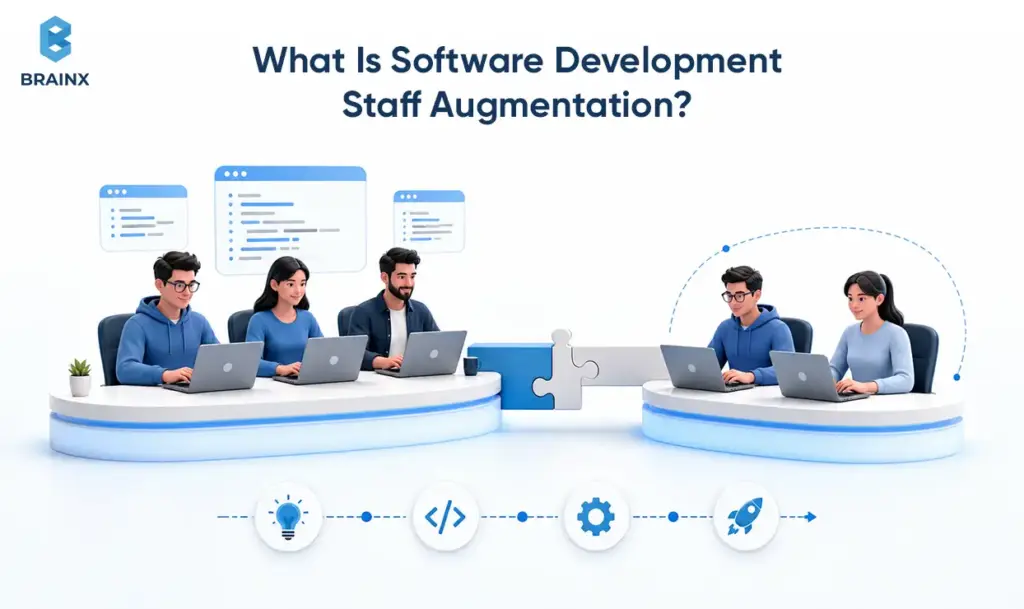
Software development staff augmentation is a delivery model that provides external engineers to a company for a temporary or strategic period, when there is a need for the missing skills, capacity or development timeline gaps. The client retains priorities, roadmap, architecture and working agreements; the engineers simply connect to the existing delivery system and contribute to the team in shipping faster. For a company that already has a product development process based on Agile, this structure is typically much better suited to their needs than having the work handed over to a different vendor queue.
In practice, it fits between full-time hiring and full project outsourcing. You are not buying “more resumes.” You are purchasing specific execution capacity that can operate within your backlog, repository, CI CD flow and sprint ceremonies. For a wider range of view on how this model fits into a product-led delivery model, refer to BrainX Software Development Services and the BrainX Product Development Process.
Staff Augmentation In Software Development (Simple Definition + What It Is Not)
In simple terms, staff augmentation in software development involves hiring additional staff, whether they are developers, QA testers, DevOps experts, or other technical professionals, to join your team on a specific project or task, typically for a short-term duration. It isn’t the same as handing over a disconnected contractor with a list of tickets, nor is it the same as handing over the complete delivery outcome to an external company. The model works best when engineers contribute inside shared branches, pull requests, reviews, tests, ceremonies, and release workflows.
Just as importantly, it is not:
- A “throw requirements over the wall and wait” model. That is closer to project outsourcing.
- A shortcut that removes the need for internal leadership. Even strong engineers need product and architecture clarity.
- A guaranteed cost-saving model if your delivery process is already unclear. Augmentation accelerates a working engine; it does not replace one.
- A substitute for clear ownership.
DORA explicitly cautions against siloed ownership; and it demonstrates that delivery performance is better when there is a shared responsibility of build, release, and operations.
Staff Augmentation Software Development Vs Hiring Full-Time (Where It Fits)
Staff augmentation software development is typically the right approach for urgent projects, specific expertise requirements, or when the project has an indefinite timeline. Full-time hiring still makes sense for core leaders, permanent platform owners, or roles that must accumulate deep institutional context over years. But when the immediate problem is “we need a senior DevOps engineer this quarter” or “we need two backend engineers to hit a release window,” waiting for a standard hiring cycle can impose more delay than value.
It fits well when:
- You require a senior resource to step in for tasks like DevOps hardening, performance, data pipelines, integration with AI, etc., to meet your urgent requirements.
- You’re validating a new initiative and you don’t wish to commit to permanent staff until the results are tested.
- You have hiring underway, but delivery cannot pause while recruiting catches up.
Full-time hiring works better when the role is core to your long-term product differentiation and you have enough time to recruit, onboard, and mentor properly.
That is especially true in today’s market. Greenhouse showed time-to-fill rising to nearly 60 days on average. Meanwhile, BLS predicts that demand will persist, fueled in part by AI, IoT, robotics and security software. To put it simply, companies that can recruit more talent than their recruiting pipeline can close will still be rewarded by the market.
Common Roles You Augment
These are the roles that are most frequently augmented: frontend, backend, mobile, QA, DevOps, cloud, data, AI/ML, security and technical product or project. The reason is simple: these are the areas where demand spikes quickly, specialized experience matters, and capacity gaps can stall delivery. BLS specifically cites AI, security, and automation as ongoing demand drivers, while Google’s 2025 DORA research found AI adoption at 90% among software development professionals, making short-notice access to AI-capable engineers increasingly valuable.
The role mix is also representative of the way that modern software partners structure their products. BrainX publicly showcases its web, mobile, AI, and DevOps capabilities, including CI/CD, cloud-native DevOps, monitoring, and AI engineering support. That’s important for buyers as the best augmentation partners tend to specialize in specific delivery constraints, rather than generic headcount needs.
How Staff Augmentation In Software Development Works (Step-By-Step)
The best software development staff augmentation engagements feel less like procurement and more like team design. There is a clear gap, a structured match process, disciplined onboarding, and an operating rhythm that makes the augmented engineers productive quickly. BrainX’s own product-development materials emphasize sprint-based Agile delivery, incremental builds, and transparent progress reviews; more broadly, DORA and Google Cloud guidance both reinforce that small batches, fast feedback, CI, and shared ownership are what make engineering capacity translate into shipping speed.
Step One — Define The Gap (Skills, Capacity, Timeframe, Ownership)
Start by defining the problem precisely: what skill is missing, how much capacity you need, how long you need it, and who owns the outcomes. If the actual issue is release bottlenecks, it might be time to look at DevOps or QA automation as a solution. If the problem is architecture drag, the answer may be a senior backend or platform engineer. If the problem is with product discovery, the need could be for a full-stack engineer who can collaborate with the PM and design team. Poorly defined gaps create bad matches, slow onboarding, and avoidable rework.
A useful template is: role, seniority, stack, business context, overlap hours, success metrics, and owner. The last item is an absolute must. Product scope, code review, QA sign-off, and deployment authority should all be named before the first interview. DORA specifically flags siloed ownership as a common pitfall because it creates friction and finger-pointing across delivery teams.
Step Two — Vetting & Matching (Screening, Technical Interviews, Culture Fit)
Once the gap is clear, move into structured evaluation. Good vetting covers technical depth, communication clarity, problem framing, and team fit, not just syntax trivia. Structured scorecards are popular in tech recruiting because they provide a more consistent method of evaluating. SmartRecruiters reports that the usage of hiring scorecards in tech is near universal.
Also ask how the provider identifies “good interview, weak delivery” profiles. A reliable signal is whether they evaluate real work artifacts: pull requests, debugging approach, test strategy, system design tradeoffs, and how the engineer communicates uncertainty.
A strong match process typically includes a resume or portfolio screen, a live technical interview, a practical discussion around architecture or troubleshooting, and a conversation about working style. For embedded SaaS work, culture fit does not mean “similar personalities.” It means the engineer can work asynchronously when needed, give and receive pull-request feedback, and communicate clearly with product and design.
Step Three — Onboarding (Access, Environments, Sprint Rituals, Documentation)
Onboarding is where many engagements either compound trust or start leaking time. Engineers need repository access, environment setup, product context, design references, engineering standards, and security boundaries early. NIST defines least privilege as limiting access to the minimum necessary to accomplish assigned tasks, and that principle is exactly what a mature onboarding flow should follow.
The essential items for a minimum onboarding checklist should consist of:
- Accounts and access: Git, CI, cloud, feature flags, analytics, ticketing, and communication tools.
- Local environment or remote development setup.
- Architecture walkthrough: services, data flows, dependencies, and release path.
- Security rules: PII handling, logging rules, environment separation, and production access limits.
- Sprint rhythm: definition of done, PR expectations, QA flow, and demo cadence.
Operationally, onboarding should include access to source control, test environments, ticketing, documentation, and communication channels, plus one clear walkthrough of the architecture and release workflow.
BrainX’s product process emphasizes incremental Agile development and regular progress review, while BrainX case studies such as Nutrition Tracker AI describe user research, iterative sprints, and continuous testing as part of early delivery readiness.
Step Four — Delivery Cadence (Standups, PR Reviews, QA, Demos, Reporting)
Once onboard, the engagement should continue to work on the same schedule as the core team members. That typically consists of daily standups, pull request reviews, automated testing, sprint planning, backlog refinement, demos and release reporting. While Google Cloud’s CI/CD guide suggests early testing and security checks in pipelines, and Atlassian talks about dedicated forums for reviewing and discussing code changes, all of them stress the need for speed in code validation.
This is also where metrics matter. DORA’s current metrics focus on throughput and instability, including change lead time, deployment frequency, failed deployment recovery time, change fail rate, and deployment rework rate. You do not need a perfect dashboard on day one, but you do need a shared definition of what “working” looks like in production.
Step Five — Scaling Up, Scaling Down, And Offboarding (Knowledge Transfer, Handover Plan)
Strong engagements make scaling and exit predictable. If the initiative expands, you add roles against the same operating model. If the initiative winds down, you document ownership, reassign open work, transfer environment knowledge, and remove access cleanly. Microsoft’s offboarding guidance emphasizes blocking access, securing data, reassigning mailbox or OneDrive content, and managing license removal; OWASP’s staff offboarding checklist similarly focuses on revoking access across repositories, shared drives, password tools, chat systems, and cloud services.
What good looks like in week 1–2:
Week 1
- Access is provisioned and the environment is running.
- The first small PR is merged.
- The engineer can explain service boundaries and the release process in plain language.
- One scoped ticket is completed end-to-end with review feedback incorporated.
Week 2
- The engineer owns a slightly larger slice, such as a feature, integration, or reliability improvement.
- They participate actively in reviews and planning, not just ticket execution.
- Standards, patterns, and expectations start getting clearly established so review back-and-forth starts to decline.
Staff Augmentation Vs Project-Based Outsourcing (Side-By-Side Comparison)
The core question in staff augmentation vs project-based outsourcing is whether you’re purchasing team capacity or outsourcing a desired outcome. Augmentation extends your delivery system. Project outsourcing hands a deliverable, module, or scope package to a vendor-led team. Both can work. They just optimize for different types of control, speed and risk.
Staff Augmentation Vs Project-Based Outsourcing (Quick Comparison Before The Table)
The best way to determine is to ask yourself the question: do you want to expand your existing team or purchase the delivered project? If you want engineers working inside your roadmap, repos, rituals, and quality standards, augmentation usually fits better. Project-based outsourcing might be the cleaner alternative if you’re seeking a vendor to own a well defined scope and provide you with an outcome.
| Dimension | Staff Augmentation | Project-Based Outsourcing |
| Delivery Ownership | Stays mostly in-house | Shifts more to vendor |
| Best For | Evolving roadmaps, live products, specialist gaps | Fixed scope, contained modules, well-defined outcomes |
| Start Friction | Matching + onboarding | Scoping + proposal + SOW alignment |
| Pricing Shape | Hourly or monthly capacity | Fixed bid or time-and-material by project |
| Scope Changes | Easier to absorb inside backlog | Often slower, priced separately, or contract-driven |
| Knowledge Retention | Higher when work stays in your repo and rituals | Lower unless handover is designed well |
| Hidden Cost Risk | Integration and management load | Change requests, handoffs, rework, context loss |
This tradeoff is consistent with current delivery research and practice: fast feedback, smaller batches, integrated CI, and shared metrics favor embedded teams, while contained outcome work fits vendor-led execution more naturally.
Control & Accountability (Who Owns Delivery, Architecture, Quality)
With augmentation, your team usually owns product decisions, architecture, and final quality accountability. The added engineers contribute inside your rules. With project outsourcing, the vendor typically owns more of the day-to-day delivery and is judged primarily on shipping the contracted scope. That can be powerful when you lack internal bandwidth, but it also means you need tighter alignment upfront on acceptance criteria and handoffs.
Speed To Start (Hiring Vs Vendor Ramp-Up Vs Scope Definition)
Augmentation often starts faster than full-time hiring because you are matching against near-ready talent instead of running a full recruiting cycle. SmartRecruiters’ 2025 benchmark shows 48 days median time-to-hire in technology, while Greenhouse reported average time-to-fill at 59.67 days in 2025. Outsourcing can sometimes mobilize quickly too, but only after scope definition is far enough along for the vendor to price and staff correctly.
Cost Model (Rate Vs Fixed Bid; Where “Cheap” Becomes Expensive)
Augmentation usually shows up as hourly or monthly capacity spend. Outsourcing usually appears as fixed bid or project-based commercial structure. The trap is assuming the lower sticker price is the cheaper option. In practice, the hidden cost is often integration and decision latency: unclear requirements, scope changes, extra review loops, and missed context can erase nominal savings. Atlassian’s 2025 developer research found that developers still lose major time to information-finding, context switching, and coordination friction even as AI saves time elsewhere.
Hidden costs often include PM overhead, duplicate QA, extra discovery, tool licenses, and handover meetings. Integration cost usually shows up when engineers are outside the core feedback loop and every ambiguity has to cross a contractual boundary before it becomes a code change. That is a reasoned inference from current DevEx and flow research, and it is one of the biggest decision errors buyers make.
Where “cheap” becomes expensive:
- Low rates that require heavy supervision.
- Poor code quality that increases QA time and production incidents.
- Missing tests and documentation that slow every future release.
- High rework from misunderstood requirements.
Total cost is rarely just labor. It is labor plus integration, rework, review time, and cost of delay.
Flexibility To Change Scope (Product Iteration Vs Fixed Requirements)
If your roadmap is still moving, augmentation is almost always easier to manage. IBM’s SAFe overview highlights economic decision-making, short learning cycles, and uninterrupted value flow; SAFe’s flow guidance likewise emphasizes faster feedback, fewer handoffs, and smaller batches. Those conditions align with embedded engineers who can pivot with the backlog.
Fixed-scope outsourcing is better when “done” is already knowable. If the work is a contained migration, internal admin tool, or standalone module with stable requirements, a vendor-led contract can reduce management load and simplify budgeting. BrainX’s own 2026 guidance makes a similar distinction: fixed price fits stable scope, while dedicated or time-and-material models fit evolving priorities.
Knowledge Retention (What Stays In-House Vs With Vendor)
Knowledge retention is where augmentation quietly compounds value. When engineers work in your repository, follow your pull-request rules, and document inside your systems, more knowledge stays with your organization after the engagement ends. By contrast, outsourced teams often accumulate operational context inside their own PM, QA, or architectural workflows unless handover is planned deliberately.
When Staff Augmentation Beats Outsourcing (Decision Framework)
Software development staff augmentation tends to beat outsourcing when speed, control, and learning matter at the same time. It is the stronger model when you already know how you want to build, but you do not have enough hands or enough specialist depth to execute on time. In that scenario, the real cost is rarely the hourly rate. It is the revenue, customer learning, or risk reduction you postpone while waiting. SAFe and IBM both frame this as an economic problem: cost of delay matters, and flow interruptions matter.
You Need Speed Without Giving Up Engineering Control
Choose augmentation when you have an in-house engineering lead, clear product ownership, and a release target that cannot wait for a full recruiting cycle. The added engineers can move inside your existing architecture and standards without forcing a handoff of technical authority. That is often the cleanest answer for growth-stage SaaS teams.
Your Roadmap Is Evolving (Product Discovery, Iterative Delivery)
If discovery is still active, you want team capacity that can shift with user feedback, not a contract that punishes change. IBM’s SAFe overview and Scaled Agile’s flow guidance both emphasize iterative learning, economic tradeoffs, fast feedback, and fewer dependencies. That is exactly the environment where augmentation outperforms fixed-scope outsourcing.
You Have An In-House Lead But Lack Specialists (DevOps, Mobile, AI, Security)
This is one of the clearest augmentation signals. Google’s 2025 DORA report shows AI is already a near-universal part of modern software work, and BLS expects strong developer demand partly because of AI, automation, and security. If your lead team knows the product but lacks cloud, data, AI, or reliability depth, augmenting those specialties is faster and often safer than redistributing the whole initiative to a vendor.
You Need To De-Risk A Critical Initiative (Reliability, Performance, Compliance)
Reliability fixes, platform migrations, security hardening, and compliance-sensitive releases are usually bad places to lose architectural ownership. ISO/IEC 27001 frames information security as a system of risk management across people, policies, and technology, while AICPA’s SOC suite exists specifically to help users assess and address risks associated with outsourcing services. When the initiative touches regulated data or core platform resilience, adding specialists under your governance can reduce coordination risk.
You Want Long-Term Capability Building (Process + Mentorship Transfer)
Augmentation also wins when you want the work to leave your team stronger than before. Embedded specialists can improve CI/CD, testing discipline, observability, review quality, and team habits while the knowledge remains in-house. DORA’s research on shared ownership and smaller-batch improvement supports that pattern: the gains are strongest when the team that ships is also the team that learns.
When Project-Based Outsourcing Is The Better Choice
Not every company should choose augmentation. There are real cases where project outsourcing is the smarter option, and saying so is part of good advisory content. If your core problem is not “we need more team capacity” but “we need someone else to deliver a contained outcome,” outsourcing can reduce management load and give you cleaner commercial boundaries.
Fixed Scope, Clear Requirements, And Minimal Internal Bandwidth
When requirements are already stable and your internal team does not have time to run daily delivery, project outsourcing is often the better fit. A fixed-scope module, migration, or internal tool can be specified, estimated, and delegated more efficiently than an embedded-engineer model.
You’re Buying An Outcome, Not Team Capacity
If what you want is a contained app, integration, or proof-of-concept delivered against a clear acceptance checklist, outsourcing may align better with how you want to buy. In that case, paying for a vendor-owned result can be simpler than integrating additional individuals into your internal squad.
You Need A Vendor-Led Delivery Org (PM, QA, DevOps Included)
Some organizations do not have the internal product, engineering, or QA leadership needed to run embedded contributors well. If you need a provider to bring project management, testing, release discipline, and operational coordination as a package, vendor-led delivery can be the better starting point. The key is being honest about whether you have enough internal leadership to make augmentation productive.
Costs, Timelines, And Engagement Models (What To Expect)
For budgeting, the most useful mental model is this: software development staff augmentation is not priced like a standalone app build. It is priced like access to specific capability and execution bandwidth. The start timeline depends on role scarcity, interview depth, time-zone overlap, security review, and how quickly your internal owners can onboard someone into the stack. That is why augmentation can begin in days or a few weeks, while direct hiring often takes much longer.
Typical Start Time (Days/Weeks) And What Drives It
The fastest starts happen when the role is narrow, the interview loop is short, and your onboarding path is already documented. The slowest starts happen when buyers are still deciding the role, ownership is fuzzy, or security and environment setup are treated as afterthoughts. The lesson from hiring benchmarks is not that augmentation is magically instant; it is that it can compress the wait compared with normal recruiting if you know what you need.
Billing Structures (Hourly, Monthly; Part-Time Vs Full-Time; Retainer)
Most engagements use hourly or monthly pricing, with part-time and full-time allocation depending on the need. Full-time tends to make sense for ongoing roadmap work; part-time works better for architecture, QA leadership, DevOps, or advisory-heavy specialist roles. BrainX also publicly positions its broader commercial options around evolving priorities, dedicated execution, and fixed-scope work depending on fit.
Total Cost Drivers (Seniority, Time Zone, Overlap Hours, Toolchain, Domain)
The main cost variables are seniority, stack rarity, expected overlap hours, domain complexity, and the toolchain you expect someone to plug into. A senior AI engineer or platform architect with fintech or healthcare experience will cost more than a generalist frontend engineer, not because of title inflation, but because the business risk of getting the role wrong is larger. BrainX’s public service mix across AI, web, mobile, and DevOps illustrates how different capabilities create different pricing logic.
How To Estimate ROI (Cost Of Delay, Quality, Reduced Rework, Faster Releases)
A practical ROI model is: value of earlier release + avoided hiring delay + reduced rework + improved delivery reliability – augmentation spend. SAFe’s economic framing makes cost of delay a central prioritization concept, while DORA’s metrics provide a delivery-side way to judge whether the added capacity actually improved throughput and stability. If the extra engineer helps you release sooner, reduce failed changes, or prevent architectural drift, ROI often shows up in time and risk before it shows up in a spreadsheet.
Risks & Common Mistakes (And How To Prevent Them)
Software development staff augmentation is not risky because outside engineers are inherently risky. It becomes risky when governance is weak. Most failures come from operating mistakes that are predictable: poor onboarding, unclear ownership, weak security boundaries, or treating the added engineers like isolated labor instead of integrated contributors.
Treating Augmented Engineers Like “Ticket Takers” (Low-Leverage Outcome)
The fastest way to waste the model is to reduce it to ticket throughput. Atlassian’s 2025 research shows developers lose substantial time to finding information, context switching, and coordination, not just coding delays. If added engineers do not get product context and decision access, you buy labor hours but leave the real bottlenecks untouched.
Prevention:
- Share product context and user impact, not just tasks.
- Invite augmented engineers into planning and technical discussions.
- Give ownership of a small area, such as a service, component, or integration.
High-performing augmented contributors behave like owners when they are allowed to.
No Clear Ownership (Tech Lead, Code Review Policy, QA Responsibility)
If nobody knows who approves architecture, who reviews PRs, or who signs off QA, the model will slow down instead of speed up. DORA explicitly lists siloed ownership as a pitfall because it generates friction between development, operations, and release responsibilities.
Prevention:
- Name one internal owner for the initiative, such as a tech lead, engineering manager, or product engineering lead.
- Define who approves architecture, reviews pull requests, signs off QA, and owns release readiness.
- Set clear PR review rules, including required reviewers, test expectations, and approval criteria.
- Document escalation paths so blockers do not sit unresolved across time zones or teams.
The goal is to remove ambiguity early. When ownership is clear, augmented engineers can move faster without creating quality, review, or release confusion.
Poor Onboarding (Access, Environments, Domain Context)
Poor onboarding shows up as delayed first commits, repeated setup questions, and engineers waiting on permissions instead of shipping. Least-privilege access is a plan not an ad hoc solution and documentation should be done prior to the first sprint including architecture, environments, coding rules and product context.
Prevention:
- Set up access, accounts and development environments in advance.
- Create a first-week plan with one small, safe task and clearly assigned reviewers.
- Share architecture diagrams, service maps, product context, and key decision records.
- Maintain onboarding documentation within the repo, wiki, or project workspace, which makes it easy to update.
Without documented onboarding, it’s impossible to scale. A structured onboarding procedure ensures that new hires in the augmented engineering field can get up and running quickly and save on unnecessary back and forth.
IP/Security Gaps (Contracts, Access Controls, Data Handling)
This is the area buyers most often under-specify. AICPA’s SOC materials have been developed to assist users in evaluating outsourcing risk, while ISO/IEC 27001 specifies the requirements for an ISMS that systemically manages information-security risk. At the working level, NIST’s least-privilege principle still applies: repository access, secrets, environments, and customer data should be role-based, minimal, and revocable.
Prevention:
- Use clear IP assignment, confidentiality, and data handling clauses in the contract.
- Implement least-privilege access to ensure that engineers have only the systems that they need.
- Utilize separate development, staging and production environments.
- Restrict production access unless it is absolutely required.
- Use MFA, audit logs, and role-based permissions across code, cloud, communication, and project tools.
- Establish guidelines for PII, regulated data, secrets, logs, and customer data before work begins.
Security should be built into the engagement from the start, not added after access has already been granted.
Knowledge Loss At Offboarding (Documentation + Handover Checklist)
Offboarding should be a handover event, not a disappearing act. Microsoft recommends blocking access, transferring needed data, and managing retained content correctly, while OWASP’s own process highlights removing access across code, collaboration, and cloud systems. If knowledge transfer is not documented before exit, you are paying for short-term velocity with long-term confusion.
Prevention:
- Require ADRs for major technical decisions.
- Keep runbooks updated for deployments, incidents, recurring issues, and operational workflows.
- Make sure tickets link to related PRs, tests, deployment notes, and open follow-up work.
- Schedule handover sessions before the engineer rolls off.
- Record walkthroughs for complex systems, environments, and unresolved risks.
- Revoke access immediately after offboarding is complete.
Offboarding is part of delivery, not an admin task. A proper handover protects product continuity and keeps knowledge inside your team.
Risk Controls Checklist
Use this as a lightweight governance checklist:
- Ownership: named internal lead, clear RACI for QA and releases.
- Access: least privilege, MFA, environment separation, audited permissions.
- Quality gates: PR reviews, CI checks, testing expectations, static analysis.
- Operational readiness: logging, metrics, alerts, rollback plan.
- Documentation: ADRs, runbooks, onboarding notes kept current.
- Continuity: backup engineer plan, offboarding checklist, knowledge transfer sessions.
Best Practices To Make Staff Augmentation Work (Playbook)
Staff augmentation in software development is supposed to be used as a delivery mechanism and not as a staffing transaction. That’s about measuring outcomes, establishing rhythm and setting technical standards, and providing enough context to make good decisions without having to wait for a meeting about every detail.
Define Success Metrics (DORA, Cycle Time, Escaped Defects, Predictability)
DORA’s current framework gives teams five useful metrics: change lead time, deployment frequency, failed deployment recovery time, change fail rate, and deployment rework rate. Those are good engineering baselines. Then add product-level indicators such as escaped defects, release predictability, customer-facing incident load, or feature throughput if they reflect business goals more clearly.
Set Operating Rhythm (Ceremonies, Comms, Escalation Paths)
A good default operating rhythm is consistent standups, weekly planning or refinement, async status updates, clear reviewer expectations, and one escalation path when blockers sit too long. BrainX’s public product process emphasizes sprint-based iteration and regular progress reviews, which is a sensible pattern for embedded work too.
Define the rhythm explicitly:
- Standup expectations.
- Planning and refinement cadence.
- Demo format and stakeholder communication.
- Slack or Teams response norms.
- Escalation path for blockers and decisions.
Engineering Standards (Branching, PR Reviews, Testing, CI/CD)
Do not make standards optional for augmented contributors. Atlassian’s pull-request model and Bitbucket review guidance both reinforce the value of review forums, reviewer checks, and merged-code consistency. Google Cloud’s CI/CD guidance likewise emphasizes fast validation, testing, and early security practices. These are not “nice to have” practices in augmentation; they are the glue that makes shared code ownership safe.
Write down the standards that matter:
- Branching strategy.
- PR size guidelines and review SLAs.
- Testing expectations: unit, integration, and end-to-end.
- CI requirements: linting, security scans, and test gates.
- Release process: feature flags, staged rollout, and rollback policy.
Documentation + Product Context (Decision Logs, ADRs, Runbooks)
Documentation is one of the highest-leverage investments you can make because it reduces dependence on tribal memory. Atlassian’s 2025 research found that finding information and context switching are among the biggest time-wasters for developers. Decision logs, ADRs, runbooks, architecture maps, and release notes turn onboarding from scavenger hunt into execution.
Focus on a few useful artifacts:
- ADRs for important architecture choices.
- Runbooks for deployment, incidents, and common failures.
- Decision logs for product and technical tradeoffs.
- System maps for services, dependencies, and data flows.
Hybrid Model: Mixing Staff Augmentation With Outsourced Components
A hybrid model is often the best real-world answer. Keep the core product squad, architecture, and domain-heavy work inside your team with augmentation, and outsource narrow components such as a contained migration, design-system audit, or one-off internal tool when fixed scope is genuinely stable. That gives you control where learning matters and externalized execution where packaging the outcome is cleaner.
How BrainX Helps With Software Development Staff Augmentation
Software development staff augmentation works best when the provider behaves like a delivery partner, not a resume broker. BrainX supports teams with vetted engineers, structured onboarding, and delivery governance that reduces integration risk while preserving your control.
We position ourselves as an AI-powered software development company with public capabilities across web, mobile, AI, and DevOps. On site, BrainX is ISO/IEC 27001:2022 & ISO 9001:2015 certified and highlights 120+ engineers, 250+ projects, and 130+ satisfied clients, alongside a sprint-based Agile product-development process and portfolio examples across SaaS, AI, and operational systems. That combination matters because buyers usually need more than raw talent access; they need a partner with enough engineering breadth to match the role to the real delivery bottleneck.
Team Matching & Technical Vetting (How BrainX Ensures Fit)
In light of BrainX’s public materials, the company emphasizes role-based service depth in AI, DevOps, web, and mobile, which is the foundation you want for matching specialists to a live product environment. For buyers, the practical question is whether the partner can distinguish between “we need another developer” and “we need a release bottleneck removed.” BrainX’s service mix suggests it can staff against capability gaps, not just generic headcount.
Fast, Structured Onboarding (Access, Environments, Sprint Readiness)
BrainX’s public process describes sprint-based Agile development with incremental builds and regular progress assessments. Our Nutrition Tracker AI case study also highlights user research, iterative sprints, simplified onboarding, and continuous testing, which are good signs of a partner that thinks in integration terms rather than pure staffing terms.
Quality & Delivery Governance (Code Reviews, QA, Release Discipline)
BrainX’s DevOps services page specifically references CI/CD, cloud-native DevOps, monitoring, analytics, and security. That matters because quality governance in augmentation is not just about developer skill; it is about whether the partner understands release discipline, observability, and operational risk after code is merged.
Engagement Options (Single Specialist → Pod → Hybrid With Managed Delivery)
We publicly market both broad software delivery and dedicated-team style support across multiple services and engagement paths. That makes it a reasonable fit for buyers who may start with one specialist, expand into a small pod, or combine embedded engineers with managed delivery for a contained workstream.
Conclusion: Choose The Model That Protects Speed, Quality, And Control
The best choice is not the “cheapest” model on paper. It is the one that preserves flow, keeps ownership where it belongs, and reduces the real cost of delay. For evolving SaaS products, architecture-sensitive platforms, and teams with internal leadership already in place, software development staff augmentation is usually the strongest answer because it adds speed without forcing you to give up product and engineering control. For fixed-scope outcomes with limited internal bandwidth, vendor-led outsourcing can still be the smarter buy.
If you are deciding between the two, start with three questions: Is scope stable? Who will own architecture and quality? What does every month of delay cost the business? Once those answers are clear, the model tends to become obvious.
FAQs about Software Development Staff Augmentation in 2026
What Is Software Development Staff Augmentation?
Software development staff augmentation is a model where external engineers join your internal delivery team for a defined period, while your company keeps ownership of the roadmap, architecture, and delivery decisions. It is best understood as team extension rather than project handoff.
How Is Software Development Staff Augmentation Different From Project-Based Outsourcing?
The difference is ownership. In augmentation, the external engineers work inside your team and your processes; in project outsourcing, the vendor typically owns more of the execution and is contracted to deliver a defined outcome.
That is why staff augmentation vs project-based outsourcing is really a decision about control, scope stability, and where knowledge should live.
When Does Staff Augmentation In Software Development Make More Sense Than Hiring Full-Time?
It makes more sense when the need is urgent, specialized, or uncertain in duration. Hiring benchmarks still show tech hiring taking weeks, while developer demand remains strong, so augmentation is often the faster route when you need capacity this quarter rather than permanent headcount next quarter.
How Fast Can You Onboard Augmented Developers Into An Existing Team?
In a mature setup, onboarding can happen in days to a few weeks, depending on the role, access approvals, and how ready your documentation and environments are.
The biggest determinant is usually not the engineer’s availability but whether your team already has clear ownership, least-privilege access rules, and a repeatable onboarding path.
What Are The Main Risks Of Staff Augmentation Software Development, And How Do You Reduce Them?
The biggest risks in staff augmentation software development are unclear ownership, weak onboarding, poor security controls, and losing knowledge when people roll off.
You reduce them by keeping repo ownership in-house, enforcing PR and CI rules, granting only role-based access, and documenting handover before offboarding begins.
Can You Combine Staff Augmentation Vs Project-Based Outsourcing In A Hybrid Delivery Model?
Yes. Many teams use augmentation for core product velocity and outsource narrow, well-bounded workstreams where the outcome can be specified clearly. In practice, that hybrid often gives SaaS teams the best mix of control, speed, and predictable external execution.
Your “critical” system is working, except when it isn’t. Releases take weeks, a single change triggers late-night incidents, and every roadmap bet feels hostage to a codebase nobody fully understands. Legacy system modernization is not a vanity project, it is usually the difference between predictable delivery and permanent firefighting.
The hard part is not agreeing that you need to modernize. The difficult part is deciding which course to take, either to refactor, rebuild or replace. If you get it wrong, you may have to pay twice over a period of 6 to 18 months, once to keep the lights on, and then to fix the approach.
This guide establishes stakes (velocity, risk, and cost) and provides a framework for making a decision with engineering, product, security, and finance.
Key Takeaways
- If the architecture is fundamentally sound but delivery suffers, opt for refactoring, and work on the modules with the highest rate of change first.
- If the core is untestable, the architecture is in conflict with your business model, or stack is not viable, then opt for a rebuild with a strict parity plan and phased cutover.
- Don’t use the software if it is predominantly commodity (e.g., HR, CRM, ticketing, payroll, basic billing). Replace it with SaaS/COTS and spend time on integration and change management.
- Focus on operational stability (observability, tests, reliability work) when the biggest risk lies in outages and on-call load, before making any large-scale change.
- If the largest risk is missed market windows, select the option that will improve lead time the quickest, which often is through an incremental refactor or a targeted rebuild slice.
- If regulatory deadlines are close, then go for the solution that can help you to reduce audit scope fast (patch, segmentation, identity controls) while the longer plan runs.
- If integrations are the bottleneck, treat APIs, eventing, and data contracts as priority work, regardless of refactor, rebuild, or replace.
- If you don’t know what success metrics are, then stop and figure them out (lead time, change failure rate, uptime, defect rate, unit cost per feature).
What “Legacy System Modernization” Actually Means (and What It Doesn’t)
Legacy system modernization is the enhancement of an existing software estate to ensure it can meet the current requirements of the business with respect to delivery, reliability, security, integration, and ownership. It is a business capability upgrade delivered through technical change.
At enterprise scale, “legacy” does not only mean old. It might be obsolete technology, unsupported infrastructure, unsustainable maintainability, insufficient security or an architecture that’s no longer relevant to the business. NIST frames legacy environments as older systems that still require protection from modern threats, while Microsoft describes modernization as updating outdated software, frameworks, languages or infrastructure to allow systems to become more efficient, scalable, maintainable.
It does not automatically mean “move everything to microservices,” “rewrite in the newest framework,” or “lift-and-shift to cloud and call it done.” Those can be the tactics but modernization is defined by the outcomes, and not by technologies involved.
A useful way to align stakeholders is to agree on what “legacy” actually means in your context, because teams often talk past each other.
Legacy = Old Tech Vs High Debt Vs Wrong Architecture
Most “legacy” systems are categorized into one (or more) of these buckets:
- Old tech (end-of-life risk): The language, framework, OS or database version are no longer supported. The problem is not only features, it is patchability and hiring.
- High debt (productivity risk): The stack might be modern but the codebase is brittle so you get low test coverage, tangled dependencies, inconsistent patterns, and tribal knowledge.
- Wrong architecture (strategic risk): The architecture of the system is not aligned with the business anymore. Common examples are a monolith that must behave like a platform, or a database schema that cannot model new product lines without hacks.
A system can be “new” and still be legacy if it has the wrong architecture or a debt profile that blocks safe change. On the other hand, there are older systems that are stable and well-understood, and may require targeted upgrades only.
Modernization Outcomes
When teams modernize well, they can measure it in outcomes that executives and engineers both care about:
- Speed: shorter lead time from idea to production, smaller batch size, fewer blocked releases
- Reliability: fewer incidents, faster recovery, lower change failure rate
- Security: faster patching cycles, reduced attack surface, clearer access control boundaries
- Integration: stable APIs, event-driven patterns, easier partner and internal connectivity
- AI readiness: data accessibility, quality, and governance that make AI features feasible and safe
This is why modernization is now connected to broader technology investment, not just maintenance. AI, application modernization and infrastructure modernization are all still considered investment priorities by CIO research, with modernization reports revealing most organisations are now prioritizing application modernization as a critical element for long-term success.
AI readiness deserves special mention because many organizations realize that the bottleneck isn’t the model, the issue lies with data contracts, data lineage and the ability to push changes through without impacting downstream consumers.
Why Modernize Now: Business Triggers That Make Waiting More Expensive
Modernization urgency usually appears when the cost of delay starts compounding. Not just “we ship slower,” but “we cannot respond to customers, regulators, or competitors within the time window that matters.”
Technical debt is not a soft cost. Industry research often shows that a meaningful share of technology budgets gets diverted into debt-related work instead of new product development. That means delay does not simply preserve the status quo. It can quietly reduce innovation capacity while increasing future migration pressure.
The triggers below help you build an executive narrative without turning the conversation into a purely technical debate. If you recognize two or more, you likely need a modernization program, not a string of isolated fixes.
Security/Compliance Exposure
Security and compliance pressure is often the fastest way modernization gets funded, and for good reason. Legacy stacks tend to have:
- Patching gaps due to unsupported components or risky release processes
- Weak segmentation where internal services can overreach
- Audit friction because evidence, access logs, and change control are inconsistent
Unsupported products become riskier over time because known weaknesses may remain unpatched. For leadership, the concern is not only technical exposure. It is the potential cost of incidents, audit delays, customer trust loss, and emergency remediation when systems cannot be updated safely.
The practical signal is simple: when security fixes take weeks because releases are painful, risk becomes structural, not procedural.
Delivery Slowdown
If your teams are shipping less with more people, your system is likely taxing your delivery engine. Watch for:
- Long lead time because deployments require coordination across teams
- High change failure rate due to poor testability and unclear dependencies
- On-call burnout because “normal changes” cause incidents
It’s convenient here to use DORA style metrics as they can convert engineering pain to delivery risk. If you’re not completely adhering to DORA reporting, it’s easy to determine whether the system is becoming more difficult to change based on the monitoring of deploy frequency, lead time, and incident rates.
Talent Risk
Talent risk shows up quietly, then all at once. If a system relies on:
- a framework few engineers want to work in,
- a deployment process only one person understands, or
- undocumented business rules living in a handful of minds,
then attrition becomes a direct business continuity risk.
A practical red flag is when new engineers take months to become productive, not because the domain is complex, but because the system is opaque and fragile.
This is why legacy risk often becomes a hiring and continuity problem. When only a few people understand the system, every resignation, contractor exit, or delayed handover increases operational dependency.
Data & Integration Bottlenecks
Modern products are integration products. If your legacy system cannot expose stable APIs, cannot support eventing, or cannot produce clean analytical datasets, you will feel it as:
- delayed partner integrations
- brittle ETL pipelines and reconciliation work
- AI initiatives that stall due to missing data contracts and unclear ownership
This is also where modernization intersects with platform strategy. If the rest of your org is moving toward self-serve data, internal developer platforms, or AI-enabled workflows, the legacy system becomes the constraint that everyone works around.
Rebuild vs Refactor vs Replace: The Clean Definitions (No Vendor Spin)
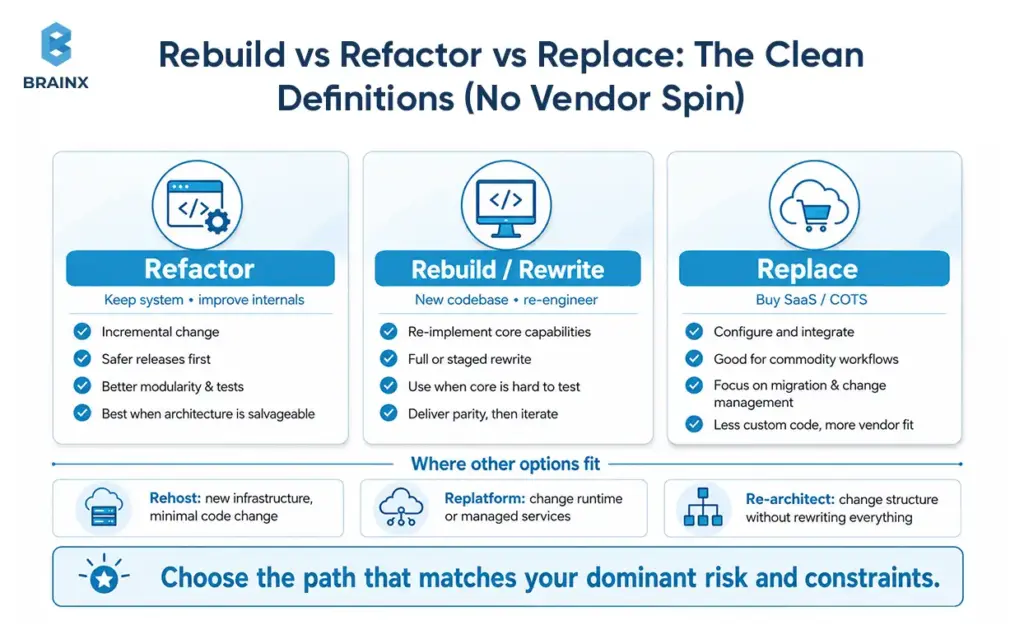
The majority of misunderstandings result from teams assigning different meanings to the same words. Clear definitions let you discuss tradeoffs without getting pulled into ideology.
This section frames options in the context of legacy system modernization, to select the one that aligns with your dominant risk and constraints (not just your most exciting option).
Refactor (Keep System, Improve Internals; Incremental)
Refactoring mostly maintains the system’s external behavior, but improves internal aspects. The goal is safer change, not new features first.
Common refactor results are improved modularity, increased test coverage, decreased coupling, and more predictable releases. Refactoring, when done well, is incremental and helps enable continuous delivery.
Refactor can be a good option if the business can’t afford long freezes, and the architecture is salvageable.
Rebuild / Rewrite (New Codebase; Re-Engineer)
A rebuild (rewrite) creates a new codebase that re-implements core capabilities. It may be a complete rewrite or a staged rewrite with slices being re-built over time.
Rebuilds make sense when the existing code pattern is structured in a way that does not support the business, for example if you can’t test the core, the domain model is incorrect, or the runtime environment is end-of-life and there is no safe path to upgrade.
The key is governance: rebuilds fail when they become “build the dream system” instead of “deliver parity and then iterate.”
Replace (Buy SaaS/COTS; Configure & Integrate)
Replacement involves picking a SaaS or commercial off-the-shelf (COTS) product and customizing it to your process before integrating it with your ecosystem.
Replace is often the best option for commodity workflows where differentiation does not come from custom code. The real work and focus shifts from coding features to vendor evaluation, integration, data migration, and change management.
Where “Replatform / Re-Architect / Rehost” Fits (Avoid False Trilemma)
Many modernization programs are not strictly refactor, rebuild, or replace. You may also consider:
- Rehost: Migrate to new infrastructure with minimal code change (useful for data center exit, limited modernization value)
- Replatform: Moderate code changes to change runtime/managed services, e.g., moving to managed databases, containers, or PaaS.
- Re-architect: Alter the structure of the system, typically to enhance scalability or domain boundaries, but without rewriting everything.
These options are significant because they enable you to focus on the flow restrictor. If your primary problem is the operational toil, replatforming could provide value sooner than rewriting.
The Decision Framework: How to Choose the Right Modernization Path
The best decision framework helps you avoid falling into these two traps, one is “keep patching forever” and the other is “rewrite everything.” Instead, it forces clarity on scope, risk, and measurable outcomes.
Follow the steps below to facilitate a structured workshop with product, engineering, security and operations. The aim is to come up with a plan that is defensible, not a perfect forecast.
Step 1: Inventory
Start with what the business actually does, not what the code looks like. Inventory:
- Capabilities: billing, pricing, onboarding, fulfillment, reporting, identity, etc.
- Users and volumes: internal users, customers, peak loads, seasonality
- Integrations: upstream/downstream systems, partners, file feeds, APIs
- Data domains: key entities, ownership, compliance classification, retention rules
This inventory prevents “unknown dependencies” from becoming your biggest risk during cutover, and it sets you up to modernize capability-by-capability rather than system-by-system.
Step 2: Score the System
Create a simple scorecard (1 to 5) for each dimension and record evidence to support each rating:
- Maintainability: modularity, readability, test coverage and coupling
- Reliability: incident rate, MTTR, failure modes and observability
- Scalability: performance headroom, database constraints and concurrency issues
- Security: patch cadence, access control, secrets management and audit logging
- Change velocity: lead time, release frequency, rollback confidence, etc.
| Dimension | What To Ask | Refactor Bias | Rebuild Bias | Replace Bias |
| Business Differentiation | Is this workflow part of your moat? | High | High | Low |
| Testability | Can you change behavior safely in small slices? | High | Low | Medium |
| Architecture Fit | Does the current shape still support the roadmap? | Medium | Low | Low |
| Integration Complexity | Are there many custom dependencies? | Medium | High | High |
| Process Standardization | Is the workflow mostly commoditized? | Low | Low | High |
It isn’t the score that’s important, it’s the discussion it creates. When stakeholders disagree, the evidence trail helps to show the reasons for a disagreement and whether it is a technical issue, organizational issue, or both.
Step 3: Evaluate Constraints
Constraints decide what “best” means. Capture:
- Time-to-market pressure: upcoming launches, competitive moves, customer commitments
- Regulatory deadlines: audits, certifications, regional expansions
- Budget and runway: capex/opex preferences, procurement cycles
- Operational tolerance: how much downtime or disruption is acceptable
A team that has 12 months and stable cash can take a different path than a team with 90 days to reduce risk exposure.
Step 4: Choose Based on “Dominant Risk”
Make the choice based on your dominant risk:
- Operational risk dominates (outages, security exposure): prioritize stabilization, refactor hot spots, replatform where it reduces toil
- Delivery risk dominates (slow shipping, high change failure): refactor for testability and modularity, rebuild only where necessary
- Strategic risk dominates (architecture blocks new business models): rebuild slices that enable the new model, or replace commodity functions
This is where you turn analysis into a plan. Document what you will do now, what you will defer, and what you will explicitly not do.
When Refactoring Is the Best Option
Refactoring is often the highest-ROI path because it improves delivery without forcing a large, risky cutover. It is also the easiest option to get wrong, because “clean up the code” is not a business outcome.
In simple terms, refactoring means improving the internal structure of software without changing what users see on the outside. The goal is not to “make code prettier.” The goal is to make future changes safer, faster, and less expensive.
Successful refactoring programs treat the system like a product: you pick targets, measure improvement, and ship continuously.
Signals Refactor Will Work (Architecture OK, Debt Localized, Tests Feasible)
Refactor is usually the right call when:
- The domain model is mostly correct, even if implementation quality is uneven
- The biggest pain is localized, such as a few modules that change constantly
- You can introduce tests and observability without rebuilding everything
- The stack is supportable, or can be upgraded incrementally
A strong “yes” signal is when you can draw clear boundaries around high-risk areas and improve them without destabilizing the whole system.
What To Refactor First
Refactor priorities should follow change and risk, not aesthetics. Start with:
- Hot paths: the flows that drive revenue or support load (checkout, invoicing, onboarding)
- High-churn modules: where changes happen weekly and break things
- Integration seams: adapters, API layers, message handlers that amplify blast radius
- Operational pain points: batch jobs, cron pipelines, long-running processes that fail silently
This sequencing creates visible wins: fewer incidents, faster releases, and a clearer structure for future work.
Refactor Execution Patterns
Two patterns reduce risk during refactoring:
- Branch by abstraction: introduce an interface layer, implement the new behavior behind it, then switch callers gradually. This avoids long-lived branches and makes rollback easier.
- Feature flags: ship changes behind a flag, test in production safely, and decouple deploy from release.
Combine these with contract tests at boundaries, and you can modernize critical components while continuing feature delivery.
Risks & Failure Modes
Common refactor failure modes include:
- Refactoring without tests: teams change internals but cannot prove behavior, so risk increases and velocity drops.
- Perpetual cleanup: the work never ships business value, and stakeholders lose trust.
- Local optimization: one team cleans their module while cross-service contracts remain unstable.
- Underestimating data risk: even refactors can break reporting, reconciliation, and downstream consumers if contracts are implicit.
A practical rule: if you cannot define what gets measurably better in 4 to 6 weeks, the refactor scope is too vague.
When Rebuilding (Rewriting) Is the Best Option
Rebuilds are justified when incremental change cannot overcome structural limits. The best rebuilds are disciplined: they deliver an MVP slice, prove parity, and migrate users safely.
A rebuild can be part of legacy system modernization, but it should be chosen for specific reasons, not as a default “fresh start.”
Signals You Should Rebuild
You should strongly consider rebuilding when:
- The architecture cannot support your product direction (multi-tenant, real-time, platform APIs)
- The core is effectively untestable, with side effects everywhere and no reliable regression safety net
- The stack is obsolete or out of support, and upgrades are riskier than replacement
- Performance and scaling require invasive changes across the entire system
- Security fixes require deep surgery repeatedly
In these cases, refactoring becomes “refactor everything,” which is just a slow rewrite with less clarity.
How To Prevent The “Rebuild Fantasy”
Rebuild fantasy happens when teams mix three goals: re-implement, improve UX, and add new features. Control it with:
- A parity plan: define what “same behavior” means, including edge cases and reports
- An MVP slice: pick one end-to-end flow that proves the new architecture in production
- A scope gate: new features must have a business sponsor and a clear reason they cannot wait
This discipline keeps the rebuild on a delivery track, not an engineering wish list.
Cutover Strategies
There are three common cutover strategies:
- Parallel run: old and new systems run simultaneously, outputs are compared, and confidence builds before switching traffic. Best for high-risk domains like billing and finance.
- Incremental replacement: replace capabilities one by one, often using a strangler pattern at the edge (routing requests to new components). Best for reducing risk while making steady progress.
- Big-bang: switch everything at once. Sometimes unavoidable due to licensing, infrastructure deadlines, or extreme coupling, but it carries the highest risk and demands extensive rehearsal.
A practical guideline: if you can isolate traffic routing at the edge, incremental replacement is usually safer than a single cutover event.
A common pattern here is the strangler approach: route selected traffic or capabilities to the new system while the old system continues to run. Over time, more functionality moves to the new architecture until the legacy system can be safely retired.
Data Migration Considerations (Schemas, Reconciliation, Rollback Plan)
Data is where rebuilds succeed or fail. Treat migration as a product:
- Schema mapping: define canonical entities and how they translate between old and new
- Reconciliation: automated checks to prove totals and invariants match (counts, sums, balances)
- Rollback plan: what happens if the new system produces incorrect outputs, and how you revert without data loss
- Dual writes: used carefully, because they can create consistency bugs if not designed with clear ownership and idempotency
If data is messy, start by profiling it. It is cheaper to discover quality issues before you have built the new schema around false assumptions.
When Replacing with SaaS/COTS Is the Best Option
Replacement is the fastest way to reduce custom code, but only when you pick the right scope. Teams get burned when they replace a deeply differentiating workflow with a tool designed for “average” processes, then over-customize it back into complexity.
Replacement decisions are also where procurement, legal, security, and operations need to be involved early, not as a last-mile review.
Strong Fit Scenarios (Standard Workflows, Commodity Features)
Replace is a strong fit when:
- The workflow is standard across your industry (ticketing, basic CRM, HRIS, payroll)
- Your differentiation is in product, data, or customer experience, not in the back-office process
- Time-to-value matters more than deep customization
- The SaaS ecosystem supports your integration needs (webhooks, APIs, data export)
A good sign is when you can configure 80 to 90 percent of needs out of the box, and the remaining gaps are acceptable process changes.
Red Flags (Over-Customization, Vendor Lock-In, Integration Complexity)
Replacement is risky when:
- You require heavy customization that breaks upgrade paths
- Data export and portability are limited, creating lock-in
- The vendor’s roadmap conflicts with yours
- Integrations are numerous and brittle, especially if you have complex event flows
- Performance, latency, or data residency requirements are strict
A practical red flag is “we will build a custom layer to make SaaS behave like our old system.” That often recreates complexity without gaining control.
Replacement Checklist
Use this checklist during vendor evaluation:
- Data portability: export format, frequency, and completeness (including audit logs)
- APIs and webhooks: rate limits, event coverage, idempotency support
- SLAs: uptime, support response, incident communication
- Compliance: SOC 2/ISO, GDPR, HIPAA, data residency options
- Extensibility: custom fields, workflow automation, app marketplace, sandbox environments
- Identity and access: SSO, SCIM, granular permissions
- Observability: logs, audit trails, admin APIs
The right question is not only “Can this vendor support our process?” It is “Can this vendor support our process without recreating our legacy complexity in a new tool?”
This is where security teams appreciate specifics. “SOC 2 compliant” is not enough without understanding controls, scope, and evidence access.
TCO Model: License + Implementation + Integration + Change Management
Total cost of ownership for replacement includes more than license fees:
- License/subscription costs: per seat, per transaction, or tiered
- Implementation: configuration, process mapping, vendor professional services
- Integration: middleware, custom connectors, monitoring, retries, error handling
- Data migration: extraction, cleansing, validation, cutover support
- Change management: training, internal documentation, support desk impact
- Ongoing ops: admin work, vendor management, periodic reconfiguration
| Cost Area | Rebuild | Replace With SaaS/COTS |
| Upfront Cost | Higher engineering and architecture cost | Lower initial build cost, but implementation fees apply |
| Ongoing Cost | Maintenance, hosting, DevOps, QA | Licenses, admin, vendor support, integrations |
| Customization | High control | Limited by vendor flexibility |
| Integration Work | Built around internal needs | Often requires middleware or custom connectors |
| Change Management | User migration and process updates | Training, adoption, vendor workflow changes |
| Long-Term Risk | Internal ownership burden | Vendor lock-in and roadmap dependency |
If you model TCO, include both “steady state” and “year 1” costs, because year 1 often carries the integration and migration peak.
Cost, Timeline, and Resourcing: What to Expect from Legacy System Modernization Services
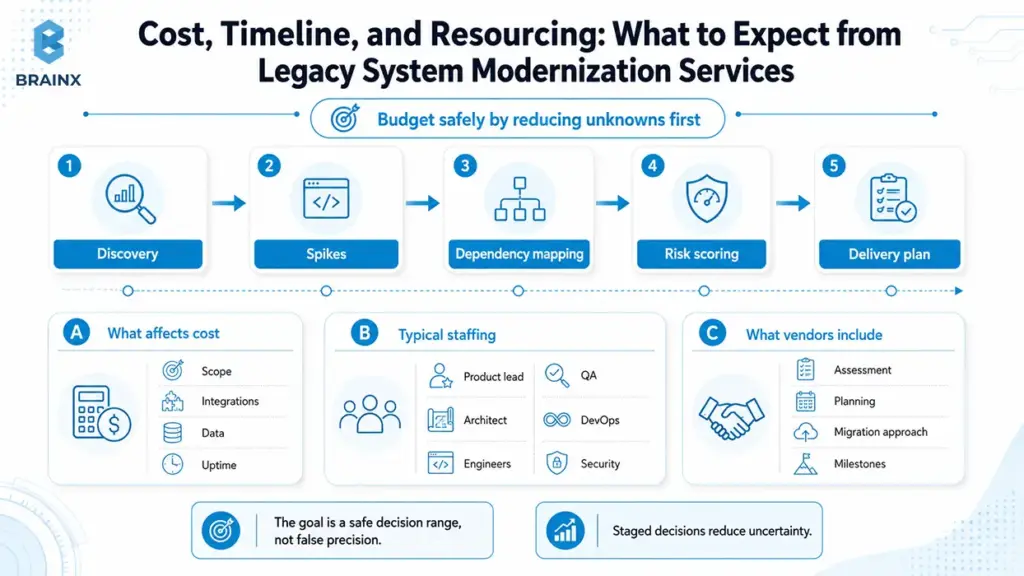
If you are budgeting for legacy system modernization services, you need estimates that acknowledge uncertainty without becoming useless. The goal is not a perfect number, it is a safe decision range with clear risk drivers.
The safest way to budget is to treat modernization as a staged decision, not a single estimate. Discovery, technical spikes, dependency mapping, and risk scoring should come before a fixed delivery plan, especially when integrations, data migration, or uptime requirements are unclear.
This section explains what pushes cost and timeline up or down, what staffing typically looks like, and what reputable vendors include in scope.
Cost Drivers (Scope, Integrations, Data, Test Coverage, Uptime Requirements)
The biggest cost drivers are usually:
- Scope breadth: number of capabilities, screens, and business rules
- Integration count: every upstream/downstream dependency adds testing and coordination
- Data complexity: volume, quality issues, compliance classification, historical retention
- Test coverage: low coverage increases risk and slows change until you build safety nets
- Uptime requirements: 24/7 systems need blue-green deploys, parallel runs, and stronger rollback plans
- Security requirements: threat modeling, pen testing, audit evidence, secure SDLC
A useful budgeting technique is to separate “platform work” (tests, observability, CI/CD, identity) from “capability work” (features and migrations). Platform work is often what makes the rest predictable.
Typical Timelines By Approach (Refactor Vs Rebuild Vs Replace)
While every system differs, typical ranges look like:
- Refactor: 8 to 24 weeks for meaningful improvements in a bounded area, ongoing program for larger estates
- Rebuild: 4 to 12 months depending on scope and migration strategy, sometimes longer for regulated domains
- Replace: 6 to 20 weeks for selection plus implementation for a bounded function, longer when integrations and data migration are complex
The hidden factor is decision latency. If stakeholders cannot align on scope, parity, and cutover approach, the calendar expands even before engineering begins.
Team Composition
Modernization is cross-functional by necessity. A typical team includes:
- Product lead: clarifies scope, prioritizes capabilities, manages parity decisions
- Solution architect: defines target architecture, boundaries, integration patterns
- Domain experts: validate business rules, edge cases, reporting requirements
- Engineers: implement changes, build tests, maintain migration tooling
- QA/automation: builds regression safety nets and contract tests
- DevOps/SRE: CI/CD, environments, observability, reliability controls
- Security: threat modeling, controls mapping, audit evidence
If you do not staff domain expertise, you will rebuild the wrong behavior faster.
How To Estimate Safely (Discovery Sprint, Spikes, Risk Buffer)
Safe estimates come from reducing unknowns early:
- Discovery sprint (2 to 4 weeks): inventory, dependency mapping, architecture review, risk register
- Spikes: timeboxed experiments to validate key unknowns, such as data migration feasibility or performance constraints
- Risk buffer: explicit contingency tied to identified risks, not a generic padding number
- Milestone-based plan: deliver slices with measurable outcomes rather than a single end date
This approach turns estimation into a learning process, and it creates decision points where you can stop, adjust, or change strategy.
What Legacy System Modernization Services Usually Include
Most credible engagements include:
- Assessment of current architecture, code health, and delivery pipeline
- Dependency and integration mapping
- Data profiling and migration approach
- Target architecture and transition plan
- Security and compliance review, including access controls and audit requirements
- CI/CD improvements, test strategy, and QA automation plan
- Observability plan: logs, metrics, traces, alerting, SLOs
- Delivery roadmap with milestones, resourcing, and risk management
When comparing vendors, ask what they deliver that you can reuse internally, such as scorecards, templates, migration tooling, and runbooks.
Common Modernization Risks (and How to Reduce Them)
Modernization fails less often due to “bad code” and more often due to unmanaged uncertainty. The good news is that most risks are knowable, and you can reduce them with explicit practices.
Use this section as a risk register starter. If a vendor claims these are “not an issue,” that is usually a sign they have not done enough discovery.
Hidden Business Logic & Missing Documentation
Legacy systems often contain rules that exist nowhere else, including pricing exceptions, tax handling, customer-specific behaviors, and billing edge cases.
Mitigations that work:
- capture rules through domain workshops and shadowing support teams
- mine logs and historical tickets for “weird cases”
- write characterization tests that document behavior before changing it
- prioritize rebuilding/reporting parity for finance-related outputs early
Data Quality And Reconciliation Failures
Data issues surface at the worst time, during migration or after cutover. Typical problems include duplicate entities, inconsistent identifiers, and “meaning drift” across fields.
Mitigate with:
- upfront data profiling and quality scoring
- automated reconciliation jobs and dashboards
- a staged migration plan with verification gates
- ownership clarity for each data domain
Integration Blast Radius (Upstream/Downstream Dependencies)
Integrations create nonlinear risk: one change can impact multiple consumers. Common issues include undocumented file formats, fragile API clients, and implicit contracts.
Mitigate with:
- explicit API contracts and versioning
- contract tests at boundaries
- event schemas with compatibility rules
- integration observability, including dead-letter queues and retry policies
Security Regressions During Migration
During major changes, teams can accidentally weaken security, such as relaxed firewall rules for testing or missing authorization checks in new services.
Mitigate with:
- threat modeling for the target architecture
- secure defaults in templates and pipelines
- secrets management and least-privilege access
- security testing integrated into CI/CD
For regulated environments, plan evidence collection early so compliance does not become a last-minute scramble.
Change Management (Users, Support, Training)
Even “internal-only” systems have real users. If you change workflows without training and support readiness, productivity drops and the project gets blamed.
Mitigate with:
- early user involvement and feedback loops
- training materials and role-based enablement
- phased rollout with feature flags
- support playbooks and escalation paths
A Practical Modernization Roadmap (90 Days to a Confident Decision)
If you are not ready to commit to a rebuild or a multi-quarter program, you can still make meaningful progress in 90 days. The goal is to reduce unknowns, prove feasibility, and produce a plan leadership can fund with confidence.
This roadmap is intentionally pragmatic. It assumes you keep delivering while learning.
Week 1–2: Assessment + Architecture Review + Dependency Mapping
Outputs you want by the end of week 2:
- system inventory by capability and data domain
- dependency map for integrations and consumers
- current-state architecture diagram with pain points
- baseline metrics: release frequency, lead time, incident rate, on-call volume
- initial risk register and constraint list
This is where you identify “hairball” areas that will govern the rest of the strategy.
Week 3–6: Proof-Of-Concept / Slice Migration + Test Strategy
In weeks 3 to 6, prove one critical unknown. Examples:
- migrate one small but representative flow through the new architecture
- introduce contract tests for a key integration
- implement a parallel-run reconciliation for a financial report
- validate performance and cost assumptions with a production-like load test
Also define the test strategy: which tests you need, where to place them, and how they will run in CI/CD. Without a testing plan, every modernization path becomes a higher risk.
Week 7–12: Plan + Backlog + Target Architecture + Delivery Milestones
By the end of 90 days, you should have:
- target architecture and transition design
- prioritized backlog with milestones and acceptance criteria
- cutover strategy proposal (phased, parallel run, or limited big-bang)
- resourcing plan and delivery model
- measurable success metrics agreed across stakeholders
This becomes the artifact leadership funds, and engineers trust.
Success Metrics
Pick a small set of metrics and track them consistently:
- Lead time for change and deploy frequency (delivery speed)
- Change failure rate and MTTR (delivery safety and ops resilience)
- Defect escape rate (quality)
- Uptime/SLO attainment (reliability)
- Cloud cost per transaction or per customer (unit economics)
- Cycle time from request to production (end-to-end flow)
The key is to tie metrics to the modernization goals you set up front.
How BrainX Helps As A Legacy System Modernization Company
BrainX Technologies works with teams that need clarity first, then safe execution. As a legacy system modernization company, BrainX focuses on decision-grade assessments, pragmatic delivery plans, and implementation that does not stall your product roadmap.
If you are evaluating vendors, ask how they handle scope governance, data migration, integration safety, and measurement. Those are the areas where real-world modernization succeeds or fails.
Modernization Assessment + Decision Workshop
BrainX typically starts with a structured assessment and workshop that produces:
- a scorecard across maintainability, reliability, security, scalability, and change velocity
- modernization options with tradeoffs (refactor vs rebuild vs replace, plus replatforming where relevant)
- a risk register and mitigation plan
- an ROI narrative leadership can use for prioritization and funding
This is also where we align stakeholders on what “done” means, including success metrics and cutover constraints.
Delivery Models
Depending on your constraints, BrainX supports multiple delivery models:
- Incremental refactor focused on testability, modular boundaries, and hot-path stabilization
- Rebuild with phased cutover using strangler-style routing, parallel run when needed, and explicit parity gates
- SaaS replacement with integration where we handle vendor-facing technical due diligence, integration architecture, and migration verification
If you need legacy system modernization services that keep feature delivery moving, these models are designed to reduce risk while still shipping.
What You Get Out Of It
A typical BrainX engagement delivers tangible assets, not just advice:
- current-state and target architecture diagrams
- a migration plan with sequencing, cutover strategy, and rollback approach
- security controls mapping and secure SDLC integration
- QA automation plan and implementation, including regression and contract tests
- observability baseline: logs, metrics, traces, and actionable alerting
- a delivery roadmap with milestones and measurable outcomes
This creates continuity so your internal team can operate and extend the system after the engagement.
Why BrainX Is the Right Legacy System Modernization Company
Teams choose BrainX when they want:
- senior technical leadership that can translate business constraints into architecture choices
- practical governance that prevents scope drift and rebuild fantasy
- disciplined migration engineering, especially around data and integrations
- delivery that supports production realities: uptime, auditability, and support readiness
If you are comparing a legacy system modernization company shortlist, look for evidence of these capabilities in case studies, artifacts, and how they run discovery.
Not sure whether to refactor, rebuild, or replace? Start with a modernization assessment. BrainX can review your current architecture, map dependencies, score risk areas, and give you a practical 90-day roadmap before you commit to a full implementation.
Final Checklist: Choose Rebuild, Refactor, or Replace
Use this checklist to pressure-test your decision quickly. It is designed for executive and product conversations, but engineering should validate the answers.
10-Question Executive Checklist (Yes/No)
Answer yes or no:
- Are critical components out of support or unpatchable within your security SLAs?
- Is the system’s domain model misaligned with how the business works today?
- Do releases routinely require cross-team coordination and long freezes?
- Is test coverage too low to change core logic safely within weeks?
- Are incidents frequent, and is MTTR high due to poor observability?
- Can you isolate high-risk areas, or is coupling so high that changes ripple everywhere?
- Is the functionality mostly commodity, with limited competitive differentiation?
- Do integrations and data flows block analytics or AI initiatives due to missing contracts/ownership?
- Is there a hard deadline (audit, contract, market event) that makes long rewrites risky?
- Would a SaaS product meet 80 to 90 percent of needs without heavy customization?
Recommended next step based on outcome
- Mostly “yes” to 3, 5, 6, with “no” to 2: start with refactoring plus platform work (tests, observability, CI/CD).
- Mostly “yes” to 1, 2, 4, 6: plan a rebuild, but do it slice-by-slice with parity gates and a cutover strategy.
- Mostly “yes” to 7 and 10: evaluate replacement first, and invest in integration, data migration, and change management.
- If you cannot answer 4, 6, or 8 confidently: run a 2 to 4 week assessment and dependency mapping before choosing.
Conclusion
The best modernization decisions are not driven by trend or preference. They are driven by your dominant risk, your constraints, and your ability to ship safely while changing the system. Legacy system modernization works when you make the tradeoffs explicit, measure outcomes, and choose to refactor, rebuild, or replace based on evidence.
If you want a practical scorecard and a 90-day plan you can fund with confidence, BrainX Technologies can help you assess the current state, define the target architecture, and execute a phased migration without derailing delivery.
FAQs on Legacy System Modernization Today
What is legacy system modernization?
Legacy system modernization is the process of upgrading an existing software system so it can meet current requirements for delivery speed, reliability, security, and integration.
It can involve refactoring parts of the codebase, rebuilding key components, replacing functions with SaaS, or improving the platform through rehosting or replatforming. The goal is not “new tech,” it is measurable improvement in business outcomes. Good modernization also includes governance, testing strategy, and a safe cutover plan.
How do I decide whether to rebuild or refactor a legacy system?
Decide based on what is fundamentally blocking you. If the architecture and domain model are mostly correct and you can introduce tests and modular boundaries, refactoring is usually faster and lower risk.
If the core is untestable, the stack is obsolete, or the architecture cannot support your business direction, rebuilding is often more honest than years of incremental patching.
A scorecard across maintainability, reliability, security, and change velocity helps make the choice defensible.
When should you replace a legacy system with SaaS instead of rewriting it?
Replace with SaaS when the workflow is mostly commodity and your differentiation does not come from custom implementation details.
SaaS also makes sense when time-to-value is critical and the product can meet 80 to 90 percent of requirements through configuration.
Avoid replacement when you would need heavy customization, when portability is weak, or when integration complexity would recreate the same fragility outside your codebase. Always model year-1 TCO, not just subscription price.
How long does legacy system modernization take?
Timelines vary by scope and approach. Targeted refactoring can show meaningful results in 8 to 24 weeks, especially when focused on high-churn modules and reliability improvements.
Rebuilds often take 4 to 12 months, depending on parity requirements and whether you can cut over incrementally.
Replacements can take 6 to 20 weeks for selection and implementation, but integration and data migration can extend that.
How much do legacy system modernization services typically cost?
Costs depend on scope breadth, integrations, data complexity, test coverage, and uptime requirements. A bounded assessment and planning phase is usually the smallest starting investment, while implementation programs scale with the number of capabilities and dependencies.
Replacement projects often shift cost into integration, migration, and change management rather than feature development. The most reliable way to estimate is a discovery sprint plus technical spikes that reduce unknowns before committing to a full roadmap.
What should I look for in a legacy system modernization company?
Look for a partner that starts with discovery, produces decision-grade artifacts (scorecards, target architecture, risk register), and has a proven approach to data migration and integration safety.
Ask how they prevent scope drift during rebuilds, how they measure delivery improvements, and what their cutover playbook looks like.
A strong legacy system modernization company will also demonstrate secure delivery practices, QA automation capability, and observability discipline. Finally, prioritize teams that can communicate tradeoffs clearly to both executives and engineers.
TL;DR / Key Takeaways
- DevOps implementation services transform the migration from legacy to cloud into a step-by-step and measurable program rather than a risky tooling exercise.
- The roadmap guides through discovery, cloud foundations, CI/CD, IaC, observability and DevSecOps governance.
- Assessment, KPIs, pilot pipelines, IaC modules, monitoring and runbooks should be the primary focus for the first 90 days.
- The biggest failure risks are taking a tool-first approach, automating only part of the process, delaying security, low adoption and inadequate handover.
- Most teams outsource cloud foundations, golden pipelines, IaC templates, security automation, and observability design.
Releases shouldn’t feel like a high-stakes game where everyone holds their breath, rolls back at midnight, and hopes the “one server” that nobody owns doesn’t fail. However, for teams managing legacy systems, delivery remains reliant on manual runbooks, shared environments, fragile deployment scripts, and more – particularly when migration to the cloud introduces new moving parts.
This guide lays out a practical roadmap for DevOps implementation services specifically in a legacy-to-cloud environment, including the phases needed to undertake, the deliverables to look for, typical timelines, cost drivers, common implementation pitfalls and how to evaluate a partner without worrying about it. You’ll walk away with a plan you can actually execute—not a tool list.
What Are DevOps Implementation Services? Why Is Implementation Crucial?
DevOps implementation services are the structured work required to make software delivery repeatable, automated, secure, and observable—across people, process, and platform. The goal isn’t “using DevOps tools.” The goal is building a delivery system that reduces risk while increasing speed.
Implementation matters because DevOps improvements are interdependent. A faster pipeline without testing gates increases change failure rate. Infrastructure automation without governance increases cloud sprawl. Monitoring without incident workflows creates alert fatigue. Done properly, implementation aligns:
- People & operating model (ownership, on-call, collaboration, enablement)
- Process (release strategy, change control, incident response, postmortems)
- Platform & automation (CI/CD, Infrastructure as Code, environments, policy-as-code)
- Security & compliance (shift-left controls, audit evidence, access governance)
- Reliability practices (SLOs, dashboards, runbooks, capacity planning)
For legacy-to-cloud migration, implementation is crucial because you’re changing where systems run and how they’re shipped. Without a plan, teams often migrate infrastructure first and discover delivery and reliability issues later—when downtime is most expensive.
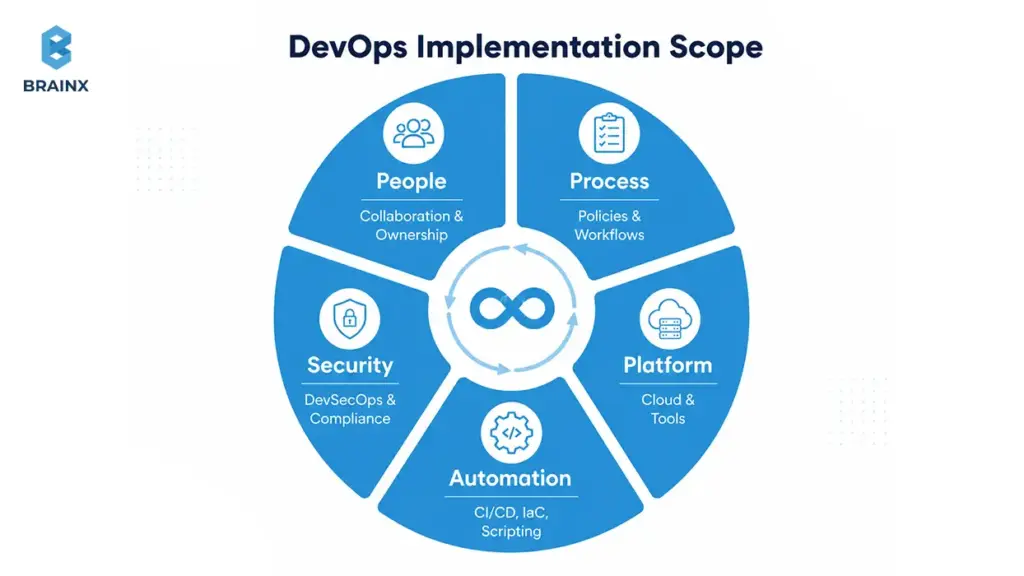
DevOps Consulting vs Implementation vs Managed DevOps
DevOps consulting & implementation services typically bundle advisory plus hands-on delivery—meaning you get a roadmap and the team to build it. The differences matter when you’re budgeting and setting expectations:
- Consulting (advisory): assessment, recommendations, target architecture, backlog, governance model. Useful if you have a strong internal platform team ready to execute.
- Implementation: execution of pipelines, IaC, cloud foundations, observability, and security automation—plus documentation and enablement. Best when you need outcomes quickly.
- Managed DevOps: ongoing operation of CI/CD, cloud infrastructure, monitoring, and incident response support. Best when internal capacity is limited or you want 24/7 coverage.
If your legacy estate is complex (multiple apps, shared databases, compliance constraints), a hybrid approach—advisory + build + a short managed period—often de-risks the transition.
What’s Included in DevOps Implementation Services
A real engagement is defined by deliverables, not tool names. Strong DevOps implementation services include a blend of strategy, build work, and operationalization so your team can run the system without vendor dependency.
Core deliverables usually include:
- Assessment & maturity baseline (delivery flow, bottlenecks, risk areas, cloud readiness)
- CI/CD pipeline implementation with testing and security gates
- Infrastructure as Code modules and environment provisioning
- Container/Kubernetes enablement (where it fits) with deployment standards
- DevSecOps automation (SAST/SCA, secrets, IaC scanning, container scanning)
- Observability & reliability practices (logs/metrics/traces, SLOs, dashboards)
- Governance & documentation (runbooks, RACI/ownership, evidence trails)
- Enablement (workshops, pairing, internal platform handover)
What separates strong providers from average ones is how well they connect these deliverables into a sequenced roadmap with measurable KPIs.
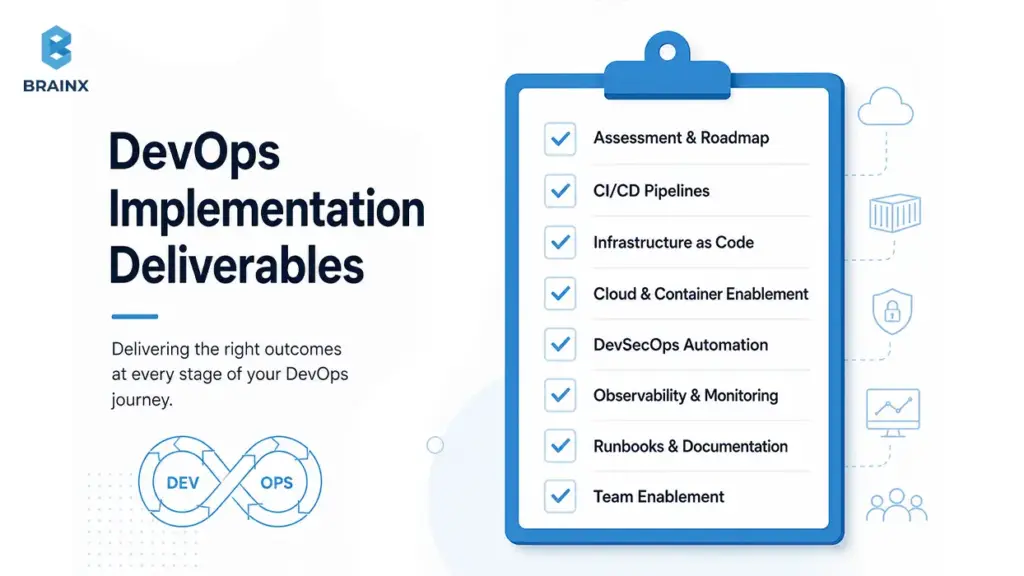
DevOps Assessment & Readiness Evaluation
This is where you find the real constraints: brittle legacy deploy logic, undocumented dependencies, inconsistent environments, and manual approvals that don’t map to actual risk.
A good assessment typically covers:
- Application topology (monolith vs services, coupling, runtime constraints)
- Current delivery workflow (handoffs, approvals, test coverage, release frequency)
- Infrastructure state (pets vs cattle, drift, provisioning lead time)
- Cloud readiness (networking, identity, landing zone requirements)
- Security posture (secrets handling, vulnerability scanning, access controls)
- Team maturity (ownership, incident response, release management)
Most importantly, the assessment produces a prioritized backlog so you don’t try to “fix everything” at once.
CI/CD Pipeline Design & Implementation
CI/CD reduces release risk by turning tribal knowledge into automated, repeatable steps. Done well, pipelines enforce consistent build, test, scan, and deployment workflows.
Implementation usually includes:
- Pipeline templates (“golden pipeline” patterns)
- Automated test stages (unit → integration → regression/performance where needed)
- Security gates (policy checks, scanning, signing)
- Deployment orchestration (progressive delivery, safe rollback paths)
- Environment promotions (dev → staging → prod with traceability)
The target is simple: smaller changes shipped more frequently, with guardrails.
Infrastructure as Code Implementation
IaC replaces manual configuration with versioned, reviewable infrastructure. This matters during cloud migration because “just click it in the console” doesn’t scale—and it creates drift.
Expect work such as:
- Terraform/CloudFormation modules for core infrastructure
- Versioned environments and reusable templates
- Drift detection and remediation workflows
- Standard naming/tagging conventions for cost and governance
You don’t need to IaC everything on day one, but you do need a plan for what becomes “code-owned.”
Cloud & Container DevOps Enablement
Cloud migration often introduces new operational complexity: networking, identity, managed services, containers, Kubernetes, and multi-environment sprawl.
Enablement focuses on:
- Cloud deployment standards (accounts/projects, VPC/VNet patterns, IAM)
- Containerization approach (if appropriate) and consistent runtime packaging
- Kubernetes delivery patterns (Helm/Kustomize, GitOps-friendly deployments)
- Build provenance and artifact repositories for traceable releases
The best outcome is consistent environments so bugs don’t hide in “it works on staging.”
DevSecOps & Security Automation
Security automation is how you avoid turning every release into a ticket queue. Shift-left controls help you find issues earlier—when they’re cheaper to fix and less disruptive.
Common inclusions:
- SAST (static analysis) and SCA (dependency scanning)
- Secrets scanning in code and pipelines
- IaC scanning for misconfigurations
- Container image scanning and signing
- Policy-as-code checks before deployment
This makes security a normal part of delivery, not an end-of-quarter event.
Monitoring, Observability & Reliability Engineering
Monitoring tells you something broke. Observability helps you find why it broke, across logs, metrics, and traces.
Implementation includes:
- Instrumentation standards and log/trace correlation
- Dashboards by service and user journey
- Alerting strategy (signal over noise)
- SLOs/SLIs and error budgets
- Incident workflows and runbooks
For legacy-to-cloud, this is often where teams see the fastest reliability improvement—because visibility was the missing foundation.
Ad-Hoc DevOps vs Proper DevOps Implementation
Teams often say “we’re doing DevOps” when they have a few scripts, a half-built pipeline, and one person who knows how deployments work. That’s ad-hoc. It might work—until you migrate to cloud, scale teams, or face compliance audits.
A structured approach aligns strategy, tooling, and operating model so improvements are repeatable across apps. When you invest in DevOps implementation services, you’re paying for that repeatability—templates, standards, documentation, and enablement—not just “automation.”
Here’s a practical comparison you can use in internal planning discussions:
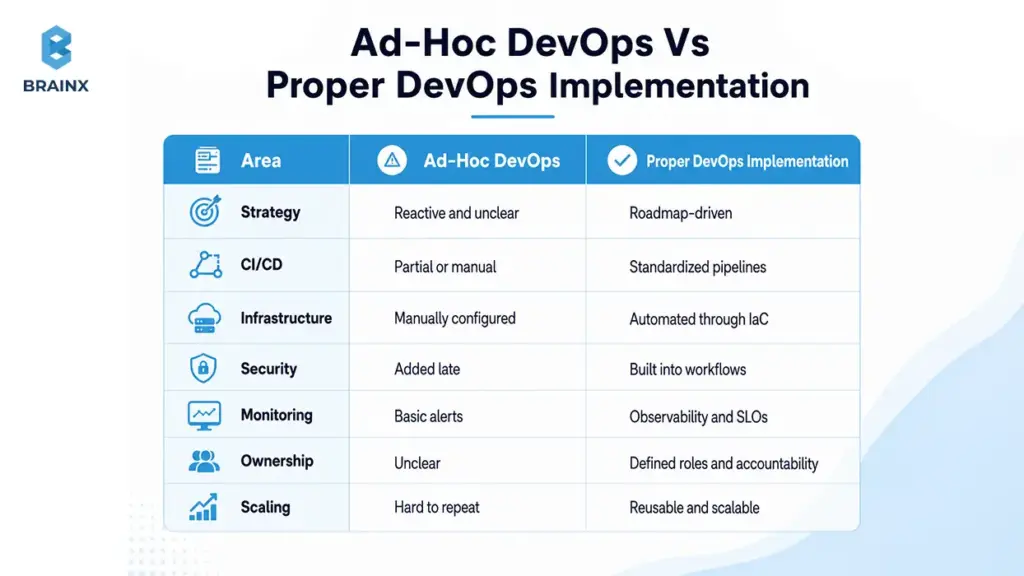
Why DevOps Matters More During Legacy-to-Cloud Migration
Legacy-to-cloud migration increases delivery risk because you’re changing infrastructure, networking, identity, runtime behaviors, and sometimes architecture—all while the business still needs releases. This is where DevOps implementation services become a risk-control system: they standardize how changes move from commit to production, and they make failures easier to detect and recover from.
High-performing teams tend to ship more frequently with lower failure rates and faster recovery, as captured in DORA’s delivery performance metrics. Reliability practices like SLOs and error budgets are core SRE concepts used to align engineering effort to user experience.
Cloud migration without DevOps often looks like this: you move workloads, then discover you can’t reproduce environments, can’t observe systems, can’t rollback safely, and can’t meet audit requirements. DevOps-first flips the sequence so migration is safer.
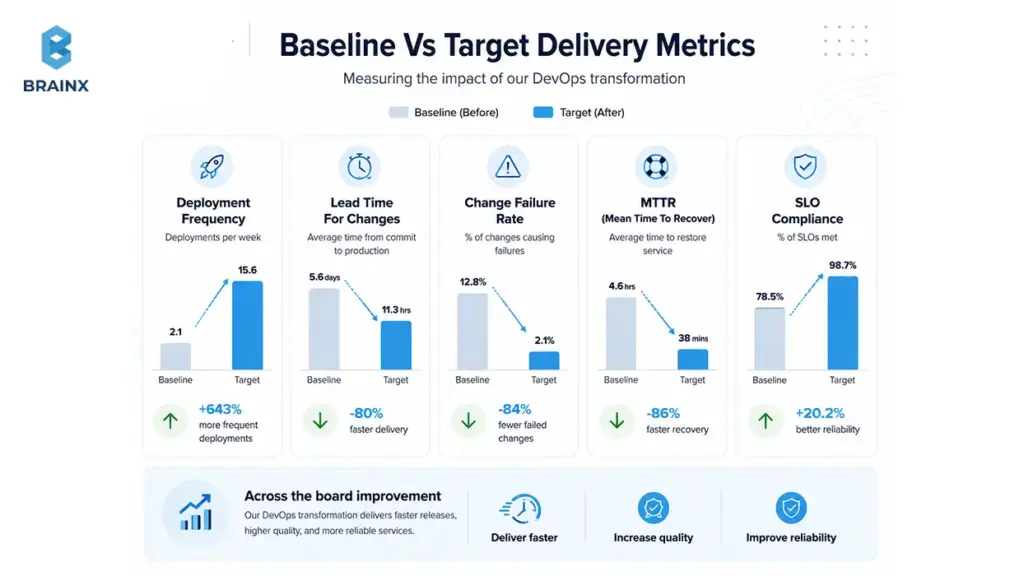
Common Legacy Pain Points DevOps Fixes
Most legacy delivery pain is not “old code.” It’s invisible dependencies and manual process.
DevOps addresses common issues like:
- Manual release gates driven by fear rather than measurable risk
- Shared environments that block parallel work and cause conflicts
- Brittle deployments where one missed step breaks production
- Unclear ownership (“ask Ops” / “ask Dev” loops)
- Slow rollback because releases aren’t packaged or versioned consistently
- Inconsistent testing and flaky staging environments
- Poor monitoring that detects failures too late
- Hidden infrastructure dependencies (hardcoded IPs, legacy DNS, batch jobs)
When these issues persist into the cloud, they usually get worse—not better—because the platform surface area expands.
What Good Looks Like After DevOps Implementation
“Good” isn’t a specific toolchain. It’s measurable outcomes that you can track and defend in leadership reviews.
After implementation, you should expect:
- Higher deployment frequency without increasing production incidents
- Reduced lead time for changes (commit to production)
- Lower change failure rate (fewer rollbacks/hotfixes)
- Faster MTTR with clear incident ownership and runbooks
- Defined SLOs for critical services and user journeys
- Better audit posture via deployment traceability and access logs
These map directly to DORA metrics and SRE reliability practices.
DevOps KPI Baseline and Target Outcomes
Before you start, baseline where you are. Without a baseline, you can’t prove ROI, and you can’t prioritize the right automation.
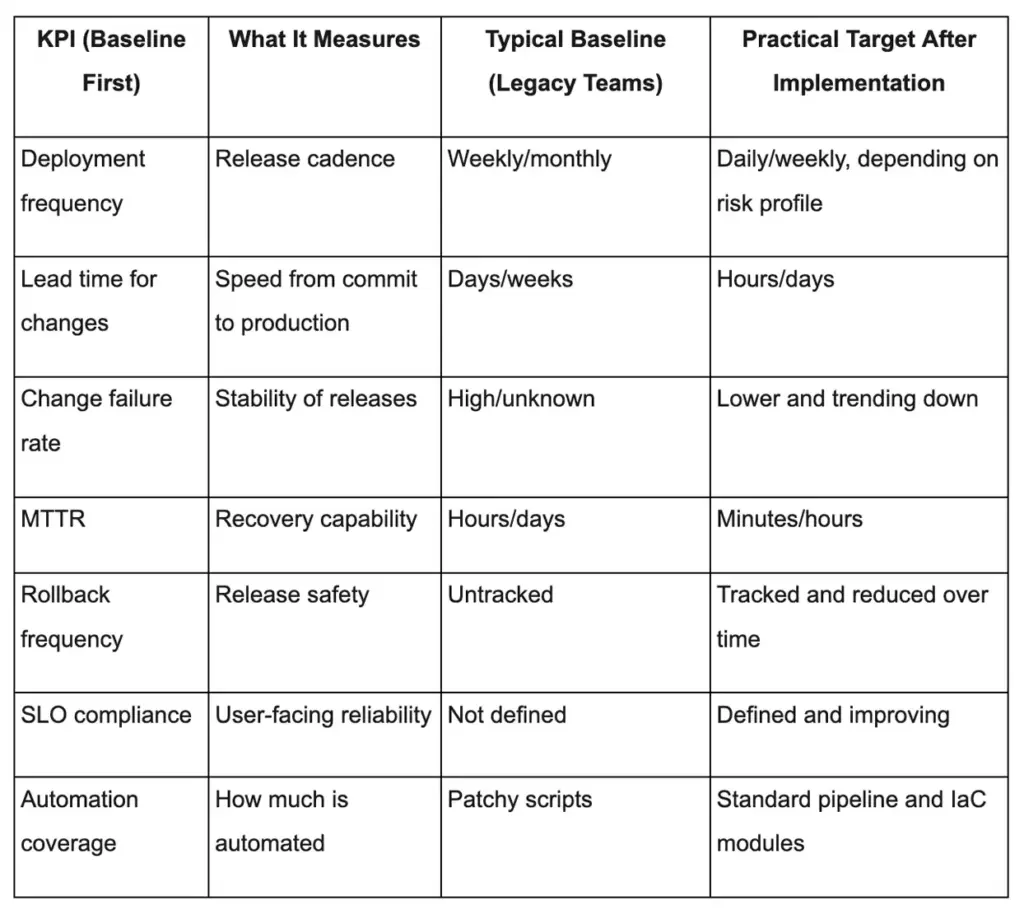
Why DevOps Implementations Fail Without Expert Guidance
Most failures aren’t because DevOps “doesn’t work.” They happen because teams underestimate sequencing, adoption, and legacy constraints. That’s why DevOps consulting & implementation services are often worth it: they bring a proven framework and reduce rework.
Common failure patterns show up across industries:
- Tool adoption without workflow redesign
- Partial automation that shifts bottlenecks instead of removing them
- Compliance surprises after pipelines are already built
- Monitoring that generates noise without ownership and runbooks
- Migration projects that ignore legacy database realities
If you want to avoid “we tried DevOps and it didn’t stick,” you need to treat it like a product: roadmap, stakeholders, metrics, and iteration.
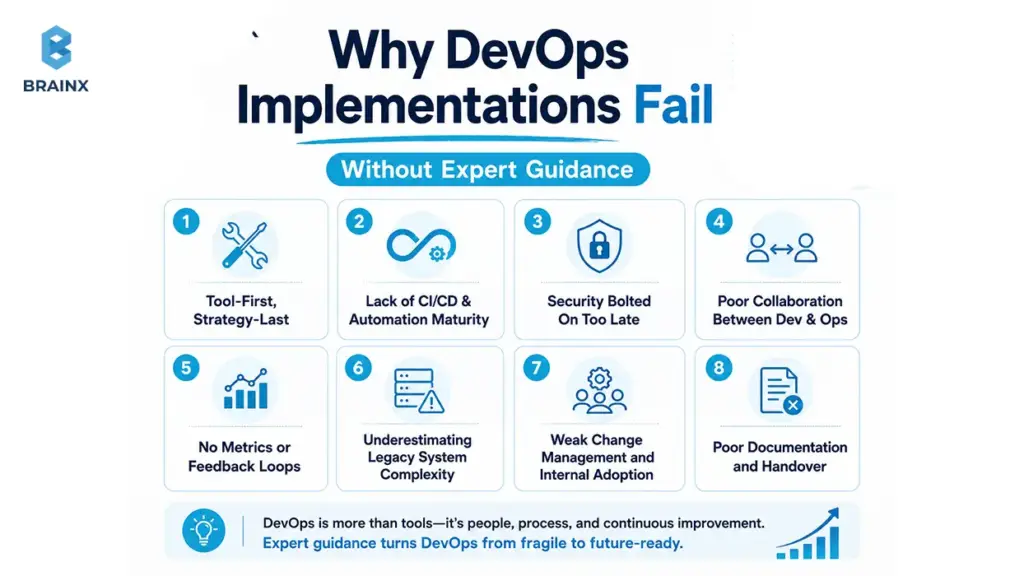
Tool-First, Strategy-Last Approach
Buying tools feels like progress because it’s visible. But tools don’t resolve ambiguity about ownership, release policy, or environment strategy.
A strategy-first approach defines:
- What you’re standardizing (pipelines, environments, evidence)
- What you’re optimizing for (speed, risk reduction, compliance, cost)
- Where you’ll start (pilot selection and rollout plan)
Then tools follow those decisions.
Lack of CI/CD & Automation Maturity
If your pipeline automates builds but deployments remain manual, you still have the riskiest steps performed under pressure. Partial automation also tends to create “pipeline theater”—green builds that don’t reflect production readiness.
Maturity means automating the end-to-end path, including:
- Tests that reflect real integration risk
- Deployment verification checks
- Rollback criteria and automation hooks
Security Bolted On Too Late
Late security reviews are a leading cause of release delays and surprise rework. In cloud migration, it’s worse because identity and network changes affect everything.
Shift-left security introduces early checks so teams get fast feedback while changes are small and fixable.
Poor Collaboration Between Dev & Ops
Silos create handoffs. Handoffs create queues. Queues create slow releases and blame cycles.
Healthy collaboration looks like:
- Shared on-call rotations (or at least shared incident ownership)
- Joint release planning and postmortems
- Clear “you build it, you run it” boundaries by service
No Metrics or Feedback Loops
If you can’t measure lead time, failure rate, or MTTR, you can’t know whether automation is helping. Teams then optimize the wrong thing—like building more dashboards instead of reducing noisy alerts.
Metrics should drive a monthly improvement loop: measure → identify bottleneck → fix → re-measure.
Underestimating Legacy System Complexity
Legacy systems aren’t only old code. They include:
- Shared databases and tight coupling
- Batch jobs and cron-based workflows
- Undocumented deployment scripts
- Hardcoded infrastructure assumptions
- Vendor-supported components with strict constraints
Your roadmap must account for these realities, especially database and integration points.
Weak Change Management and Internal Adoption
A perfect pipeline that nobody uses is still a failure.
Adoption requires training, documentation, migration playbooks, and a phased rollout so teams can learn without risking production.
Poor Documentation and Handover
Without runbooks and architecture notes, organizations become dependent on a few individuals—or a vendor.
Documentation should be a deliverable: pipeline docs, IaC module usage guides, incident runbooks, and an ownership map.
Steps to Consider for Successful DevOps Implementation
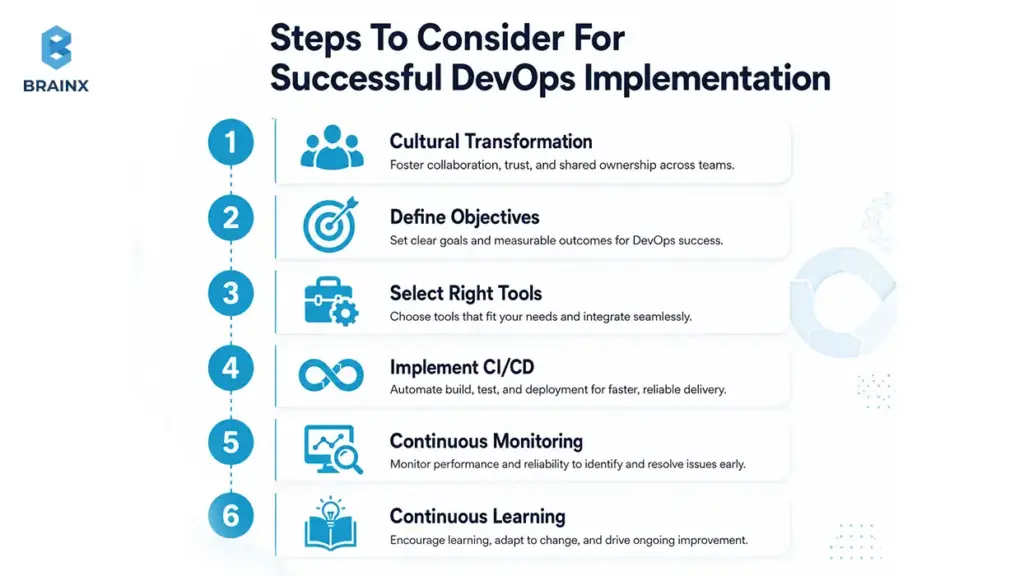
Before you jump into phases and tooling, align on a few preconditions. This checklist prevents common “restart” moments mid-project.
Step 1. Cultural Transformation
DevOps requires shared responsibility for delivery and reliability. That doesn’t mean everyone does everything—it means teams collaborate around outcomes.
Start by agreeing on:
- Who owns production health by service
- How incidents are handled (no-blame, learning-focused)
- What “done” means (tests, security checks, observability)
Step 2. Define Objectives
Tie DevOps work to business outcomes so prioritization becomes easy.
Examples:
- Reduce release cycle from monthly to weekly
- Cut MTTR from hours to under one hour
- Improve audit readiness with automated evidence collection
- Reduce cloud spend variance with consistent tagging and visibility
Step 3. Select Right Tools
Tool selection should follow architecture and maturity.
Decide first:
- Cloud provider and account/project strategy
- Container/Kubernetes needs (or not)
- Compliance requirements (SOC 2, HIPAA, PCI DSS)
- Team skill level and preferred workflows
Then choose tools that fit—not tools that require your team to change everything at once.
Step 4. Implement CI/CD
Focus on a reliable “golden path” for delivery:
- Build → test → scan → package → deploy → verify
- Start with a pilot app and a single pipeline template
- Add progressive delivery where risk warrants it (canary/blue-green)
Step 5. Continuous Monitoring
Instrument early so migration doesn’t blind you.
At minimum:
- Centralized logs, metrics, traces
- Dashboards for critical paths
- Alerts tied to user impact
- A clear on-call and escalation workflow
Step 6. Continuous Learning
DevOps isn’t a one-time project; it’s an improvement loop.
Build routines like:
- Sprint retrospectives that include release/incident insights
- Postmortems with action items and owners
- Living documentation that’s updated as systems change
The Step-by-Step DevOps Implementation Roadmap
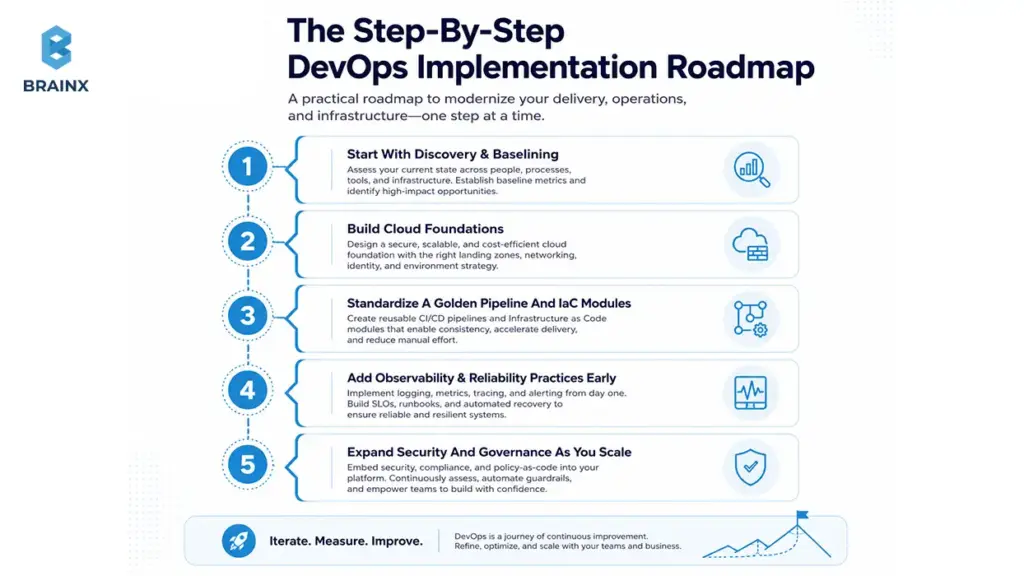
A DevOps roadmap is a sequencing plan: what to implement first, what depends on what, and how to roll changes across teams and apps without breaking production.
Most organizations succeed when they treat the program like a rollout of an internal product:
- Start with discovery and baselining
- Build cloud foundations before scaling pipelines
- Standardize a golden pipeline and IaC modules
- Add observability and reliability practices early
- Expand security and governance as you scale
This section introduces the journey; the next section breaks it into six phases you can follow.
Typical Timeline by Company Stage
The timeline depends less on company size and more on legacy complexity and compliance needs. Still, these ranges help set expectations:
- Startup (1–3 product teams): 6–10 weeks to establish strong CI/CD + IaC baseline; 3–6 months to mature reliability/security.
- Scale-up (multiple services, growing team): 8–16 weeks for standardization and rollout; 4–9 months for multi-team adoption and governance.
- Mid-market (mixed legacy + cloud): 3–6 months for phased rollout across key apps; 6–12 months for broad maturity.
- Enterprise (many apps, strict controls): 6–12 months in waves; continuous improvement thereafter.
The key is to avoid boiling the ocean: pick a pilot, prove the pattern, then scale.
What the First 90 Days Usually Look Like
A buyer-friendly way to plan is to map the first 90 days into outcomes. This is a common structure for a DevOps implementation plan that still leaves room for your constraints.
Days 1–30 (Discovery + Pilot Definition)
- Stakeholder interviews and workflow mapping
- Assessment and KPI baseline
- Pilot app selection and success criteria
- Cloud foundation planning (landing zone requirements)
Days 31–60 (Foundation + Pilot Build)
- Cloud landing zone setup (networking, IAM, guardrails)
- CI/CD pilot (build/test/scan/deploy)
- IaC modules for environments
- Initial monitoring dashboards and alerting
Days 61–90 (Rollout + Governance + Handover)
- Expand pipelines to additional apps/services
- Governance model and release policies
- Runbooks, incident workflow, ownership/RACI
- Handover and enablement sessions for internal teams
The 6 Phases of DevOps Implementation From Legacy to Cloud
This phased model is designed for legacy-to-cloud transformations where you must modernize delivery without destabilizing production. You can run phases in overlap, but the dependencies matter: foundations before scale, observability before heavy migration, and governance before multi-team rollout.
Use this as a reference model and adapt it to your risk profile, compliance needs, and workload mix.
Phase 1: Discovery, Assessment & DevOps Maturity Baseline
Phase 1 produces clarity: where you are today, what’s constraining you, and what success will look like in measurable terms.
A strong discovery phase prevents expensive rework later, especially when legacy systems hide dependencies across databases, batch jobs, and network rules.
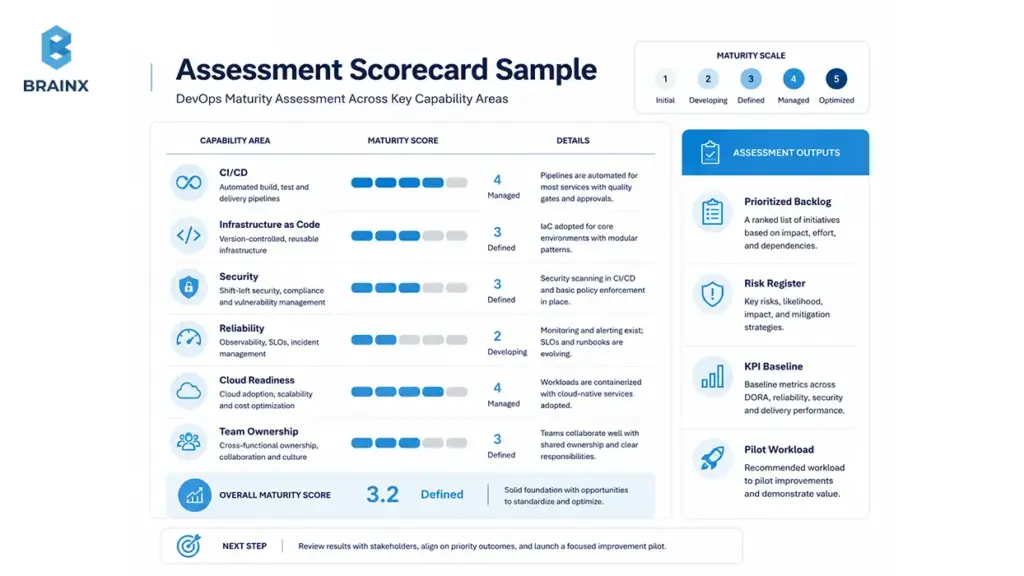
What to Assess Before DevOps Implementation
Assess across delivery, infrastructure, security, and teams:
- Application portfolio (criticality, change rate, failure impact)
- Current build/test/deploy flow and manual gates
- Environments (how they’re created, how often they drift)
- Access and identity (who can deploy, who can change infra)
- Security gaps (secrets, scanning coverage, patching approach)
- Monitoring maturity (what’s measured, what’s missing)
- Team topology and ownership (who is responsible for what)
Document findings in a format leadership can act on: bottlenecks, risks, and a prioritized backlog.
Mapping Legacy Dependencies
Legacy systems often fail in the cloud because dependencies were never mapped explicitly.
Map:
- Monolith boundaries and internal modules
- Shared databases and schema ownership
- Batch jobs (cron, ETL, nightly processing)
- Third-party integrations (payment gateways, ERP, identity providers)
- Old deployment scripts and manual steps
- Approval points and who controls them
This dependency map becomes the backbone of your rollout plan.
Choosing the Right Migration Path for Each Workload
Not every workload should be refactored. Some should be rehosted first to reduce time-to-value, then improved later.
Common migration paths include: rehost, replatform, refactor, retire, retain.
A practical decision approach:
- Rehost when speed matters and risk is manageable
- Replatform when small changes unlock big operational wins
- Refactor when scalability, maintainability, or cloud-native benefits are required
- Retire when the system no longer delivers value
- Retain when constraints (vendor, compliance, latency) block migration
Your DevOps roadmap should support multiple paths simultaneously.
Outputs From the Discovery Phase
Expect tangible outputs you can use immediately:
- Target architecture (cloud + delivery + observability)
- DevOps backlog with priority and dependencies
- Risk register (delivery, security, reliability)
- KPI baseline and measurement method
- Pilot workload selection and success criteria
- Migration path per workload
- Toolchain recommendation aligned to constraints
- Security gap analysis and remediation plan
Phase 2: Cloud Foundations, Landing Zone, Identity & Governance
Before you scale pipelines, you need a secure, consistent cloud foundation. Otherwise, every new app becomes a custom setup with inconsistent controls.
This phase sets up the cloud landing zone: networking, identity, accounts/projects, guardrails, and baseline monitoring/logging.
Network, Account Structure and IAM Patterns
Key decisions include:
- Account/subscription/project strategy (by environment, by team, by business unit)
- Network segmentation (prod vs non-prod, shared services, private connectivity)
- IAM patterns (roles, groups, service accounts, workload identity)
Get these wrong and you’ll spend months undoing permissions and network rules.
Policy-as-Code and Guardrails
Guardrails should be automated so they don’t slow teams down.
Examples:
- Prevent public storage buckets by default
- Require encryption at rest and in transit
- Enforce tagging for cost and ownership
- Limit who can create high-cost resources
Policy-as-code gives you consistent enforcement with auditability.
FinOps Basics for Early Cost Visibility
Cloud costs become a problem when they’re discovered too late.
Build early visibility with:
- Tagging standards (app, env, owner, cost center)
- Budget alerts and anomaly detection
- Showback dashboards for teams
Security as a Cross-Cutting Layer From Day One
Security isn’t a final phase—it’s embedded across the roadmap.
Shift-left practices include:
- Identity and least privilege early
- Secrets management standards
- Central logging and security telemetry
Phase 3: CI/CD & Build/Release Standardization
This phase is where delivery becomes consistent and scalable. You implement a “golden pipeline” approach: a reusable pipeline pattern that teams adopt with minimal customization.
In many organizations, this is the first moment where stakeholders feel the impact—because releases stop being bespoke events. This is also where DevOps implementation services often deliver the fastest measurable results through reduced lead time and fewer release failures.
Source Control, Branching and Release Workflow
Choose a workflow that matches team size and release risk:
- Trunk-based development: fast feedback, smaller changes, fewer merge headaches
- GitFlow-style branching: clearer release branches but can slow integration
The best answer is usually the one your teams can adopt consistently. Standardization beats theoretical perfection.
Automated Testing Strategy
Pipelines should reflect real risk, not just “run unit tests.”
Common gates include:
- Unit tests for fast feedback
- Integration tests for service boundaries
- Contract tests to stabilize APIs
- Regression tests for critical workflows
- Performance tests for scale-sensitive systems
- Security tests integrated into CI
Start with the highest-value tests that catch the most expensive failures.
Database Change Management for Legacy Systems
Databases are where legacy migrations often fail. Schema changes, data migrations, and backward compatibility require discipline.
Include:
- Versioned migrations (e.g., Flyway/Liquibase patterns)
- Backward-compatible schema rollout strategy
- Automated checks for migration safety
- Clear rollback strategy (or forward-fix policy when rollback is unsafe)
Release Strategies for Legacy Apps
Safer releases reduce business risk during migration:
- Blue/green to switch traffic between environments
- Canary to test with a small user percentage
- Feature flags to decouple deploy from release
- Phased rollout by region/customer segment
- Clear rollback criteria and automated verification
For legacy apps that can’t support progressive delivery, focus on packaging, versioning, and deterministic deployments first.
Phase 4: Infrastructure as Code & Environment Automation
Phase 4 removes “environment snowflakes.” Your environments become reproducible and reviewable—critical for scaling cloud migration.
Standard Modules and Reusable Templates
Reusable modules reduce setup time and improve consistency across teams.
Typical modules include:
- Networking baselines and security groups
- Compute templates (VMs, autoscaling groups, container services)
- Databases and caches with standard backups/encryption
- Logging/monitoring integration by default
Version modules like software so teams can upgrade safely.
Secrets Management and Configuration Strategy
Secrets are one of the most common sources of cloud incidents and security findings.
Standardize:
- A secrets manager (cloud-native or dedicated)
- How secrets are injected into apps (not stored in repos)
- Rotation policies and break-glass access
- Config separation by environment
This reduces leakage risk and stabilizes deployments.
Environment Provisioning and Drift Control
Environment drift creates “works in staging” failures.
Controls include:
- Automated environment provisioning from code
- Drift detection in CI
- Controlled manual changes (or none) with audit logs
- Periodic reconciliation and cleanup
With drift under control, cloud migration becomes less about firefighting and more about predictable rollout.
Phase 5: Observability, Reliability Engineering & Incident Response
Cloud migration can increase operational noise if you don’t implement observability with intent. Phase 5 makes reliability measurable and improves recovery when failures occur.
This is where SRE practices matter: define SLOs, measure SLIs, and make incident response a practiced workflow.
Defining SLOs and SLIs for Legacy and Cloud Services
Start with user-facing outcomes:
- Availability of checkout/login/search
- Latency for critical endpoints
- Error rate thresholds tied to user impact
Define SLIs (what you measure) and SLOs (your target). Then build alerting around SLO burn, not raw CPU spikes.
Incident Management Workflow
An incident process reduces MTTR more than any single tool.
Include:
- Severity levels and triage criteria
- On-call schedules and escalation
- Runbooks for top failure modes
- Postmortems with action items and owners
- Ownership mapping per service/component
The result is faster diagnosis, clearer accountability, and fewer repeat incidents.
Performance Testing and Capacity Planning in Cloud
Capacity planning changes in cloud: scaling is easier, but misconfiguration can be costly.
Implement:
- Load/performance testing in pre-prod for critical services
- Autoscaling policies and limits
- Cost-aware capacity decisions (right-sizing, reserved capacity where relevant)
This prevents migration from simply moving legacy inefficiency into a more expensive environment.
Phase 6: DevSecOps, Compliance & Continuous Governance
Phase 6 ensures security and compliance controls are built into delivery so speed doesn’t degrade as requirements grow.
You embed gates and evidence collection directly in pipelines and cloud governance.
Shift-Left Security in CI/CD
Shift-left controls commonly include:
- SAST for code vulnerabilities
- SCA for dependency risk and license issues
- IaC scanning for cloud misconfigurations
- Container scanning for image vulnerabilities
- Secret detection to prevent leaks
The key is fast feedback with clear remediation guidance—otherwise developers bypass controls.
Compliance Controls by Industry Need
Compliance should map to business context:
- SaaS: SOC 2 / ISO 27001 controls like access logging, change management, evidence trails
- Healthcare: HIPAA-driven access controls, auditability, encryption, and monitoring
- Payments/eCommerce: PCI DSS requirements for segmentation, logging, vulnerability management
- Enterprise software: audit logs, access reviews, change approvals, and traceability
This avoids implementing heavyweight controls where they aren’t required.
Auditability and Evidence Collection Automation
Audits become easier when evidence is generated continuously:
- Deployment history and approvals (where required)
- Access logs and role changes
- Artifact provenance (what code is running)
- Policy evaluation results and exceptions
Automate evidence capture so audits don’t pause engineering.
Access Reviews, Least Privilege and Supply Chain Security
Identity governance and supply chain risk are now board-level concerns.
Include:
- Periodic access reviews and least-privilege enforcement
- Signing artifacts and verifying provenance
- Dependency policies for critical systems
- Controls for CI/CD runner security and credentials
Tools & Stack Selection: What to Standardize vs Keep Flexible
Tool selection should enable a consistent delivery system without locking you into unnecessary complexity. The right framework is to standardize what must be consistent (pipelines, identity, observability) and keep flexibility where teams benefit (frameworks, some testing choices).
Standardize:
- Source control and artifact repositories
- CI/CD pipeline templates and gating approach
- IaC approach and module standards
- Secrets management and identity patterns
- Observability stack and alerting conventions
Keep flexible (within guardrails):
- App frameworks and runtime choices
- Team-level test tooling (as long as results integrate into pipelines)
- Deployment strategy variations by workload risk
Reference Stack Examples by Company Stage
These are examples to illustrate maturity levels—not prescriptions.
- Startup stack: GitHub/GitLab, managed CI, Terraform, cloud-native monitoring, basic SAST/SCA
- Scale-up stack: golden pipelines, IaC modules, centralized logging/metrics/tracing, container registry, secrets manager, progressive delivery tooling
- Enterprise stack: policy-as-code, multi-account governance, advanced SIEM integrations, compliance evidence automation, standardized internal developer platform patterns
Choose the simplest stack that meets your reliability and compliance needs.
Avoiding Tool Sprawl
Tool sprawl happens when every team chooses a different solution and no one owns the platform roadmap.
Avoid it by:
- Defining a platform owner (platform team or enablement lead)
- Creating a standards catalog (approved tools + patterns)
- Running quarterly platform reviews (what to adopt, retire, consolidate)
- Measuring adoption and outcomes (not number of tools)
Team Structure & Operating Model So DevOps Sticks
Tools don’t create DevOps outcomes—teams do. If your operating model doesn’t define ownership, on-call, and standards, the implementation will decay over time.
A sustainable model clarifies:
- Who owns the pipeline templates and IaC modules
- Who owns production health by service
- How teams request platform changes
- How incidents and postmortems are run
- How documentation stays current
Platform Engineering vs a Traditional DevOps Team
A traditional “DevOps team” often becomes a bottleneck: they build pipelines, manage infra, and get paged for everything.
Platform engineering shifts the model:
- Platform team builds self-service tooling and golden paths
- Product teams own delivery and reliability using those paths
- Governance and security are built into the platform
This scales better and reduces dependency on a single team.
Skills Matrix for DevOps Implementation
A practical skills map helps you staff correctly:
- Cloud architecture (networking, IAM, managed services)
- CI/CD engineering (pipelines, artifact management, release automation)
- IaC and automation (Terraform/modules, drift control)
- Security engineering (DevSecOps tooling, policies, threat modeling basics)
- SRE practices (SLOs, alerting, incident response)
- QA automation (test strategy, reliability in CI)
- Release management (progressive delivery, rollback planning)
If these skills are scattered across a few people, external support can stabilize delivery while you upskill internally.
Change Management and Enablement Plan
Adoption is a deliverable. An enablement plan typically includes:
- Workshops per team (pipelines, IaC usage, incident response)
- Pairing sessions during early rollouts
- Onboarding docs and runbooks
- “Office hours” for platform questions
- A clear handover milestone with ownership transfer
Without enablement, the program becomes “that vendor thing” instead of your new normal.
Real-World DevOps Implementation Use Cases
Use cases are where DevOps becomes concrete. The value shows up in fewer failed releases, faster recovery, and smoother cloud migration—not just prettier pipelines.
Below are common scenarios where implementation work produces measurable outcomes.
Legacy Application Modernization
Modernization often starts with stabilizing delivery. You don’t need to refactor everything to get value.
Common patterns:
- Wrap legacy apps with repeatable build/deploy pipelines
- Containerize selectively where it reduces environment drift
- Use IaC to standardize infrastructure even if the app remains monolithic
- Add observability before major migration waves
This reduces the risk of making changes to a system you don’t fully control.
Faster Software Release Cycles
If releases are slow, it’s usually due to manual steps and long verification cycles.
Implementation helps by:
- Automating test execution and reporting
- Standardizing pipeline gates
- Adding progressive delivery strategies where possible
- Reducing handoffs with clearer ownership
Teams can then ship smaller changes more frequently—usually with fewer production surprises.
Cloud Migration and Environment Standardization
Migration efforts often fail when environments differ across dev/staging/prod.
DevOps reduces drift by:
- Creating reproducible environments with IaC
- Standardizing identity, secrets, and deployment patterns
- Establishing a landing zone and shared guardrails
The result: fewer “it only breaks in prod” incidents during migration.
Security and Compliance Automation
For regulated teams, manual audits and approvals can crush delivery speed.
DevSecOps automation:
- Adds security checks into CI/CD
- Generates audit evidence continuously
- Enforces policy-as-code guardrails in cloud
You reduce audit scramble and avoid last-minute compliance rework.
Reliability Improvement for Production Systems
Reliability improvements are often the fastest ROI in cloud transitions.
Implementation adds:
- SLOs and user-journey dashboards
- Better alerting signals (less noise)
- Clear incident workflows and runbooks
- Postmortems that prevent repeat failures
This directly impacts customer experience and support cost.
Cost, Timeline & Engagement Models for DevOps Implementation Services
Buyers usually need clarity on scope and cost drivers before they can engage. Pricing varies widely because DevOps work depends on legacy complexity and compliance constraints, but you can still model ranges and decisions.
A good provider will give a phased plan with milestones so you can fund the program incrementally and see value early. If you’re evaluating DevOps implementation services, ask for pricing tied to deliverables—assessment outputs, pilot pipeline, IaC modules, observability baseline, and handover.
What Drives DevOps Implementation Cost
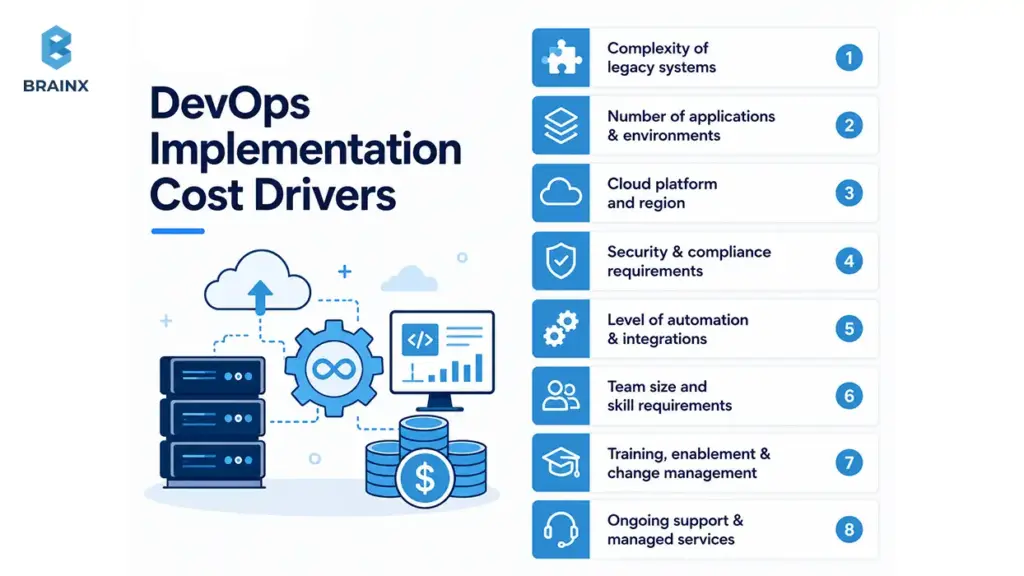
Primary cost variables include:
- Legacy complexity (monoliths, shared DBs, batch jobs)
- Compliance requirements and audit evidence needs
- Cloud provider and landing zone complexity
- Number of applications and deployment patterns
- Existing toolchain maturity (starting from zero vs optimizing)
- Depth of automation (CI only vs CI+CD+IaC+policy-as-code)
- Team size and number of squads to enable
- Support needs post-implementation (hypercare or managed ops)
If you want lower cost, limit scope to a pilot plus reusable foundations that you can scale internally.
Typical Phase and Duration Ranges
Planning ranges (varies by complexity):
- Pilot (1–2 apps): 4–8 weeks
- Production rollout (5–15 apps): 8–16 weeks
- Enterprise-wide rollout (many apps/teams): 4–12 months in waves
The best plans don’t promise “full transformation” in a few weeks—they show how value arrives early and compounds over time.
Engagement Options
Common engagement models include:
- Advisory-only (assessment + roadmap)
- Implementation project (build and handover)
- Hybrid (advisory + implementation + enablement)
- Managed DevOps (ongoing operations and platform support)
Many teams choose DevOps consulting & implementation services for the first 8–16 weeks, then transition either to internal ownership or a managed model for stability during migration waves.
Key Challenges of DevOps Implementation
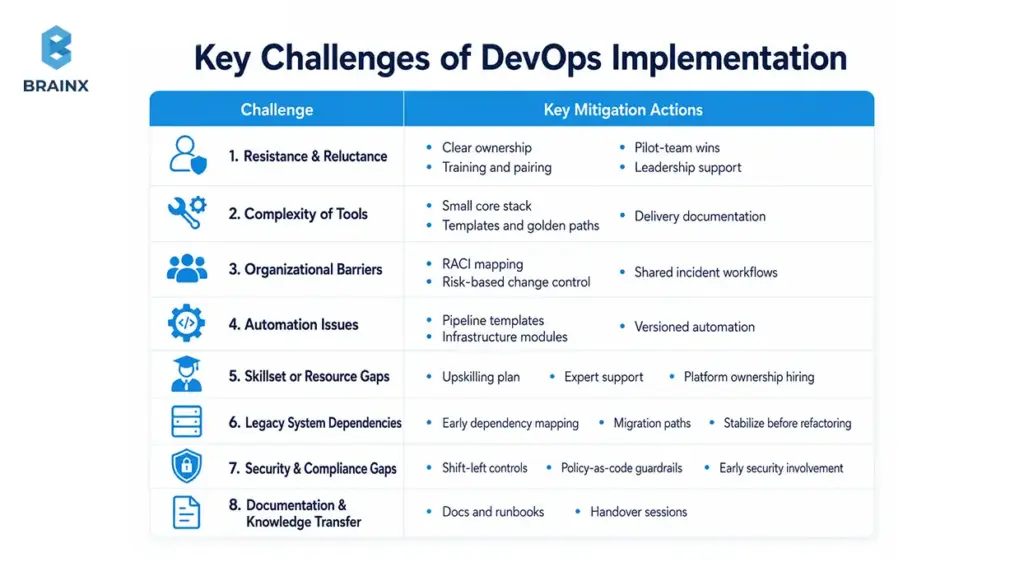
DevOps adoption isn’t blocked by technology alone. It’s blocked by incentives, legacy constraints, and competing priorities.
Knowing the common challenges helps you design mitigations into the roadmap rather than reacting mid-project.
Resistance and Reluctance
Automation changes workflows and accountability. People may fear loss of control or increased on-call burden.
Mitigate with:
- Clear ownership boundaries
- Training and pairing
- Early wins via a pilot team
- Leadership support for standardized practices
Complexity of Tools
Too many tools—or the wrong ones—create cognitive load.
Mitigate by:
- Standardizing a small core stack
- Providing templates and golden paths
- Documenting “how we do delivery here”
Organizational Barriers
Silos and approval bottlenecks slow everything.
Mitigate with:
- RACI and ownership mapping
- Streamlined change control tied to risk level
- Shared incident response workflows
Automation-related Issues
Partial automation creates brittle scripts and inconsistent pipelines.
Mitigate with:
- Pipeline templates
- Infrastructure modules
- Versioning and testing for automation code
Shortage of Skillsets or Resources
DevOps needs a blend of cloud, automation, security, QA, and reliability skills.
Mitigate by:
- Upskilling plan and enablement
- Short-term expert support during foundations
- Hiring strategy aligned to platform ownership
Legacy System Dependencies
Shared databases and unsupported tools can block modernization.
Mitigate by:
- Dependency mapping early
- Choosing migration paths per workload
- Stabilizing delivery before deep refactoring
Security and Compliance Gaps
If planned late, security requirements can force redesign.
Mitigate by:
- Shift-left controls in CI/CD
- Policy-as-code guardrails
- Early involvement of security stakeholders
Poor Documentation and Knowledge Transfer
Without documentation, teams can’t scale adoption.
Mitigate by:
- Making docs/runbooks a deliverable
- Holding handover sessions
- Creating an internal portal for platform usage
Measuring the Success of Your DevOps Implementation
If you can’t measure it, you can’t improve it—or justify further investment. Success measurement should include delivery performance and reliability outcomes, mapped to business impact.
DORA metrics are widely used for delivery performance tracking.
Key Performance Indicators to Track
Track these before and after implementation:
- Deployment frequency
- Lead time for changes
- Change failure rate
- MTTR (mean time to restore)
- Rollback frequency
- Failed deployment rate
- SLO compliance (per critical service/journey)
- Automation coverage (pipelines, IaC, policy checks)
- Incident volume and alert quality (signal-to-noise)
Avoid vanity metrics like “number of tools adopted.” Focus on outcomes.
Linking DevOps Metrics to Business Outcomes
Executives care about customer impact and cost. Translate metrics into business language:
- Faster time to market → quicker revenue realization
- Reduced downtime → higher retention and fewer support escalations
- Lower operational cost → less manual toil and fewer emergency fixes
- Better customer experience → improved NPS/CSAT and conversion
- Better audit readiness → reduced compliance overhead and risk
- Stronger scalability → confidence during peak load and expansion
A metrics-to-outcome map also helps prioritize what to automate next.
DIY DevOps vs Professional DevOps Implementation
DIY can work for small teams with strong in-house platform skills and a narrow scope. But for legacy-to-cloud programs, the cost of mis-sequencing is high: rework, outages, and stalled migrations.
A professional approach brings reusable frameworks, proven patterns, and faster time-to-stable outcomes. This is where DevOps consulting & implementation services often pay for themselves: fewer false starts and stronger handover artifacts.
Who Should Invest in DevOps Implementation Services?
Not every team needs a full transformation program. But many organizations benefit from DevOps implementation services when delivery and operations are blocking business goals.
These are the strongest fit profiles.
Companies Moving Legacy Systems to Cloud
If you’re migrating and still releasing, you need a delivery system that reduces risk as infrastructure changes.
DevOps provides:
- Standard environments
- Safer release patterns
- Better visibility during migration waves
Teams With Slow or Risky Release Cycles
If releases require heroics, you’re paying an ongoing tax.
Implementation helps:
- Reduce manual gates
- Automate verification
- Improve rollback and recovery
Businesses Scaling Product Engineering Teams
As teams grow, inconsistency becomes expensive.
Standardization through pipelines, IaC modules, and operating model prevents every squad from reinventing delivery.
Companies With Security or Compliance Pressure
If audits are painful, automate evidence and controls.
DevSecOps practices reduce last-minute compliance work and keep releases moving.
Organizations With Unclear Infrastructure Ownership
If nobody owns environments end-to-end, incidents take longer and changes become riskier.
A clear RACI plus platform ownership model fixes that ambiguity.
How to Choose the Right DevOps Implementation Partner
Choosing a partner is less about brand names and more about fit: can they operate in your constraints, deliver reusable foundations, and leave your team stronger?
When evaluating DevOps implementation services provider companies, prioritize providers that can show measurable outcomes, clear deliverables, and a strong handover culture—not just tool certifications.
Evaluation Criteria
Use this checklist to evaluate capability:
- Proven cloud experience (landing zones, IAM, governance)
- CI/CD maturity (golden pipelines, progressive delivery, rollback thinking)
- Security capability (DevSecOps tooling, policy-as-code, evidence automation)
- Documentation standards (runbooks, ownership maps, module guides)
- Reliability practices (SLOs, alerting strategy, incident workflows)
- References and relevant case studies (legacy + cloud contexts)
- Handover approach (enablement, pairing, internal ownership transfer)
Ask for examples of deliverables, not just slides.
Questions to Ask During RFPs or Interviews
Practical questions that expose real competence:
- How do you baseline DORA metrics and define targets for our context?
- What does your first 30/60/90-day plan look like for a pilot + rollout?
- How do you handle legacy database migrations and rollback constraints?
- What controls do you implement for IAM, secrets, and CI/CD credentials?
- What documentation do we get at handover—runbooks, diagrams, module guides?
- How do you prevent tool sprawl and ensure teams adopt the golden path?
The quality of answers matters more than tool names.
Red Flags to Watch For
Avoid partners who:
- Push a preferred toolchain without understanding constraints (tool bias)
- Don’t propose a KPI baseline and measurement plan
- Ignore rollback and verification strategy
- Treat security as a final step
- Don’t commit to documentation as a deliverable
- Have no enablement plan for internal teams
A good partner should be comfortable saying “not yet” to tools that don’t fit your maturity.
The Future of DevOps: Emerging Trends
DevOps is increasingly shaped by security demands, platform engineering, and AI-assisted operations. These trends matter because they influence what you should design for now (standards, auditability, telemetry) even if you adopt capabilities later.
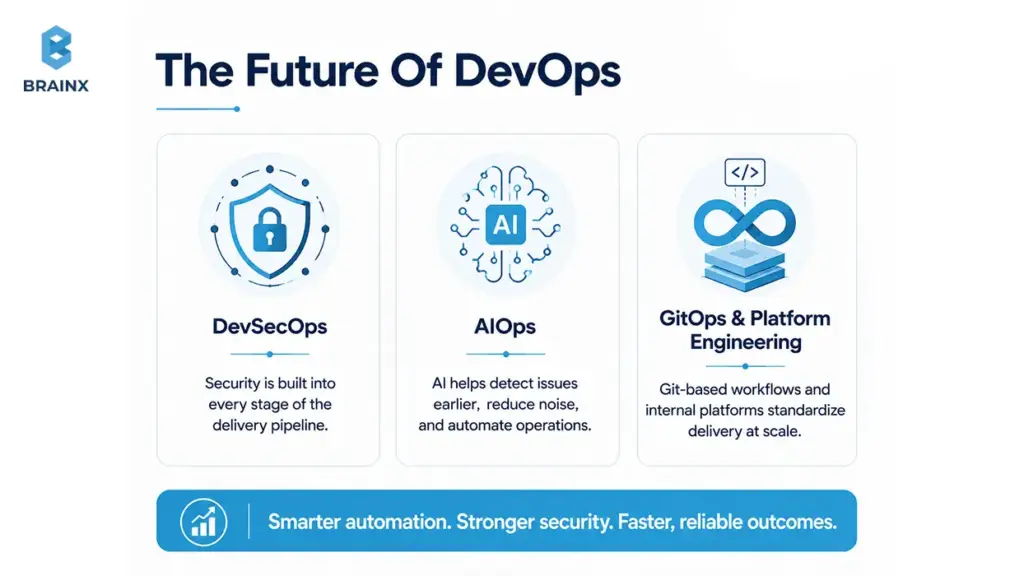
DevSecOps: Integrating Security Seamlessly
Security is moving from periodic review to continuous control.
Trends include:
- More policy-as-code enforcement
- Artifact signing and provenance verification
- Security telemetry integrated with CI/CD outcomes
Teams that bake this in early avoid painful retrofits later.
AIOps: Leveraging AI for Operations
AIOps uses AI to reduce operational burden by:
- Correlating alerts into incidents
- Detecting anomalies before users report them
- Suggesting likely root causes based on patterns
- Assisting incident triage and routing
Adoption works best when your observability data is clean and your incident taxonomy is consistent—another reason to invest in Phase 5 properly.
GitOps and Platform Engineering
GitOps brings a consistent “desired state” model to infrastructure and deployments: changes are made through pull requests, reviewed, and reconciled automatically.
Paired with platform engineering, GitOps helps organizations:
- Standardize delivery at scale
- Improve auditability through PR history
- Reduce configuration drift across environments
It’s especially valuable in multi-team cloud environments where manual changes become a governance nightmare.
How BrainX Helps With DevOps Implementation Services
BrainX Technologies supports organizations that need practical delivery outcomes during legacy modernization and cloud migration—without creating long-term dependency. Our engagements are structured to deliver reusable foundations (pipelines, IaC, observability, security automation) plus documentation and enablement so your team can own the system.
If you’re looking for DevOps implementation services with clear milestones and measurable KPIs, BrainX typically engages with a roadmap-first approach and then executes in phases. We also offer DevOps consulting & implementation services for teams that want advisory plus hands-on build work.
Delivery Approach: Assess, Pilot, Scale
Our delivery model is designed to reduce risk and show value early:
- Assess: current-state mapping, KPI baseline, dependency analysis, and roadmap
- Pilot: implement golden pipeline + IaC modules + initial observability on a pilot workload
- Scale: roll out standards across more apps/teams, add governance, and complete handover
This sequencing is especially effective for legacy-to-cloud programs where production stability is non-negotiable.
What You Get
Deliverables are explicit, so you can track progress and plan internal adoption:
- Assessment report and maturity baseline
- Phased roadmap and prioritized backlog
- CI/CD pipeline setup (golden pipeline templates)
- IaC templates/modules and environment automation
- Monitoring dashboards, alerting strategy, and SLO drafts
- Runbooks and incident response workflow
- Documentation and architecture diagrams
- Enablement sessions for developers and operators
You’ll know what “done” looks like at each milestone.
First 2 Weeks: What Kickoff Looks Like
To reduce uncertainty, kickoff is structured and lightweight:
- Access review (repos, CI, cloud accounts, monitoring tools)
- Current-state assessment and workflow mapping
- Stakeholder interviews (engineering, ops, security, product)
- Pilot workload selection and success criteria
- KPI baseline definition (how you’ll measure improvements)
- Roadmap draft with phase sequencing and dependencies
By the end of two weeks, you typically have clarity on scope, risks, and the fastest path to a production-grade pilot.
Conclusion
Legacy-to-cloud migration is hard because you’re changing platforms while the business still needs reliable delivery. A phased DevOps roadmap reduces that risk by standardizing pipelines, automating environments, embedding security early, and making reliability measurable.
If you’re planning modernization and want a roadmap that’s grounded in real-world constraints—legacy dependencies, database change management, governance, and incident readiness—start by validating your first 90 days and KPI baseline.
FAQ Section
What are DevOps implementation services, and what do they include?
DevOps implementation services cover the work needed to make software delivery repeatable, secure, and measurable. They usually include assessment, CI/CD pipelines, Infrastructure as Code, cloud foundations, observability, DevSecOps controls, documentation, and team enablement so internal teams can manage delivery with less risk..
How long does a legacy-to-cloud DevOps implementation take?
A focused pilot can show progress in 6–12 weeks, while a broader rollout across multiple apps often takes 3–6 months. Enterprise programs may take 6–12 months in phases, especially when compliance, identity, governance, and legacy dependencies are involved.
How much do DevOps implementation services cost?
Cost depends on legacy complexity, number of applications, cloud foundation scope, compliance needs, automation depth, and support requirements. A pilot with reusable CI/CD and IaC foundations costs less than an enterprise-wide rollout with advanced governance, evidence automation, and multi-team enablement.
What’s the difference between DevOps consulting & implementation services and managed DevOps?
DevOps consulting & implementation services include assessment, roadmap planning, and hands-on setup of pipelines, IaC, observability, and automation. Managed DevOps comes after implementation and focuses on ongoing support, monitoring, infrastructure operations, platform maintenance, and sometimes incident response.
How do DevOps implementation services reduce deployment risk during cloud migration?
They reduce deployment risk by standardizing environments, automating tests, adding security gates, improving rollback paths, and creating clear release workflows. Observability also helps teams detect issues earlier, while runbooks and incident processes reduce recovery time when something goes wrong.
How do I evaluate DevOps implementation services provider companies?
Evaluate DevOps implementation services provider companies by looking at real deliverables, not promises. Ask for examples of CI/CD pipelines, IaC modules, observability dashboards, security controls, documentation, and handover plans. Strong providers should also explain KPI baselines, rollback strategy, and first-90-day priorities.
What DevOps metrics should we track before and after implementation?
Track deployment frequency, lead time for changes, change failure rate, MTTR, rollback frequency, SLO compliance, failed deployment rate, incident volume, and automation coverage. Baseline these before implementation so you can prove progress and identify the next delivery bottleneck.
Should DevSecOps start before or after cloud migration?
DevSecOps should start before and continue throughout cloud migration. Identity, secrets, access controls, policy guardrails, and security scanning affect every workload you move. Starting early prevents inconsistent patterns, reduces audit risk, and keeps security from becoming a late release blocker.
Is DIY DevOps enough for growing software teams?
DIY DevOps can work for small teams with strong platform skills and limited scope. But as teams, services, and cloud complexity grow, DIY efforts often create tool sprawl, partial automation, weak documentation, and inconsistent ownership. Expert-led implementation can reduce rework and speed up adoption.
What are the most common DevOps implementation challenges?
Common challenges include resistance to new workflows, tool complexity, siloed ownership, partial automation, skill shortages, legacy dependencies, security gaps, and poor documentation. These issues are manageable when teams start with assessment, clear ownership, phased rollout, proper enablement, and measurable success criteria.
TL;DR / Key Takeaways
- A backend app development company should scope more than “server code” such as APIs, data modeling, auth, infrastructure, CI/CD, observability, and reliability.
- Request proposal deliverables for things such as OpenAPI/Swagger specs, database schema/migration, CI/CD pipelines, monitoring dashboards and runbooks.
- Stack decisions should be made based on constraints: traffic pattern, data consistency requirements, compliance, and capability of your team that will be operating the system.
- The costs vary greatly based on the specific drivers behind your particular backend, such as RBAC/SSO, third party integrations, real-time features, and availability targets.
- Prioritize using a vendor evaluation scorecard: security practices, DevOps maturity, testing strategy, measurable system performance and clarity of estimates.
If your app slows down under load, ships bugs too often, or becomes risky to change, the backend is usually where the real problems live. This guide is designed to help you evaluate a backend app development company like a buyer—not just a reader—so you can scope correctly, understand what “backend” actually includes, and budget with fewer surprises.
You’ll learn what deliverables to demand in proposals, which tech stack choices matter (and which are just preferences), and how vendors typically estimate backend work for MVPs through enterprise-grade systems.
What Is Backend Development? A Clear Breakdown
Backend development involves creating the hidden parts of an application, such as handling data storage and retrieval, business rules, authentication, and returning responses via APIs. It’s what will make your app fast, secure, and reliable as users increase.
A practical way to think about the backend is “everything required to deliver trusted outcomes to the client”—web app, mobile app, partner systems, or internal tools. If the frontend is the interface, the backend is the engine, transmission, and safety system.
Modern backend work also includes operational responsibilities. The fast delivery of shipping features is just one part of the equation; the other part is to be able to deploy the shipping feature fast, monitor it constantly, and recover quickly when things go wrong.
Finally, backend development is not “one technology.” It’s a set of decisions across APIs, data, architecture, hosting, security, and DevOps—and those decisions compound over time.
A Brief History of Backend Development
What we now call backend development grew out of earlier client-server and multi-tier application models. As software moved from centralized systems to distributed applications, more logic shifted to servers so clients could stay lighter while shared services handled data, business rules, and integrations. Over time, web servers, CGI scripts, application servers, and later API-driven architectures turned that server-side layer into the backend discipline teams rely on today.
In practical terms, the backend evolved from “the part that stores and processes data” into a broader operational layer that also covers authentication, integration, deployment, and reliability. That is why modern backend discussions are no longer just about databases or server code. They are about how the system behaves in production and how safely it can scale over time.
Key Backend Features and Components
A backend is not just a server running code. It is a collection of connected components that handle requests, process logic, manage data, enforce security, and keep the application stable in production. Understanding these core parts helps buyers evaluate scope more accurately before comparing vendors or estimates.
The most common backend components include the API layer, business logic layer, database layer, authentication and authorization controls, background job processing, and infrastructure services such as hosting, caching, monitoring, and deployment automation. In modern products, observability is also a core component because logs, metrics, and traces are what allow teams to operate the system safely after launch.
In practical terms, each component serves a different purpose. APIs expose functionality to web and mobile clients. Services handle workflows and business rules. Databases store and retrieve application data. Auth systems control identity and permissions. Queues and workers handle asynchronous tasks. Infrastructure and DevOps practices keep releases safe, repeatable, and measurable. Together, these components determine whether a backend is only functional or truly production-ready.
Benefits of Strong Backend Development
A strong backend does more than make an application work. It gives the product stability, security, and room to grow without forcing the team into constant rework. When the backend is designed well, it becomes easier to ship features with confidence, support more users, and keep performance predictable as the product evolves.
One of the biggest benefits is reliability. Clean backend architecture reduces the risk of brittle APIs, unsafe deployments, and inconsistent data handling. That means fewer production surprises, faster debugging, and a smoother experience for users. It also improves product velocity because teams can add features without breaking unrelated workflows or fighting hidden technical debt.
Strong backend development also creates business value. It improves security posture, supports integrations more cleanly, makes compliance easier to approach, and gives decision-makers a more realistic path to scale.
In practical terms, a better backend usually means lower long-term maintenance cost, more predictable delivery, and a product that can keep growing without becoming fragile.
Definition and Role of Backend in Software Systems
The backend is the system of services that receives requests, validates, performs business logic, reads/writes data and returns responses, typically via HTTP APIs or event streams. It also regulates access, auditability and consistency and that is why often the quality of the backend tracks directly with customer trust.
In most products, the backend is responsible for:
- Business rules (pricing, permissions, workflows, validation)
- Data lifecycle (create/read/update/delete, history, retention)
- Security controls (authentication, authorization, secrets handling)
- Integrations (payments, email/SMS, identity providers, analytics)
- Reliability (retry logic, idempotency, graceful degradation)
It also shapes the speed of product iteration. Every new feature will take longer, be more costly, and become more difficult if your backend is hard to change, and that may be due to the brittleness of APIs, the risk of migrations, manual deployments, or all three.
A clean backend design creates leverage: stable contracts, predictable performance, and an architecture that can evolve without rewriting everything.
What a Backend App Development Company Does (and What “Backend” Includes)
A reliable backend app development company should scope backend work beyond writing endpoints. In practice, backend delivery includes APIs, data design, security, cloud infrastructure, automated delivery pipelines, and the operational guardrails needed for production.
In real projects, here are some of the elements that are found in the “backend” part:
- API layer: REST/GraphQL endpoints, validation, pagination, versioning, idempotency
- Service layer: business logic, workflows, background jobs, queues, schedulers
- Data layer: schemas, migrations, indexing, caching, search, analytics pipelines
- Auth & security: JWT/OAuth, RBAC, SSO, secrets management, encryption
- Infrastructure: environments, networking, managed services, IaC
- Delivery: CI/CD, testing strategy, code quality gates, release management
- Observability: logs/metrics/traces, dashboards, alerting, runbooks, on-call readiness
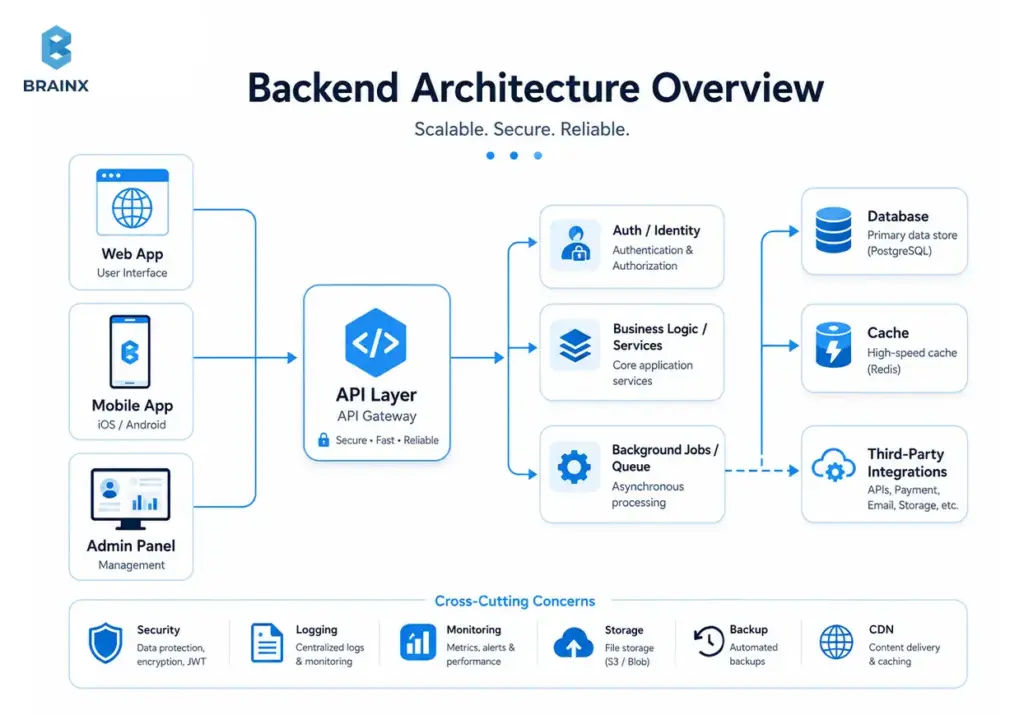
When looking into the vendors for app backend development, make sure they clarify where each of these responsibilities falls – in their team, your team, or both – and what’s covered when you add their services to the invoice.
Key Responsibilities of Back-End Developers
Back-end developers are responsible for turning product requirements into secure, reliable, and maintainable system behavior. Their job is not limited to writing server-side code. In practice, they design APIs, implement business logic, model and manage data, enforce authentication and authorization, and make sure the application can operate safely in production.
A major part of their responsibility is building stable foundations for growth. That includes defining clean service boundaries, handling database changes safely, integrating third-party systems, and making sure requests, workflows, and background jobs behave predictably under real usage. They also work closely with frontend teams so UI flows, API contracts, and edge cases stay aligned throughout delivery.
Modern backend responsibility also includes operational thinking. Strong back-end developers care about deployment safety, observability, rollback readiness, and incident prevention, not just feature completion. In other words, they are responsible for building a backend that is not only functional on launch day, but also resilient enough to support future releases, scaling, and long-term maintenance.
Common Backend Development Use Cases
Backend development becomes especially important when an app needs more than a basic interface. The clearest use cases include products that rely on secure user accounts, role-based permissions, third-party integrations, real-time activity, complex business rules, or large volumes of structured data. In these cases, the backend is what turns product requirements into reliable system behavior.
Common examples include SaaS platforms with multi-user workflows, marketplaces with payments and order logic, mobile apps with authentication and sync, internal tools that connect to CRMs or ERPs, and customer-facing platforms that need dashboards, notifications, and audit trails. Even when the frontend looks simple, the backend may still carry most of the complexity if the product has to coordinate data, permissions, events, and external services.
This is also where a backend app development company becomes more valuable than a general coding vendor. Once the product requires uptime targets, clean API contracts, migration planning, observability, and secure integrations, the backend stops being just a technical layer and starts becoming a business-critical system.
Also Read: Fintech App Development Cost Guide With Detailed Breakdown
Industry Adaptation in Backend App Development
Backend requirements are rarely identical across industries. Two apps may look similar on the surface, but the backend expectations can be very different depending on the type of data involved, the level of compliance required, and how critical uptime is to the business. That is why a strong backend partner should adapt architecture decisions to the operating reality of the industry, not just the feature list.
For example, healthcare and fintech products often need stricter access control, audit logs, data retention rules, and stronger safeguards around sensitive information. Ecommerce and marketplace platforms usually put more pressure on integrations, inventory sync, order workflows, payment reliability, and traffic spikes during campaigns or seasonal demand. B2B SaaS platforms often need tenant isolation, role-based permissions, admin controls, reporting, and SSO support for enterprise customers.
This matters during scoping because industry context changes both effort and risk. A backend that works for a basic internal tool may be completely insufficient for a regulated platform or a customer-facing SaaS product. The best vendors do not treat backend architecture as generic. They shape it around the operational, compliance, and growth pressures of the business the product is meant to serve.
App Backend Development vs Full-Stack Development
The decision between backend-only and full stack depends on coordinating costs and ownership clarity. If you already have a good UI team, you can hire only the back-end personnel, but with well-defined API contracts and QA duties.
One vendor can minimize handoffs if you require frontend and backend app development. A single team can design the API with the UI flows in mind, align error handling, and run integrated testing earlier.
When splitting vendors, make sure you define:
- API ownership (who writes and versions specs)
- Contract testing strategy (who ensures compatibility)
- Release sequencing (backend-first vs UI-first)
- Shared definitions (error formats, pagination, auth flows)
A common failure mode is “backend finished” meaning “endpoints exist,” while the frontend team can’t ship because edge cases, permissions, and performance weren’t validated against real UI flows.
Typical Backend Deliverables You Should Expect in a Proposal
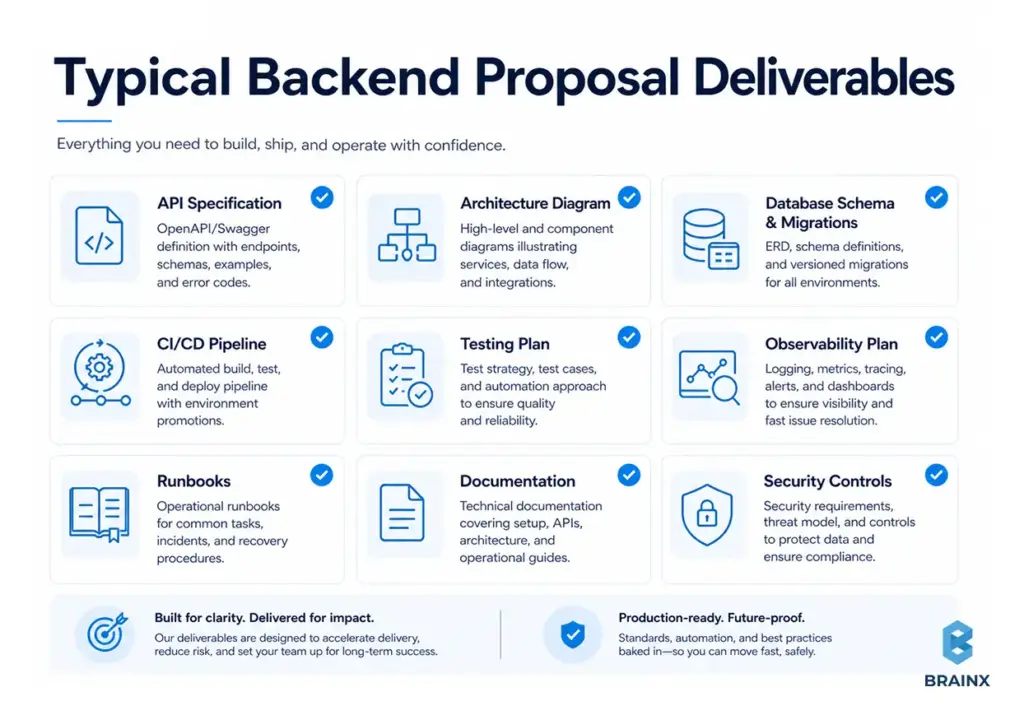
Proposals should list concrete artifacts and not just say, “we’ll build the backend.” The deliverables below are practical signals of maturity and reduce ambiguity later.
A proposal should usually contain the following:
- API specification (OpenAPI/Swagger or GraphQL schema), including error models
- Architecture diagram (services, data stores, integrations, trust boundaries)
- Database schema + migration plan, plus seed/test data strategy
- Outline of the CI/CD pipeline (build, test, security scans, deploy, rollback)
- Testing plan: unit, integration, contract, performance, security testing scope
- Observability plan: dashboards, alerts, log structure, tracing approach
- Runbooks: incident response basics, operational SOPs
- Documentation: setup, deployment steps, environment variables, secrets handling
If these are missing, you’ll often pay later—either through rework or operational instability.
Backend App Development Services You Can Outsource (Scope Checklist)
Most buyers underestimate how wide the backend scope can be. Generally, backend app development services cover the entire range of product engineering and production readiness, and can vary depending on the stage you are at, may it be developing an MVP, growing after the product-market fit, or modernizing an enterprise platform.
Ideally, outsourcing is a concept that will allow you to frame the scope in terms of outcomes (latency, uptime, compliance readiness) and artifacts (API specs, monitoring) instead of just tickets. The framing also improves estimation accuracy.
Use the checklist below to map what you need now vs later. A strong vendor will help you phase this work instead of pushing everything into v1.
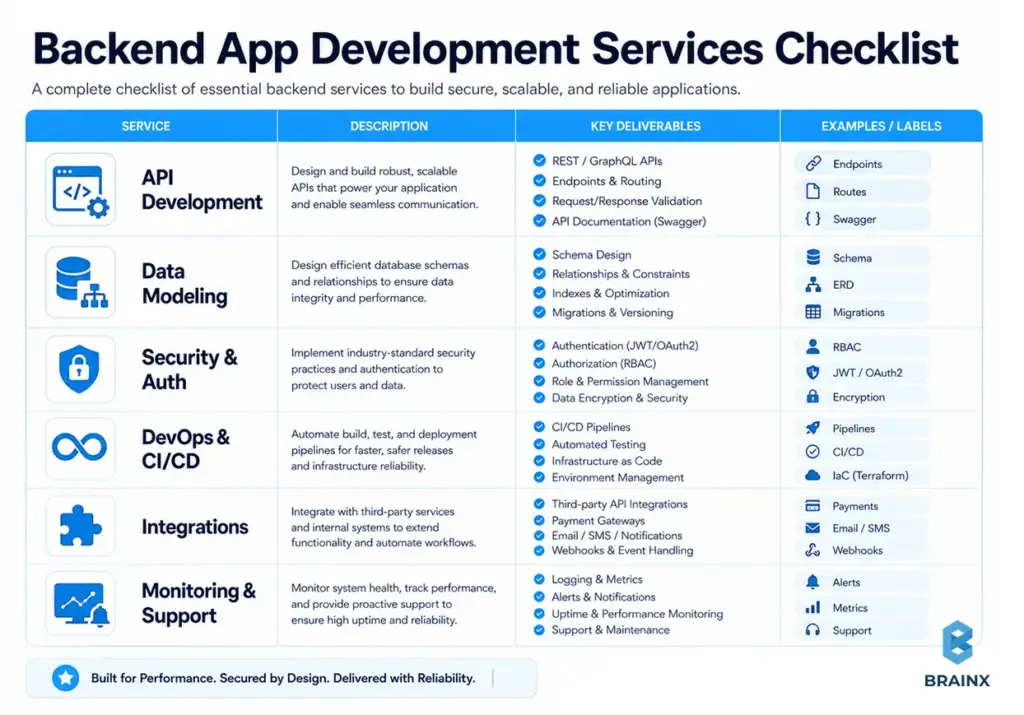
API Development (REST/GraphQL), Versioning, and Documentation
A “good API” is not merely functional, it is consistent, predictable and safe for evolution. Ask your vendor how they implement resource naming, pagination, filtering, error responses, idempotency keys and backward compatibility changes.
What to request explicitly:
- OpenAPI/Swagger for REST endpoints (or a GraphQL schema + conventions)
- Versioning policy (URI versioning vs header-based vs evolutionary design)
- Contract testing or schema validation in CI
- Clear auth requirements per endpoint (scopes/roles)
- Rate-limiting and abuse controls where relevant
If your system has multiple clients (web, iOS, Android, partners), API consistency becomes a multiplier for delivery speed.
Database Design, Data Modeling, and Performance
Database choices and schema decisions are among the most expensive to change later. A competent team will start with your data access patterns, not just your entities.
Core backend data work includes:
- Relational vs NoSQL decisioning (consistency vs flexibility vs throughput)
- Normalization trade-offs (read-heavy vs write-heavy)
- Indexing strategy and query plans
- Migration tooling and rollback safety
- Caching strategy (what, where, TTLs, invalidation)
The most common causes of performance issues arise when patterns are mismatched, such as attempting to write an OLTP system with read models, or writing chat-like real-time workloads without considering concurrency.
Authentication, Authorization (RBAC), and Security Hardening
Security is not a feature you “add at the end.” Backends enforce identity and permissions, protect sensitive data, and prevent abuse.
Expect support for:
- OAuth 2.0 / OpenID Connect flows where appropriate
- JWT session handling and refresh strategies
- RBAC (roles) or ABAC (attributes), depending on complexity
- MFA and SSO integration for B2B products
- Secrets management (no secrets in code or CI logs)
- Encryption in transit + at rest, and key management practices
Question if they adhere to the OWASP guidelines and what they do with secure defaults (CORS policies, input validation, rate limiting, dependency scanning).
Cloud Infrastructure, DevOps, CI/CD, and Observability
A backend that can’t be deployed safely will slow your team down. Infrastructure and delivery automation should be part of the build, and should not be treated as a “later” project.
Here’re some key capabilities to look for:
- Infrastructure as Code (IaC) (Terraform, Pulumi, CloudFormation)
- CI/CD pipelines with quality gates (tests, linting, SAST)
- Environment strategy (dev/stage/prod parity)
- Observability (structured logs, metrics, tracing, dashboards, alerts)
- Rollback strategy and release methods (blue/green, canary, feature flags)
If a vendor claims, “We do DevOps.” Don’t just take their word for it. Ask for examples: what tools, what alerts, what runbooks, and how they handle incident response.
Integrations (Payments, Maps, CRM/ERP, Messaging)
One of the most significant complexity multipliers in the backend is integrations. They bring external constraints like rate limits, webhook retry semantics, idempotency requirements, and changing third-party APIs.
Common integration types:
- Payments (Stripe/Adyen), subscriptions, invoicing, tax
- Email/SMS/push notifications
- Maps/geocoding and routing
- CRM/ERP (Salesforce, SAP, NetSuite) and data sync
- Identity providers (Okta, Azure AD), SCIM provisioning
Request clear design when it comes to webhooks (verification, retries, deduplication) and integration testing in CI.
Maintenance, Monitoring, and SRE-style Support (Post-Launch)
Launching is the start of operational reality: incidents, performance regressions, dependency vulnerabilities, and evolving requirements. Your vendor should provide you with a transparent support model.
A mature post-launch offering includes:
- SLAs/SLOs (even if lightweight at first)
- On-call or defined escalation paths
- Regular patching and dependency updates
- Monitoring and alert tuning
- Backlog triage and technical debt budgeting
- Incident postmortems and preventive actions
If your app is revenue-critical, ask how they handle “P1 at 2 a.m.” and what’s included vs billed separately.
Common Backend Tech Stacks (and How to Choose the Right One)
A reliable vendor won’t push a trendy stack by default. The technologies, a backend app development company suggests, should depend on the following limitations: time to market, hiring limitations, compliance requirements, performance goals, and operational maturity.
The best stack is likely the one that your team can comfortably operate. For startups, it could be the case of settling for boring but well established tools with good ecosystems and predictable pricing. For enterprises, it could be about aligning with internal standards, governance, or even pre-existing cloud engagements.
Use the comparison mindset below: choose frameworks that reduce risk in your context, not in the abstract. Also consider the “second order effects”: deployment complexity, observability tooling, and developer onboarding.
Languages & Frameworks (Node.js, Python, Java, .NET, Go)
Each ecosystem can build great backends. The trade-offs show up in performance characteristics, tooling, hiring pools, and library maturity.
- Node.js (NestJS/Express/Fastify)
Ideal for API-rich products, real-time applications and teams already using TypeScript. Be aware of CPU intensive workloads and ensure that async patterns are consistent. - Python (Django/FastAPI)
Great for rapid development and AI related workloads. FastAPI offers strong performance for APIs with typed schemas. Ensure you plan for concurrency and background jobs properly. - Java (Spring Boot)
Strong enterprise fit for its advanced tooling, observability and performance tuning. Good choice when the system is complex, compliance heavy, and long-term. - .NET (ASP.NET Core)
High performance, great tooling, strong enterprise adoption, and good fit with Azure ecosystems. Often a strong choice for B2B SaaS platforms. - Go
Ideal for services that are performance-driven. Easier to use for concurrent models and light usage. The ecosystem is solid but you’ll want experienced engineers to ensure designs are kept clean.
Understand the vendor decisions based on your requirements: latency, throughput, audit requirement, and team’s expertise.
Databases (PostgreSQL/MySQL, MongoDB, Redis, Elasticsearch)
Most products work best with a transactional database beneath them like PostgreSQL or MySQL, and then top it off with specialized stores as requirements dictate.
Common patterns:
- PostgreSQL/MySQL: transactional consistency, strong indexing, relational integrity
- MongoDB: flexible document models, rapid iteration for certain domains (use carefully with data consistency expectations)
- Redis: caching, rate limiting, session storage, queues (depending on architecture)
- Elasticsearch/OpenSearch: full-text search, faceted search, analytics-like querying (separate from your primary DB)
Design is good if it conforms to the shape of your data and the way you are accessing it. It also contains backup/restore testing, retention policies, and performance budgets.
Architecture Patterns (Monolith, Modular Monolith, Microservices)
Architecture should reflect your product stage and team size—not a theoretical end state. While microservices may be helpful at scale, they don’t come without their own challenges and operational requirements such as service discovery, distributed tracing, deployment coordination, and data consistency.
A pragmatic progression:
- Monolith (early MVP): fastest iteration, simplest operations
- Modular monolith (growth): clearer boundaries, fewer accidental couplings
- Microservices (later): for when teams and scaling needs justify distributed complexity
When a vendor suggests microservices from day one, ask them how it addresses a problem today, and what it costs you in terms of DevOps, testing and debugging.
Hosting & Cloud (AWS/Azure/GCP) + Containers (Docker/Kubernetes)
Cloud choice is more often based on organizational preference, existing contracts, and talent.The bigger decision is usually how much you want to operate yourself.
Common deployment options:
- Managed PaaS promises faster ops with fewer knobs, like AWS Elastic Beanstalk, Azure App Service, and Google App Engine.
- Containers (Docker) on managed container services (ECS/Fargate, AKS, GKE) gives good balance of control and manageability
- Kubernetes is powerful, but adds complexity; best when you have strong platform skills or clear requirements that justify it
Ask vendors how they will implement environment parity, secrets, scaling policies, and disaster recovery. A production backend is more than “it runs.”
Frontend and Backend App Development: How the Teams Collaborate
Even with a single vendor, the backend and frontend must collaborate intentionally. With frontend and backend app development, misalignment usually appears as broken flows, inconsistent error handling, and late-stage rework.
A dependable collaboration workflow looks like this:
- API-first planning: endpoints and payloads designed alongside UI flows
- Shared definitions: error codes, validation rules, pagination, sorting
- Mock servers or schema-based stubs so frontend can move early
- Contract tests to prevent breaking changes
- Integrated QA scenarios (not separate “FE QA” and “BE QA”)
If you split vendors, enforce a written contract: API schema ownership, change control, and a release calendar.
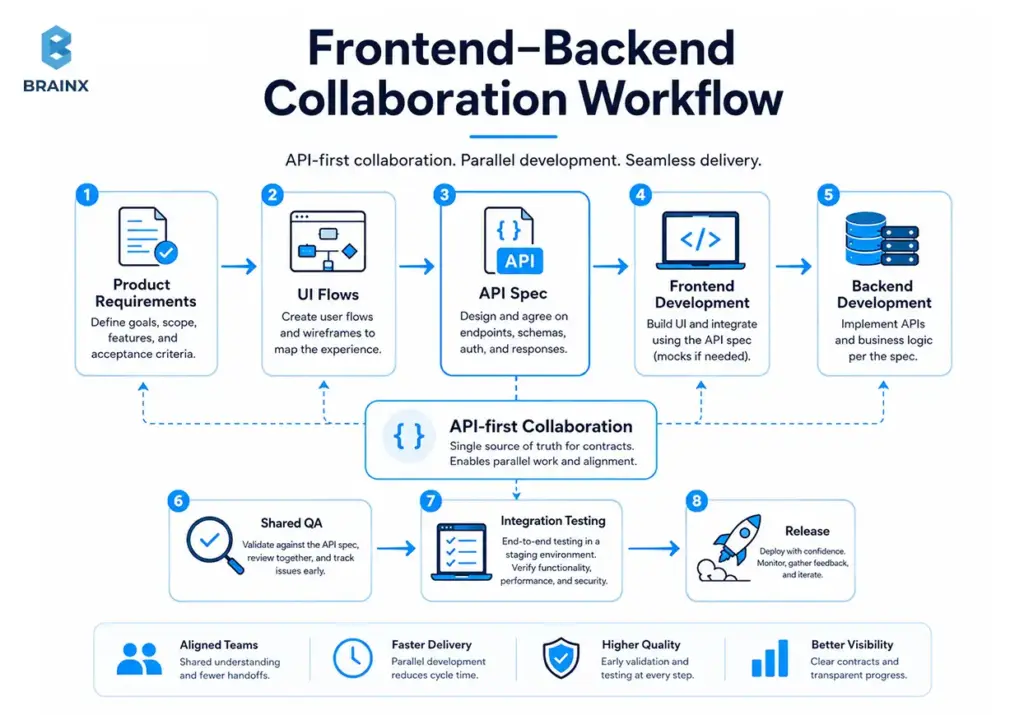
Future Trends and Developments in Backend Development
Backend development is moving toward more standardized, platform-driven operations. Instead of asking every product team to manage infrastructure details directly, more organizations are adopting platform engineering models that give developers safer, more reusable paths to deploy and operate services. At the same time, cloud native practices have become mainstream, which means backend decisions are increasingly shaped by portability, observability, and operational consistency rather than just framework preference.
Another clear trend is the tighter connection between backend systems and AI-enabled workflows. That does not just mean adding AI features to products. It also means backend teams are thinking more carefully about inference workloads, workload isolation, API governance, and the cost and reliability impact of AI-powered services in production. AI tools are also improving developer productivity, but current research shows they still need strong testing, stable priorities, and disciplined delivery practices to avoid hurting software stability.
Security and API governance are also becoming more important, not less. Modern backends rely heavily on APIs and third-party services, which makes authorization, resource consumption controls, inventory management, and safe external API consumption more critical in future architectures. In practice, this means the strongest backend teams will increasingly win through cleaner contracts, stronger observability, better platform guardrails, and more deliberate operational design rather than through “trendier” stacks alone.
Backend Cost Explained: What a Backend App Development Company Will Quote
When you request estimates, a backend app development company typically prices the work based on scope, risk, and the level of production readiness you need. Backend costs spike when requirements include complex permissions, heavy integrations, high availability, and compliance obligations.
The best way to budget is to separate “build cost” from “run cost.” You’ll pay to implement the backend, then you’ll continue paying for cloud resources, monitoring tooling, third-party APIs, and support.
To avoid sticker shock, push vendors to translate features into engineering effort drivers: data migrations, concurrency, reliability targets, and operational readiness. Those details are where estimates become realistic.
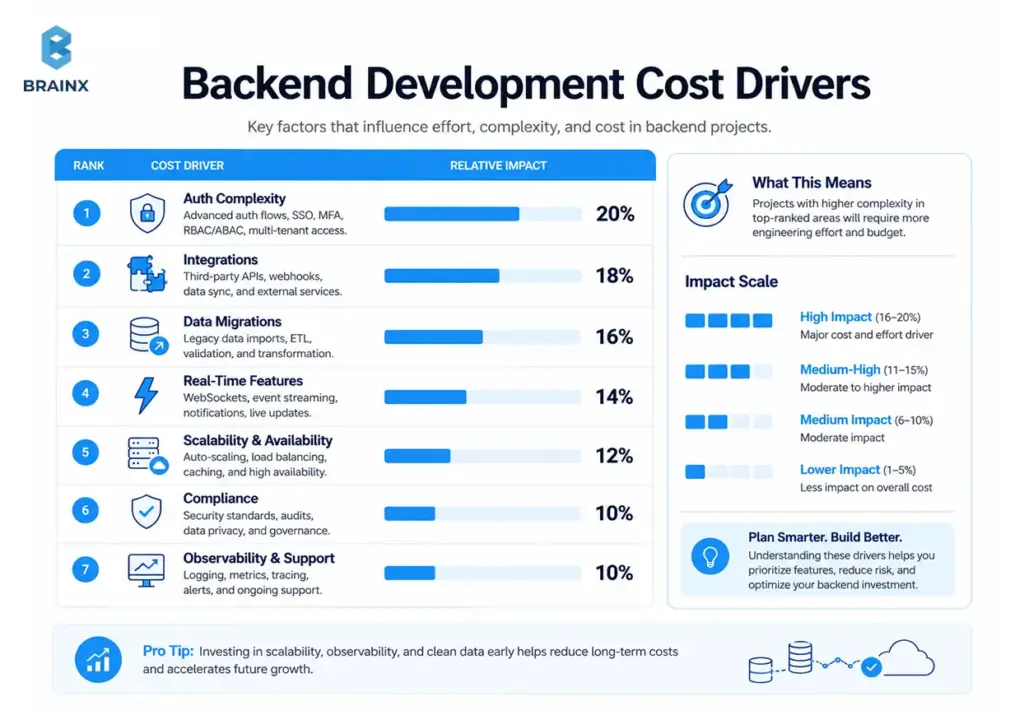
Pricing Models (Fixed Price vs Time & Materials vs Dedicated Team)
Different models allocate risk differently. There’s no universally “cheapest” model—only what fits your uncertainty level.
- Fixed Price
Works well when scope is stable and defined explicitly (clear acceptance criteria with few unknowns). Risk: change requests become expensive as vendors might optimize for scope containment instead of outcomes. - Time & Materials (T&M)
Best when requirements keep evolving, or when you want to iterate based on learning. Risk: Product ownership is essential and needs to be reported clearly to prevent drifting away from the product. - Dedicated Team
You hire a persistent squad (backend + QA + DevOps + PM). Best for ongoing roadmaps and scaling products. Risk: you must give direction and prioritization, same as an internal team.
Inquire from vendors about their choice of model and why.
Key Cost Drivers Unique to Backend
The complexity of permissions, data evolution, integrations, and the reliability expectations increase with the amount of work done in the backend. Here are the drivers that tend to have the greatest impact on estimates:
- Auth complexity: simple login vs multi-tenant RBAC vs SSO with enterprise IdPs
- Integrations count + complexity: webhooks, retries, reconciliation, sandbox vs production differences
- Data model + migrations: zero downtime migrations, evolving schemas, and backfills.
- Real-time features: WebSockets, pub/sub, presence, live updates, fanout
- Scalability/availability requirements: multi-AZ, autoscaling, load testing, DR strategy
- Compliance needs: SOC 2, HIPAA, GDPR, audit logs, retention policies
- Observability & on-call readiness: dashboards, alerts, runbooks, incident response workflows
If two vendors quote wildly different numbers, ask them to walk you through these drivers line-by-line. The cheaper quote often assumes less production readiness.
Typical Timeline Ranges (MVP vs Production vs Enterprise)
Timelines are primarily a function of scope clarity and non-functional requirements (NFRs). A realistic vendor will propose a discovery phase to reduce unknowns before locking dates.
Typical ranges (directional, not universal):
- MVP backend: 6–12 weeks for a focused scope with basic auth, core APIs, and a straightforward data model
- Production-ready v1: 3–6 months when adding hardened security, CI/CD, observability, and multiple integrations
- Enterprise-grade: 6–12+ months for multi-tenant scale, SSO/RBAC depth, compliance controls, and high availability
Your timeline also depends on decision speed: access to stakeholders, clear priorities, and responsiveness to technical questions.
Hidden Costs to Plan For (Cloud, Monitoring, Third-Party APIs, Support)
Even a well-estimated build can feel “over budget” if you ignore operating costs. Plan for:
- Cloud spend: environments, databases, caches, egress, backups
- Monitoring/logging: APM tools, log retention, alerting services
- Third-party APIs: usage-based pricing (maps, SMS, email, AI services)
- Security tooling: WAF, vulnerability scanning, secrets management
- Support: on-call coverage, incident response, maintenance cycles
A good vendor will help you estimate TCO (total cost of ownership) and set practical budgets per environment.
How to Reduce Backend Development Cost
Cost reduction works best when it’s actually risk reduction: fewer unknowns, smaller release batches, and less rework. The goal isn’t to cut corners on security or reliability; it’s to spend effort where it matters.
Use the strategies below to reduce cost without accumulating hidden debt. Each one also improves estimation accuracy, which is a major lever in controlling spend.
When vendors resist these steps, it’s often a sign they’re optimizing for short-term output rather than long-term maintainability.
Build MVP First
An MVP backend should prove the core workflow and data model with minimal operational overhead—while still being safe to run.
Practical MVP tactics:
- Implement only the permissions needed for v1 roles
- Limit integrations to one payment provider or one messaging channel
- Use managed services (managed Postgres, managed queues) to reduce ops burden
- Prioritize stable API contracts for the core flows
A well-shaped MVP also creates a clean path to production hardening later, instead of requiring a rewrite.
Avoid Over-Engineering
Over-engineering is expensive because it creates complexity you must maintain. Common examples: microservices too early, elaborate event-driven setups for simple workflows, and premature multi-region designs.
Cost-saving questions to ask:
- What scale do we actually need in the next 6–12 months?
- Can we meet current performance targets with simpler architecture?
- What do we lose by deferring this complexity?
If your vendor can’t articulate the operational cost of their architecture choices, push back.
Choose Scalable Architecture Early
This doesn’t mean “build microservices early.” It means choose an architecture that can scale without dramatic rewrites:
- Clear module boundaries and domain separation
- Database schema designed for growth (and migrations designed for safety)
- Stateless services where possible
- Good observability hooks from day one
This approach makes scaling incremental: optimize queries, add caching, split modules, then split services only when necessary.
Reuse Open-Source Frameworks
Open-source frameworks reduce build time, but only if they’re used intentionally:
- Prefer widely adopted libraries with active maintenance
- Avoid niche dependencies that lock you into a single maintainer
- Ensure licensing is compatible with your business
Reusable components that often save real money:
- Auth libraries and OIDC clients
- Migration tooling
- Background job frameworks
- API documentation generators (OpenAPI tooling)
The vendor should also commit to dependency update practices to reduce security risk.
Proper Documentation
Documentation is cost control because it reduces onboarding time and prevents institutional knowledge from living only in Slack.
Minimum documentation that pays off quickly:
- Environment setup + local run instructions
- API docs and example requests
- Architecture overview and data model notes
- Deployment steps and rollback procedures
- Runbooks for common incidents
This also makes vendor transitions less risky if you ever change teams.
How to Choose the Right Backend App Development Company
Selecting a backend app development company is less about a portfolio and more about evidence of engineering maturity: security practices, testing discipline, operational readiness, and clarity in estimation.
Use a scorecard approach so your evaluation is repeatable and defensible—especially in enterprises where procurement and risk teams are involved.
Below is a practical framework you can use in vendor calls and proposal reviews. The goal is to surface capability gaps before they become delivery problems.
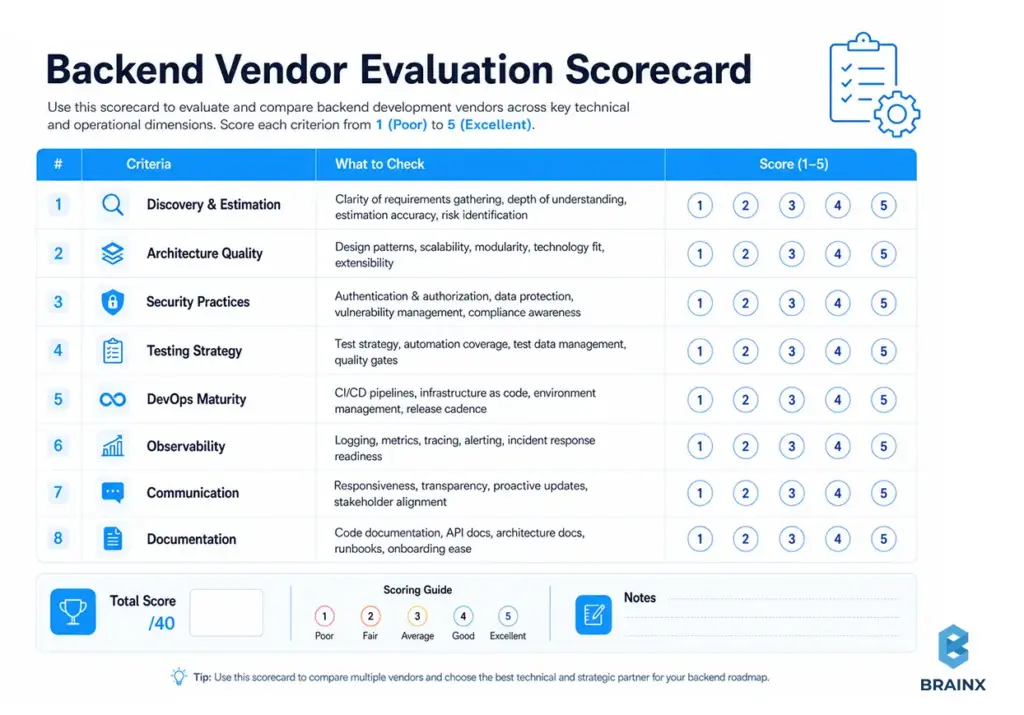
Must-Ask Questions (Discovery, Architecture, Security, DevOps)
Use these questions to reveal how the vendor thinks—and whether they’ve operated production systems, not just built demos.
- How do you capture non-functional requirements (latency, uptime, RPO/RTO, compliance)?
- What does your discovery phase produce (architecture, API spec, estimates, risk log)?
- How do you design and version APIs to prevent breaking clients?
- What’s your database migration strategy for zero-downtime releases?
- How do you handle RBAC/SSO requirements in multi-tenant systems?
- What security standards do you follow (OWASP, secure SDLC practices)?
- What automated tests do you require before merging to main?
- How do you do performance testing, and what metrics do you report?
- What’s in your CI/CD pipeline (SAST/DAST, dependency scanning, approvals)?
- Which environments do you set up, and how do you keep them consistent?
- What observability stack do you ship with (logs/metrics/traces, alerting)?
- How do you handle incidents (on-call, escalation, postmortems)?
- How do you estimate work, and how do you track variance?
- How do you manage scope changes without derailing timelines?
- What documentation do you deliver, and how do you keep it updated?
Strong vendors answer with specifics, examples, and artifacts—not generalities.
Proof to Look For (Case Studies, System Metrics, References)
Portfolios show UI screenshots; you need evidence the backend performs under real conditions.
Look for proof like:
- Case studies with measurable outcomes (latency improvements, uptime, deploy frequency)
- Architecture diagrams and system boundary explanations
- Redacted dashboards (APM metrics, error rates, queue depth, SLO adherence)
- References that can speak to reliability and post-launch support
- Evidence of secure practices (threat modeling, security reviews, audit logs)
If a vendor can’t talk about production metrics, ask whether they’ve run what they build.
Red Flags (Overpromising, No testing, No monitoring, Vague estimates)
These warning signs correlate strongly with cost overruns and unstable releases:
- Promises of “any feature in two weeks” without discovery
- No clear testing strategy beyond manual QA
- No mention of observability, alerting, or incident response
- Estimates with no breakdown (just a single number)
- “We’ll figure out security later” or vague compliance claims
- Heavy reliance on one senior engineer with no redundancy
- Refusal to define acceptance criteria or deliverables
A healthy vendor relationship is built on transparency and shared risk management.
Engagement Setup: Team Roles You Actually Need
Backend delivery is a team sport. The leanest effective team depends on scope, but most successful engagements include:
- Backend engineers (2–4): APIs, services, data layer, integrations
- Tech lead/architect (part-time or full-time): architecture decisions, reviews, risk management
- DevOps/SRE (part-time early, more later): CI/CD, infra, observability, reliability
- QA engineer: automation strategy, integration/performance testing, release validation
- Product/Project manager: scope control, stakeholder alignment, reporting
If the vendor proposes “one full-stack dev can do it all,” push for realism—especially if production reliability matters.
Common Challenges in App Backend Development (and How to Avoid Them)
Most backend failures aren’t mysterious; they’re predictable outcomes of rushed decisions and missing operational rigor. In app backend development, the biggest risks are usually performance surprises, security debt, brittle APIs, and lack of visibility in production.
A good plan treats these as engineering constraints from day one. You don’t need enterprise-grade everything for an MVP, but you do need a clear path to get there.
Below are common challenges and practical mitigations you can bake into scope, acceptance criteria, and vendor selection.
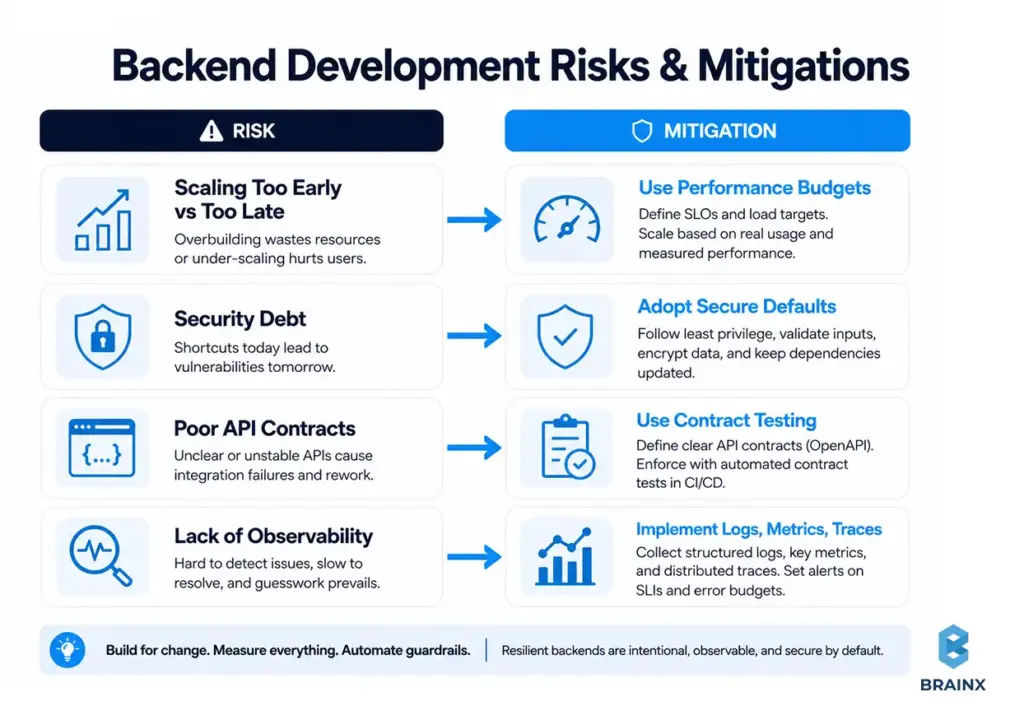
Scaling Too Early vs Too Late
Scaling too early leads to overbuilt systems with slow delivery. Scaling too late leads to outages, hotfix chaos, and emergency rewrites.
Avoid both by:
- Setting explicit performance budgets (p95 latency, throughput) for v1
- Load testing critical flows before major launches
- Designing modular boundaries so you can scale parts independently
- Planning a scaling roadmap (cache → read replicas → service split), not a leap
The goal is progressive scaling—measured, not speculative.
Security Debt and Compliance Gaps
Security debt grows silently: hardcoded secrets, unclear permissions, weak audit logs, and inconsistent validation. Compliance gaps show up later as sales blockers (enterprise deals) or regulatory risk.
Mitigations:
- Implement RBAC/tenant isolation correctly early
- Centralize auth and authorization checks (don’t scatter logic)
- Add audit logs for critical actions (and protect them from tampering)
- Automate dependency scanning and patch routines
- Document data retention and deletion flows (GDPR-like requirements)
If you expect enterprise customers, build a compliance runway early—without fully “doing SOC 2” on day one.
Poor API Contracts and Slow Iteration
Brittle APIs cause slow iteration because every change risks breaking clients. The cost shows up as coordination tax across mobile/web, QA, and support.
Mitigations:
- Use OpenAPI schemas and enforce them in CI
- Standardize error formats and validation responses
- Adopt backward-compatible change rules (additive changes first)
- Use contract tests for key clients or shared SDKs
A stable API contract is one of the strongest accelerators for product teams.
Lack of Observability (You Can’t Fix What You Can’t See)
Without logs, metrics, and traces, teams guess. Guessing leads to slow incident resolution and fragile fixes.
Mitigations:
- Define “golden signals” (latency, traffic, errors, saturation)
- Implement structured logging with correlation IDs
- Add tracing for critical workflows (checkout, onboarding, sync jobs)
- Create actionable alerts (avoid noisy alert storms)
- Maintain runbooks for common incidents and recovery steps
Observability isn’t optional once real users depend on you.
A Practical Implementation Plan (From Idea to Launch)
A solid delivery plan reduces risk and improves estimated accuracy. It aligns product requirements with technical constraints and ensures production readiness is built in—not bolted on.
This implementation plan mirrors how mature teams deliver: discovery first, architecture decisions early, incremental delivery, automated testing, and operational readiness before launch.
If you’re working with a vendor, these steps also make responsibilities clear: what they deliver, what you review, and when you can make scope decisions with real information.
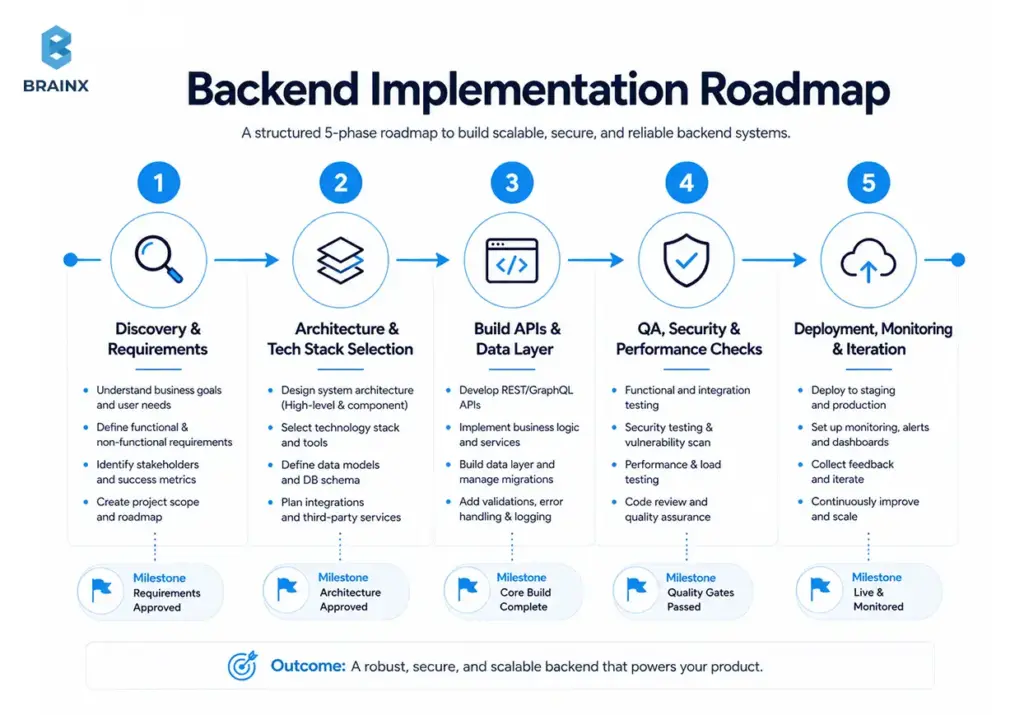
Step 1 — Discovery & Requirements (NFRs Included)
Discovery should produce clarity, not slide decks. Minimum outputs:
- User flows and system actors (clients, admins, partners)
- Data entities and lifecycle (create/update/delete, retention)
- Non-functional requirements: latency targets, uptime expectations, compliance needs
- Integration list and constraints (webhooks, rate limits, sandbox access)
- Risk log (unknowns + how to validate them)
This is also where you decide what “production-ready” means for v1.
Step 2 — Architecture & Tech Stack Selection
Architecture is about trade-offs. A good team will propose options and explain consequences.
Decisions to finalize:
- Service boundaries (start simple; define modules)
- Data strategy (primary DB + caching/search needs)
- Auth approach (JWT, OIDC, SSO readiness)
- Deployment strategy and environments
- Observability baseline (what you will measure from day one)
You should also agree on core conventions: error handling, logging format, API patterns, and versioning.
Step 3 — Build APIs, Data Layer, and Core Services
Execution should be incremental and demonstrable:
- Implement core domain services and data model
- Deliver API endpoints with tests and documentation
- Build integration adapters (payments, messaging) with sandbox validation
- Add background workers for async tasks (emails, webhooks, processing jobs)
- Enforce coding standards and review gates
Prefer vertical slices: ship one complete workflow end-to-end, then expand.
Step 4 — QA, Security Testing, and Performance Checks
Before launch, validate more than “happy paths”:
- Integration tests for critical flows and edge cases
- Contract tests for key API consumers
- Security checks: auth bypass attempts, input validation, dependency scans
- Performance checks: load tests for top endpoints and concurrency behaviors
- Failure mode testing: timeouts, retries, queue backlogs, third-party outages
This step is where many projects discover hidden requirements. Better here than after launch.
Step 5 — Deployment, Monitoring, and Iteration
Launch readiness is operational readiness:
- CI/CD pipelines with rollback strategy
- Monitoring dashboards and alert thresholds
- Log retention and incident response plan
- Runbooks for common failures
- Post-launch iteration plan (bugfix cycles, performance tuning, feature roadmap)
A smooth launch is not luck; it’s the result of deliberate preparation.
How BrainX Helps with Your Backend App Development Company Needs?
If you’re looking for a backend app development company that can design, build, and run production-grade backends (not just deliver endpoints), BrainX Technologies helps teams ship with clarity and operational maturity.
We typically support clients across:
- Discovery and estimation: requirements, NFRs, architecture options, risk mapping, and phased roadmaps
- API and service engineering: REST/GraphQL, background jobs, event-driven patterns where justified
- Security-first backend delivery: auth, RBAC/SSO readiness, secure defaults, and hardening aligned to recognized standards
- DevOps and reliability: CI/CD pipelines, Infrastructure as Code, observability (logs/metrics/traces), and post-launch support options
- Scalable evolution: modular architectures that can grow without forcing microservices prematurely
If you want to validate scope and costs quickly, we can run a focused discovery and provide an estimate with clear assumptions, deliverables, and a phased plan.
Real-World Backend Examples and Case Studies
Real backend complexity usually shows up in the operating details, not the UI. A SaaS platform may need tenant-aware permissions, audit trails, and SSO before it can sell into larger accounts. A marketplace may need payment workflows, reconciliation logic, refunds, notifications, and protection against duplicate webhook events. A mobile app may look simple on the surface but still depend on secure auth, sync logic, rate limiting, and background processing to work reliably in production.
That is why strong backend delivery is best evaluated through outcomes, not just features shipped. In practice, good backend work often looks like faster release cycles, fewer production incidents, cleaner integrations, safer schema changes, and better visibility into system behavior after launch. Those are the signals that the backend is not only functional, but also maintainable under real usage.
For buyers, the lesson is simple: case studies matter most when they explain what changed operationally. Instead of looking only for screenshots or generic success claims, look for examples that show how a team handled permissions, integrations, uptime expectations, deployment safety, or scaling pressure. That is where backend quality becomes visible.
Conclusion
Choosing a backend partner is ultimately about reducing long-term risk: stable APIs, secure access control, data integrity, and production readiness you can operate confidently. The best approach is to scope backend deliverables clearly, pick a stack that matches your constraints, and budget for the real drivers—integrations, auth depth, observability, and reliability targets.
If you’re evaluating a backend app development company, use the checklists and questions above to compare proposals on engineering maturity, not just price. When you’re ready, schedule a scoping session to turn your requirements into a phased plan and an estimate you can trust.
FAQs From A Backend App Development Company
What does a backend app development company typically deliver?
A backend app development company typically delivers production-ready server-side functionality, including APIs, business logic, database design, and integration layers. You should also expect supporting assets like API documentation, migration scripts, CI/CD setup guidance, and baseline monitoring/alerting. For mature engagements, deliverables often include infrastructure as code, runbooks, and security hardening steps. The best vendors define these outputs explicitly in the proposal so there’s no ambiguity at handoff.
How much do backend app development services cost for an MVP?
Costs for backend app development services vary mainly by scope, integration count, and security requirements. A simple MVP backend with basic auth, a small data model, and a limited set of APIs can be far less expensive than an MVP that includes SSO, complex RBAC, real-time features, and multiple third-party integrations. Vendors also price differently depending on whether you choose fixed price, time & materials, or a dedicated team. The most reliable way to budget is a short discovery phase that converts your MVP into a clearly estimated scope with assumptions.
What’s included in app backend development beyond APIs and databases?
App backend development often includes authentication and authorization, background job processing, caching, and integration handling (webhooks, retries, idempotency). It also commonly includes deployment automation (CI/CD), environment configuration, and observability (logs, metrics, traces) so the system can be operated safely. For regulated or enterprise contexts, you may also need audit logging, retention policies, and security controls aligned to compliance requirements. In other words, “beyond APIs and databases” is usually where production reliability lives.
Should I hire one team for frontend and backend app development or split vendors?
If you need tight coordination and fast iteration, one team for frontend and backend app development can reduce handoffs and shorten feedback loops. A single team can design APIs around UI flows, align error handling, and run integrated testing earlier. Splitting vendors can work when you have strong internal technical ownership and a clear API contract process (schemas, contract tests, versioning rules). If you split, define ownership boundaries up front—especially around API specs, QA responsibility, and release sequencing.
Which backend tech stack is best for scaling (Node vs Python vs Java vs .NET)?
There’s no single best stack for scaling; scaling success depends more on architecture, data design, and operational maturity than on language choice. Node.js and Python can scale very well for many SaaS products when paired with good caching, database design, and horizontal scaling. Java and .NET are common in enterprise systems due to mature tooling, strong performance profiles, and governance alignment. The right answer depends on your team skills, compliance needs, and what you can operate reliably over time.
How do I evaluate security and compliance readiness in a backend vendor?
Ask for specifics: how they implement RBAC/SSO, how they manage secrets, and what secure SDLC practices they use (dependency scanning, code review gates, security testing). Request references or examples of audit logs, threat modeling practices, and how they handle incident response. A credible vendor can also describe how they align to OWASP recommendations and how they support compliance roadmaps like SOC 2 or HIPAA (without hand-waving). Finally, look for operational evidence: monitoring, alerting, and runbooks—security is inseparable from reliability in production.
Key Takeaways
- The advantages of custom software development in 2026 include stronger scalability, deeper integrations, better security, and greater long term control for growing businesses.
- Custom software helps businesses align technology with unique workflows, reduce manual work, and improve productivity across teams.
- Compared to off the shelf tools, custom software provides companies with more ownership, roadmap control and protection from vendor lock in.
- For regulated and data heavy businesses, custom software supports stronger compliance readiness, auditability, and secure by design architecture.
- The long term value of custom software comes from better business fit, lower operational friction, and a platform that can evolve as the company grows.
In 2026, “just implement a tool” is rarely enough. Most organizations now operate across sprawling application ecosystems, while integration remains a persistent constraint: enterprise IT leaders report widespread difficulty integrating data across systems, with only a minority of applications typically connected. Gen AI is mainstream too—McKinsey & Company reports that 71% of companies use gen AI in at least one business function—so your stack must be ready for automation, governed data access, and traceability.
That’s why the advantages of custom software development have become more practical (and less theoretical) than they were even a few years ago. Custom systems allow growing businesses to have better control over integrations, security, artificial intelligence readiness and adaptability over the long term – as compliance timelines tighten and breach costs are still material. For example, IBM and Ponemon Institute report a global average data-breach cost of USD 4.4M in their research for the year 2025 in addition to findings regarding governance gaps related to AI adoption.
What Is Custom Software Development?
Custom software development is the design, build, and ongoing improvement of software tailored to one organization’s workflows, data, and users—rather than adopting a prebuilt product intended for broad use.
In 2026, “custom” may be an internal operations tool, a customer portal, an API layer, or workflow orchestration that connects existing systems. The defining trait is fit: the software is shaped around how your business runs.
For many teams, the advantages of custom software development start with eliminating manual workarounds and building one dependable “source of truth” for decision-making.
What Custom Software Development Means in 2026
In 2026, custom matters less because it’s “bespoke” and more because it creates operational control in a world of complex stacks, AI-enabled workflows, and higher governance expectations.
For leaders evaluating the advantages of custom software development, the key question is: where do we need deeper control than a configurable tool can reliably provide?
What Custom Software Development Actually Includes
Most custom builds include a combination of:
- Discovery and requirements mapping (often called software product discovery)
- UX/UI design (internal users and/or customers)
- API development, integrations, and data work
- Security controls (identity, access, logging, encryption)
- Testing, deployment, and monitoring
- Ongoing support and iterative releases
Also Read: How to Choose a Software Development Company: Fundamental Do’s and Don’ts
This is also where a good partner’s custom software development services should feel most valuable: helping you narrow scope to the outcomes that matter.
How Custom Software Differs From Configurable Software
Configurable software gives you settings and extensions within a vendor’s constraints.
Custom software gives you control over:
- Workflow logic (including edge cases)
- Data models and “source of truth” rules
- Security posture and audit trails
- Integration patterns and automation
If your process is standardized, configuration is usually enough. If your process is how you win, custom becomes a strategic option.
Why the 2026 Business Environment Makes Custom More Valuable
Three realities stand out in 2026:
- Integration complexity: enterprises report that they use 897 applications on average, and integration is still difficult at scale.
- AI adoption: the use of gen AI is already common across industries and functions.
- Governance deadlines: the EU AI Act is fully applicable on 2 August 2026 (with phased obligations), and the Cyber Resilience Act introduces reporting requirements from 11 September 2026.
Custom Software Development vs Off-the-Shelf Software
Most mature organizations end up with a portfolio: buy what’s standard, build what’s differentiating, and integrate it all. If you’re weighing the advantages of custom software development against off-the-shelf tools, focus on business fit, governance needs, and the true cost of integration and change over time.
Off-the-shelf software is often the fastest path to baseline capability. Custom development becomes compelling when business fit, integrations, or control requirements outgrow what configuration can handle.
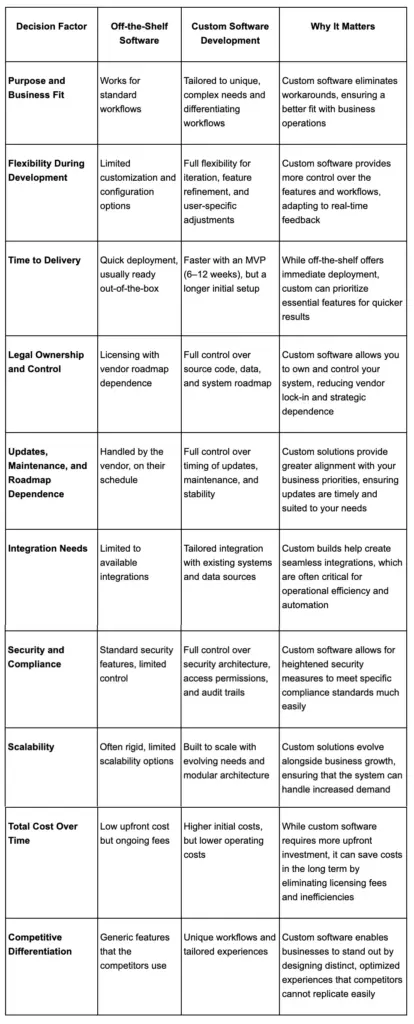
Purpose and Business Fit
Buy when the workflow is common and “good enough” is truly good enough.
Build when the workflow is a differentiator, involves many exceptions, or must span multiple teams and systems without manual handoffs.
Flexibility During Development
Off-the-shelf flexibility is limited to what the vendor exposes.
Custom development lets you iterate around real users, refine workflows in weeks (not quarters), and design AI guardrails and controls alongside the features.
Time to Delivery
Buying usually wins on day-one speed.
Custom can still move quickly when you ship in 6–12 week increments: MVP first, then expand by priority instead of waiting for a single “big launch.”
Legal Ownership and Control
With off-the-shelf tools, you license the product and inherit roadmap dependency.
With custom software, you can contract for source-code ownership, data control, and portability—reducing vendor lock-in when the system becomes business-critical.
Updates, Maintenance, and Roadmap Dependence
Off-the-shelf updates are handled for you, but on the vendor’s schedule.
Custom requires planned software maintenance services, yet gives you control over release timing, stability windows, and backward compatibility for critical workflows.
Build vs Buy Scorecard for Decision Makers
A simple way to decide is to look at the underlying business conditions.
Buy when:
- The workflow is standard
- Speed matters more than differentiation
- Integration needs are light
- Lock in is acceptable
- The software solves a temporary or non strategic problem
Build when:
- The workflow is unique or business critical
- Multiple systems need to work together seamlessly
- Security, compliance, or governance needs are high
- Roadmap control matters
- The software will support long term growth or differentiation
If you want a structured starting point before making that decision, begin with software product discovery.
Top Advantages Of Custom Software Development that Create Real Business Value
The advantages of custom software development become most valuable when they translate into measurable business outcomes. For growing businesses, it is not just about having software that works. The point is to have software that fits your operations, that can support the growth, better control and remain adaptable as the business changes.
This is where custom software creates real value in terms of operations, efficiency, security, reporting and long term performance.
1. Tailored Functionality That Matches Unique Business Processes
One of the greatest advantages of custom software development is that it is built around the way your business actually operates. Instead of forcing teams to adjust to generic tools, the software is shaped around your workflows, roles, approvals, and operational rules.
That is important because most growing businesses outgrow standard processes eventually. As the complexity grows, off the shelf tools tend to add unnecessary steps and unused features and workarounds to the process. Custom software removes that friction and gives teams a system that fits the business from the start.
[Also Read: IT Staff Augmentation in Software Development – Smart Way to Upscale!]
2. Increased Efficiency And Productivity Through Workflow Automation

Custom software helps improve efficiency by automating repetitive work and reducing the manual work that slows teams down. This can include approvals, notification, data entry, scheduling, handoffs, and task routing activities that can otherwise take up time across departments.
The value is greater than just time savings. It also helps the teams to use their skills in a better way. When people spend less time patching up broken workflows, or moving data from system to system, they are able to work on higher value work that supports customers, revenue and growth.
3. Scalability For Future Growth Without Tool Limitations
As businesses grow, the demands of software increase. More users, more transactions, more data and more complexity can quickly expose the shortcomings of generic systems. One of the practical advantages of custom software development is that it can be designed with future growth in mind.
That means that your platform can accommodate new markets and bigger teams, new features and higher use without having to completely rebuild the platform. Instead of outgrowing the software, you improve it as the business grows.
4. Seamless Integration With Existing Systems And Workflows

Modern organizations rarely operate from one system alone. Most depend on a combination of in-house platforms, cloud applications, customer applications, finance applications, operational databases and legacy technology. Custom software helps connect those systems into one coordinated workflow.
This helps in improving the flow of data across the business, reduces the need for manual reconciliation, and makes automation much easier. It even allows teams to have better visibility and help establish a more reliable source of truth for daily operations and decision making.
5. Better Security, Compliance, And Data Control

Security and compliance are now central to software decisions, especially for businesses handling customer data, financial information, healthcare records, or regulated workflows. Custom software allows companies to have greater control over how data is stored, accessed, monitored, and protected.
Instead of depending on the default controls developed for a large market, businesses can more precisely define permissions, create auditability into critical workflows, and tailor the system to their real risk profile. In practice, this creates stronger operational confidence and a more resilient compliance posture.
6. Long Term ROI And Cost Efficiency Over Time
Off the shelf software may appear to be more cost-effective initially, but the economics may be more complex in the long run. Subscription fees, per user pricing, add on modules, integration costs, and inefficiencies can increase total cost over time.
Custom software typically has a higher upfront cost, but can reduce ongoing costs and produce greater long term returns. When the system is more efficient, errors can be reduced and various overlapping tools can be replaced. It leads to easier justification of the business value year after year.
7. Full Ownership, Roadmap Control, And Reduced Vendor Lock In
Another key advantage of custom software development is that of ownership. When your business owns the system, it has greater control over what gets built, when updates happen, and how the platform evolves over time.
This reduces dependence on outside vendors whose pricing, roadmap, support model, or packaging decisions may no longer align with your priorities. It also gives your business more flexibility to adapt without waiting for a third party to move first.
8. Competitive Differentiation Through Unique Workflows And User Experiences
With many markets, though, software is more than an internal tool. It becomes part of the customer experience, part of the operating model or part of what makes the business difficult to copy. Custom software supports this by enabling workflows, features, and experiences that are unique to your business.
That differentiation may manifest itself through quicker service, easier customer journeys, greater internal coordination, or improved utilization of proprietary data. Over time, those advantages can improve retention, strengthen brand value, and create a meaningful edge in crowded markets.
9. Data Accuracy, Precise Reporting, And Better Decision Making

Strong decisions depend on reliable data. Custom software improves data accuracy by reducing manual entry, standardizing process logic, and connecting systems in ways that keep operational information more consistent.
It also makes reporting more useful. Instead of relying on generic dashboards, businesses can create reporting tools based on their own KPIs, workflows, and operational priorities. This gives leaders clearer visibility into performance and supports faster, more confident decision making.
10. Flexibility, Reliability, And Operational Continuity As Your Business Evolves
Business needs do not stay fixed. Markets change, user expectations shift, internal processes mature, and growth introduces new complexity. Custom software gives organizations the flexibility to respond without waiting for a vendor roadmap to catch up.
It also improves operational continuity. Because the system is built around your processes and managed on your terms, you are less exposed to sudden platform changes, discontinued features, or third party limitations. That mix of adaptability and reliability makes custom software especially valuable for businesses planning for long term growth.
Advantages Of Custom Software for Growth-Focused Teams
For growth focused teams, the value of custom software is not just better fit. It is the ability to grow without adding unnecessary operational drag. The advantages of custom software become clearer when companies need to move faster, coordinate across teams, and increase output without multiplying complexity.
Advantages Of Custom Software For Tailored Functionality And Leaner Workflows
As companies grow, even small inefficiencies start to compound. Custom software helps reduce that drag by standardizing approvals, removing duplicate work, and streamlining workflows that would otherwise become harder to manage at scale.
This creates operating leverage. Instead of adding more people just to manage broken processes, businesses can use tailored systems to support cleaner execution and more sustainable growth.
Advantages Of Custom Software For Product Differentiation And Faster Innovation
Growth depends on more than efficiency. It also depends on speed of learning and speed of iteration. Custom software gives teams more freedom to experiment with onboarding, pricing logic, internal tools, AI enabled features, and customer experiences without being limited by an external vendor roadmap.
That agility helps businesses respond faster to market feedback, improve product experiences more quickly, and test new ideas without waiting for third party priorities to align with their own.
Advantages Of Custom Made Software For Ownership And ROI
The advantages of custom made software are especially relevant when software is tied closely to revenue, customer experience, compliance, or operational control. In those cases, ownership is not just a technical preference. It becomes a financial and strategic advantage.
Advantages Of Custom Made Software For Ownership And Cost Control
One of the most important advantages of custom made software is that it turns software into a controlled business asset rather than an ongoing dependency. Ownership gives companies more freedom over infrastructure choices, release timing, performance optimization, and long term vendor strategy.
That control matters financially. As usage grows, businesses can manage costs more intentionally instead of being pushed into higher subscription tiers, packaging changes, or add-on fees that do not reflect real business value.
Advantages Of Custom Made Software For Long Term Return On Investment
The long term return from custom software comes from compounded gains, not just one time savings. Better workflows, fewer errors, cleaner reporting, stronger automation, and less software sprawl all contribute to stronger performance over time.
The critical thing is to assess the ROI over the life of the system. For many businesses, the return becomes clearer after launch, when the software starts reducing recurring spend and improving execution across multiple teams.
Advantages Of Custom Written Software For Security And Compliance
The advantages of custom written software are especially important in 2026, when businesses face greater expectations around traceability, governance, resilience, and secure by design development. This section should not just say custom is safer. It should show why custom can create a stronger foundation for real security and compliance readiness.
Advantages Of Custom Written Software For Secure Architecture
The advantages of custom written software are clear when security needs to match actual business risk. Instead of relying on default protections made for broad use cases, businesses can design access controls, logging, monitoring, encryption, and incident response around their real environment.
That matters more in 2026 because secure architecture is no longer just a technical best practice. It is part of operational readiness. Businesses using AI, integrating more systems, or handling sensitive data need software that supports controlled access, strong visibility, and better accountability from the start.
Advantages Of Custom Written Software For Compliance Ready Systems
Compliance ready systems do more than protect data. They generate evidence, support governance, and make regulatory response faster and more reliable. That is where the advantages of custom written software become especially valuable.
For regulated or high trust businesses, custom systems can support audit logs, documentation, role based permissions, and software supply chain visibility in ways that are much harder to achieve with generic tools. In a 2026 environment shaped by the EU AI Act, Cyber Resilience Act reporting obligations, NIST SSDF, SBOM expectations, and OWASP Top Ten 2025, custom development gives businesses a stronger foundation for proving compliance, not just claiming it.
When Custom Software Is the Right Choice
Custom is most successful when it solves a durable business problem—something that won’t disappear with better training or a different configuration.
Businesses With Unique Workflows and Operational Complexity
If workflows have many exceptions, approvals, or handoffs, off-the-shelf tools can add complexity instead of removing it.
Custom software lets you encode your process, standardize execution, and still support edge cases—one of the advantages of custom software development when operational consistency matters.
Teams Blocked by Disconnected Tools and Manual Workarounds
When systems aren’t integrated, humans become the integration layer—hurting speed and data quality.
Given how common integration pain is at scale, this is often where the advantages of custom software development show up first (in hours saved and fewer errors).
Companies Handling Sensitive or Regulated Data
If you handle sensitive data, you typically need tighter control over permissions, auditing, retention, and incident response.
High breach costs reinforce the case for preventive controls and clear governance.
Organizations Competing in Crowded Markets Where Experience Matters
If experience is strategy, custom workflows and UX can become a moat—especially when they reduce customer effort and increase switching costs.
When Custom Is a Long-Term Investment and Not a Temporary Fix
Custom is rarely worth it for a short-term patch.
It’s most valuable when you’re building a platform for automation, AI, and multi-year growth—often aligned through digital transformation consulting.
Custom Software Use Cases by Business Type
SMEs That Need Efficiency Without Enterprise Tool Bloat
SMEs often benefit from custom internal tools that replace spreadsheets, enforce data quality, and automate core workflows—without complex licensing tiers.
Mid Market Companies That Need System Integration and Process Automation
Mid-market teams often hit the integration wall first.
The advantages of custom software development in the mid-market can often be reduced to integration and automation: lessening handoffs, removing re-entry, and enabling data to be used inter-team.
The workflow customization will be able to tie sales, operations, financial, and support together within one process–lessening the amount of manual reconciliation and speeding-up cycle time.
Enterprises That Need Governance, Scale, and Control
Enterprises often use custom platforms to unify fragmented systems while enforcing access controls, logging, and operating procedures that scale across teams.
SaaS Businesses That Need Product Differentiation and Proprietary Workflows
In SaaS business, the product is custom software and differentiation is often proprietary workflow, data flow and scalability.
Things to Consider Before Choosing Custom Software Development
Higher Upfront Investment
Custom software usually costs more initially because you’re funding design, engineering, and quality work that vendors amortize across customers.
Longer Delivery Timelines Than Plug and Play Tools
Buying is faster for initial rollout.
Custom delivery can still be fast when you define an MVP and ship iteratively.
Need for Technical Planning and Stakeholder Alignment
Custom work requires decisions about data ownership, approvals, and failure modes (for example, what happens when an integration is down).
Alignment reduces rework later.
Importance of Choosing the Right Development Partner
A good partner should bring clear discovery, transparent delivery, and modern secure engineering practices—plus a plan for long-term maintenance.
Keep evaluation focused on evidence, not promises.
Why These Tradeoffs Are Often Worth It for the Right Business Case
If integration needs, compliance requirements, or workflow complexity are durable, custom becomes an investment in operating leverage.
That’s where the advantages of custom software development can outweigh the downsides.
Best Practices for Maximizing the Value of Custom Software
To capture the advantages of custom software development without increasing risk, treat delivery as a product discipline: define outcomes, ship iteratively, and fund the system’s lifecycle (not just the launch).
Align Development With Business Goals and Measurable KPIs
Start with measurable outcomes (time saved, error reduction, conversion lift), then design software that moves those metrics.
Prioritize Security and Compliance From the Start
Use frameworks like the SSDF to structure secure development, and plan for software transparency and provenance (including SBOM-ready practices).
Use Agile and Iterative Delivery to Reduce Waste
Agile software development reduces risk by learning early: small releases, real user feedback, and automated testing.
Plan Ongoing Support, Maintenance, and Improvements
Plan for monitoring, dependency updates, performance tuning, and a backlog of improvements.
This is where software support and maintenance protects your investment.
Document Ownership, Integrations, and Future Scalability Early
Document what you own, how integrations work, and how scaling will be handled. This documentation also strengthens governance and audit readiness.
How to Decide Between Custom Software and Off-the-Shelf Tools
To move from “learning” to “decision,” connect build vs buy to concrete operational outcomes, risk tolerance, and time horizon—not just feature checklists. Used properly, the advantages of custom software development become a measurable business case.
Questions to Ask Before You Invest
- Is this workflow standard—or is it a differentiator?
- How many systems must share data for this to work?
- What risks exist if a vendor changes pricing or deprecates features?
- Do we need audit trails, data residency, or incident reporting readiness?
- Will AI features require governed access to internal data?
[ Also Read: Outsourcing Software Development – 10 Critical Mistakes Businesses Should Avoid ]
A Simple Build vs Buy Framework
- Buy when needs are standardized and speed matters most.
- Build when workflows are unique, integration is complex, or ownership/governance is strategic.
- Hybrid when you buy a core tool but build custom layers for orchestration, integrations, or user experience.
When a Hybrid Approach Makes More Sense
Hybrid often works when you keep standard tools for “table stakes” functions, but build custom workflow and data layers to create differentiation and governance.
Final Takeaway
In 2026, custom software is a control strategy: control over integrations, governance, and adaptability as AI adoption and compliance requirements accelerate. With the EU AI Act fully applicable from 2 August 2026 and Cyber Resilience Act reporting obligations starting 11 September 2026, businesses that treat software as a governed asset—not just a tool—are better positioned to scale.
For the right use cases, custom software can deliver higher business fit, stronger security posture, clearer ownership, and long-term ROI.
FAQs About the Advantages of Custom Software Development
What Are the Main Advantages of Custom Software Development
These benefits typically include better fit to your workflows, stronger integration across your systems, more control over data and security, and ownership of your roadmap—especially important in 2026 as AI and compliance expectations rise.
How Is Custom Software Better Than Off the Shelf Software
Custom can be better when the workflow is unique or strategic, or when governance needs demand deeper control. Off-the-shelf is often better for standardized needs and immediate deployment.
Is Custom Software Worth the Cost
It’s worth it when the advantages of custom software development outweigh the upfront investment—often true in integration-heavy or regulated workflows where inefficiency is costly.
Is Custom Software More Secure Than Off the Shelf Software
Not automatically. It can be more secure when built with secure-by-design practices and ongoing maintenance; frameworks like NIST SSDF help define those practices.
Can Custom Software Scale as My Business Grows
Yes—when scalability is designed in through modular architecture, performance targets, observability, and a plan for continuous optimization.
Can Custom Software Integrate With My Existing Systems
Yes—and integration is often the primary reason organizations pursue custom, especially when data silos block automation.
Why Is Custom Software Development Important for SMEs
SMEs can use custom tools to replace spreadsheets, automate workflows, and connect essentials systems without paying for enterprise bloat.
When Is a Custom Implementation Worth It
When the workflow is strategically important, long-lived, and hard to support with configuration alone.
Why Build Custom Software When Open Source Options Already Exist
Open source can accelerate development, but you still need product design, integration, security hardening, and long-term ownership to deliver unique value.
How Do I Choose the Right Custom Software Development Partner
Choose a partner with a strong discovery process, secure engineering practices, evidence of long-term support, and an implementation approach you can measure.
Key Takeaways
- Offshore software product development is on the rise in 2026 as companies require superior product delivery times, improved AI governance and budget control.
- Global IT spending growth is putting more pressure on teams to deliver digital products faster and more reliably.
- New AI regulations are positioning compliance readiness as a major consideration in the way that modern product teams plan and scale.
- Access to specialized talent and round the clock execution is helping businesses accelerate releases without overstretching internal teams.
- Clear processes, strong QA and measurable performance in delivering the product is now more important than just cost when choosing a development partner.
In 2026, product leaders face a sharper mandate: ship faster, de-risk AI features, and still control budget and delivery quality. That’s why offshore software product development is increasingly being treated as a strategic operating model, not just a labor-arbitrage decision.
Global demand signals support the shift: Gartner forecasts worldwide IT spending will reach $6.15 trillion in 2026, up 10.8% from 2025, raising expectations for digital delivery throughput and resilience. At the same time, governance is getting real deadlines: the EU AI Act entered into force on August 1, 2024 and is scheduled to be fully applicable on August 2, 2026. This means product teams must integrate compliance into their AI roadmap.
This guide explains the drivers of offshore development, the delivery models that work, and how to select an offshore partner with measurable proof.
Offshore Software Product Development: Everything You Need to Know in 2026
Offshore software product development has matured into a comprehensive delivery option for 2026 and beyond. It’s not just about cost. These days other drivers include talent shortages, rising hiring costs and the complexity of new technologies. Analysts estimated the global offshore dev market to be $178.6 billion in 2025, rising to $198.3 billion in 2026. For context, the overall software outsourcing market is much larger ($564B in 2025, $897B by 2030). With these market dynamics, companies increasingly use offshore teams to scale capacity, tap specialized skills, and accelerate time-to-market.
[Also Read: Outsourcing Software Development – 10 Critical Mistakes Businesses Should Avoid]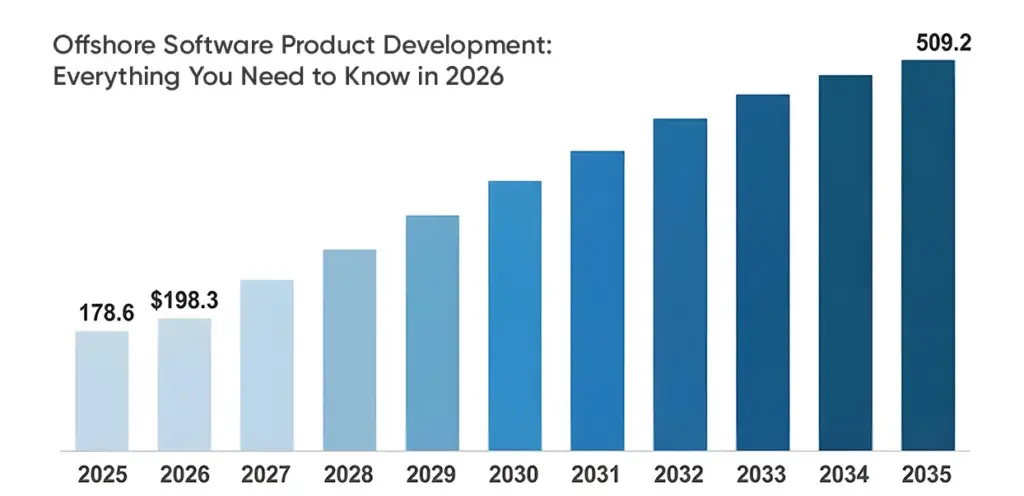
A Comprehensive Look at the Offshore Software Product Development Industry
Several trends underlie this offshore boom. Most enterprises face local labor crunches: for example, U.S. BLS projects 129,000 new developer jobs by 2032 with few applicants. Many EU and UK companies see similar shortages. In contrast, countries in Eastern Europe, Latin America and Asia are churning out millions of software engineers every year. At the same time, product roadmaps are more ambitious. Gartner reports an increasing demand for cloud and AI/ML talent. In short, companies need more throughput and resilience, while offshore teams can help to provide exactly that.
Market data underscore the trend. Offshore product development is said to reach $178.6B in 2025 and $198.3B in 2026. (For perspective, outsourcing overall was supposed to be around $564B by 2025.) Growth is driven by strategic need, not just cut-rate labor: organizations now view offshore delivery as an operating model. In the sections below we’ll unpack what “offshore product development” means, why companies choose it, the benefits & challenges, and how to make it work in practice.
What Is Offshore Software Product Development?
Offshore software product development refers to the process of building or extending your product team in another country, often with a large disparity in time zones and price. In reality, a company recruits a remote team (or an extended team) in a foreign location to design, construct and maintain digital products. This is in contrast to in-house (on-site) development where all of the engineers work co-located with the company.
Offshore vs. In-house
In in-house development, local employees or teams are used. This provides the best possible control and collaboration in real time, but is often much more expensive and hiring takes longer. Offshore development means that the development work is carried out by a remote team located abroad, which generally implies lower salaries and larger labor pools. However, it requires explicit processes for the collaboration.
For example, onshore/in-house teams have high cost and overhead, whereas offshore teams in distant time zones trade off extra coordination for scale and cost-control.
Offshore vs. Nearshore vs. Onshore
All three models differ by location. Onshore means that teams are in the same country (or very close), low time zone difference and high cost. Nearshore refers to adjacent or regional countries (e.g. Eastern Europe for Western Europe, Mexico for the U.S.), with some cost savings and improved time overlap. Offshore means far away countries (often with a sizable time difference) – this offers the greatest cost saving and labor provision but requires robust written processes and asynchronous collaboration.
The trade-offs: onshore teams give fastest feedback and control but cost the most, nearshore balances overlap and savings, and offshore yields the greatest scale per cost benefits (if processes are strict).
When Offshore Makes Sense
Offshore development is most appealing when local constraints bite. For example, if you have a stable backlog or repeatable delivery process but need to ship faster, an offshore team can extend your capacity. Or if you lack senior skills in-house (e.g. niche AI or cloud expertise), an offshore partner can fill that gap. Offshore can ship faster if requirements are clear, fill skill gaps if seniority is verified, and scale capacity if your process is well-defined.
In short, offshore tends to make sense when accelerating development or accessing specialized talent is the priority.
Hybrid Software Development
Hybrid software development blends local ownership with distributed execution. In practice, this usually means keeping product strategy, architecture, or stakeholder management close to the business, while assigning development, QA, or support functions to nearshore or offshore teams. It gives companies more flexibility than a fully in house model without shifting every responsibility to a remote team.
It is a model that works well for businesses requiring tighter control over product direction while still benefiting from broader talent access and better delivery capacity. For example, a company may keep product leadership and solution design internally, while using external teams to accelerate sprint delivery, testing, or maintenance.
The trade-off is that hybrid setups require stronger coordination, clearer ownership, and consistent delivery standards across all teams. If governance is weak, a hybrid setup can quickly turn into a split system where knowledge, priorities, and accountability drift apart.
Why Companies Choose Offshore Software Product Development
Companies opt for offshore delivery for strategic rather than financial reasons. The strongest offshore relationships help teams increase output while keeping internal leaders focused on product, customers and growth.
Access To Specialized Talent
One of the biggest drivers is access to skills that are expensive or difficult to hire locally. Many offshore markets have deep capability in cloud engineering, full stack SaaS delivery, mobile development, AI integration, cybersecurity, and DevOps.
For product companies, this is relevant because speed is often not limited by the lack of ideas, but by the lack of the right roles. A roadmap may be clear, but execution stalls if the business is not able to hire the right people fast enough.
Cost Efficiency And Better Budget Control
Offshore delivery can improve budget efficiency in two ways. First, direct labor costs are often lower. Second, companies avoid a large share of recruitment, office, benefits, and bench overhead that comes with expanding full time local teams.
That said, strong buyers do not evaluate cost through hourly rates alone. They look at total cost of ownership. A cheaper vendor that creates rework, communication delays, or weak documentation can become more expensive than a stronger partner with a higher rate.
Faster Delivery Under Tight Deadlines
When a product team needs to ship quickly, offshore delivery can extend working capacity without waiting through long hiring cycles. Teams can add developers, QA support, or engineering pods faster than most local recruitment pipelines allow.
In many cases, time zone separation can also support faster progress. With the right process, work can continue across a longer daily window, which helps move tickets, testing, and bug resolution forward more quickly.
Extended Time Zone Coverage
Time zone distribution can be a genuine delivery advantage when handled properly. Teams can create a productive mix of async progress and live collaboration. Support requests, QA cycles, and engineering updates can continue beyond local office hours.
This does not mean round the clock output happens automatically. It depends on handoff quality, documentation, and clarity around ownership. When those are present, broader coverage can become a meaningful strength.
Business Continuity And Risk Diversification
Concentrating all engineering activity in one geography creates operational risk. Outages, hiring disruptions, or regional instability can affect delivery more severely when teams are not diversified.
A multi geography operating model improves resilience. Even if one location faces disruption, work can continue through other teams or backup coverage. For growth stage and enterprise teams, this diversification supports continuity planning.
Support For Niche Product Requirements
Different offshore markets develop different strengths. Some are known for enterprise architecture, some for fintech and SaaS, some for scale, mobile, or AI support. This allows buyers to choose regions and partners that align more closely with the technical and domain needs of the product.
That is especially helpful when products involve regulated workflows, complex integrations, or performance heavy systems that require more than generic developer capacity.
Freeing Up Internal Teams For Core Priorities
Strong offshore teams allow internal leaders to spend less time on execution pressure and more time on product strategy, customer insight, roadmap decisions, and business growth.
This is one of the most underestimated benefits. Offshore delivery should not just save cost. It should create space for better leadership focus.
The Benefits of Offshore Software Product Development
When the model is structured well, offshore delivery creates both operational and strategic advantages.
1. Use Case Mapping For Faster Decision Making
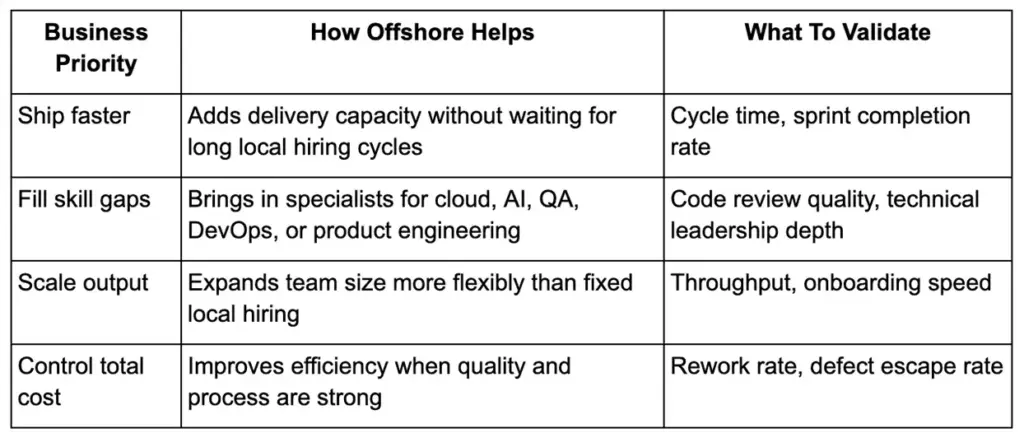
This kind of mapping helps companies choose offshore for the right reason. It also creates a better evaluation lens during partner selection.
[ Also Read: A GDPR Perspective: Cross-Border Outsourcing for Businesses]
2. Better Scalability For Growing Product Teams
Offshore delivery makes it easier to grow in stages. A business may begin with a small squad, expand into a dedicated pod, and later build a broader product team with QA, DevOps, and support functions.
That scalability matters for companies moving from MVP to growth stage, or from one product line to multiple streams of execution.
3. Greater Operational Flexibility
Companies rarely need the same team shape forever. Priorities change. Product requirements evolve. Launches, migrations, redesigns, and integrations all require different delivery patterns.
Offshore partnerships are useful because they allow more flexibility in how capacity is deployed. A company can start lean, scale up around specific delivery needs, and adjust the model over time.
4. Stronger Product Delivery Capacity
The strongest benefit is simple: more products can get built. Not because offshore teams work magic, but because they expand execution capacity in a structured way.
This makes a real difference when internal teams are stuck between product maintenance, roadmap pressure, compliance work, and customer support demands. Offshore teams create room to move.
5. Long Term Support And Maintenance Advantages
Product work does not end at launch. Modern software requires maintenance, monitoring, version updates, bug resolution, performance tuning, and ongoing improvement. Offshore teams can support this phase very effectively, especially when they already understand the codebase.
This reduces the burden on internal teams and supports smoother long term ownership.
The Real Challenges of Offshore Product Development
Offshore delivery can create value, but only if its challenges are managed deliberately. The main challenges teams face are often people and process related:
Communication Across Borders
Distance creates friction when communication is weak. Questions take longer to resolve, assumptions grow, and requirements can drift. This is often where offshore projects fail.
The answer is not more meetings. It is a better communication design. Teams need clear written requirements, defined channels, documented decisions, and structured overlap time for the conversations that actually matter.
Maintaining Quality Without Assumptions
Remote teams cannot rely on tribal knowledge. They need explicit standards. If acceptance criteria are vague, code quality expectations are unclear, or testing ownership is loose, rework rises quickly.
Quality in offshore delivery must be engineered into the process, not inspected at the end.
Visibility And Project Control
Leaders often worry about losing control when work moves offshore. That concern is valid if reporting is weak or delivery metrics are missing.
Visibility comes from good systems: sprint rituals, dashboards, demos, quality metrics, documentation, and clear ownership. Without those, project control becomes reactive instead of proactive.
Integration With Internal Teams
An offshore team should not operate like a disconnected vendor. It needs to function like an extension of the product organization. That means participation in planning, shared context on business goals, and alignment on standards and priorities.
Weak integration usually produces weak outcomes, even if the individual engineers are strong.
Handling Team Changes And Continuity
Turnover can happen anywhere, but offshore teams need especially strong continuity planning. Knowledge transfer, technical documentation, ownership logs, and backup staffing matter. If one person leaves and delivery stalls, the operating model is too fragile.
How to Manage Offshore Product Development Challenges Successfully?
To overcome these challenges, the right processes and tools are essential. Here are key practices:
Setting Clear Communication Systems
Create clear rules for where work is tracked, where decisions are recorded, and when meetings happen. Use async updates for status. Use live overlap for planning, demos, and blockers that require real discussion.
A strong communication system reduces confusion, speeds up decision making, and lowers dependency on ad hoc calls.
Building Strong QA And Review Processes
Quality cannot depend on developer intent alone. It needs checkpoints. That includes clear definition of done, peer review rules, test coverage expectations, release criteria, and issue prioritization.
The most reliable offshore teams treat QA as part of delivery, not a final step.
Creating Visibility Through Reporting And Delivery Rituals
Visibility comes from rhythm. Weekly reporting, sprint reviews, backlog refinement, demo sessions, and quality metrics all create alignment. Leaders should be able to answer basic questions quickly: What is blocked? What shipped? What is at risk? What quality signals are improving or slipping?
If those answers are hard to get, the management system needs work.
Reducing Risk With Documentation And Ownership Clarity
One of the highest leverage tools in offshore delivery is documentation. Requirements, architecture decisions, release notes, ownership maps, and runbooks all reduce ambiguity and make delivery more resilient.
Ownership clarity matters just as much. Every area of work should have a clearly responsible lead.
Offshore Software Product Development Services You Can Outsource
What exactly can you hand off to an offshore team? Virtually the entire software lifecycle can be handled offshore when the scope and handoffs are well structured.
Core Offshore Software Product Development Services For Growing Product Teams
Modern offshore software product development services usually include a mix of engineering, design, QA, DevOps, and support capabilities. The best partners can support a single function or deliver across the product lifecycle depending on need.
Software Design And Architecture
Offshore teams can support solution design, technical planning, architecture decisions, and system documentation. This is especially useful when products need scalable cloud foundations or modernization work.
End-to-End Product Development
Many teams outsource the full development stream, from interface work and backend systems to integrations, testing, and release support. This is common for MVP builds, product extensions, and new platform initiatives.
Also Read: Follow These 14 Simple Rules To Outsource A Development Team
Product Management Support
Some offshore teams also support backlog management, requirement refinement, sprint planning, and cross functional coordination. This can improve alignment when internal product bandwidth is limited.
Refactoring And Modernization
Legacy systems often require restructuring so that they can handle future growth. Offshore teams are often employed for refactoring, platform upgrade and architecture modernization.
Quality Assurance And Testing
Manual QA, automation testing, regression cycles, performance testing, and release validation are all common offshore delivery functions. It is often one of the quickest ways to improve product reliability.
Post Launch Support And Maintenance
After release, offshore software product development services can continue on in the form of support, patching, upgrades, monitoring, and incremental improvements.
Factors to Consider Before Hiring an Offshore Agile Development Partner
Before you commit, evaluate the project and partner thoroughly:
- Define Your Project Scope Clearly: Have your product vision, target users, and key requirements documented in advance. BrainX’s Step 1 is to “outline your product vision, target market, scope, and technical requirements” before engaging a vendor. Think through what problems you’re solving and what success looks like. If you can’t articulate acceptance criteria up front, offshore delivery will falter.
- Proven Agile Delivery Experience: Look for vendors who live by agile methods. Ask how they run sprints, adapt to change, and deliver incrementally. Ideally, they should have case studies demonstrating successful Scrum or Kanban projects. For example, we have noted most clients use offshore agile – planning sprints, holding daily standups, and doing QA each iteration. Verify that the partner has credible project managers and scrum masters who are capable of integration with your agile rituals.
- Communication and Language Fit: Check the vendor’s English proficiency (e.g. through EF EPI index or by interviewing their staff). Evaluate their overlap hours if you are relying on real-time collaboration. Normally, a company that is in a nearshore time zone may be better. You may try out some tools such as WorldTimeBuddy to compare your working hours with the offshore location. Also consider cultural fit. Figure out whether they have experience working with clients in your region, and whether they understand your market context or not.
- Time Zone Overlap: Determine how much overlap is needed for your process. If you need daily pairing or support, choose a region with some common hours. As a rule of thumb, Latin America (GMT -5 to -8) is often the partner of North American teams as the overlap is easy, and Eastern Europe (GMT 1 to 3) is the choice of European teams. Pakistan (GMT+5) is very compatible with Europe/Middle East, while India/GST time is closer to Asia-Australia. Balance your need for real-time calls versus willingness to use async modes.
- Collaborative Mindset: The best offshore partners see themselves as your co-development team, not just hired hands. During evaluation, look for signs of openness and partnership. Ask about their communication process: Are they transparent and responsive? Do they invite frequent client feedback? We suggest asking vendors if their processes are easy to work with and transparent. Check if they use collaborative tools (Shared boards, chat, documentation) and if they’re willing to adjust to your way of working.
- Technical Depth and Innovation Capability: Ensure that the vendor has demonstrated experience in the technologies and domain that you are looking for. Review their portfolio and case studies: have they delivered products similar in complexity or industry? Some questions: Do they have R&D or innovation teams? Have they worked with the particular programming languages, cloud platforms, or compliance standards your project requires? For example, if you are looking for expertise in AI/ML, you need to see whether they have data scientists on staff. Further verify that their developers can solve problems (and not just code to spec).
By carefully vetting these factors, you’ll increase the odds of a successful offshore partnership.
How to Choose an Offshore Software Product Development Company
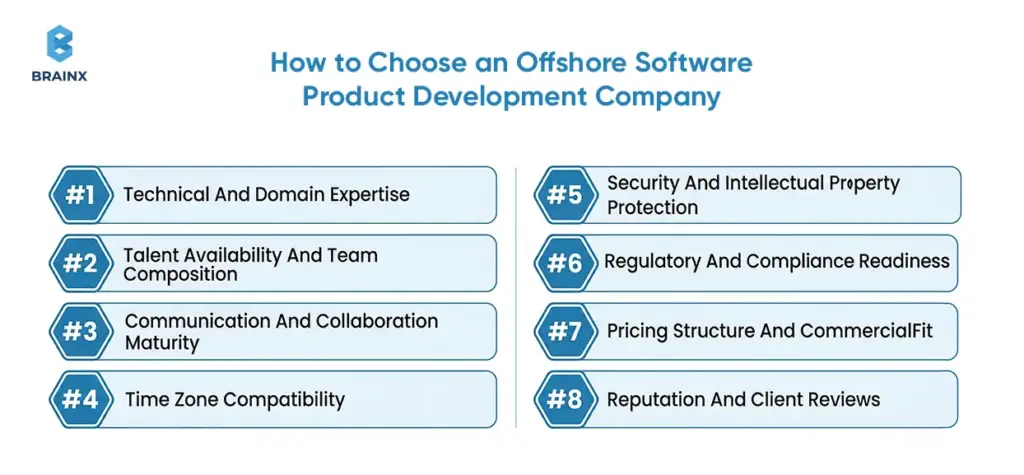
Choosing the right partner requires more than a capability list. A strong offshore software product development company should show delivery maturity, not just technical claims.
How to Choose a Software Development Company: Fundamental Do’s and Don’ts
What To Look For In An Offshore Software Product Development Company
Check if the company has a structured delivery process, solid documentation practices, transparent progress reports, a strong focus on quality, stable teams, and experience in your domain. Strong references and case studies matter, but operating maturity matters just as much.
Technical And Domain Expertise
The partner should understand your product stack, architecture patterns, and business context. Technical skill without domain awareness often creates avoidable misalignment.
Talent Availability And Team Composition
Review the team shape, not just the company profile. Who will actually work on the product? What is the balance between senior and mid level roles? How stable is the bench?
Communication And Collaboration Maturity
Ask how the team manages updates, deals with blockers, handles documentation, plans sprints, and keeps track of decisions. Teams that communicate well are usually the most reliable when it comes to delivery.
Time Zone Compatibility
The time zone does not need to be perfect, but it needs to support your collaboration model. Teams should agree early on overlap expectations.
Security And Intellectual Property Protection
Security, access control, code ownership, and IP protection should be explicit in both process and contract. This becomes even more important for regulated products and AI related systems.
Regulatory And Compliance Readiness
As buyers face growing demands to comply with rules and regulations, they need partners who can meet strict standards for protecting sensitive information, keeping data safe, and following proper governance procedures. This is particularly crucial when it comes to products that handle personal data or use artificial intelligence to automate workflows.
Pricing Structure And Commercial Fit
Choose a commercial model that suits the product stage. Fixed price fits stable scope. Dedicated teams fit longer term execution. Time and materials fit evolving priorities with strong oversight.
Reputation And Client Reviews
Client feedback helps validate how the partner performs under real delivery conditions. Don’t just look for individual good reviews—watch for consistent patterns across feedback.
9 Steps to Take When Outsourcing Product Development
After you decide to outsource, stick to a clear plan:
1. Defining Requirements and Business Objectives: Document your goals first. Write out your product vision, target users, main features, and how you’ll measure success. List user stories and priorities clearly. This brief will help vendors understand and share your goals.
2. Choosing the Right Engagement Model: Decide how you want to set up the contract. Your options are:
- Dedicated Team: A stable offshore group becomes part of your company (best for long-term work).
- Fixed-Price Project: The vendor delivers agreed features on a set timeline (good for shorter, well-defined projects).
- Managed Services: The partner takes over the whole SDLC, from planning through delivery (great for turnkey work).
- Offshore Development Center (ODC): A longer-term arrangement where the vendor basically creates a team that feels like part of your business—including HR and infrastructure.
For your ease, our experts provide guidance on choosing: e.g., dedicated teams for sustained velocity, fixed-price when scope is clear.
3. Shortlisting and Evaluating Vendors: Once you have your needs and model clear, start evaluating vendors. Look at their previous work and case studies while focusing on projects like yours. Check for certifications like ISO or GDPR to confirm they’re compliant. Interview their key people and test their communication style. A pilot project can also be very insightful: it “turns ‘claims’ into measurable delivery – velocity, defect escape, and decision speed under your constraints”.
4. Setting Timelines, Milestones, and Delivery Expectations: Once you pick a vendor, work out a detailed Service Level Agreement (SLA). The SLA should lay out deliverables, milestones, and deadlines. Agree on what success means for each release. Decide how you’ll measure progress (sprint goals, acceptance testing, etc). Also, set the payment method (fixed price, time & materials, etc.) during this phase.
5. Negotiating Contracts and Governance Terms: Lock down the details in formal contracts. The SLA or Statement of Work (SOW) must cover:
- Scope of Work: Exactly what services or features will be delivered.
- Payment Terms: How you’ll pay (fixed, T&M, dedicated, etc.).
- IP Rights & Confidentiality: Make sure you own your product and data.
- Termination & Exit Plan: Spell out how the contract ends and how IP/data is handed back or deleted.
We suggest including clear IP assignment and confidentiality language in legal terms. Include audit rights and data protection clauses, especially if GDPR or the EU AI Act applies.
6. Planning Post-Launch Support and Ownership: Make sure you define support after launch. Clarify what’s covered (bug fixes, updates, response times under SLA). Also, discuss what happens next: will the same team handle future phases, or is their work done? Ensure both sides understand who “owns” the product code and any future enhancements. You should note that after launch, “the offshore team will provide ongoing support, including bug fixes, updates, and security patches”. Build this into the contract or a separate maintenance agreement.
7. Team Onboarding and Kickoff: With paperwork done, bring the teams together. BrainX’s process involves an onboarding step: setting up IT infrastructure, communication tools, and workflows. Get the offshore team on board with your product vision and sprint plans. Define roles and responsibilities up front. A kickoff meeting, virtual or in person, helps get everyone moving in the same direction.
8. Development and Execution: Once you’re underway, work iteratively. Most teams use agile, like planning a sprint (2–4 weeks), hold daily standups (even with time zone differences), and demo regularly for feedback. Keep reviewing your backlog and calendar for sprint reviews. Test every sprint for quality. Track issues with your chosen tools and make sure the team logs their time and progress.
9. Post-Launch Transition: After your MVP or first version goes live, set up a handover. The offshore team should provide all documentation (including code docs, user guides, etc.), and hand off any third-party licenses. Agree on a support plan: who watches uptime, fields user feedback, and continues enhancements? Often, the offshore team will keep supporting you. That way, you can keep improving features, UX, and stay on top of upgrades as your product grows. Planning for this early keeps things smooth.
By using these steps, you can outsource product development in an organized way and avoid unexpected issues.
Also Read: CTO Outsourcing Strategies For Overcoming C-level Challenges
How to Manage an Offshore Team Effectively
Getting the team set up is just the beginning; managing them day to day is something else entirely. Here are best practices:
Aligning Product Goals and Sprint Priorities
Start each phase by ensuring shared understanding. Share the why behind features with the offshore team, not just tasks. Clearly communicate user personas, product roadmap, and “what good looks like.”
We suggest setting up clear roles and letting the offshore team handle specific parts, so everyone knows what they’re responsible for. Make sure the product vision gets shared with every team member. Run joint planning sessions during overlapping hours to get everyone on board with sprint goals and acceptance criteria.
Running Async and Live Collaboration Effectively
Adopt an “async-first” mindset with scheduled overlap. Design for async by default, and reserve live time for decisions and demos. Practically, this means daily updates (via chat or ticket comments) instead of synchronous status calls. Then use the overlapping window each day for live backlog grooming or reviews.
For example, the daily routine could be asynchronous standup updates (yesterday/today/blockers), while key meetings (planning, demos) happen when both teams are available. This rhythm scales well across time zones.
Maintaining Accountability Without Micromanagement
Set clear ownership instead of looking over your shoulders. Spell out who owns each module or sprint result, and trust them to deliver. Skip micromanaging hours; instead, hold people accountable for whatever deliverables and quality metrics you’ve agreed on. Keep an eye on progress with tools like burndown charts and issue trackers, and step in only if things slip.
One tip is to have someone, usually a senior offshore engineer, record decisions and status updates. That person acts as the information hub, ensuring nothing is forgotten when working asynchronously.
Keeping Offshore Teams Engaged and Stable Over Time
Build a sense of shared mission. Include offshore members in all-team ceremonies, social interactions, and recognition. Invest in their growth with training or challenging assignments. Keep an eye on morale—talk about career paths and show you value good work. Look for ways to cut turnover, like offering skill development or letting them work on interesting projects. A steady team gets more done and keeps product knowledge sharp. If churn happens, your earlier documentation and knowledge transfer plans will make the switch smoother.
With this approach—sharing vision, mixing async and live teamwork, focusing on outcomes, and keeping people engaged—you can turn a remote group into a solid unit that gets results.
Overview of Key Offshore Development Destinations
If you’re thinking about where to offshore, compare regions by what they offer and their risks:
Eastern Europe
Places like Poland, Ukraine, Romania, and Bulgaria have a strong engineering tradition. Quality for the price is excellent. Developers come with solid math and engineering backgrounds; many have university degrees. English levels are generally high, and EU data rules make compliance easier for European clients.
The average rate in Eastern Europe runs $30–60/hr. These teams shine in AI/ML, blockchain, and big enterprise software, and you’ll see plenty of innovation. Costs are a little higher than Asia or LATAM, but you’re paying for top talent and closer culture ties to the EU. Time zones in Eastern Europe give you a few hours of overlap with North America, so same-day collaboration is feasible.
Latin America
Mexico, Brazil, Argentina, and Colombia make up the LATAM tech hub. They’re now popular with U.S. firms, mainly because time zones line up (mostly GMT-5 to -3). Rates are about $30–50/hr, which is cheaper than North America but pricier than Asia, so LATAM stays competitive.
LATAM teams stand out in fintech, SaaS, and nearshore support. Cultural fit with the West is strong, and lots of developers speak English. The talent pool is still getting bigger; right now, it’s smaller than Asia or Eastern Europe, but it’s growing fast. Risks? Local economies can swing, and sometimes infrastructure isn’t perfect.
Asia
China, India, Vietnam, and the Philippines lead the offshore scene in Asia, with some rising players like Pakistan and Bangladesh. Hourly costs are low ($15–45/hr) compared to Western regions. Asia offers a massive talent pool, especially in large countries like India. For example, India alone has hundreds of thousands of software graduates each year.
The region excels in sheer scale: Asia can provide large dedicated teams for long-term projects. However, the trade-offs include less time-overlap with Western markets and widely varying quality. You need strong vetting. If working with Asia, ensure your partner enforces coding standards and senior reviews.
Comparing Regions
To choose a region, consider your priorities:
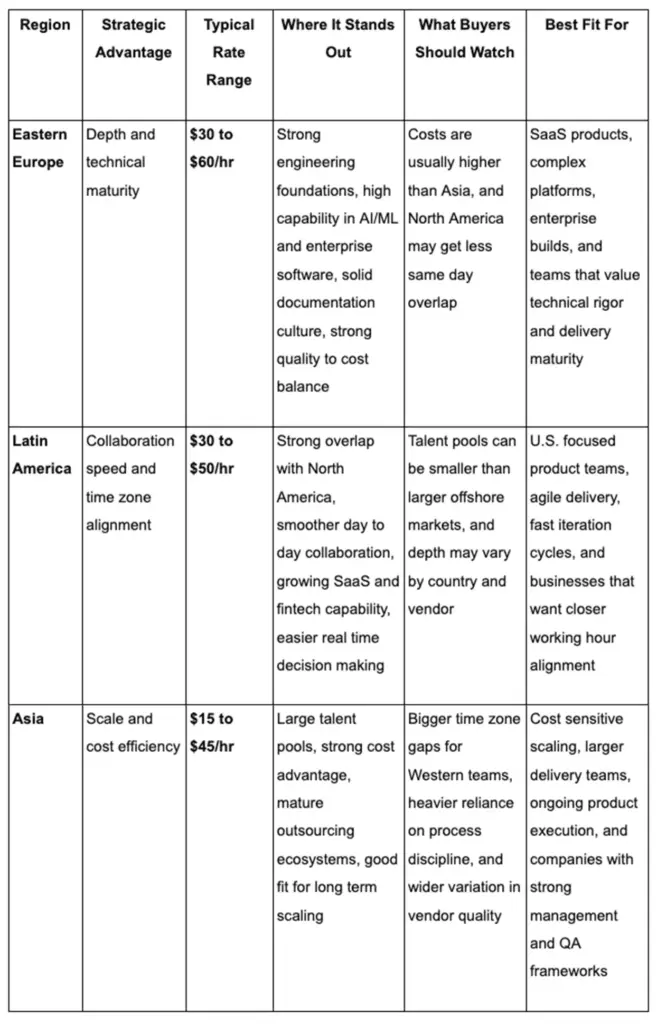
How to compare regions: Eastern Europe gives you technical depth, Latin America makes collaboration fast, and Asia delivers scale and cost savings.
Ultimately, No single solution works for all. A mature buyer will evaluate potential countries based on their product needs. For example, a European company might pick Eastern Europe for cultural and hourly overlap. U.S. startups could start with Latin America to keep time lag minimal, or Asia for budget. Compliance (GDPR, data residency) matters too. Use resources like Coursera’s skill reports or global English indices to see where talent and language match your needs.
Cost, Pricing, and Total Cost of Ownership in Offshore Product Development
Pricing models: Offshore engagements typically use one of several models:
- Time & Materials (T&M): You pay for the actual work delivered. It’s flexible if your scope changes, but needs tight management.
- Fixed Price: A set amount for a defined project scope, with extra controls for anything beyond that. Works if requirements are stable.
- Dedicated/Capacity-Based: You “rent” a team by the month. Great for long-term work and evolving scope. The vendor provides X developers full-time under your direction. Each model has trade-offs. Fixed-price gives cost certainty but needs strict scope control, whereas T&M provides flexibility but can drift without governance.
Total Cost of Ownership (TCO): Don’t get caught up in hourly rates alone. Real TCO covers everything such as recruiting, onboarding, travel, management time, plus any rework or defects. Even if the rates look low, costs get out of hand fast if the quality drops or communication breaks down. They advise tracking big drivers: delivery speed, quality assurance, security, and long-term maintenance. Similarly, We recommend considering recruiting costs, employee turnover, and technical debt as part of TCO. When you’re comparing vendors, figure out how many developer-months you’ll actually need—including rework and churn—then ask yourself what the overall ROI looks like, not just what the hourly price says.
Comparing Proposals Fairly: To really compare quotes, make sure you’re accounting for the same assumptions. Compare similar staffing plans and define deliverables the same way. Bring all hidden costs into the picture, like management effort, certification fees, subcontracting, and whatever applies. Get vendors to spell out roles and responsibilities clearly in their proposal. If one company is at $30/hr and another at $50/hr, check if the $30/hr group isn’t leaving out key stuff like design or testing while ensuring their staff has the same experience level. Clarify any extra charges for things like project management or QA.
What to Watch Beyond Rates: Beyond cost, watch for red flags: proposals that promise suspiciously fast deliverables or double-digit savings without explaining how. Look at sample deliverables – a weak proposal might omit key artefacts like architecture docs or test plans. Look for quality guarantees from the vendor (such as bug-fix timelines and performance SLAs). Make sure the contract includes intellectual property rights and warranties. Sometimes, the cheaper option turns out pricey if you end up sacrificing your product’s security or maintainability.
[Also Read: How Much Does AI App Development Cost?]
Offshore Software Product Development Trends in 2026
Looking ahead, a few key trends are changing offshore product development:
AI-Enabled Delivery Workflows
Offshore teams are increasingly using AI tools to streamline dev. Teams are adding AI code assistants, testing bots, and analytics right into their pipelines. According to a 2026 survey, outsourcing partners are making AI-driven tools part of their offering, sometimes even rolling out their own AI platforms. But this opens up fresh governance concerns. Contracts are getting AI-specific clauses dealing with data quality, human oversight, and who owns the models because of new regulations. In short, your offshore vendor might double as your AI partner soon, so expect them to manage and explain their use of AI more closely.
Growing Demand for Product-Led Offshore Teams
Clients are asking for outcome-oriented squads, not just code-jockeys. This means vendors are expected to think as “product teams” – bringing suggestions for features, owning metrics (like user engagement or MRR), and collaborating on roadmaps. In practice, this trend shows up as more offshore teams including product managers and UX designers on staff. While we haven’t seen a specific citation, industry buzz suggests buyers want partners who act like internal teams with business sensibility (often called a “product-led” approach).
Higher Expectations for Compliance and Security
Security and regulatory compliance are top of mind. Companies now insist offshore providers have rigorous security practices by default. Managed security services are usually bundled with outsourcing deals. Providers are responsible for monitoring threats, sticking to data laws, and giving rapid notice about breaches. With regulations tightening (like the EU AI Act), obligations now reach further along the supply chain. So by 2026, your offshore contracts will likely mandate compliance with privacy and AI regulations, and you’ll audit vendors for it.
Shift from Staff Augmentation to Outcome-Based Delivery
There is a clear move away from simply billing by the hour (staff augmentation) and toward outcome-linked models. Many clients now tie offshore vendor compensation to business outcomes – such as feature adoption rates, uptime, or project ROI – rather than lines of code. This is reflected in some contracts adopting value-based pricing or bonus-penalty clauses. As Morgan Lewis notes, “Companies are increasingly tying compensation to business outcomes … rather than transaction-based metrics”. Service-Level Agreements are getting sharper and success is being measured by real value, not just hours worked.
Offshore Product Development in Pakistan: The Practical Realities
Pakistan continues to grow as a practical offshore destination, especially for cost conscious product teams.
Talent Availability And Technical Strengths
Pakistan offers a large and growing technical workforce, with strong capability in web, mobile, backend, and increasingly AI related work. Senior depth varies by partner, so vendor selection matters.
Cost Competitiveness And Value
Pakistan remains highly competitive on cost. For companies looking to stretch budget without stopping product development altogether, it can offer strong value.
Communication And Collaboration Realities
English proficiency is generally workable for business delivery, though it varies by team. Pakistan also offers useful overlap for Europe, the Middle East, and some structured collaboration with North America.
When Pakistan Is A Strong Offshore Option
Pakistan is a strong option when companies need cost-efficient product execution, especially for SaaS, mobile, web platforms, and growth-stage product work. It is particularly attractive when the partner brings strong process maturity and QA discipline.
From MVP to Market: Offshore Product Delivery in Practice
To illustrate the end-to-end flow, here’s how an offshore-led product build typically proceeds:
- Discovery and Alignment: Start with a discovery phase. Work side-by-side with your offshore partner to set clear objectives. Nail down the Minimum Viable Product (MVP) scope, its core user flows, and any compliance needs. Map out key features so the vendor’s got a clear picture. Usually, it means joint workshops to gather business and technical requirements.
- Design and Prototyping: Next, jump into UX/UI and prototyping. The offshore team builds out wireframes, interface mockups, and click-through demos. Regular online reviews help keep things on track with your vision. Offshore designers can handle user research and usability tests, which brings those insights back to your product team.
- Architecture and Planning: Before anyone starts coding, finalize your technical architecture and project plan. Offshore architects (usually senior developers) will create system diagrams, tech stacks, and integration points. They’ll put together an architecture doc or diagram for you to approve. Then, set up your release schedule: break the MVP into pieces you can deliver, each with a milestone.
- Development in Sprints: Once the plan is ready, the team works in agile sprints. Typical sprints run 1–4 weeks with planning upfront, daily stand-ups (sometimes asynchronous), and demos at the end. Code gets written, tested, and merged without pause. The offshore team should commit code daily to a shared repository (like GitHub) and pull in the latest updates so everyone stays up-to-date.
- Quality in Every Release: Quality assurance happens in every iteration. After each sprint, offshore QA engineers handle regression tests, performance checks, and security scans. If they find any defects, they log and prioritize them. Keep an eye on KPIs like test coverage and bug counts. If you run into serious issues, deal with them right away. The acceptance criteria and definition-of-done you agreed on during planning need to shape what “done” really means for each feature.
- User Acceptance and Launch: Quality assurance happens in every iteration. After each sprint, offshore QA engineers handle regression tests, performance checks, and security scans. If they find any defects, they log and prioritize them. Keep an eye on KPIs like test coverage and bug counts. If you run into serious issues, deal with them right away. The acceptance criteria and definition-of-done you agreed on during planning need to shape what “done” really means for each feature.
- Support Beyond Launch: After going live, product support kicks in. The offshore team typically provides ongoing maintenance. They will set up monitoring and alerts, plus handle bug fix releases. Down the road, the team can build new features based on user feedback. Basically, the partnership shifts into a maintenance and growth phase to ensure your product keeps performing well in the market.
Each stage above is collaborative. Your internal product owners and engineers should remain deeply involved, steering priorities and integration. And honestly, when you use your offshore team the right way, you’ll move from idea to market faster and more affordably than sticking with just your in-house employees.
Conclusion
Offshore software product development is taking off because it solves real-world problems for today’s product teams. It lets businesses scale up, tap into hard-to-find expertise, release faster, and build delivery models that can handle change. When chosen carefully and managed well, it becomes more than a sourcing model. It becomes a strategic advantage.
How BrainX Can Help as Your Offshore Software Product Development Partner
As an experienced offshore development provider, BrainX brings global talent and tested methods to bring your product to life. We help product teams scale with a delivery model built on speed, transparency, quality, and long-term partnership. If you need more execution power but can’t lose accountability, we’ve got you.
BrainX is ISO 9001:2015 certified, which shows our focus on strong processes and quality management. We also follow strict security standards (like ISO/IEC 27001), so your data stays protected. Our teams handle everything from design and engineering to QA, support, and software architecture. We focus on structured communication, clear ownership, measurable delivery results, and collaboration that works across time zones.
Need a full offshore team or just targeted skills like cloud architecture, UI/UX, or AI?
Either way, BrainX can scale up for your needs. We’ll work with you on the best engagement model (dedicated team, fixed-scope, whatever fits) and help you sort through vendor choices if you’re still deciding.
In short, BrainX brings the talent, experience, and partnership you want to make offshore work for you.
Frequently Asked Questions About Offshore Software Product Development
What Is Offshore Software Product Development?
Offshore software product development means using a team in another country to design, build, test, and maintain software products. It helps businesses grow their delivery power, get specialized skills, and control costs but only if they have the right processes and communication in place.
How Is Offshore Different From Nearshore And Onshore Development?
Onshore teams are in your own country. Nearshore teams are in nearby regions with overlapping time zones. Offshore teams are farther away so the cost and scale benefits are bigger, but you depend highly on documentation and structured teamwork.
What Are The Benefits Of Offshore Software Product Development?
You get access to new talent, better scalability, more budget flexibility, faster delivery, broader time coverage, and strong support for the long haul.
What Challenges Should Businesses Expect?
You might run into communication gaps, less visibility, unclear ownership, uneven quality standards, and continuity issues if your documentation isn’t solid.
Which Product Development Services Can Be Outsourced?
Design, architecture, front end, back end, QA, DevOps, support, modernization, and product management support, basically all of these can be outsourced as long as your partner’s setup can handle it.
How Do You Choose The Right Offshore Product Development Partner?
Look for a partner with a strong delivery track record, technical depth, great communication, team stability, solid security, and proof that they can align with your product goals.
In software development, a Proof of Concept (PoC) is a low-cost rapid test, which helps to understand whether an idea is technically feasible and useful to users. It is risk-averse, time and cost-efficient and provides the stakeholders with the confidence to proceed to prototypes, MVPs, or even full development. Therefore, a smart first step in developing a new product.
Proof of Concept (PoC) in software development is an initial test to validate a proposed idea in the real world. Testing ideas beforehand is important since many of the 66% of software projects that fail are because of unproven assumptions or technical difficulties. A PoC is generally a small and inexpensive exercise, typically a document, a presentation or a demo with little or no code, to help prove that the main idea has commercial worth.
PoCs are useful in ensuring that teams do not waste resources on projects that may not be successful by asking key questions at the beginning. It is also an early confirmation that allows stakeholders to believe that the idea is based on reality, and that gives them a strong motivation to move forward. Finally, a successful PoC enhances the possibility of transitioning a project into the 10 percent of projects that are successful as opposed to the 90 percent that fail.
What Proof of Concept Means in Software Development
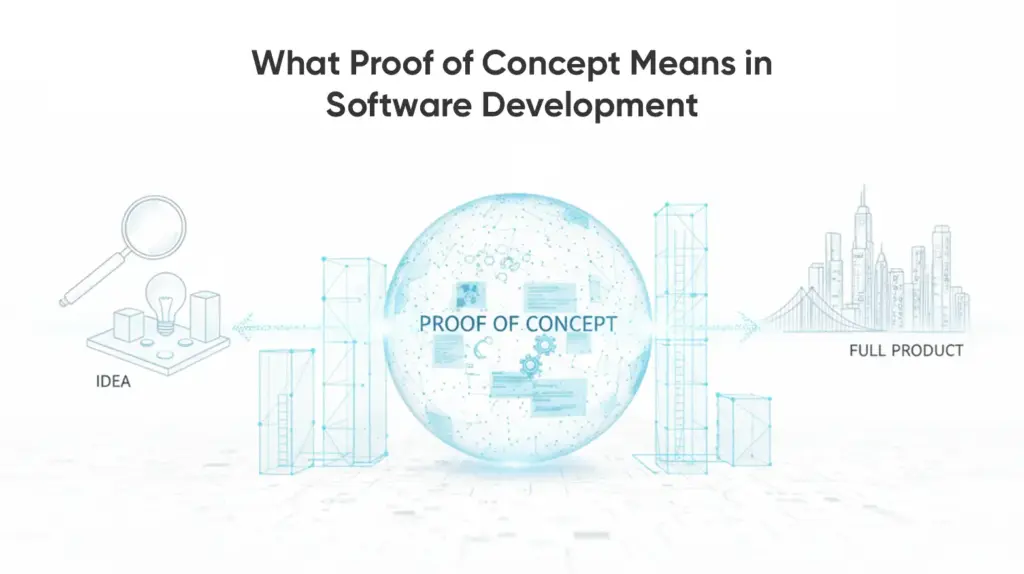
The Proof of Concept (PoC) in software development is in fact a miniature trial or demonstration to determine whether any given idea or approach is technically and commercially feasible. It provides the answer to a question: Will this software idea be used in real life? The PoC is done prior to you spending large amounts of resources in developing it. It has the objectives of demonstrating that the core functionality can be deployed using the technology available as well as demonstrating that the concept will solve a real user need or business problem.
More importantly, PoC is not concerned with a refined product. As a matter of fact, no code can be written in any form which is production-ready. A PoC may instead consist of throwaway code, simulations or even a simple mock-up or storyboard to test a single or two major assumptions.
To illustrate, a team can develop a barebones backend script to make sure that an AI algorithm can work with data in the way it should, or write a low-fidelity UX flow to make sure people have grasped a new concept. It focuses on the fast and low cost learning of whether the idea is worth pursuing or not.
A PoC is typically done internally or within a small group of stakeholders. Because it’s an initial validation, it’s usually low-cost and quick to produce – think of it as “a business plan for your product’s foundation”. It describes what the product is trying to accomplish, who the intended users are, whether the product can be constructed using existing technology and what challenges can be expected.
Assuming that the PoC is effective, it provides the green light to pass to more concrete phases such as prototyping and development. In case it reveals significant weaknesses, it is an indicator to rethink the concept or to redesign it prior to any critical investment.
A PoC will not be necessary in all projects – when you are introducing a well-known feature or are operating with an established technology, you may use prior art instead. Yet, when it comes to mapping an unfamiliar ground, whether it is a new product concept or an innovative technology deployment, a PoC comes in very handy. It offers concrete proof that your idea is good and can address the needs of the user, which is essential since when a product does not address a real need, then it will never be able to take off.
In short, a PoC is concerned with proving viability and possibility in the first place, to ensure that you and your stakeholders can go on with confidence.
Why Is a PoC Important? Its Benefits and Purpose
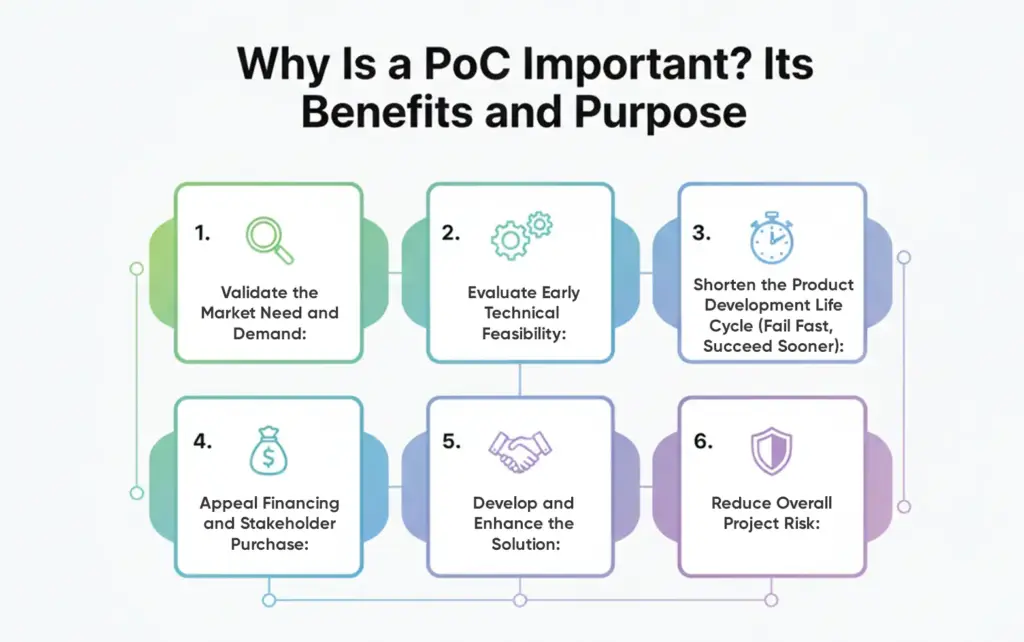
In a crowded industry where few ideas succeed, a PoC helps prevent costly failure. Since “no market need” and “running out of cash” are top causes of startup failure, a PoC ensures the idea has demand and prevents large investments in unviable products. Here are key benefits of running a PoC:
Validate the Market Need and Demand:
A PoC confirms whether your idea solves a real problem. It drives premature market validation such that you do not end up creating something the users do not desire. The more you research pain points and experiment with how people will react to initial ideas, the higher your chances are likely to be of your product being market fit.
Evaluate Early Technical Feasibility:
A PoC is a reply to the question, “Will we be able to construct it using our existing tools?” It reveals technical risks at an early stage – be it system integrations, emerging technologies or performance constraints. Early discovery of these issues enables the team to make changes to architecture or scope prior to significant resources being bound.
Shorten the Product Development Life Cycle (Fail Fast, Succeed Sooner):
It is costly to develop complete products. A PoC will allow testing the idea inexpensively prior to spending a lot of money. In case it fails, you save time and budget, and in case it works, then it demonstrates where resources should be directed. This initial gateway is useful in preventing expensive errors made by teams and allocating resources only to those ideas with potential.
Appeal Financing and Stakeholder Purchase:
A good PoC will show an argument not only in theory but also in action that the concept is functioning. Investors and executives do not react to rough pitches as well as to the proven ones. A PoC provides physical evidence, which enhances the confidence and higher chances of securing a grant or successful full development.
Develop and Enhance the Solution:
A PoC shows holes in your concept, and what people actually are interested in. It assists in product refinement, simplification and defining the value core. Poc experiences can influence the team to change their roadmap or strategy, which will provide them with a more robust basis of development.
Reduce Overall Project Risk:
A PoC minimizes a failure by ensuring that the need in the market, as well as the technical feasibility, are proven early. A positive PoC is one that creates confidence whereas a negative one alerts problems early before they have invested heavily. PoC documentation as well gives direction to future work as teams can work in a more directed and less uncertain way.
A PoC brings your idea into reality in a low-risk way, offering evidence to guide your next move. Because most startups fail due to poor market alignment or flawed execution, a PoC is a strategic step that increases your chance of building something successful.
PoC vs. Prototype vs. MVP: What’s the Difference?
A Proof of Concept, Prototype, and MVP are so similar as they all may be seen at the beginning of the development. Yet, they are both used with different purposes. The knowledge of such differences is used to select the proper move based on viability, utility, or market acceptance by teams.
Proof of Concept (PoC):
A PoC is used to determine the feasibility of an idea or technology. It tends to be an internal experiment that seeks to answer the following question: Will this work? A PoC can be a simulation, mock up or a small test that can demonstrate viability to stakeholders. It occurs at the initial phases of development and can most of the time be a determining factor in the continuity of the project.
Prototype:
A prototype transforms the concept to reality. It follows a PoC and is concerned with user experience and design and simple interactions. Prototypes may be drawings or wireframes or bare bones. They make teams test usability and correct the way in which the product should look and work. Prototypes are interactive and user-facing as opposed to PoCs.
Minimum Viable Product (MVP):
MVP is a barebones yet workable variant of the product that is shipped to actual customers. It contains the bare minimal features. The aim is to experiment, verify assumptions and receive feedback on the market with minimum investment. In contrast to prototypes, an MVP allows the user to perform real work and gives them a way to understand how to build on that.
Comparison Table
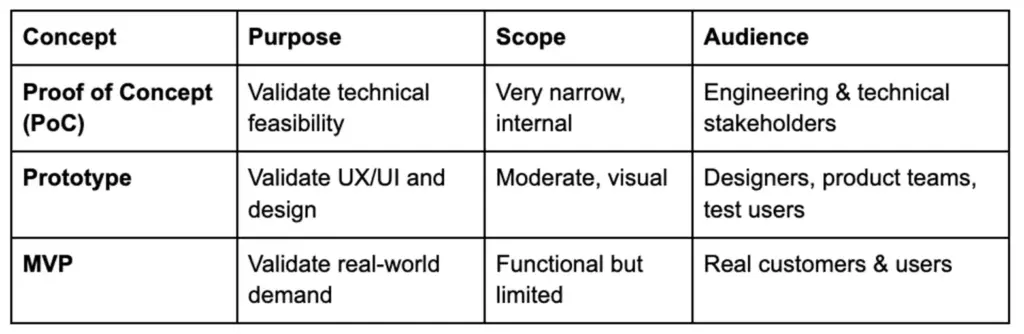
A typical sequence of the new products is PoC – Prototype – MVP. A PoC makes it possible, a prototype forms the experience, and a prototype MVP is testable to the actual market demand. These stages can overlap one another, but the application of each tool at the appropriate time minimizes the circumstances of frustrating mistakes caused in the development.
Types of Proof of Concept in Software
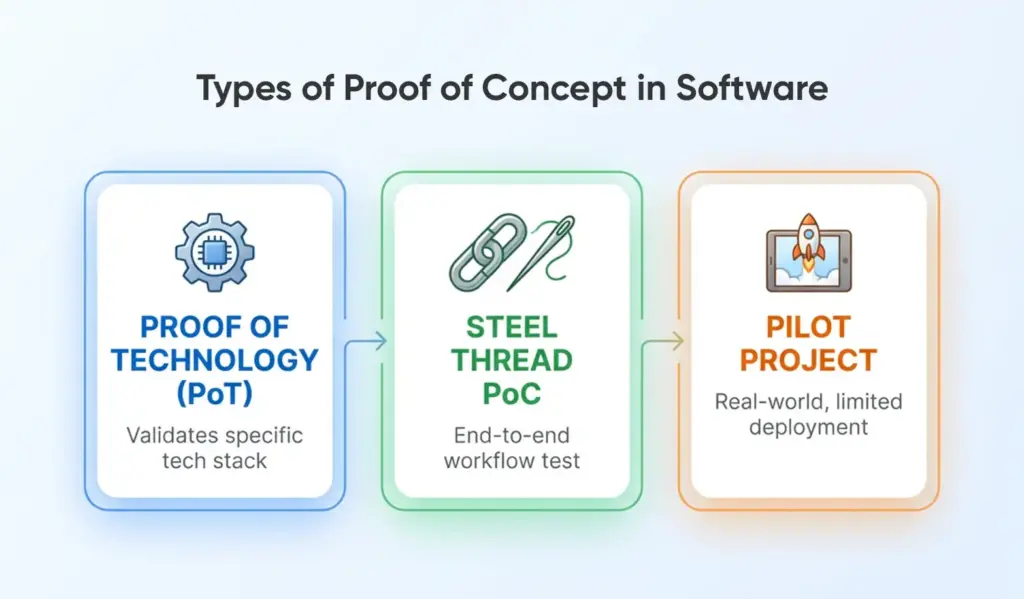
Not all PoCs are identical. In software development, they focus on different feasibility aspects. Let’s explore a few widely used types:
- Proof of Technology (PoT): This PoC tests if specific technologies or integrations can meet technical requirements. For example, it might check whether a database handles expected traffic or if an AI model is accurate enough. PoTs isolate technical components and help detect risks early. If a PoT fails, it signals a need to change the tech stack or adjust your approach.
- Steel Thread PoC: A steel thread PoC implements a minimal, end-to-end version of the system. It runs a simple use-case across core layers like UI, backend, and database. This helps confirm that the components integrate and function together.It provides prior understanding of the software architecture and reveals the workflow or design vulnerabilities before scaling.
- Pilot Project: A pilot PoC is a mini scale implementation to verify actual performance. Normally one team or department is involved in the introduction of the product. It helps gather user feedback and validate adoption in a controlled setting. Pilots are common in B2B and enterprise scenarios. A strong result boosts confidence in value delivery and operational fit.
Depending on the project, teams often use more than one PoC type. Startups may run a PoT first, follow with a steel thread, and end with a pilot to verify adoption. This phased approach reduces risk from technical, architectural, and market perspectives.
Each PoC type follows one principle: validate small before scaling. Decide depending on what you have to prove. Not sure if your tech works? Try a PoT. Want to test flow? Go with a steel thread. Need real user input? Run a pilot.
How to Develop a PoC: Major PoC Steps to a Successful Proof of Concept
The development of a Proof of Concept is a process in software development. Although the methods vary, the majority of PoCs are similar in the number of steps. The following is a brief outline on how to construct an effective PoC.
Step 1: Define the Need or Problem
A strong PoC starts with a clearly defined problem. Determine what problem your software will address and prove that this is a true problem. Discuss with users, research problems in the industry, and eliminate assumptions. A PoC that is constructed on a weak problem is doomed at an early stage.
Establish measures of success- measurable objectives that establish the answer to whether the PoC was successful. Be flexible, conversations with users can help you to better understand the problem.
Step 2: Brainstorming and Selecting the Most Effective Strategy
After becoming sure that the problem is real, brainstorm possible solutions. Engage product, design and engineering in order to test various ideas. Assess alternatives on the basis of feasibility, effectiveness, cost, time and risks. Choose the most feasible method and show the reason why it was selected.
Select an appropriate tech stack of the PoC and describe a limited scope. Make the PoC as bare as possible, just cover what makes the idea work.
Step 3: Develop a Prototype of the Idea
Make a simple prototype, which shows the main concept. It may be a plain-UI mockup, wireframe or a small model written in code. Test what you actually want to do- not on creating a complete product.
Use shortcuts: mock data, hard-coded flows, or simple scripts. The prototype must be fast, dispensable and able to reveal the key problems in time.
Step 4: Test the Prototype and Gather Feedback
Evaluate the prototype on target users or a limited group of stakeholders. Watch their personal reaction towards the concept and enquire whether it answers their problem. Get feedback on clarity, usefulness and lack of functionality.
Apply the knowledge to perfect the idea. Normal iteration is the rule – PoCs tend to go through iterative loops of build-test-improve. It is okay to fail as long as you will save big mistakes in the future.
Step 5: Document Findings and Plan Next Steps
After testing gives sufficient understanding, make a PoC report. Provide the problem, solution strategy, results, limitations, success criteria, and future plans. Record the achievement of goals and the next course of action.
Develop a plan of activities that will achieve a prototype or MVP in terms of timing, resources, and milestones. This documentation generates trust among the stakeholders and steers the team along.
Assess the PoC based on your standards and have an explicit recommendation on whether to proceed, pivot or stop. Being frank will instill trust and make sure that the decisions are evidence-based rather than assumption-based.
PoC Exit Checklist
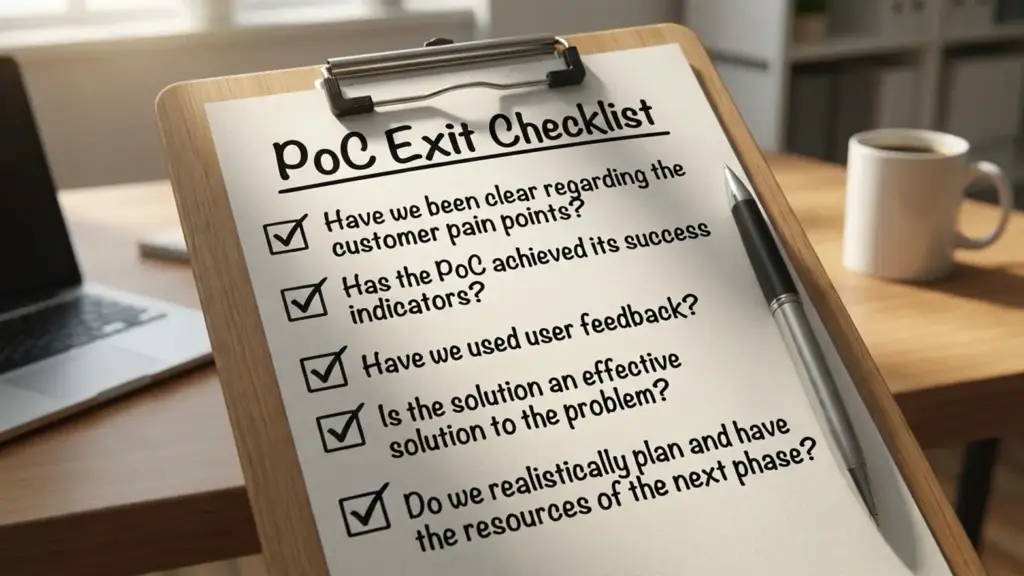
Before proceeding, are you able to respond to:
- Have we been clear regarding the customer pain points?
- Has the PoC achieved its success indicators?
- Have we used user feedback?
- Is the solution an effective solution to the problem?
- Do we realistically plan and have the resources of the next phase?
In case yes, then your PoC is vibrant and prepared to move on.
The Pitfalls and Mistakes to Avoid
Although a PoC has the potential of making a project successful to a significant extent, there are errors that teams make to lower its effectiveness. Knowing these pitfalls helps you avoid them and keep your PoC on track.
Skipping Market Research
A major mistake is skipping market validation. Building a PoC without confirming that users actually have the problem leads to solutions no one needs. Since lack of market demand is the top reason products fail, start with real user input. Use interviews and surveys—not assumptions—to guide your PoC.
Over-engineering the PoC
A PoC is meant to be a quick, simple test and not a full product. Other teams do excessive work, making their work overly complicated. This is time wasting and pivoting becomes more difficult. Keep your PoC lean and focused on proving core assumptions. If you’re building too much, step back and reset the scope.
Unclear Success Criteria
It is futile without identified success metrics, a PoC is directionless. Teams can complete the work and not be aware whether it worked or not. Establish quantifiable targets at the beginning, e.g. performance metrics or user feedback goals. These serve as your North Star and help to keep things on track and avoid wasted extensions and biased decision-making.
Lack of Team Collaboration and Communication
A small PoC must have a high level of alignment. Poor communication among the engineers, designers, and product managers may put a stop to the progress. Have set objectives and roles and provide regular updates. Issue shares as they come so that the team can evolve fast. A close feedback loop will make the PoC move along without any issues.
Ignoring User Feedback
The feedback is half the battle but taking action on it is what is more important. Negative remarks are dismissed at times by teams due to preference of the initial idea. This is risky. When the PoC does not seem helpful or confusing to the users, make it different. The neglect to pay attention to the insights today will only cause the product to grow larger in future.
Not Planning Beyond the PoC
Most teams neglect to think about what to do when a PoC succeeds. Lack of a roadmap on the next step results in loss of momentum. Make a rudimentary plan in advance- resources, target users, budget requirements, and next milestones. Make the choice on what you will do in the event of a failure of the PoC. The ability to prepare both results is a time-saving factor in the future.
Avoiding such traps makes your PoC relevant, effective and useful. A PoC is not supposed to make things less certain. Remaining user-focused, intentional, and highly responsive, you make sure that your PoC has your product moving in the correct direction.
Real-World Examples of PoC Wins
To get some examples, we can consider some of the case studies where creating a proof of concept made a real difference:
- Walmart Food Safety POC with Blockchain: Walmart and IBM collaborated to enhance food traceability through the use of blockchain technology. They ran a PoC to track produce like mangoes in the US and pork in China. Tracing food origin once took days—blockchain reduced that time to seconds. This demonstrated the tech’s speed and viability. Although data entry concerns were noted, the PoC gave Walmart the confidence to implement blockchain in their supply chain.
- AI Legal Research Assistant PoC (Law Firm): A tax law firm tested if AI could streamline legal research. They created a simple PoC web tool in just 6–8 weeks. The result? It reduced case analysis time from 8 hours to just 40 seconds. This massive efficiency boost proved technical feasibility and ROI. The success encouraged investment in a full AI solution and showed how a focused PoC can guide decisions.

- Dropbox’s Explainer Video as a PoC for Demand: Before building their product, Dropbox created a 3-minute explainer video to show their idea. It acted as a PoC for market interest. They increased their waitlist by 5,000 and 75,000 users in one night. This answer certified the demand without coding. The team utilized the momentum to take up the funding and produce the product. It is a good illustration of a marketing PoC at work.

- Naontek Digital Health Platform PoC: Naontek is a German startup and the development of Univiva is a digital health care professional learning platform. In order to handle the complexity, they conducted an elaborate PoC that was user need-based, business-oriented, and technically viable. Getting the stakeholders involved at an early stage contributed to a focused product. The outcome: more than 20,000 users and 6000 courses within the first-year. Their process of PoC resulted into high adoption and product-market fit.
Conclusion
In software development, a Proof of Concept (PoC) does not merely represent a technical test run – it is a strategic test run. PoC allows you to take the right steps in the right place at the right time to save costly mistakes and get all your team, stakeholders, and roadmap aligned.
It does not matter whether you are a startup to impress investors, a product manager planning features, or an enterprise leader running a PoC test, you will know that you are proceeding with evidence, and not assumptions.
Even when a PoC reveals weaknesses, it is a good result- it demonstrates that you have saved time, money and momentum before making bigger investments. Success, in its turn, offers a solid ground and confidence to develop.
A PoC is useful in an industry where two-thirds of projects fail because of a lack of clarity in planning or a lack of market fit. When the question comes up of what a Proof of Concept (PoC) is in software development, there is a simple answer, namely, it is your best bet to create something that actually works.
Thinking About Turning Your Concept Into a Winning Product? Partner with BrainX!
A Proof of Concept is only the first step but what is actually important is to convert that confirmed idea into a software solution that is high-performing and scaled. At BrainX, we are in the business of assisting startups and enterprises to make a smooth transition between PoC, MVP and full-fledged product development. Mobile, web engineering and AI Our highly skilled teams are able to deliver on your vision with accuracy, speed and industry best quality. Be it technical validation, product-level strategy, or end to end development; BrainX makes sure that each next step will be based on evidence and will be a success.
Let’s turn your proven concept into a real-world success story. Book a consultation today!
Frequently Asked Questions about PoC
1. How much time is normally spent in a Proof of Concept?
The duration needed by most PoCs is between 2-6 weeks, depending on complexity. The target is speed and not excellence. The longer timelines can be the pointer of scope creep or over-engineering.
2. How much does it cost to build a PoC?
Prices can be very expensive. However, a PoC is specifically low-cost and normally should only amount to 5-10 percent of the entire project budget. It is meant to be used to prove viability before big investment.
3. Who should be involved in creating a PoC?
A PoC usually features software engineers, software architects, product managers and stakeholders who are conversant with both the technical and business needs. The collaboration will help to make sure that both the feasibility and strategic goals are considered by the PoC.
4. What happens if a PoC fails?
In case a PoC doesn’t work, then it is still worth having since it helps avoid the team spending money on an achievable solution. A failed PoC assists in redirecting the work, altering the scope, or selecting other approaches without significant losses.
5. Is a PoC always required before building an MVP?
Not always. In case the technology becomes proven and the issue is well perceived, the teams can jump directly to a prototype or MVP. A PoC is highly advocated but in the case of proving new ideas or having uncertain feasibility.